
Loot Journal: Pickup Notifier
Ultimate item pick-up notifier featuring rich animations, full theming support, customizable layouts, and powerful filtering options!
Screenshots
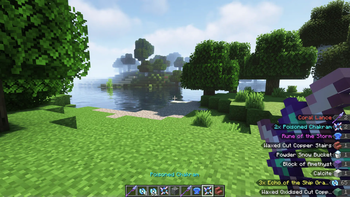
Über diese Mod




Loot Journal is a client-side mod that enhances item pickups with smooth, animated notifications, smart stacking, and full visual customization. Track your own and nearby players' pickups in real time, tweak every detail in-game, and enjoy a clean, immersive UI.


|
Smooth Pickup FlowClean, animated pickup notifications slide naturally from the edge of the screen, blending seamlessly into gameplay. Smart stacking, merging, and positioning logic keeps everything readable, while special effects highlight rare finds. Fully supports both items and experience. |
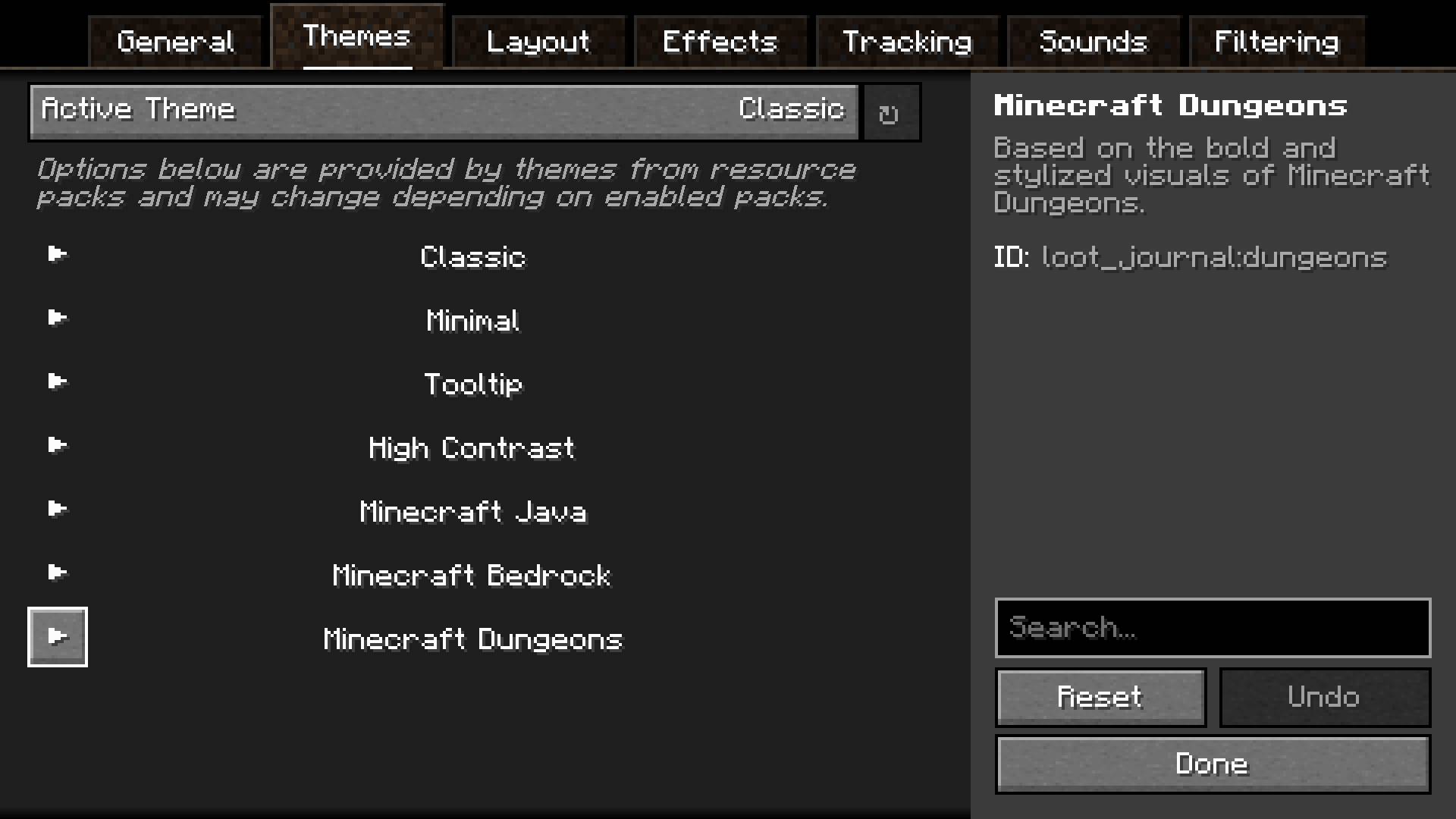
Visual ThemesChoose from multiple built-in visual themes, each with its own style and layout. Every theme can be tweaked individually, and entirely new ones can be added through resource packs, allowing complete visual freedom. |

|

|
Player TrackingSee what nearby players are picking up in real time. Track friends, discover rare finds, or monitor activity around you. Fully configurable with player filters — and players can stay hidden using invisibility or a carved pumpkin. Works on vanilla servers! |
In-Game ConfigA fully accessible and user-friendly configuration system lets you fine-tune every aspect of the mod. Adjust layout, positioning, animations, sounds, and filtering directly in-game with immediate feedback. |
|

|
Polished UX DetailsDesigned for clarity and comfort. Entries pulse when updated, large pickup bursts are neatly aggregated, and total item counts are tracked — including items inside shulkers, sacks, and other containers. Everything works together to keep your screen informative without clutter. |


Verfügbare Versionen
Loot Journal: Pickup Notifier auf deinem Client installieren
Mod-Loader lokal installieren
Installiere fabric für deine lokale Minecraft-Version.
Passende Datei herunterladen
Wähle die Loot Journal: Pickup Notifier-Datei für fabric und Minecraft 26.1.2.
Mod installieren
Lege die .jar-Datei in deinem lokalen .minecraft/mods-Ordner ab und starte Minecraft neu. Eine Installation auf dem Server ist nicht nötig.
Kompatibilität
Mod-Loader
Minecraft-Versionen
26.1.2, 26.1.1, 26.1 (+3 weitere)
Server-seitig
✗ Nicht unterstütztEmpfohlener RAM
4 GB(min. 3 GB)Häufige Fragen
Muss Loot Journal: Pickup Notifier auf dem Minecraft Server installiert werden?
Nein. Modrinth kennzeichnet Loot Journal: Pickup Notifier serverseitig als nicht unterstützt. Installiere die Mod nur im lokalen Minecraft-Mods-Ordner. Dein Server kann unverändert bleiben, sofern die Mod-Seite keine zusätzliche Abhängigkeit nennt.
Welche Version und welchen Loader braucht Loot Journal: Pickup Notifier?
Nutze eine Datei für fabric, forge, neoforge, quilt und exakt deine Minecraft-Version. Unterstützte Versionen sind unter anderem 26.1.2, 26.1.1, 26.1. Loader-Dateien sind nicht untereinander austauschbar.
Loot Journal: Pickup Notifier funktioniert nicht – was kann ich prüfen?
Prüfe zuerst Minecraft-Version, Loader-Version und erforderliche Abhängigkeiten. Lege die .jar-Datei im lokalen .minecraft/mods-Ordner ab und entferne ältere Duplikate. Da die Mod clientseitig ist, löst mehr Server-RAM dieses Problem nicht.
Minecraft Server für deine Gruppe
Loot Journal: Pickup Notifier bleibt auf deinem Client. Hoste dazu eine kompatible Welt für deine Mitspieler.