
Loot Journal: Pickup Notifier
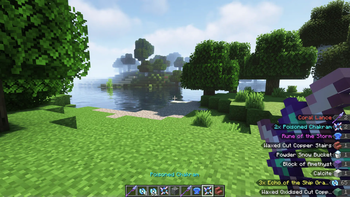
Ultimate item pick-up notifier featuring rich animations, full theming support, customizable layouts, and powerful filtering options!
Screenshots
About this Mod




Loot Journal is a client-side mod that enhances item pickups with smooth, animated notifications, smart stacking, and full visual customization. Track your own and nearby players' pickups in real time, tweak every detail in-game, and enjoy a clean, immersive UI.


|
Smooth Pickup FlowClean, animated pickup notifications slide naturally from the edge of the screen, blending seamlessly into gameplay. Smart stacking, merging, and positioning logic keeps everything readable, while special effects highlight rare finds. Fully supports both items and experience. |
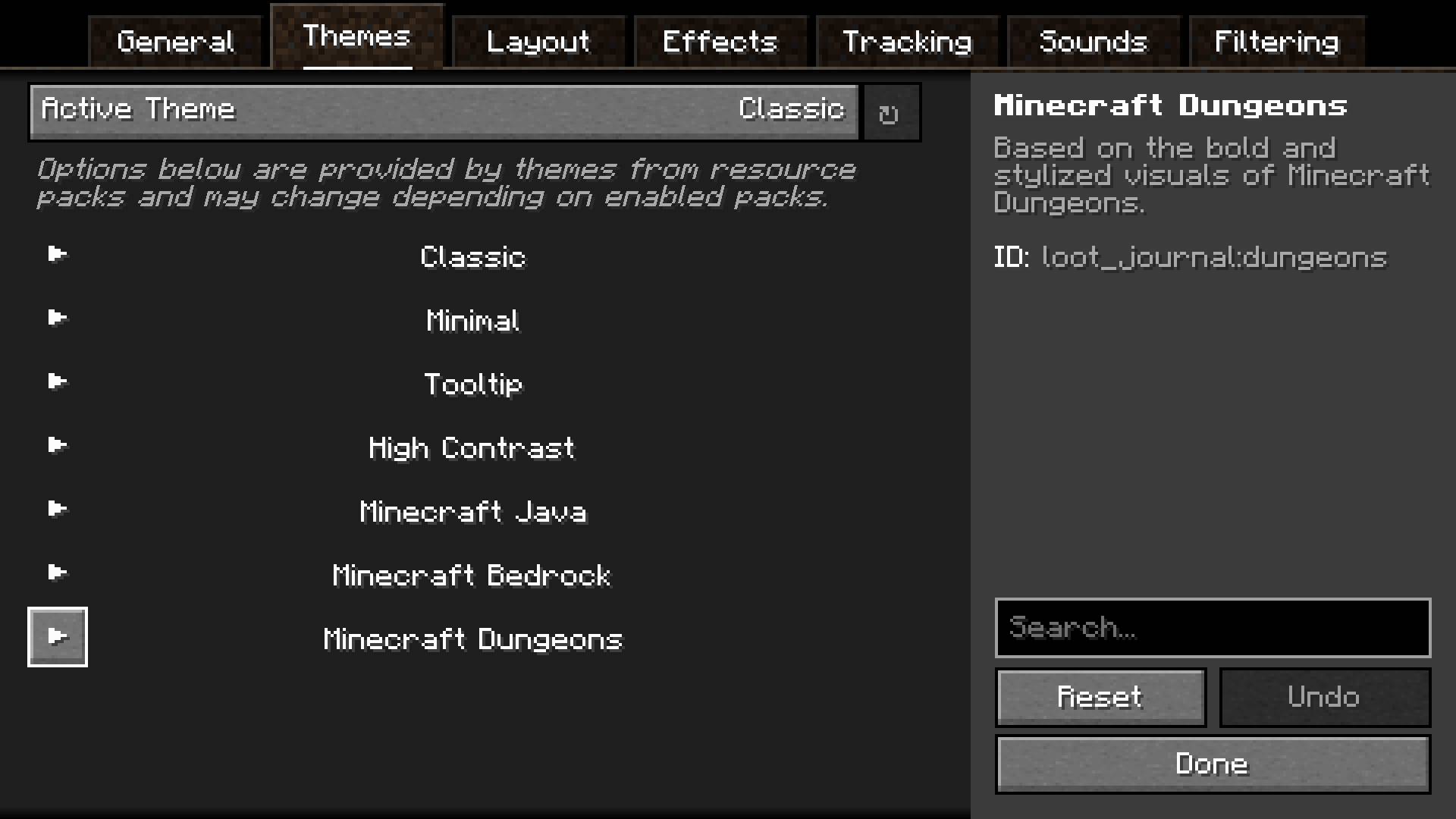
Visual ThemesChoose from multiple built-in visual themes, each with its own style and layout. Every theme can be tweaked individually, and entirely new ones can be added through resource packs, allowing complete visual freedom. |

|

|
Player TrackingSee what nearby players are picking up in real time. Track friends, discover rare finds, or monitor activity around you. Fully configurable with player filters — and players can stay hidden using invisibility or a carved pumpkin. Works on vanilla servers! |
In-Game ConfigA fully accessible and user-friendly configuration system lets you fine-tune every aspect of the mod. Adjust layout, positioning, animations, sounds, and filtering directly in-game with immediate feedback. |
|

|
Polished UX DetailsDesigned for clarity and comfort. Entries pulse when updated, large pickup bursts are neatly aggregated, and total item counts are tracked — including items inside shulkers, sacks, and other containers. Everything works together to keep your screen informative without clutter. |


Available Versions
How to Install Loot Journal: Pickup Notifier on Your Client
Install the Mod Loader Locally
Install fabric for your local Minecraft version.
Download the Matching File
Choose the Loot Journal: Pickup Notifier file for fabric and Minecraft 26.1.2.
Install Mod
Place the .jar file in your local .minecraft/mods folder and restart Minecraft. No server-side installation is required.
Compatibility
Mod Loaders
Minecraft Versions
26.1.2, 26.1.1, 26.1 (+3 more)
Server-side
✗ UnsupportedRecommended RAM
4 GB(min. 3 GB)Frequently Asked Questions
Does Loot Journal: Pickup Notifier need to be installed on the Minecraft server?
No. Modrinth marks Loot Journal: Pickup Notifier as unsupported on the server side. Install it only in your local Minecraft mods folder. Your server can remain unchanged unless the mod page lists an additional dependency.
Which version and loader does Loot Journal: Pickup Notifier require?
Use a file for fabric, forge, neoforge, quilt and your exact Minecraft version. Supported versions include 26.1.2, 26.1.1, 26.1. Files for different loaders are not interchangeable.
Loot Journal: Pickup Notifier is not working – what should I check?
First check the Minecraft version, loader version and required dependencies. Put the .jar file in your local .minecraft/mods folder and remove older duplicates. Because this mod is client-side, adding server RAM will not fix it.
Minecraft Server for Your Group
Loot Journal: Pickup Notifier stays on your client. Host a compatible world for your group.