Luminous Blocks
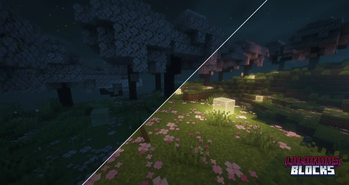
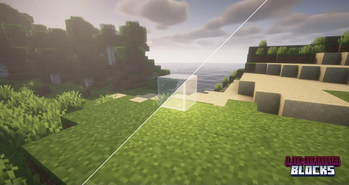
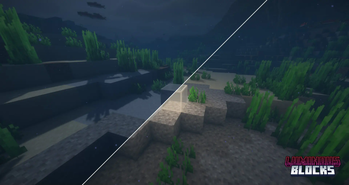
Luminous glass that emit light, perfect for underwater builds and for enhanced building aesthetics.
Screenshots

Über diese Mod
✦ Community Showcase
Here's a build shared by a member of the community, using Luminous Glass in a creative way:
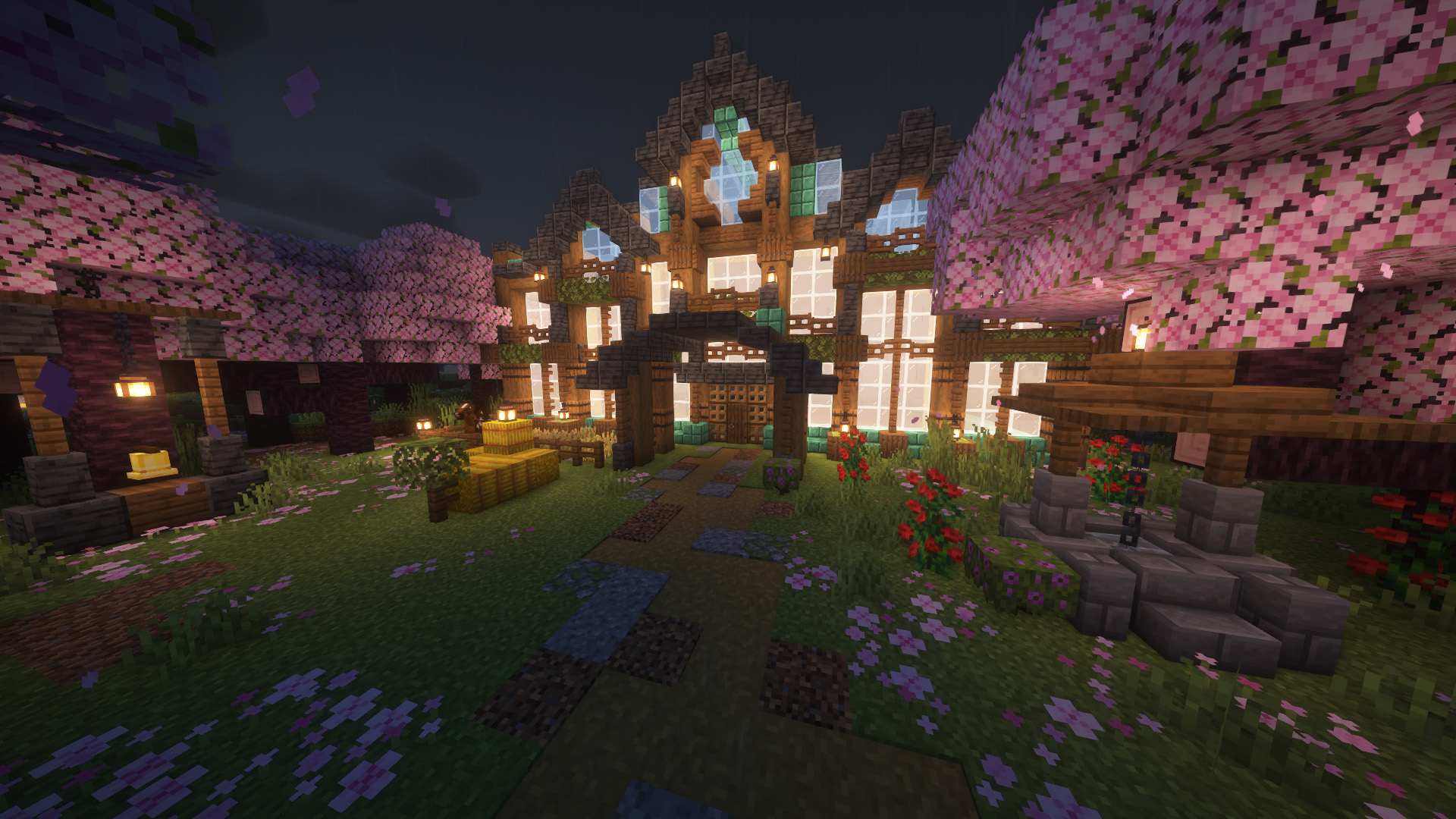
Got a cool build using Luminous Blocks? Share it on Discord!
✦ Overview
Luminous Blocks adds glowing variants for every glass block and their pane forms.
They emit light when placed, making them ideal for glowing builds, ambient lighting, or underwater architecture. Compatible with beacon beams.
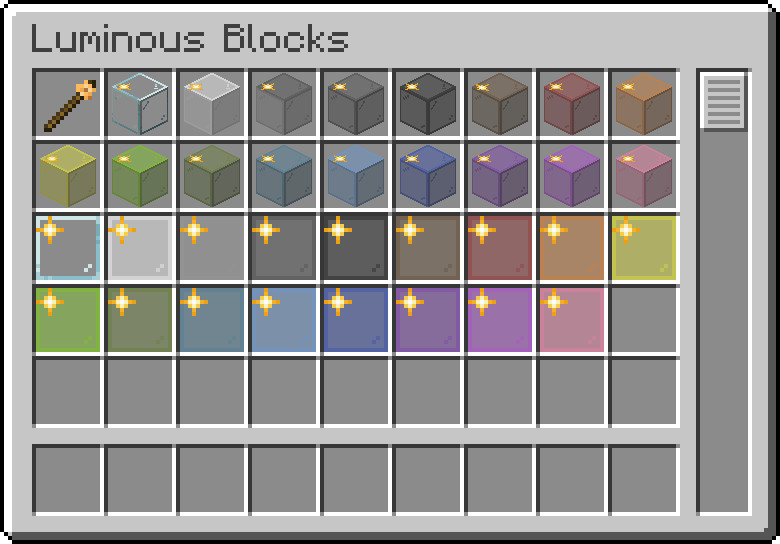
The icon overlay is to distinguish them from normal glass, this doesnt affect the placed blocks.
✦ Crafting Recipes
The Luminosity Wand allows you to right-click any Luminous Block to change the light level.
Three light levels: low (5), medium (10), and high (15).
Stick + 1 Glowstone Dust → Luminosity Wand
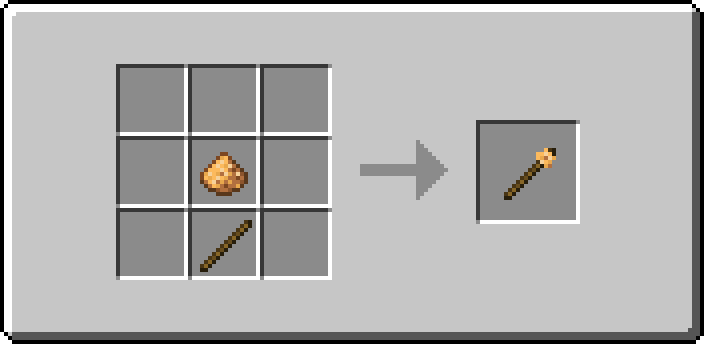
Crafting is shapeless, and light level is the same no matter which ingredient is used.
All Luminous Glass is crafted by combining any glass block with a light-emitting ingredient.
Glass + 1 Torch
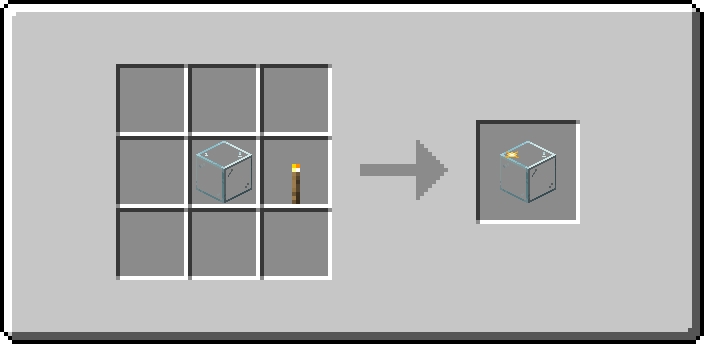
Glass + 1 Glowstone Block
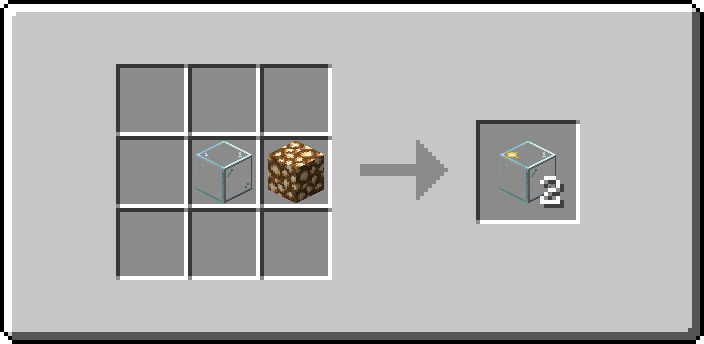
Glass + 4 Glowstone Dust
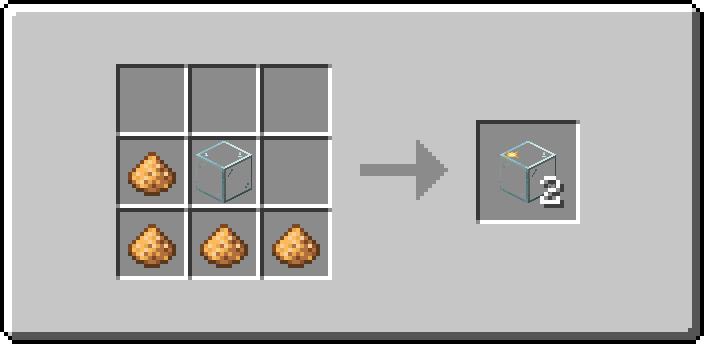
Glass + 1 Sea Lantern
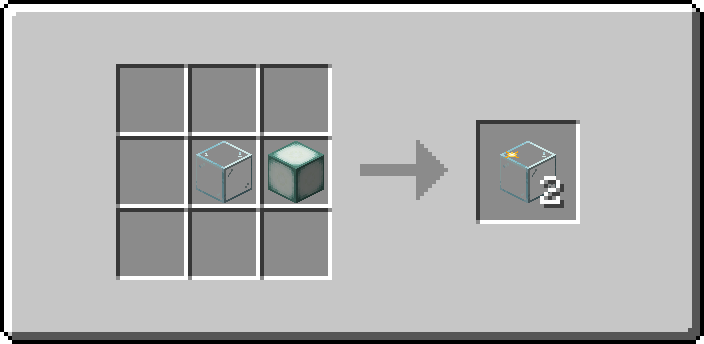
Glass + 4 Prismarine Crystals
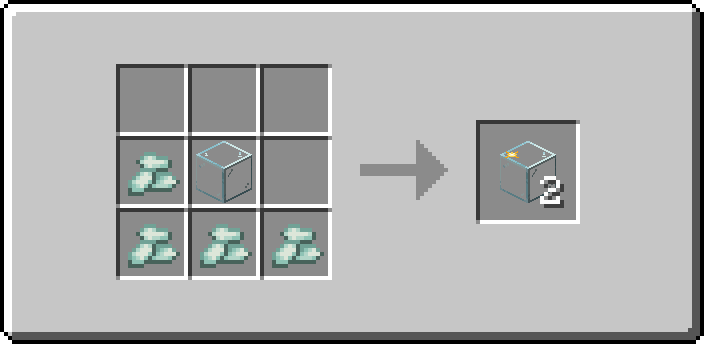
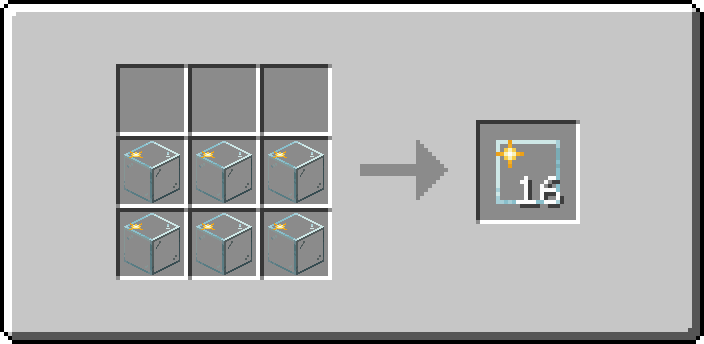
6 Luminous Glass → 16 Luminous Panes
Shoutout to St0lasHB for playtesting all 1.3.0 versions!
Verfügbare Versionen
Luminous Blocks auf dem Server installieren
Server bestellen
Bestelle einen Minecraft Java Server mit mindestens 3 GB RAM (4 GB empfohlen).
fabric Loader setzen
Wähle im Panel unter "Egg" den fabric-Loader und die passende Minecraft-Version (1.21.6).
Mod installieren
Öffne den Mod-Browser im Dashboard und suche nach "Luminous Blocks". Klicke "Installieren" – fertig! Alternativ: Lade die .jar via SFTP in den /mods Ordner.
Kompatibilität
Mod-Loader
Minecraft-Versionen
1.21.6, 1.21.5, 1.21.4 (+2 weitere)
Server-seitig
✓ ErforderlichEmpfohlener RAM
4 GB(min. 3 GB)Häufige Fragen
Luminous Blocks Server crasht beim Start – was tun?
Häufigste Ursache: falsche fabric-Version oder zu wenig RAM. Prüfe im Server-Log (latest.log), ob ein "OutOfMemoryError" oder "Mixin"-Fehler auftritt. Bei Mado Hosting: Stelle sicher, dass mindestens 3 GB RAM zugewiesen sind und der Loader zur Mod-Version passt (1.21.6). Über das Panel kannst du den Loader mit einem Klick wechseln.
Ist Luminous Blocks mit fabric und forge und neoforge kompatibel?
Luminous Blocks unterstützt offiziell fabric, forge, neoforge für Minecraft 1.21.6, 1.21.5, 1.21.4. Achtung: Forge- und Fabric-Mods sind NICHT untereinander kompatibel – wähle einen Loader und bleibe dabei. Im Mado Dashboard werden inkompatible Loader-Kombinationen automatisch erkannt.
Server laggt mit Luminous Blocks – wie optimiere ich die Performance?
Empfohlener RAM: 4 GB (+1 GB pro 8 Spieler). Prüfe mit /spark profiler, ob Luminous Blocks den meisten Tick-Time verbraucht. Häufige Fixes: Server-View-Distance auf 8-10 reduzieren, bei Forge "performant" oder "starlight" als Zusatz-Mod installieren. Bei Mado Hosting läuft dein Server auf NVMe-SSDs mit dedizierten CPU-Kernen für minimale Latenz.
Ähnliche Mods

![[ETF] Entity Texture Features](https://cdn.modrinth.com/data/BVzZfTc1/af683d206d50b05258d865b0d6e4aa2f2cee12f2_96.webp)
![[EMF] Entity Model Features](https://cdn.modrinth.com/data/4I1XuqiY/6e5bbd0d06b1741bfdab6c0cfab6de8fdaf0064c_96.webp)



Modded Server mieten
Installiere Luminous Blocks mit nur einem Klick auf deinem Server.
Details
- Lizenz
- LicenseRef-Modvane-Public-Mod-License-v1.0
- Server-seitig
- Erforderlich