
GalaxyByne's Mailboxes
A simple to use, multiplayer friendly mailbox datapack using addresses as recipients.
Screenshots
Über diese Mod
Galaxy's Mailboxes

Features:
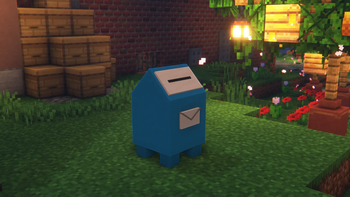
- Custom Mailboxes for Receiving Mail
- Main Postboxes for Sending Mail
- Multiple Mailbox Ownership
- Custom Addresses
Usage Instructions:

Mailboxes are used to receive mail
- Name a Paper to the Address you'd like to use
- Place a container, this could be:
- Chest
- Trapped Chest
- Barrel
- Shulker Boxes
- Hopper
- Dropper
- Dispenser
- Run
/trigger CreateMailboxwhile standing next to and looking at the container
Run /trigger RemoveMailbox while standing right next to and looking at a mailbox to remove it if it was created by you
As Administrator:
Run /function mailboxes:remove/position/int while standing right next to and looking at a mailbox to remove it
Run /function mailboxes:remove/address/int while holding a paper named the address of a mailbox to remove it

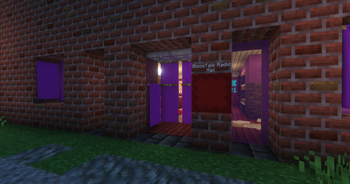
Postboxes are used to send mail
Run /function mailboxes:summon_postbox to place a postbox
Run /function mailboxes:remove_postbox to remove the closest Postbox within 3 blocks
- Interact with the Postbox to use it
- Interact again with the minecart to access the GUI
- Insert your Mail in the top slot
- Insert a Paper named with the recipient's address in the bottom slot
- Press the Send Button and your Mail will be sent in seconds!
Bugs / Questions:
Please report any bugs / suggestions / questions on the linked discord
Verfügbare Versionen
GalaxyByne's Mailboxes auf dem Server installieren
Server bestellen
Bestelle einen Minecraft Java Server mit mindestens 3 GB RAM (4 GB empfohlen).
datapack Loader setzen
Wähle im Panel unter "Egg" den datapack-Loader und die passende Minecraft-Version (1.21.10).
Mod installieren
Öffne den Mod-Browser im Dashboard und suche nach "GalaxyByne's Mailboxes". Klicke "Installieren" – fertig! Alternativ: Lade die .jar via SFTP in den /mods Ordner.
Kompatibilität
Mod-Loader
Minecraft-Versionen
1.21.10, 1.21.9, 1.21.8 (+8 weitere)
Server-seitig
✓ ErforderlichEmpfohlener RAM
4 GB(min. 3 GB)Häufige Fragen
GalaxyByne's Mailboxes Server crasht beim Start – was tun?
Häufigste Ursache: falsche datapack-Version oder zu wenig RAM. Prüfe im Server-Log (latest.log), ob ein "OutOfMemoryError" oder "Mixin"-Fehler auftritt. Bei Mado Hosting: Stelle sicher, dass mindestens 3 GB RAM zugewiesen sind und der Loader zur Mod-Version passt (1.21.10). Über das Panel kannst du den Loader mit einem Klick wechseln.
Ist GalaxyByne's Mailboxes mit datapack und fabric und forge und neoforge und quilt kompatibel?
GalaxyByne's Mailboxes unterstützt offiziell datapack, fabric, forge, neoforge, quilt für Minecraft 1.21.10, 1.21.9, 1.21.8. Achtung: Forge- und Fabric-Mods sind NICHT untereinander kompatibel – wähle einen Loader und bleibe dabei. Im Mado Dashboard werden inkompatible Loader-Kombinationen automatisch erkannt.
Server laggt mit GalaxyByne's Mailboxes – wie optimiere ich die Performance?
Empfohlener RAM: 4 GB (+1 GB pro 8 Spieler). Prüfe mit /spark profiler, ob GalaxyByne's Mailboxes den meisten Tick-Time verbraucht. Häufige Fixes: Server-View-Distance auf 8-10 reduzieren, bei Forge "performant" oder "starlight" als Zusatz-Mod installieren. Bei Mado Hosting läuft dein Server auf NVMe-SSDs mit dedizierten CPU-Kernen für minimale Latenz.
Ähnliche Mods






Modded Server mieten
Installiere GalaxyByne's Mailboxes mit nur einem Klick auf deinem Server.