
Modrinth · Fabric, Forge, NeoForge, Quilt · Client-Mod
Make Bubbles Pop
Make Bubbles Pop ist eine clientseitige Mod. Du installierst sie auf deinem Rechner, auf dem Server ist sie nicht nötig.
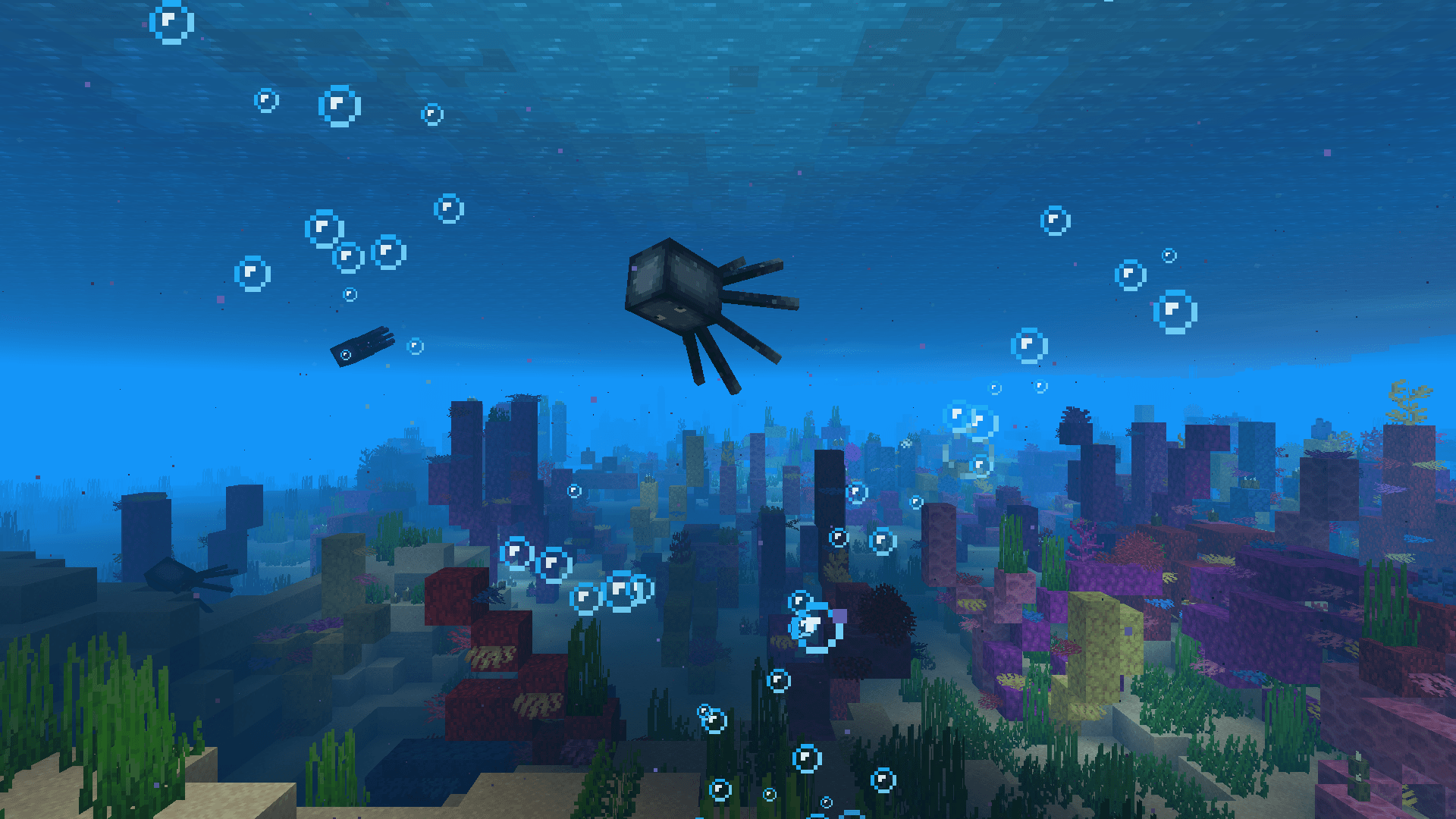
Client-side mod that makes bubble particles pop and lets them rise realistically to the water surface.
- Downloads
- 14.0M
- Autor
- Tschipcraft
- Loader
- Fabric, Forge, NeoForge, Quilt
- Minecraft
- 1.17 – 26.3
- Aktualisiert
- –
Screenshots
So sieht Make Bubbles Pop aus


Bilder: Make Bubbles Pop auf Modrinth, vom Projektteam veröffentlicht.
Einrichtung
Make Bubbles Pop auf deinem Client installieren
Clientseitige Mods laufen nur auf deinem Rechner. Mehr Server-RAM ändert an ihrer Leistung nichts.
- 01
Loader lokal installieren
Installiere Fabric oder Forge oder NeoForge oder Quilt für deine Minecraft-Version in deinem Launcher.
- 02
Datei herunterladen
Lade die Make Bubbles Pop-Datei für deinen Loader und exakt deine Minecraft-Version herunter, zum Beispiel 26.3.
- 03
In den Mods-Ordner legen
Lege die .jar-Datei in den lokalen Ordner .minecraft/mods und entferne ältere Duplikate.
- 04
Starten
Starte Minecraft mit dem Loader-Profil. Auf dem Server musst du nichts ändern.
- Auf dem Server
- Nicht nötig
- Auf dem Client
- Erforderlich
- Loader
- Fabric, Forge, NeoForge, Quilt
- Minecraft
- 26.3, 26.2, 26.1.2 +31 weitere
- Lizenz
- LicenseRef-Custom-License
Versionen
Veröffentlichte Versionen
Nimm die Datei, die zu Loader und Minecraft-Version deines Servers passt. Server und Spieler brauchen dieselbe Version.
Make Bubbles Pop · Modrinth- Make Bubbles Pop v0.3.123. Dezember 2024Minecraft 1.21.2, 1.21.3, 1.21.4, 1.21.5, 1.21.6, 1.21.7, 1.21.8 · Fabric, Quilt
- Make Bubbles Pop v0.3.014. Juli 2024Minecraft 1.19.4, 1.20, 1.20.1, 1.20.2, 1.20.3, 1.20.4, 1.20.5, 1.20.6, 1.21, 1.21.1 · Fabric, Quilt
- Make Bubbles Pop v0.3.014. Juli 2024Minecraft 1.20.6, 1.21, 1.21.1 · Forge
- Make Bubbles Pop v0.3.014. Juli 2024Minecraft 1.19.4, 1.20, 1.20.1, 1.20.2, 1.20.3, 1.20.4 · Forge
Originalbeschreibung des Projektautors
Tschipcraft's
Make Bubbles Pop


A client-side mod for Minecraft 1.18.x-26.3.x
🫧 Features
This client-side mod makes bubble particles pop and completely overhauls their behavior to let them rise realistically to the water surface.
It also adds bubble particles to opening chests, opening barrels and explosions underwater.
Fixes MC-132067.
🔧 Installation
Download the latest release and drop the .jar file into the mods folder in your Minecraft directory.
To configure Make Bubbles Pop, install MidnightLib for Fabric or Configured for Forge alongside it.
📺 Demo Videos
Overhauled bubble particle behavior (block interactions)
Your browser does not support the video tag or the video doesn't exist anymore. Click here to view the videoOverhauled bubble particle behavior (entity interactions)
Your browser does not support the video tag or the video doesn't exist anymore. Click here to view the videoTrident trails
Your browser does not support the video tag or the video doesn't exist anymore. Click here to view the videoOpening chests underwater
Your browser does not support the video tag or the video doesn't exist anymore. Click here to view the videoUnderwater explosions
Your browser does not support the video tag or the video doesn't exist anymore. Click here to view the videoComparison to vanilla: Soul Sand
Your browser does not support the video tag or the video doesn't exist anymore. Click here to view the videoComparison to vanilla: Fishing
Your browser does not support the video tag or the video doesn't exist anymore. Click here to view the video🗺️ Planned Features
- Native NeoForge support
🧩 Compatibility
Forge is only supported until Minecraft 1.21.5.
NeoForge is currently not supported natively, you can however run the Fabric version of Make Bubbles Pop on NeoForge when installed alongside Sinytra Connector.
It is not recommended to install Particle Tweaks together with Make Bubbles Pop for now.




Muss Make Bubbles Pop auf dem Minecraft Server installiert werden?
Nein. Modrinth kennzeichnet Make Bubbles Pop serverseitig als nicht unterstützt. Installiere die Mod nur im lokalen Mods-Ordner. Dein Server kann unverändert bleiben, sofern die Projektseite keine zusätzliche Abhängigkeit nennt.
Welche Version und welchen Loader braucht Make Bubbles Pop?
Nutze eine Datei für Fabric, Forge, NeoForge, Quilt und exakt deine Minecraft-Version. Unterstützt werden unter anderem 26.3, 26.2, 26.1.2. Dateien für verschiedene Loader sind nicht austauschbar.
Make Bubbles Pop funktioniert nicht – was kann ich prüfen?
Prüfe zuerst Minecraft-Version, Loader-Version und erforderliche Abhängigkeiten. Da die Mod clientseitig ist, löst mehr Server-RAM das Problem nicht.
Ähnliche Mods
Beliebte Mods aus derselben Kategorie
 Server-fähig

Xaero's Minimap
von thexaero
Displays a map of the nearby world terrain, players, mobs, entities in the corner of your screen. Lets you create waypoints which help you find the locations you've marked.
 Server-fähig

Xaero's World Map
von thexaero
Adds a full screen world map which shows you what you have explored in the world. Works great together with Xaero's Minimap.
 Nur Client

Not Enough Animations
von tr7zw
Bringing first-person animations to the third-person
 Nur Client

3D Skin Layers
von tr7zw
Render the player skin layer in 3d!
Mods für deinen eigenen Server gesucht?
Im Katalog findest du Mods, die auf Minecraft Servern laufen.