
Modrinth · Fabric, Forge, NeoForge, Quilt · Client mod
Make Bubbles Pop
Make Bubbles Pop is a client-side mod. Install it on your computer; the server does not need it.
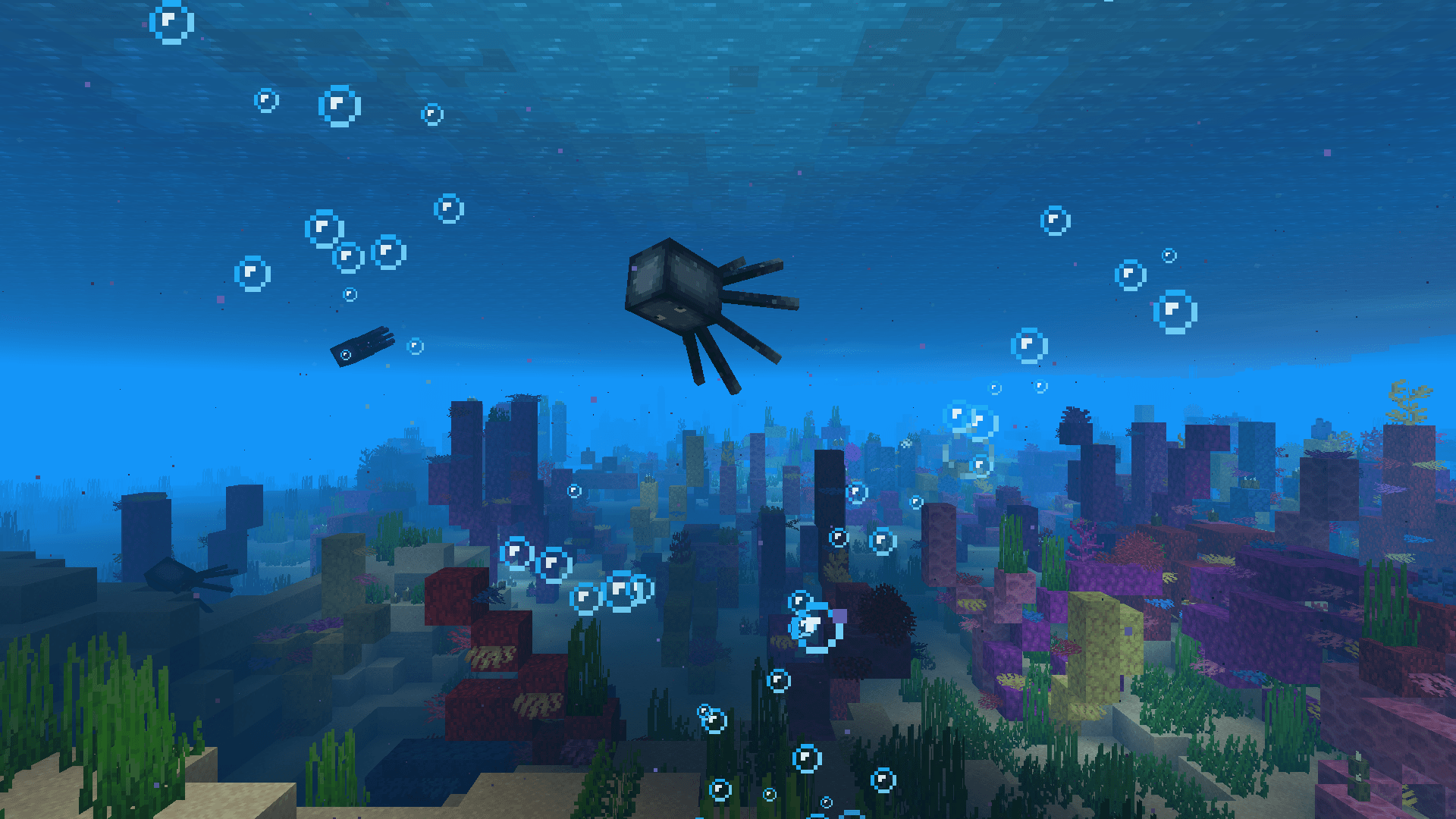
Client-side mod that makes bubble particles pop and lets them rise realistically to the water surface.
- Downloads
- 14.0M
- Author
- Tschipcraft
- Loader
- Fabric, Forge, NeoForge, Quilt
- Minecraft
- 1.17 – 26.3
- Updated
- –
Screenshots
What Make Bubbles Pop looks like


Images: Make Bubbles Pop on Modrinth, published by the project team.
Setup
Install Make Bubbles Pop on your client
Client-side mods only run on your computer. More server RAM does not change their performance.
- 01
Install the loader locally
Install Fabric or Forge or NeoForge or Quilt for your Minecraft version in your launcher.
- 02
Download the file
Download the Make Bubbles Pop file for your loader and your exact Minecraft version, for example 26.3.
- 03
Add it to the mods folder
Put the .jar file in your local .minecraft/mods folder and remove older duplicates.
- 04
Launch
Launch Minecraft with the loader profile. Nothing needs to change on the server.
- On the server
- Not needed
- On the client
- Required
- Loader
- Fabric, Forge, NeoForge, Quilt
- Minecraft
- 26.3, 26.2, 26.1.2 +31 more
- License
- LicenseRef-Custom-License
Releases
Published releases
Pick the file that matches your server’s loader and Minecraft version. The server and players need the same release.
Make Bubbles Pop · Modrinth- Make Bubbles Pop v0.3.1December 23, 2024Minecraft 1.21.2, 1.21.3, 1.21.4, 1.21.5, 1.21.6, 1.21.7, 1.21.8 · Fabric, Quilt
- Make Bubbles Pop v0.3.0July 14, 2024Minecraft 1.19.4, 1.20, 1.20.1, 1.20.2, 1.20.3, 1.20.4, 1.20.5, 1.20.6, 1.21, 1.21.1 · Fabric, Quilt
- Make Bubbles Pop v0.3.0July 14, 2024Minecraft 1.20.6, 1.21, 1.21.1 · Forge
- Make Bubbles Pop v0.3.0July 14, 2024Minecraft 1.19.4, 1.20, 1.20.1, 1.20.2, 1.20.3, 1.20.4 · Forge
Original description by the project author
Tschipcraft's
Make Bubbles Pop


A client-side mod for Minecraft 1.18.x-26.3.x
🫧 Features
This client-side mod makes bubble particles pop and completely overhauls their behavior to let them rise realistically to the water surface.
It also adds bubble particles to opening chests, opening barrels and explosions underwater.
Fixes MC-132067.
🔧 Installation
Download the latest release and drop the .jar file into the mods folder in your Minecraft directory.
To configure Make Bubbles Pop, install MidnightLib for Fabric or Configured for Forge alongside it.
📺 Demo Videos
Overhauled bubble particle behavior (block interactions)
Your browser does not support the video tag or the video doesn't exist anymore. Click here to view the videoOverhauled bubble particle behavior (entity interactions)
Your browser does not support the video tag or the video doesn't exist anymore. Click here to view the videoTrident trails
Your browser does not support the video tag or the video doesn't exist anymore. Click here to view the videoOpening chests underwater
Your browser does not support the video tag or the video doesn't exist anymore. Click here to view the videoUnderwater explosions
Your browser does not support the video tag or the video doesn't exist anymore. Click here to view the videoComparison to vanilla: Soul Sand
Your browser does not support the video tag or the video doesn't exist anymore. Click here to view the videoComparison to vanilla: Fishing
Your browser does not support the video tag or the video doesn't exist anymore. Click here to view the video🗺️ Planned Features
- Native NeoForge support
🧩 Compatibility
Forge is only supported until Minecraft 1.21.5.
NeoForge is currently not supported natively, you can however run the Fabric version of Make Bubbles Pop on NeoForge when installed alongside Sinytra Connector.
It is not recommended to install Particle Tweaks together with Make Bubbles Pop for now.




Does Make Bubbles Pop need to be installed on the Minecraft server?
No. Modrinth marks Make Bubbles Pop as unsupported on the server side. Install it only in your local mods folder. Your server can stay unchanged unless the project page lists an additional dependency.
Which version and loader does Make Bubbles Pop require?
Use a file for Fabric, Forge, NeoForge, Quilt and your exact Minecraft version. Supported versions include 26.3, 26.2, 26.1.2. Files for different loaders are not interchangeable.
Make Bubbles Pop is not working – what should I check?
First check the Minecraft version, loader version and required dependencies. Because the mod is client-side, more server RAM will not fix it.
Similar mods
Popular mods in the same category
 Server-ready

Xaero's Minimap
by thexaero
Displays a map of the nearby world terrain, players, mobs, entities in the corner of your screen. Lets you create waypoints which help you find the locations you've marked.
 Server-ready

Xaero's World Map
by thexaero
Adds a full screen world map which shows you what you have explored in the world. Works great together with Xaero's Minimap.
 Client only

Not Enough Animations
by tr7zw
Bringing first-person animations to the third-person
 Client only

3D Skin Layers
by tr7zw
Render the player skin layer in 3d!
Looking for mods for your own server?
The catalog lists mods that run on Minecraft servers.