
MC-249136 Fix
A hacky fix for server lag spikes when generating shipwreck buried treasure map / explorer map loot.
Screenshots
Über diese Mod
NOTICEMC-249136 appears to have been fixed in newer versions of Minecraft! As such, I've decided not to update this mod for 1.20.5-onwards. If you still encounter problems with treasure maps in 1.20.5+, please create an issue to let me know! |
MC-249136 Fix



This mod implements a minimal hacky fix for MC-249136, a significant server lag spike that occurs when locating buried treasure structures for shipwreck loot.
To avoid this lag spike, structure location is moved into a separate thread that does not block the server tick loop. This does nothing to improve the structure location performance, but it does at least prevent it from significantly impeding gameplay.

Configuration
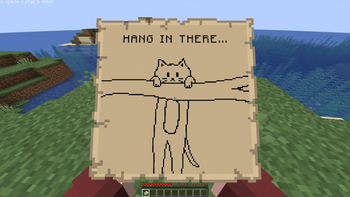
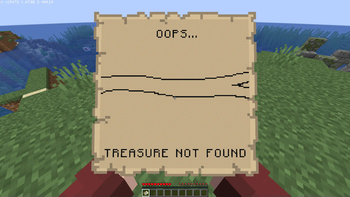
The map "loading" images can be customized by placing 128x128 PNG files in /config/mc249136/map_loading.png and /config/mc249136/map_not_found.png.
For performance reasons, these images will draw all pixels as black unless they are fully transparent (i.e. rgba(0,0,0,0)). Minecraft's map color palette is difficult and expensive to calculate - so this mod literally just does an if (rgb != 0) to draw the image.
Known issues:
- This mod does not handle state persistence, and only updates loaded maps once they are inside a player's inventory.
This means that it is possible to prevent a treasure map from loading by breaking the chest, leaving it in item entity
form, and then restarting the server.
Verfügbare Versionen
MC-249136 Fix auf dem Server installieren
Server bestellen
Bestelle einen Minecraft Java Server mit mindestens 3 GB RAM (4 GB empfohlen).
fabric Loader setzen
Wähle im Panel unter "Egg" den fabric-Loader und die passende Minecraft-Version (1.20.4).
Mod installieren
Öffne den Mod-Browser im Dashboard und suche nach "MC-249136 Fix". Klicke "Installieren" – fertig! Alternativ: Lade die .jar via SFTP in den /mods Ordner.
Kompatibilität
Mod-Loader
Minecraft-Versionen
1.20.4, 1.20.3, 1.20.2 (+7 weitere)
Server-seitig
✓ ErforderlichEmpfohlener RAM
4 GB(min. 3 GB)Häufige Fragen
MC-249136 Fix Server crasht beim Start – was tun?
Häufigste Ursache: falsche fabric-Version oder zu wenig RAM. Prüfe im Server-Log (latest.log), ob ein "OutOfMemoryError" oder "Mixin"-Fehler auftritt. Bei Mado Hosting: Stelle sicher, dass mindestens 3 GB RAM zugewiesen sind und der Loader zur Mod-Version passt (1.20.4). Über das Panel kannst du den Loader mit einem Klick wechseln.
Ist MC-249136 Fix mit fabric und quilt kompatibel?
MC-249136 Fix unterstützt offiziell fabric, quilt für Minecraft 1.20.4, 1.20.3, 1.20.2. Im Mado Dashboard werden inkompatible Loader-Kombinationen automatisch erkannt.
Server laggt mit MC-249136 Fix – wie optimiere ich die Performance?
Empfohlener RAM: 4 GB (+1 GB pro 8 Spieler). Prüfe mit /spark profiler, ob MC-249136 Fix den meisten Tick-Time verbraucht. Häufige Fixes: Server-View-Distance auf 8-10 reduzieren, bei Forge "performant" oder "starlight" als Zusatz-Mod installieren. Bei Mado Hosting läuft dein Server auf NVMe-SSDs mit dedizierten CPU-Kernen für minimale Latenz.
Ähnliche Mods


Modded Server mieten
Installiere MC-249136 Fix mit nur einem Klick auf deinem Server.
Details
- Lizenz
- GNU Lesser General Public License v3.0 only
- Server-seitig
- Erforderlich