
Naturally Trimmed
Minecraft mod that applies armor trims to naturally generated armor and equipment from mobs, loot tables and trades
Screenshots


Über diese Mod


Naturally Trimmed
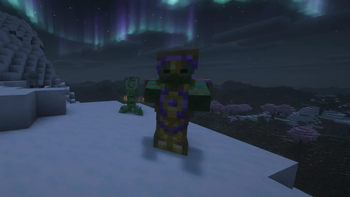
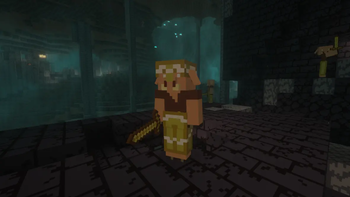
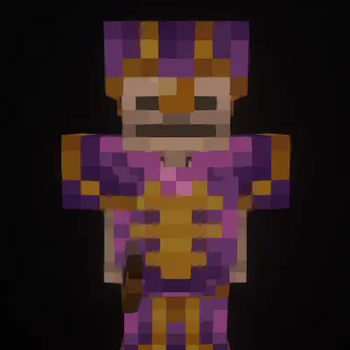
This mod applies armor trims to naturally generated armor and equipment from mobs, loot tables and trades,
resulting in a more complete gameplay experience and making armor you find in the wild much more interesting
Features
- Applies armor trims to equipment from mob spawns. Newly spawned mobs will have their equipment trimmed.
- Applies armor trims to equipment from loot tables. This includes chests from all structures (for example
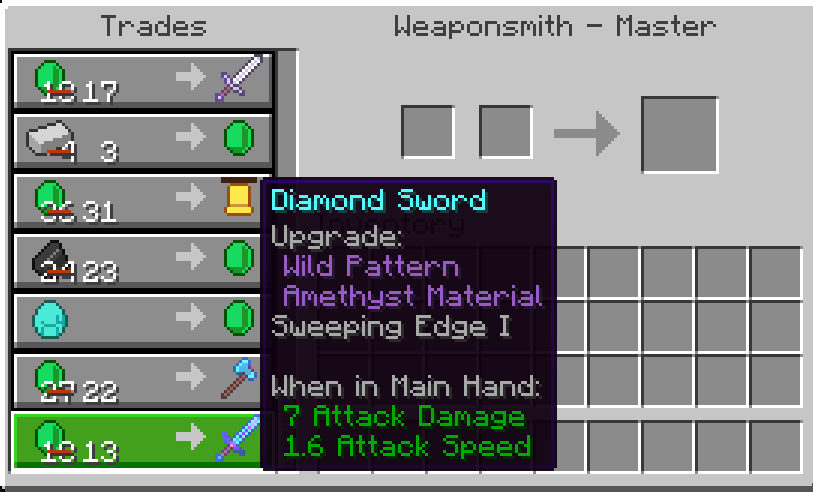
blacksmiths, bastions or end cities), piglin bartering and more. - Applies armor trims to equipment from villager trades. All traders, including villagers, wandering traders and modded traders, are supported.
- Supports trimming tools like pickaxes or swords through
either Trimmable Tools or Tool Trims Mod - All features are configurable. See the Configuration section
Configuration
All features of this mod have configuration options.
See the config wiki page for more information.
Dependencies
This mod requires Fabric API when used with Fabric.
Optionally, Yet Another Config Lib (+ Mod Menu on Fabric)
can be used to access the config screen.
Issues and Mod Compatibility
See Known Issues and Mod Compatibility in the wiki.
This mod should work with basically all mods.
If you have found any issue, please report the issue to
the project's issue tracker.
Verfügbare Versionen
Naturally Trimmed auf dem Server installieren
Server bestellen
Bestelle einen Minecraft Java Server mit mindestens 3 GB RAM (4 GB empfohlen).
fabric Loader setzen
Wähle im Panel unter "Egg" den fabric-Loader und die passende Minecraft-Version (26.3).
Mod installieren
Öffne den Mod-Browser im Dashboard und suche nach "Naturally Trimmed". Klicke "Installieren" – fertig! Alternativ: Lade die .jar via SFTP in den /mods Ordner.
Kompatibilität
Mod-Loader
Minecraft-Versionen
26.3, 26.2, 26.1.2 (+18 weitere)
Server-seitig
✓ ErforderlichEmpfohlener RAM
4 GB(min. 3 GB)Häufige Fragen
Naturally Trimmed Server crasht beim Start – was tun?
Häufigste Ursache: falsche fabric-Version oder zu wenig RAM. Prüfe im Server-Log (latest.log), ob ein "OutOfMemoryError" oder "Mixin"-Fehler auftritt. Bei Mado Hosting: Stelle sicher, dass mindestens 3 GB RAM zugewiesen sind und der Loader zur Mod-Version passt (26.3). Über das Panel kannst du den Loader mit einem Klick wechseln.
Ist Naturally Trimmed mit fabric und forge und neoforge kompatibel?
Naturally Trimmed unterstützt offiziell fabric, forge, neoforge für Minecraft 26.3, 26.2, 26.1.2. Achtung: Forge- und Fabric-Mods sind NICHT untereinander kompatibel – wähle einen Loader und bleibe dabei. Im Mado Dashboard werden inkompatible Loader-Kombinationen automatisch erkannt.
Server laggt mit Naturally Trimmed – wie optimiere ich die Performance?
Empfohlener RAM: 4 GB (+1 GB pro 8 Spieler). Prüfe mit /spark profiler, ob Naturally Trimmed den meisten Tick-Time verbraucht. Häufige Fixes: Server-View-Distance auf 8-10 reduzieren, bei Forge "performant" oder "starlight" als Zusatz-Mod installieren. Bei Mado Hosting läuft dein Server auf NVMe-SSDs mit dedizierten CPU-Kernen für minimale Latenz.
Ähnliche Mods




Modded Server mieten
Installiere Naturally Trimmed mit nur einem Klick auf deinem Server.
Details
- Lizenz
- GNU Lesser General Public License v3.0 only
- Server-seitig
- Erforderlich