
Naturally Trimmed
Minecraft mod that applies armor trims to naturally generated armor and equipment from mobs, loot tables and trades
Screenshots


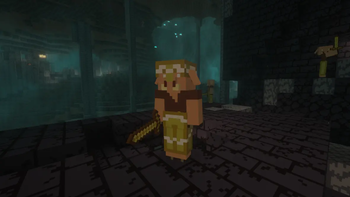

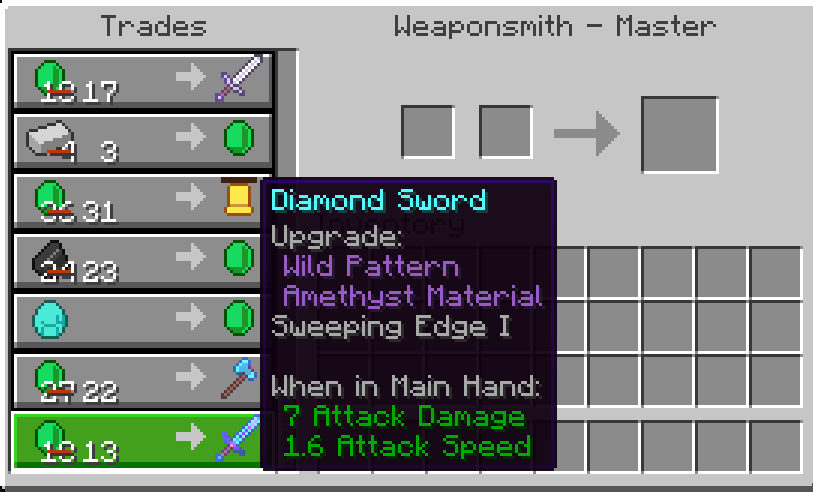
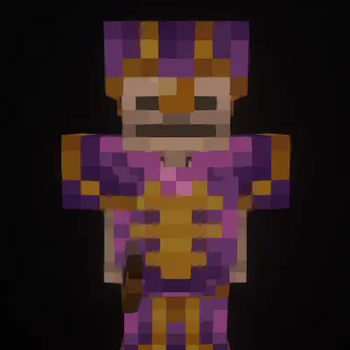
About this Mod


Naturally Trimmed
This mod applies armor trims to naturally generated armor and equipment from mobs, loot tables and trades,
resulting in a more complete gameplay experience and making armor you find in the wild much more interesting
Features
- Applies armor trims to equipment from mob spawns. Newly spawned mobs will have their equipment trimmed.
- Applies armor trims to equipment from loot tables. This includes chests from all structures (for example
blacksmiths, bastions or end cities), piglin bartering and more. - Applies armor trims to equipment from villager trades. All traders, including villagers, wandering traders and modded traders, are supported.
- Supports trimming tools like pickaxes or swords through
either Trimmable Tools or Tool Trims Mod - All features are configurable. See the Configuration section
Configuration
All features of this mod have configuration options.
See the config wiki page for more information.
Dependencies
This mod requires Fabric API when used with Fabric.
Optionally, Yet Another Config Lib (+ Mod Menu on Fabric)
can be used to access the config screen.
Issues and Mod Compatibility
See Known Issues and Mod Compatibility in the wiki.
This mod should work with basically all mods.
If you have found any issue, please report the issue to
the project's issue tracker.
Available Versions
How to Install Naturally Trimmed on Your Server
Order Server
Order a Minecraft Java server with at least 3 GB RAM (4 GB recommended).
Set fabric Loader
In the panel under "Egg", select the fabric loader and matching Minecraft version (26.3).
Install Mod
Open the mod browser in the dashboard and search for "Naturally Trimmed". Click "Install" – done! Alternatively, upload the .jar via SFTP to the /mods folder.
Compatibility
Mod Loaders
Minecraft Versions
26.3, 26.2, 26.1.2 (+18 more)
Server-side
✓ RequiredRecommended RAM
4 GB(min. 3 GB)Frequently Asked Questions
Naturally Trimmed server crashes on startup – what to do?
Most common cause: wrong fabric version or insufficient RAM. Check the server log (latest.log) for "OutOfMemoryError" or "Mixin" errors. With Mado Hosting: ensure at least 3 GB RAM is allocated and the loader matches the mod version (26.3). You can switch loaders with one click in the panel.
Is Naturally Trimmed compatible with fabric and forge and neoforge?
Naturally Trimmed officially supports fabric, forge, neoforge for Minecraft 26.3, 26.2, 26.1.2. Note: Forge and Fabric mods are NOT cross-compatible – pick one loader and stick with it. The Mado dashboard automatically detects incompatible loader combinations.
Server lagging with Naturally Trimmed – how to optimize performance?
Recommended RAM: 4 GB (per 8 players). Use /spark profiler to check if Naturally Trimmed consumes the most tick time. Common fixes: reduce server view-distance to 8-10, install "performant" or "starlight" as supplementary mods on Forge. With Mado Hosting, your server runs on NVMe SSDs with dedicated CPU cores for minimal latency.
Similar Mods




Rent Modded Server
Install Naturally Trimmed with just one click on your server.