
Update 1.21 without trial chambers
Enables the crafter, copper and tuff blocks, without the trial chambers and breeze. Made for Hermitcraft season 10!
Über diese Mod
Update 1.21 without trial chambers
Enables the Update 1.21 experimental features, but disables the trial chambers and breeze. Notably, in 1.20.5+ the new raid mechanics will also be enabled, with pillagers dropping ominous bottles instead of giving bad omen.
| Enabled | Disabled |
 Crafter Crafter
  Copper bulb Copper bulb
  Copper blocks Copper blocks
   Tuff blocks Tuff blocks
 New raid mechanics New raid mechanics
|
 Trial chambers Trial chambers
  Trial spawner and vault Trial spawner and vault
 Heavy core Heavy core
 Breeze Breeze
 Bogged Bogged
 Trial key Trial key
 Wind charge Wind charge
|
|---|
Data pack instructions
After installation, DON'T enable the separate "update_1_21 (feature)" data pack!
Adding to a new singleplayer world
- Open the "Data Packs" selection screen when creating a new world

- Drag the downloaded datapack zip file onto the game window
- Move data pack to the "Selected" column and click "Done"
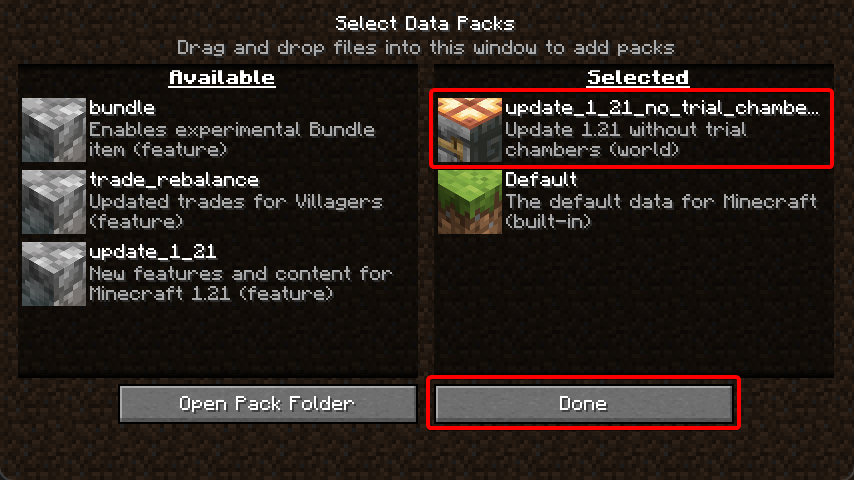
- Accept the "Experimental Features Warning"

- Change any other world settings and click "Create New World"

Adding to an existing singleplayer world
- Select your world and click "Edit"
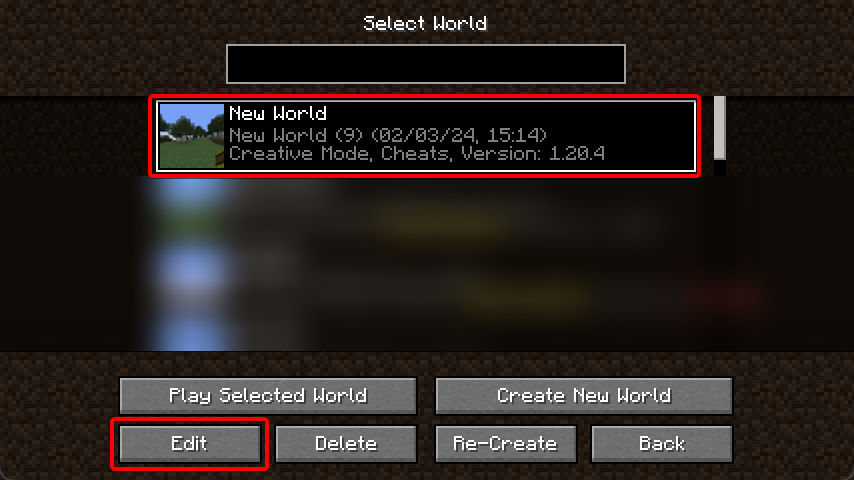
- Click "Open World Folder"
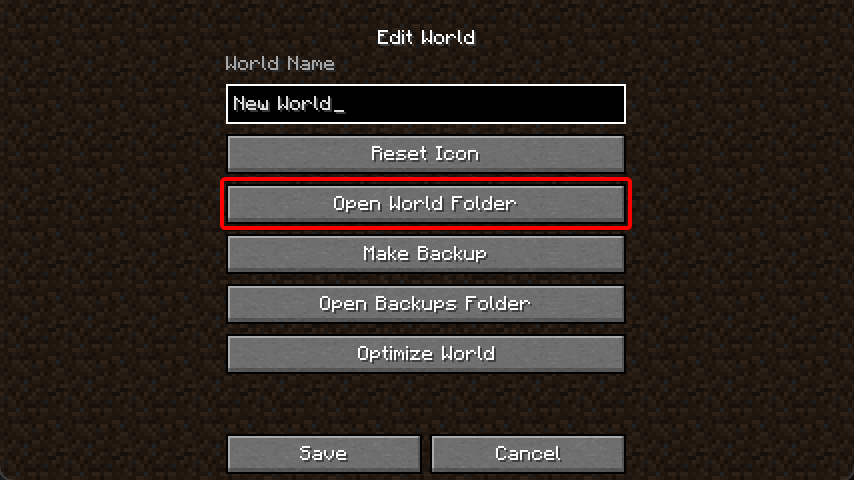
- Enable the "Update 1.21" feature flag
level.dat. A simple way to do this is by installing the NBT Viewer extension for VSCode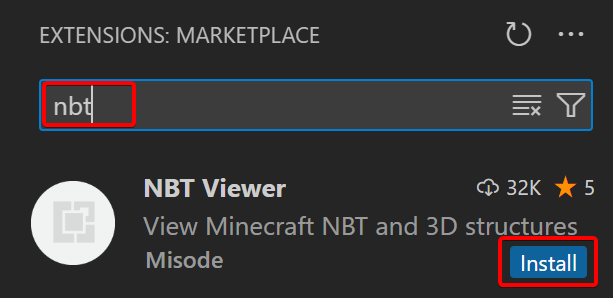
- Open the
level.datfile in VSCode by dragging the file from the file explorer to the VSCode window - Inside
Data, add a new list tag calledenabled_features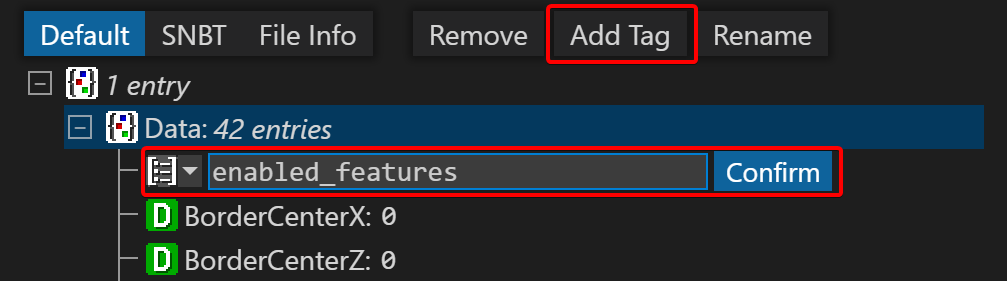
- Inside this list, add two new string tags with
minecraft:vanillaandminecraft:update_1_21. Select the yellow string icon when adding the first tag.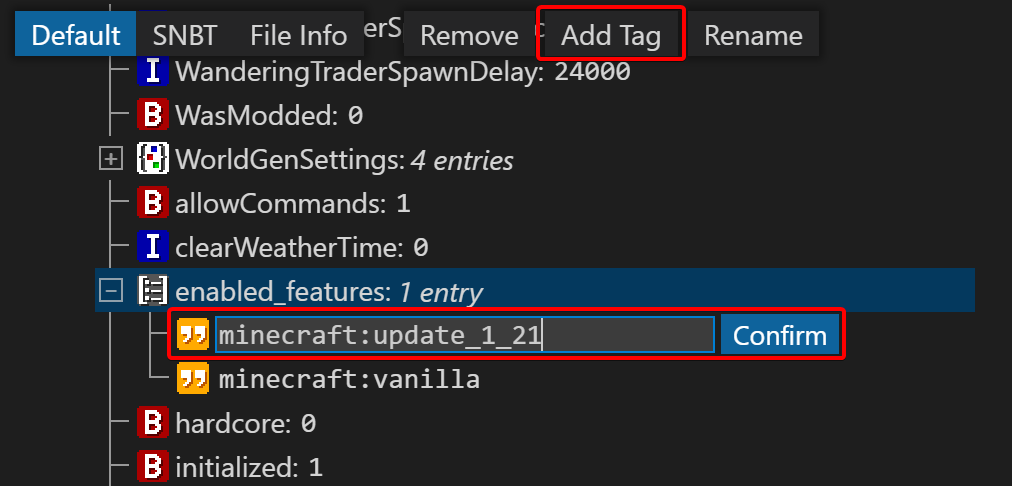
- Press
Ctrl + Sto save the file, make sure the world is not open in-game when editing the file! - In the world save folder, find the
datapacksfolder and put the downloaded zip file in there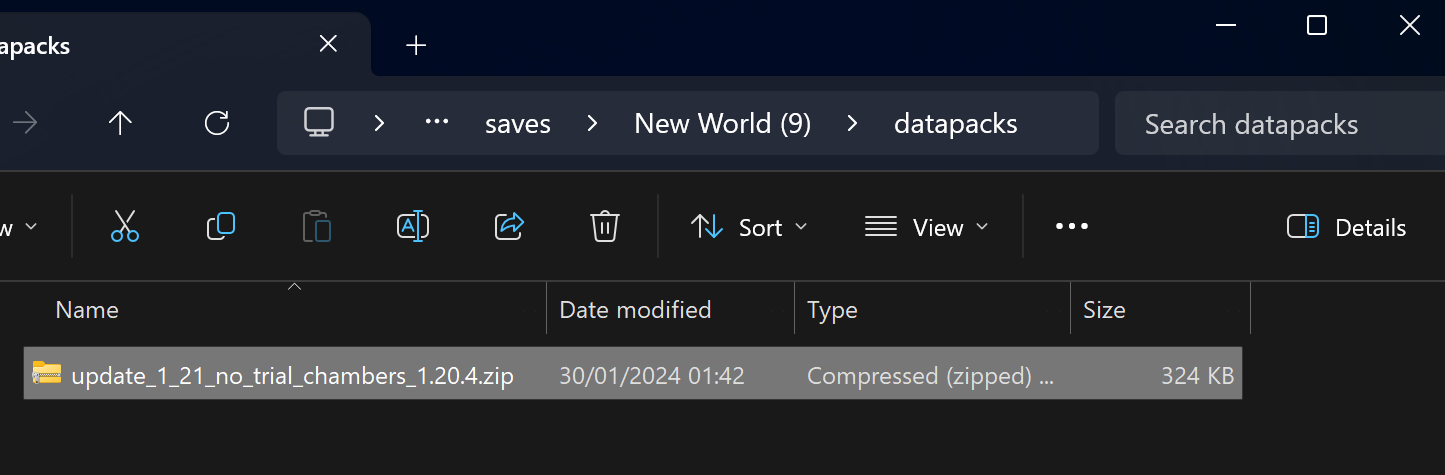
- You can now open the world!
Adding to a new multiplayer server
- Download the server jar from the bottom of the 1.20.4 article
- Place the
server.jarfile in the server folder - Inside this same folder, create the folders
world/datapacks/ - Put the downloaded zip file in there
- Run the server jar for the first time
java -Xmx1024M -Xms1024M -jar server.jar nogui
- Agree to the EULA by editing
eula.txt - Run the server jar again. You should see
Found new data pack file/update_1_21_no_trial_chambers_1.20.4.zip, loading it automaticallyin the log.
Adding to an existing multiplayer server
- Shut down the server
- Modify the
world/level.datfile following the same instructions from "Adding to an existing singleplayer world" - Add the downloaded zip file to the
world/datapacks/folder - Restart the server
Verfügbare Versionen
Update 1.21 without trial chambers auf dem Server installieren
Server bestellen
Bestelle einen Minecraft Java Server mit mindestens 3 GB RAM (4 GB empfohlen).
datapack Loader setzen
Wähle im Panel unter "Egg" den datapack-Loader und die passende Minecraft-Version (1.20.6).
Mod installieren
Öffne den Mod-Browser im Dashboard und suche nach "Update 1.21 without trial chambers". Klicke "Installieren" – fertig! Alternativ: Lade die .jar via SFTP in den /mods Ordner.
Kompatibilität
Mod-Loader
Minecraft-Versionen
1.20.6, 1.20.5, 1.20.4
Server-seitig
✓ ErforderlichEmpfohlener RAM
4 GB(min. 3 GB)Häufige Fragen
Update 1.21 without trial chambers Server crasht beim Start – was tun?
Häufigste Ursache: falsche datapack-Version oder zu wenig RAM. Prüfe im Server-Log (latest.log), ob ein "OutOfMemoryError" oder "Mixin"-Fehler auftritt. Bei Mado Hosting: Stelle sicher, dass mindestens 3 GB RAM zugewiesen sind und der Loader zur Mod-Version passt (1.20.6). Über das Panel kannst du den Loader mit einem Klick wechseln.
Ist Update 1.21 without trial chambers mit datapack und fabric und forge und quilt kompatibel?
Update 1.21 without trial chambers unterstützt offiziell datapack, fabric, forge, quilt für Minecraft 1.20.6, 1.20.5, 1.20.4. Achtung: Forge- und Fabric-Mods sind NICHT untereinander kompatibel – wähle einen Loader und bleibe dabei. Im Mado Dashboard werden inkompatible Loader-Kombinationen automatisch erkannt.
Server laggt mit Update 1.21 without trial chambers – wie optimiere ich die Performance?
Empfohlener RAM: 4 GB (+1 GB pro 8 Spieler). Prüfe mit /spark profiler, ob Update 1.21 without trial chambers den meisten Tick-Time verbraucht. Häufige Fixes: Server-View-Distance auf 8-10 reduzieren, bei Forge "performant" oder "starlight" als Zusatz-Mod installieren. Bei Mado Hosting läuft dein Server auf NVMe-SSDs mit dedizierten CPU-Kernen für minimale Latenz.
Ähnliche Mods

![[ETF] Entity Texture Features](https://cdn.modrinth.com/data/BVzZfTc1/af683d206d50b05258d865b0d6e4aa2f2cee12f2_96.webp)
![[EMF] Entity Model Features](https://cdn.modrinth.com/data/4I1XuqiY/6e5bbd0d06b1741bfdab6c0cfab6de8fdaf0064c_96.webp)



Modded Server mieten
Installiere Update 1.21 without trial chambers mit nur einem Klick auf deinem Server.