
Oasis 2.0
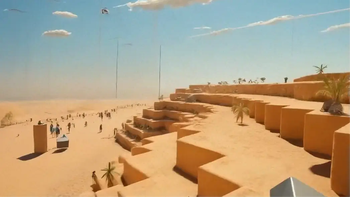
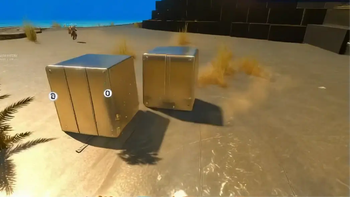
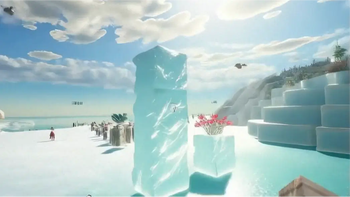
Minecraft but in Venice, in Candyland, on the Moon - or wherever you want. Transform your game to any world or style in real time with some AI magic.
Screenshots



Über diese Mod

Welcome to Oasis 2.0!
Oasis 2.0 lets you transform your game into any style or world you can imagine, in real time.
Think of it as a texture pack, but infinite. Like custom maps, but with no limits. And way beyond that. It's the mother of all mods.
All you need to do is type /oasis start and enter a prompt - and you'll be instantly transported. Think: Minecraft in Venice, India, New York, or Paris. Explore the jungle or Antarctica. Travel to the Wild West or medieval times. Visit a candy land, the moon, a zombie apocalypse. Or shift styles - anime, pixel art, GTA, Call of Duty… whatever you can think of. Be more creative than us. It’s cool.
Behind the scenes, Oasis 2.0 runs on a real-time video-to-video model developed by a company called Decart, called Lucy-Restyle. It transforms your Minecraft visuals live as you play. FPS may drop a bit, and resolution isn’t perfect - but hey, that just adds to the challenge.

Simple Instructions:
- Make sure you have an instance of Fabric with Minecraft v1.21.8
- Download and install the mod
- Launch Minecraft (yeah, shocking)
- To activate the model, type:
/oasis start
- Then, to change a worlds, just try:
/oasis prompt <your style>, for example:
/oasis prompt Venice in the summer
- You can temporarily hide the effect by holding the
Rkey, toggle it withV, or stop it entirely with:
/oasis stop
- Use the
[and]keys to switch between some of our favorite preset prompts for inspiration - Have a lot of fun!!
- Share with us your results and creations!!
Note: We report the MC version / OS / CPU / GPU vendor to our servers to tailor your experience and debug errors.
oasis2.decart.ai |
Terms of service |
Privacy policy
Contact us:
[email protected] |
about.decart.ai
Verfügbare Versionen
Oasis 2.0 auf deinem Client installieren
Mod-Loader lokal installieren
Installiere fabric für deine lokale Minecraft-Version.
Passende Datei herunterladen
Wähle die Oasis 2.0-Datei für fabric und Minecraft 1.21.8.
Mod installieren
Lege die .jar-Datei in deinem lokalen .minecraft/mods-Ordner ab und starte Minecraft neu. Eine Installation auf dem Server ist nicht nötig.
Kompatibilität
Mod-Loader
Minecraft-Versionen
1.21.8, 1.21.4
Server-seitig
✗ Nicht unterstütztEmpfohlener RAM
4 GB(min. 3 GB)Häufige Fragen
Muss Oasis 2.0 auf dem Minecraft Server installiert werden?
Nein. Modrinth kennzeichnet Oasis 2.0 serverseitig als nicht unterstützt. Installiere die Mod nur im lokalen Minecraft-Mods-Ordner. Dein Server kann unverändert bleiben, sofern die Mod-Seite keine zusätzliche Abhängigkeit nennt.
Welche Version und welchen Loader braucht Oasis 2.0?
Nutze eine Datei für fabric und exakt deine Minecraft-Version. Unterstützte Versionen sind unter anderem 1.21.8, 1.21.4. Loader-Dateien sind nicht untereinander austauschbar.
Oasis 2.0 funktioniert nicht – was kann ich prüfen?
Prüfe zuerst Minecraft-Version, Loader-Version und erforderliche Abhängigkeiten. Lege die .jar-Datei im lokalen .minecraft/mods-Ordner ab und entferne ältere Duplikate. Da die Mod clientseitig ist, löst mehr Server-RAM dieses Problem nicht.
Ähnliche Mods





Minecraft Server für deine Gruppe
Oasis 2.0 bleibt auf deinem Client. Hoste dazu eine kompatible Welt für deine Mitspieler.