
Oasis 2.0
Minecraft but in Venice, in Candyland, on the Moon - or wherever you want. Transform your game to any world or style in real time with some AI magic.
Screenshots
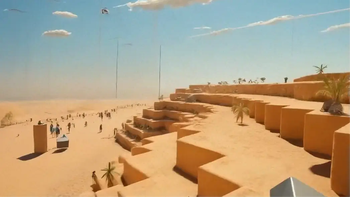

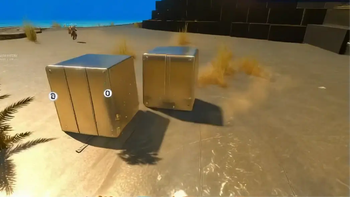


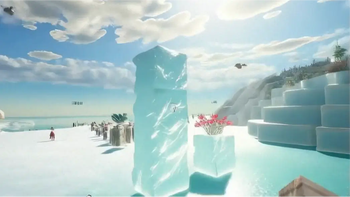
About this Mod

Welcome to Oasis 2.0!
Oasis 2.0 lets you transform your game into any style or world you can imagine, in real time.
Think of it as a texture pack, but infinite. Like custom maps, but with no limits. And way beyond that. It's the mother of all mods.
All you need to do is type /oasis start and enter a prompt - and you'll be instantly transported. Think: Minecraft in Venice, India, New York, or Paris. Explore the jungle or Antarctica. Travel to the Wild West or medieval times. Visit a candy land, the moon, a zombie apocalypse. Or shift styles - anime, pixel art, GTA, Call of Duty… whatever you can think of. Be more creative than us. It’s cool.
Behind the scenes, Oasis 2.0 runs on a real-time video-to-video model developed by a company called Decart, called Lucy-Restyle. It transforms your Minecraft visuals live as you play. FPS may drop a bit, and resolution isn’t perfect - but hey, that just adds to the challenge.

Simple Instructions:
- Make sure you have an instance of Fabric with Minecraft v1.21.8
- Download and install the mod
- Launch Minecraft (yeah, shocking)
- To activate the model, type:
/oasis start
- Then, to change a worlds, just try:
/oasis prompt <your style>, for example:
/oasis prompt Venice in the summer
- You can temporarily hide the effect by holding the
Rkey, toggle it withV, or stop it entirely with:
/oasis stop
- Use the
[and]keys to switch between some of our favorite preset prompts for inspiration - Have a lot of fun!!
- Share with us your results and creations!!
Note: We report the MC version / OS / CPU / GPU vendor to our servers to tailor your experience and debug errors.
oasis2.decart.ai |
Terms of service |
Privacy policy
Contact us:
[email protected] |
about.decart.ai
Available Versions
How to Install Oasis 2.0 on Your Client
Install the Mod Loader Locally
Install fabric for your local Minecraft version.
Download the Matching File
Choose the Oasis 2.0 file for fabric and Minecraft 1.21.8.
Install Mod
Place the .jar file in your local .minecraft/mods folder and restart Minecraft. No server-side installation is required.
Compatibility
Mod Loaders
Minecraft Versions
1.21.8, 1.21.4
Server-side
✗ UnsupportedRecommended RAM
4 GB(min. 3 GB)Frequently Asked Questions
Does Oasis 2.0 need to be installed on the Minecraft server?
No. Modrinth marks Oasis 2.0 as unsupported on the server side. Install it only in your local Minecraft mods folder. Your server can remain unchanged unless the mod page lists an additional dependency.
Which version and loader does Oasis 2.0 require?
Use a file for fabric and your exact Minecraft version. Supported versions include 1.21.8, 1.21.4. Files for different loaders are not interchangeable.
Oasis 2.0 is not working – what should I check?
First check the Minecraft version, loader version and required dependencies. Put the .jar file in your local .minecraft/mods folder and remove older duplicates. Because this mod is client-side, adding server RAM will not fix it.
Similar Mods





Minecraft Server for Your Group
Oasis 2.0 stays on your client. Host a compatible world for your group.