
Modrinth · Fabric, Forge, NeoForge, Quilt
Ore Plus (Legacy) auf deinem Minecraft Server
Ore Plus (Legacy) läuft auf Minecraft Servern mit Fabric oder Forge oder NeoForge oder Quilt. Bestell deinen Server, stell den Loader im Panel ein und installiere die Mod mit einem Klick im Mod-Browser.
This datapack incresses vanilla ores generation in Minecraft by adding custom configurations for the Vanilla Ores, making them generate more frequently.
- Downloads
- 140.4K
- Autor
- wen_wen
- Loader
- Fabric, Forge, NeoForge, Quilt
- Minecraft
- 1.16.2 – 1.21.9
- Aktualisiert
- –
Screenshots
So sieht Ore Plus (Legacy) aus


Bilder: Ore Plus (Legacy) auf Modrinth, vom Projektteam veröffentlicht.
Einrichtung
Ore Plus (Legacy) auf dem Server installieren
Server und Spieler brauchen denselben Loader und dieselbe Minecraft-Version. Sichere die Welt, bevor du Mods hinzufügst oder aktualisierst.
- 01
Konfigurieren
6 GB RAM sind vorausgewählt. Laufzeit und Add-ons wählst du selbst, bezahlt wird per Kreditkarte oder PayPal.
- 02
Loader einstellen
Stell im Panel die Serversoftware auf Fabric oder Forge oder NeoForge oder Quilt und wähl die passende Minecraft-Version, zum Beispiel 1.21.9.
- 03
Mod installieren
Such im Mod-Browser nach „Ore Plus (Legacy)“ und installiere die Version für deinen Loader. Alternativ lädst du die .jar per SFTP in den Ordner mods. Erforderliche Abhängigkeiten stehen auf der Projektseite.
- 04
Verbinden
Ore Plus (Legacy) ist auf dem Client optional. Spieler verbinden sich über die Serveradresse aus dem Panel.
- Auf dem Server
- Erforderlich
- Auf dem Client
- Optional
- Loader
- Fabric, Forge, NeoForge, Quilt
- Minecraft
- 1.21.9, 1.21.8, 1.21.7 +30 weitere
- Lizenz
- LicenseRef-All-Rights-Reserved
Das Panel
Mods installieren, Fehler finden.
Echte Screenshots aus dem Mado Panel. Beides ist bei jedem Minecraft Server enthalten.
Mod-Browser
Modrinth und CurseForge direkt im Panel.
Der Browser filtert nach deiner Minecraft-Version. Mods installierst du mit einem Klick, ohne .jar-Dateien hochzuladen.

KI-Crash-Analyse
Wenn ein Mod crasht, liest die Analyse das Log.
Mods scheitern oft an einer falschen Loader-Version, Java-Version oder fehlenden Abhängigkeit. Die Analyse nennt eine wahrscheinliche Ursache und einen Lösungsvorschlag.

Versionen
Veröffentlichte Versionen
Nimm die Datei, die zu Loader und Minecraft-Version deines Servers passt. Server und Spieler brauchen dieselbe Version.
Ore Plus (Legacy) · Modrinth- 2.48.81.1-x4_mod6. Juli 2025Minecraft 1.21, 1.21.1, 1.21.2, 1.21.3, 1.21.4, 1.21.5, 1.21.6, 1.21.7 · Fabric, Forge, NeoForge, Quilt
- 2.48.81.1-x46. Juli 2025Minecraft 1.21, 1.21.1, 1.21.2, 1.21.3, 1.21.4, 1.21.5, 1.21.6, 1.21.7 · datapack
- 2.15.41.2 x421. Januar 2025Minecraft 1.20, 1.20.1, 1.20.2, 1.20.3, 1.20.4, 1.20.5, 1.20.6 · Fabric, Forge, NeoForge, Quilt
- 2.15.41.2 x421. Januar 2025Minecraft 1.20, 1.20.1, 1.20.2, 1.20.3, 1.20.4, 1.20.5, 1.20.6 · datapack
- 2.48.61.1-x4_mod17. Januar 2025Minecraft 1.21, 1.21.1, 1.21.2, 1.21.3, 1.21.4 · Fabric, Forge, NeoForge, Quilt
Originalbeschreibung des Projektautors
⚠️ We are currently migrating to separate modrinth repositories, for easy-to-use download and more open-sourced license!
Check out new separated versions here [📁x2] [📁x4] [📁Ultra]
This project will be achieved in the future.
Download Helper
You will find three editions of each version, indicated by suffixes such as x2, x4, and ultra.
- x2 and x4 are suitable for use in normal survival mode.
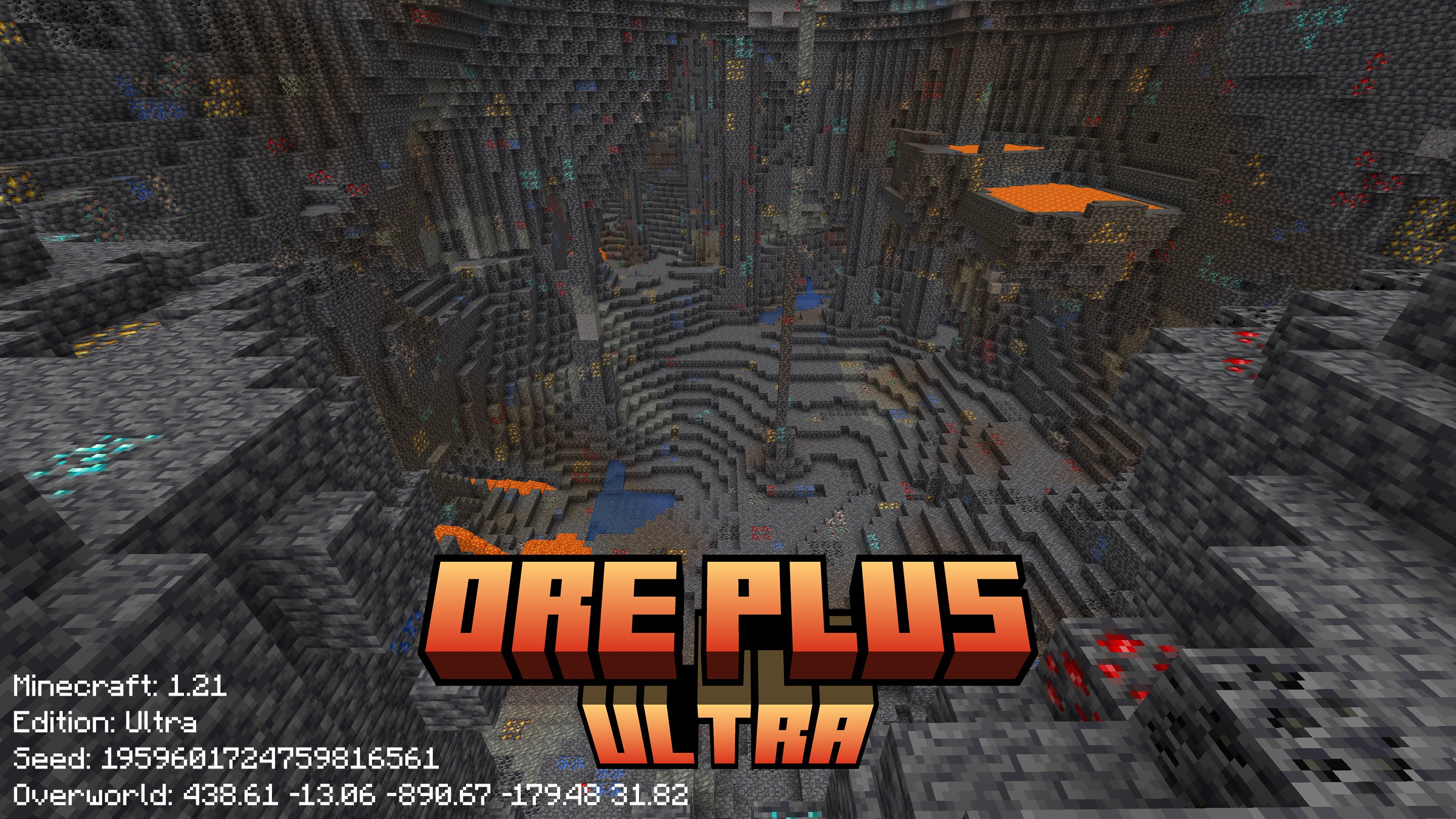
- The ultra edition offers enhanced features.
Fabric Forge NeoForge Quilt are supported for Mod Options
| Game Version | Support | Download Datapack | Download Mod |
|---|---|---|---|
| before 1.16.1 | ❎ | ||
| 1.16.2 - 1.16.5 | ✅ | ⬇️ Datapack | ⬇️ Mod |
| 1.17 - 1.17.1 | ✅ | ⬇️ Datapack | ⬇️ Mod |
| 1.18 - 1.18.1 | ✅ | ⬇️ Datapack | ⬇️ Mod |
| 1.18.2 | ✅ | ⬇️ Datapack | ⬇️ Mod |
| 1.19 - 1.19.3 | ✅ | ⬇️ Datapack | ⬇️ Mod |
| 1.19.4 | ✅ | ⬇️ Datapack | ⬇️ Mod |
| 1.20 - 1.20.6 | ✅ | ⬇️ Datapack | ⬇️ Mod |
| 1.21 - 1.21.8 | ✅ | ⬇️ Datapack | ⬇️ Mod |
| 1.21.9 - 1.21.11 | ✅ | ⬇️ Datapack | ⬇️ Mod |
| 26.1 | ✅ | [x2] [x4] [Ultra] | [x2] [x4] [Ultra] |
🎉 Celebrate 100000 Downloads and 100 Followers
Thanks for you all who support this project, I appreciate your loves on my project.




📋 Overview
This datapack modifies the default ore generation in Minecraft, primarily increasing the spawn rates of certain minerals.
Created with 💗 by wen_wen
❇️ Features
No Mod Loaders Required:
This datapack works seamlessly with vanilla Minecraft, requiring no additional mod loaders or software.
Wide Compatibility:
Designed to integrate smoothly with various Minecraft worlds and setups, ensuring minimal conflicts.
Enhanced Ore Generation:
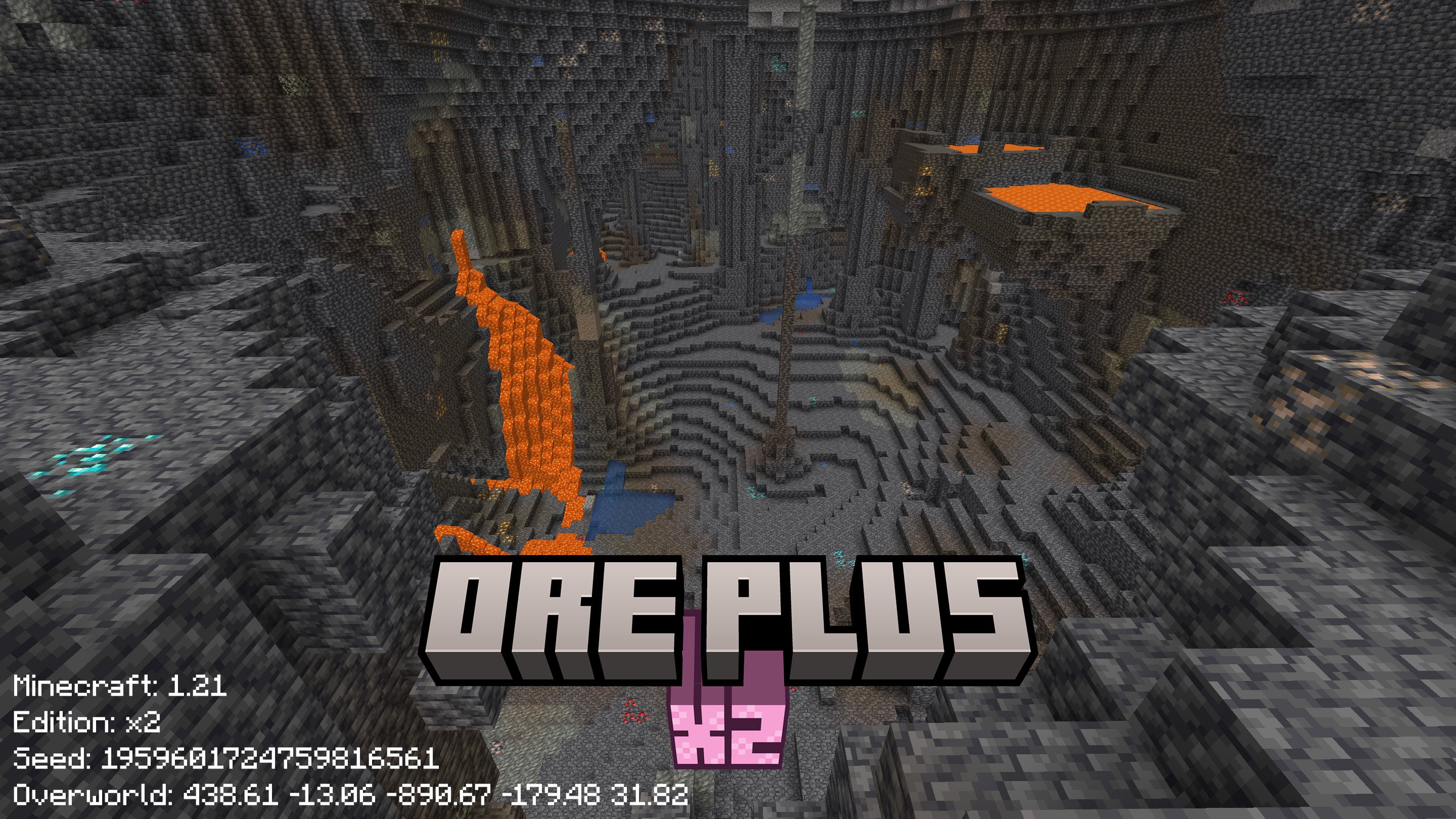
Increases the spawn rates of specific minerals, making resource gathering more efficient.
📖 Detail
Rate Table
The table below shows the modified ore generation probabilities after the datapack is applied.
Please note that the names of the packs do not reflect the directly multiplied probabilities from the vanilla rates,
but rather the extent to which the datapack modifies the original ore generation probabilities.
ℹ️ Note
The Ultra Datapack will also modify the range of ore generation, from 0 to 256, to make sure all ore can generate.
| Ore Type | Ore Name | Vanilla Rate | Datapack x2 | Datapack x4 | Datapack Ultra |
|---|---|---|---|---|---|
| Ore | Coal | 20 | 36 | 68 | 256 |
| Ore | Copper | 6 | 10 | 20 | 256 |
| Large | Debris | 1 | 8 | 28 | 256 |
| Small | Debris | 1 | 8 | 28 | 256 |
| Ore | Diamond | 1 | 8 | 28 | 256 |
| Ore | Emerald | [3,8] | [8,16] | [16,28] | 256 |
| Ore | Gold | 2 | 10 | 28 | 256 |
| Deltas | Gold | 20 | 36 | 68 | 256 |
| Extra | Gold | 20 | 36 | 68 | 256 |
| Nether | Gold | 10 | 18 | 36 | 256 |
| Ore | Iron | 20 | 36 | 68 | 256 |
| Ore | Lapis | 1 | 8 | 20 | 256 |
| Deltas | Quartz | 32 | 45 | 80 | 256 |
| Nether | Quartz | 16 | 30 | 60 | 256 |
| Ore | Redstone | 8 | 14 | 32 | 256 |
Rates also listed on the download page on modrinth
And also feel free to refer to wiki for more details
🖼️ Gallery

✅ Installation
Download
Modrinth [⬇️ Download] provides a modern UI to choose and download this datapack, detailed rates also has been listed on Download Page
⚠️ Download from Version Page
This pack offers three editions: x2, x4, and Ultra. The direct download button will automatically select the latest edition, which may not be the most suitable for your needs. To ensure you choose the best edition for your requirements, please visit the version page, review the details provided for each version, and download the one that suits you best.
Github [📦 Releases] Page is good to get the source code and pack them by self
Github [🔧 Action] can be used to get the lasted dev build
Install
Strongly recommand to install at the creation of a world
When creating a new world
Find the Data Paks Option
Click and drag the data pack to Minecraft
Then move the data pack to the right hand side and click Done
⚙️ Versions
Supported
Minecraft: 26.1+
Datapack Format: 100+
Download at new separated project.
new x2 ⬇️
new x4 ⬇️
new Ultra ⬇️
Minecraft: 1.21.9 - 1.21.11
Datapack Format: 88.0 - 94.1
x2 x4 and Ultra are available ⬇️
Minecraft: 1.21 - 1.21.8
Datapack Format: 48 - 81
x2 x4 and Ultra are available ⬇️
Minecraft: 1.20 - 1.20.6
Datapack Format: 15 - 41
x2 x4 and Ultra are available ⬇️
Minecraft: 1.19.4
Datapack Format: 12
x2 x4 and Ultra are available ⬇️
Minecraft: 1.19-1.19.3
Datapack Format: 10
x2 x4 and Ultra are available ⬇️
Minecraft: 1.18.2
Datapack Format: 9
x2 x4 and Ultra are available ⬇️
Minecraft: 1.18 - 1.18.1
Datapack Format: 8
Limited Supportℹ️
x2 x4 and Ultra are available ⬇️
Minecraft: 1.17 - 1.17.1
Datapack Format: 7
x2 x4 and Ultra are available ⬇️
Minecraft: 1.16.2 -1.16.5
Datapack Format: 6
x2 x4 and Ultra are available ⬇️
Not Support
below 1.16.1 (Included)
The key part to modify ore pre generated worldgen has not been introduced to datapack
📃 Contact
Community
Feedback
Welcome to 📑Issue Page to submit any bugs or featuers.
📜 License
Copyright (c) 2025 - 2026
wen_wen520 All rights reserved
🎉 Thanks & Related Resource


Previous Milestone
🎉 Celebrate 100000 Downloads and 100 Followers at 04/26/2026
🎉 Celebrate 50000 Downloads and 77 Followers at 11/14/2025
🎉 Celebrate 20000 Downloads and 40 Followers at 6/29/2025
🎉 Celebrate 15000 Downloads and 34 Followers at 6/1/2025
🎉 Celebrate 10000 Downloads and 24 Followers at 5/3/2025
🎉 Celebrate 8000 Downloads and 15 Followers at 4/21/2025
🎉 Celebrate 2000 Downloads and 6 Followers at 2/25/2025
🎉 Celebrate 1000 Downloads and 3 Followers
I am really thanks everyone who follow or star this project,
and of course, those people who download, use and love this project are also appreciate
Following resources are really helpful and useful,
thanks for their contributions
Minecraft
Provide the vanilla game (:
Minecraft Wiki
Resource, Guide and Infomations
Misode
Povide easy ways to create some files
Spyglass
The best extension on VS Code for Minecraft Datapack
Minecraft Title Generator
Use for screenshot in this project
Xray Ultimate Resource Pack
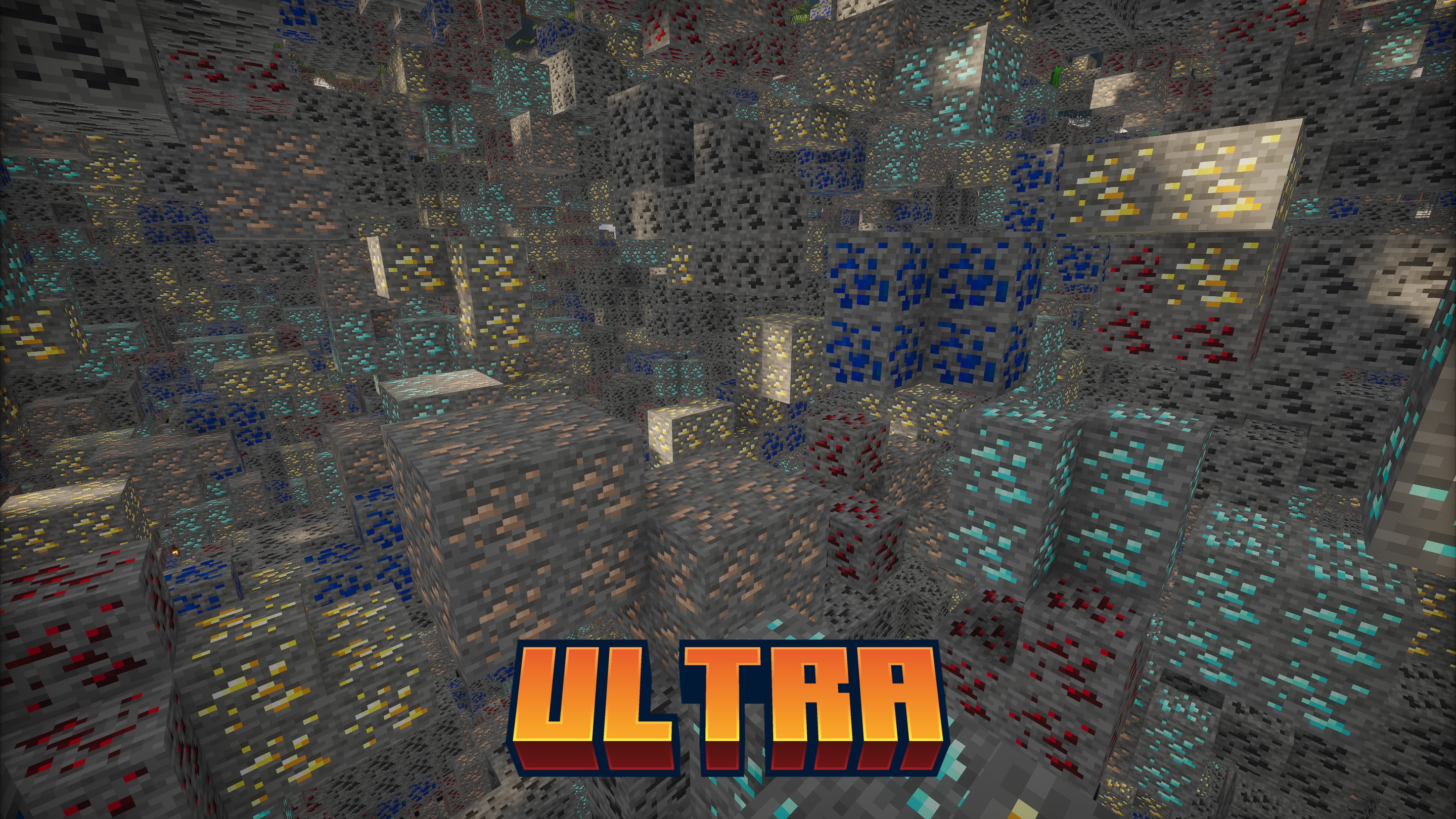
Can exactly show the ores underground, used in gallery
Ore Plus (Legacy) Server crasht beim Start – was tun?
Häufige Ursachen: Loader- oder Minecraft-Version passen nicht zur Mod-Datei, eine Abhängigkeit fehlt oder der RAM reicht nicht. Such im Log (latest.log) nach „OutOfMemoryError“, „Mixin“ oder fehlenden Mods. Bei Mado wertet die KI-Crash-Analyse das Log aus und schlägt eine Ursache vor. Loader und Version änderst du im Panel.
Mit welchem Loader läuft Ore Plus (Legacy)?
Laut Modrinth unterstützt Ore Plus (Legacy) Fabric, Forge, NeoForge, Quilt für Minecraft 1.21.9, 1.21.8, 1.21.7. Forge- und Fabric-Dateien sind nicht untereinander austauschbar: Wähl einen Loader für Server und Clients.
Wie viel RAM braucht ein Server mit Ore Plus (Legacy)?
Als Orientierung 4–6 GB für einen Server mit dieser Mod. Das ist eine Schätzung, keine gemessene Mindestanforderung. Weitere Mods, viele Spieler und große Sichtweiten brauchen mehr. Ob eine Mod die Tick-Zeit belastet, siehst du mit dem spark-Profiler.
Ähnliche Mods
Beliebte Mods aus derselben Kategorie
 Server-fähig

TerraBlender
von Adubbz
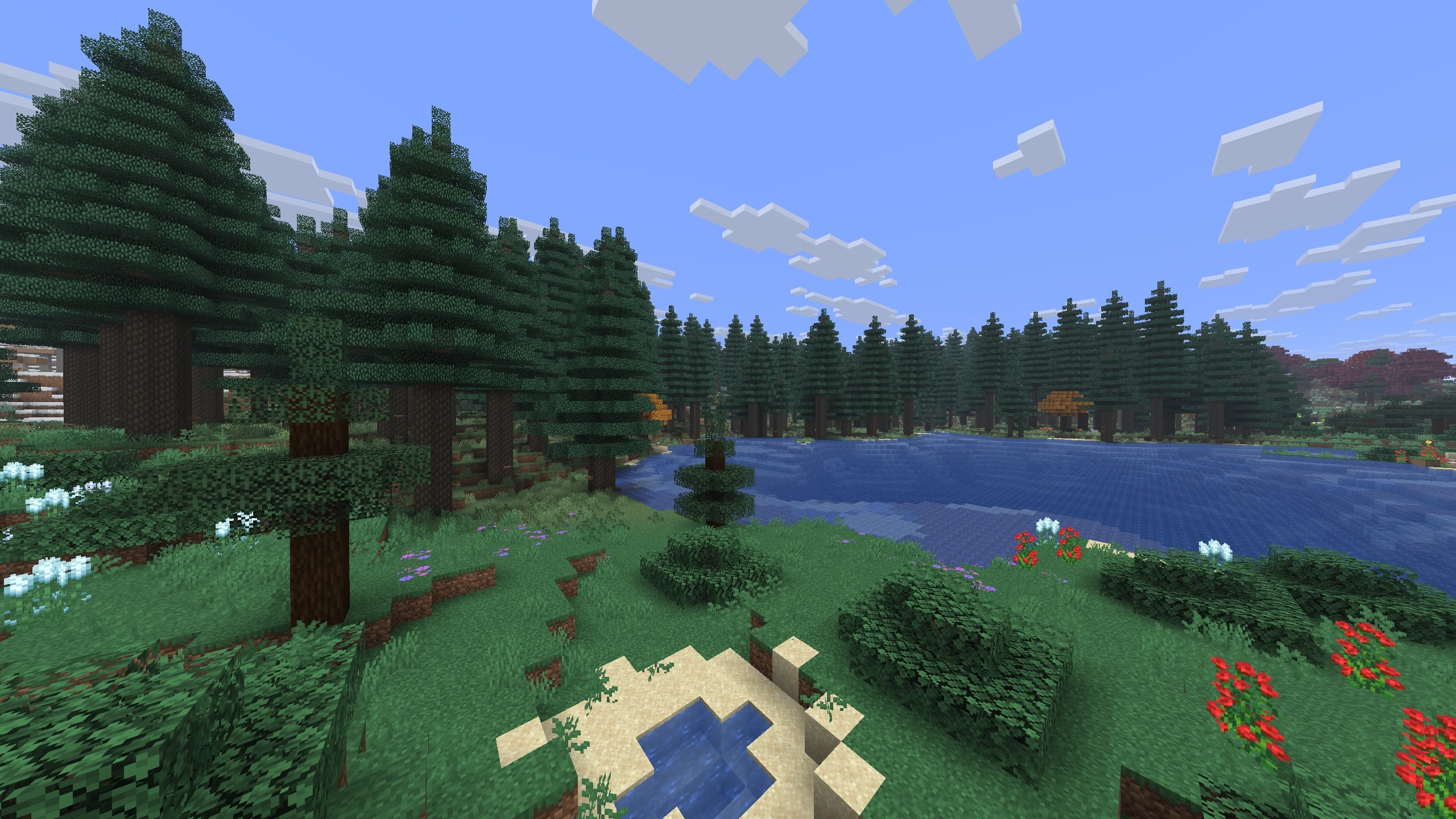
A library mod for adding biomes in a simple and compatible manner!
 Server-fähig

Biomes O' Plenty
von Forstride
Adds 50+ unique biomes to enhance your world, with new trees, flowers, and more!
 Server-fähig

Cobblemon
von CobbledStudios
A Pokémon mod for Fabric and NeoForge
 Server-fähig

YUNG's API
von YUNGNICKYOUNG
Library mod for YUNG's mods.
Bereit für deinen Server mit Ore Plus (Legacy)?
6 GB RAM ab 12,00 € im Monat. 35 % auf den 1. Monat mit MADO35.