Particle Moths
Adds moths to your world using particles.
Über diese Mod
Particle Moths
Adds moths to Minecraft using particles.
Spawning
Moths don't technically spawn because they're actually particles. However, for the sake of simplicity I will refer to this "adding of particles" as spawning.
Caves
Moths will attempt to spawn in a radius around the player, with the size being defined in the config. If the place where moths attempt to spawn has rain or is in water, then the moths won't spawn.
Blocks
Moths also have a chance to spawn by certain light-emitting blocks. Similarly to the cave spawning, if a moth tries to spawn in rain or water, it won't be spawned.
Blocks That Spawn Moths
- Regular Torches (Includes soul torches)
- Lanterns
- Spawn Moths When Lit
- Redstone Torches
- Redstone Lamps
- Candles
Configuration
You must use Mod Menu to access the config screen.
Below are all the settings available, which give the user almost complete control over the mod.
All Configuration Settings
- Spawn Moths
- Glowing Moths
- Specific Velocities - If true, the speed of the Moths will be calculated individually on each axis.
- (X, Y, Z) Velocity - The speed moths will travel at on each axis.
- Moth Count
- Spawn Probability - The chance that a moth will spawn.
- (X, Y, Z) Spawn Distance - The uppermost distance moths can spawn from the player.
- (Negative & Positive) Height Limit - The lowermost and uppermost that moths can spawn.
- Spawn By Blocks
- Block Spawn Probability
- (X, Y, Z) Block Spawn Distance - The uppermost distance that moths can spawn from blocks.
- [Toggles for the blocks that moths can spawn at. (List seen above.)]
Gifs
Configuration: 100 Block Spawn Probability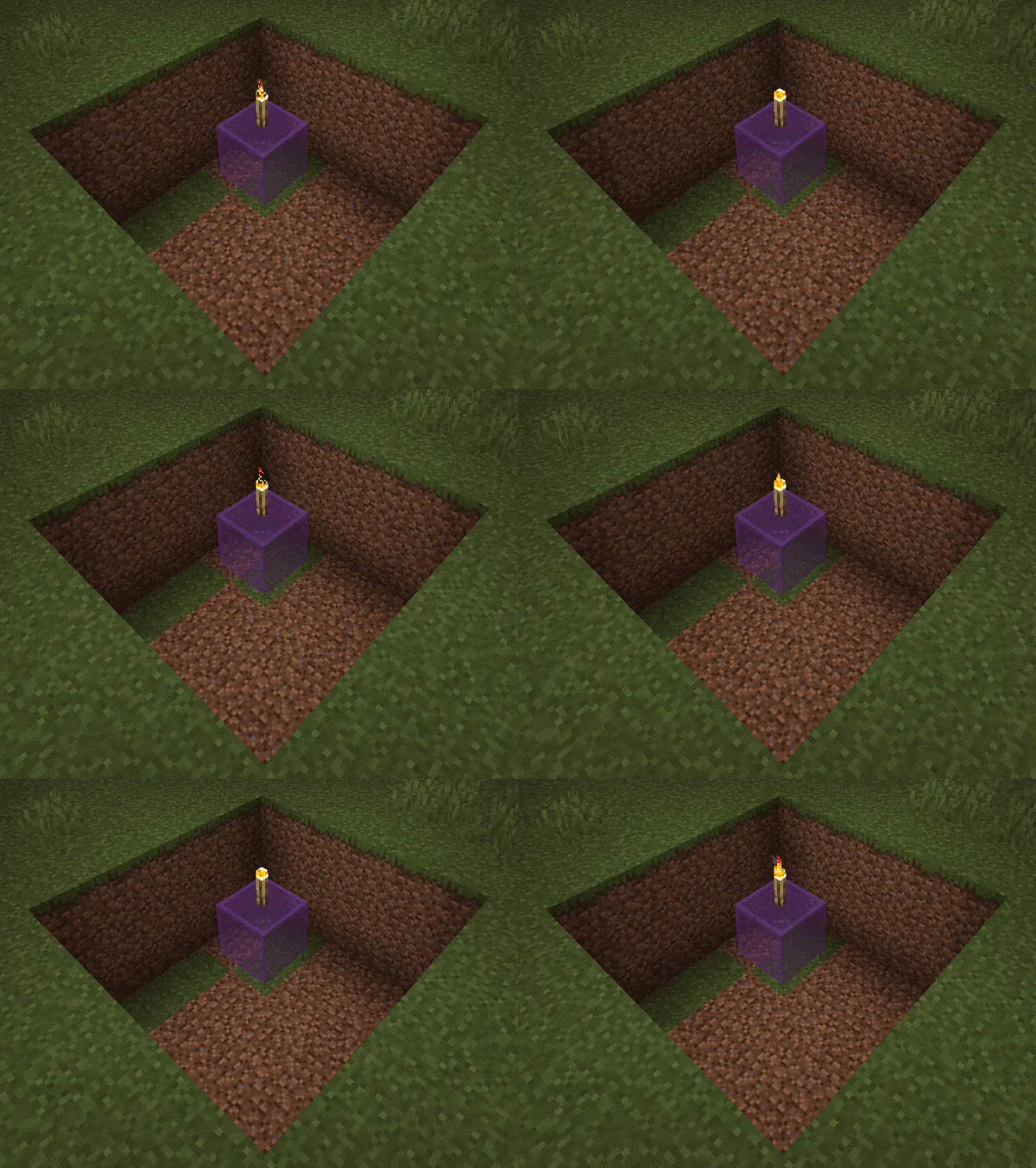
Configuration: Glowing moths are on. Moth Count and Spawn Probability are both 50.
Verfügbare Versionen
Particle Moths auf deinem Client installieren
Mod-Loader lokal installieren
Installiere fabric für deine lokale Minecraft-Version.
Passende Datei herunterladen
Wähle die Particle Moths-Datei für fabric und Minecraft 1.21.5.
Mod installieren
Lege die .jar-Datei in deinem lokalen .minecraft/mods-Ordner ab und starte Minecraft neu. Eine Installation auf dem Server ist nicht nötig.
Kompatibilität
Mod-Loader
Minecraft-Versionen
1.21.5, 1.21.4, 1.21.3 (+8 weitere)
Server-seitig
✗ Nicht unterstütztEmpfohlener RAM
4 GB(min. 3 GB)Häufige Fragen
Muss Particle Moths auf dem Minecraft Server installiert werden?
Nein. Modrinth kennzeichnet Particle Moths serverseitig als nicht unterstützt. Installiere die Mod nur im lokalen Minecraft-Mods-Ordner. Dein Server kann unverändert bleiben, sofern die Mod-Seite keine zusätzliche Abhängigkeit nennt.
Welche Version und welchen Loader braucht Particle Moths?
Nutze eine Datei für fabric, neoforge, quilt und exakt deine Minecraft-Version. Unterstützte Versionen sind unter anderem 1.21.5, 1.21.4, 1.21.3. Loader-Dateien sind nicht untereinander austauschbar.
Particle Moths funktioniert nicht – was kann ich prüfen?
Prüfe zuerst Minecraft-Version, Loader-Version und erforderliche Abhängigkeiten. Lege die .jar-Datei im lokalen .minecraft/mods-Ordner ab und entferne ältere Duplikate. Da die Mod clientseitig ist, löst mehr Server-RAM dieses Problem nicht.
Ähnliche Mods

![[ETF] Entity Texture Features](https://cdn.modrinth.com/data/BVzZfTc1/af683d206d50b05258d865b0d6e4aa2f2cee12f2_96.webp)
![[EMF] Entity Model Features](https://cdn.modrinth.com/data/4I1XuqiY/6e5bbd0d06b1741bfdab6c0cfab6de8fdaf0064c_96.webp)



Minecraft Server für deine Gruppe
Particle Moths bleibt auf deinem Client. Hoste dazu eine kompatible Welt für deine Mitspieler.