
Photography
Yet another camera mod to take photos of your world!
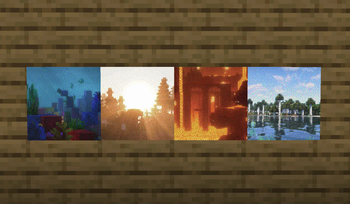
Screenshots
Über diese Mod
Photography requires Fabric Loader and Fabric API
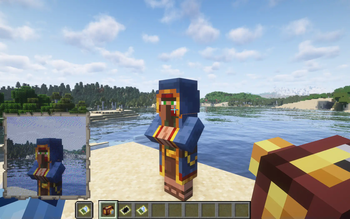
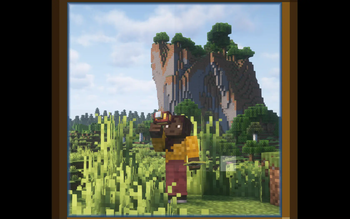
Photography adds a camera to easily take photos. That's it!
This is my very first mod, so please expect a few problems and bugs, even if I've done my best to avoid them. Thank you!
How to use the mod
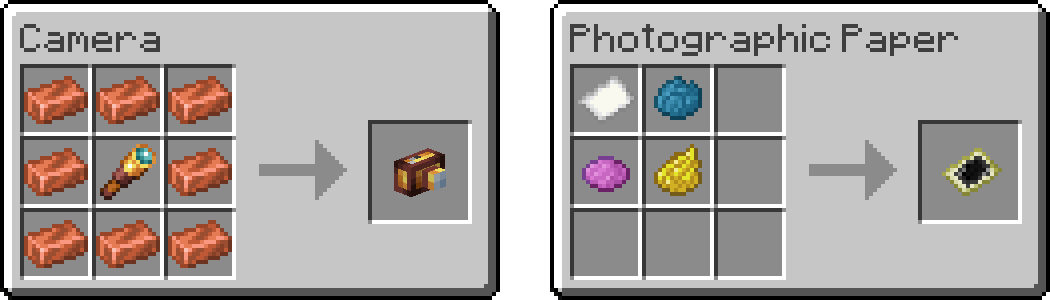
You need two items to take a photo:
- a Camera
- a Photographic Paper
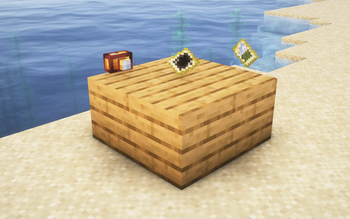
Here are the crafting recipes:
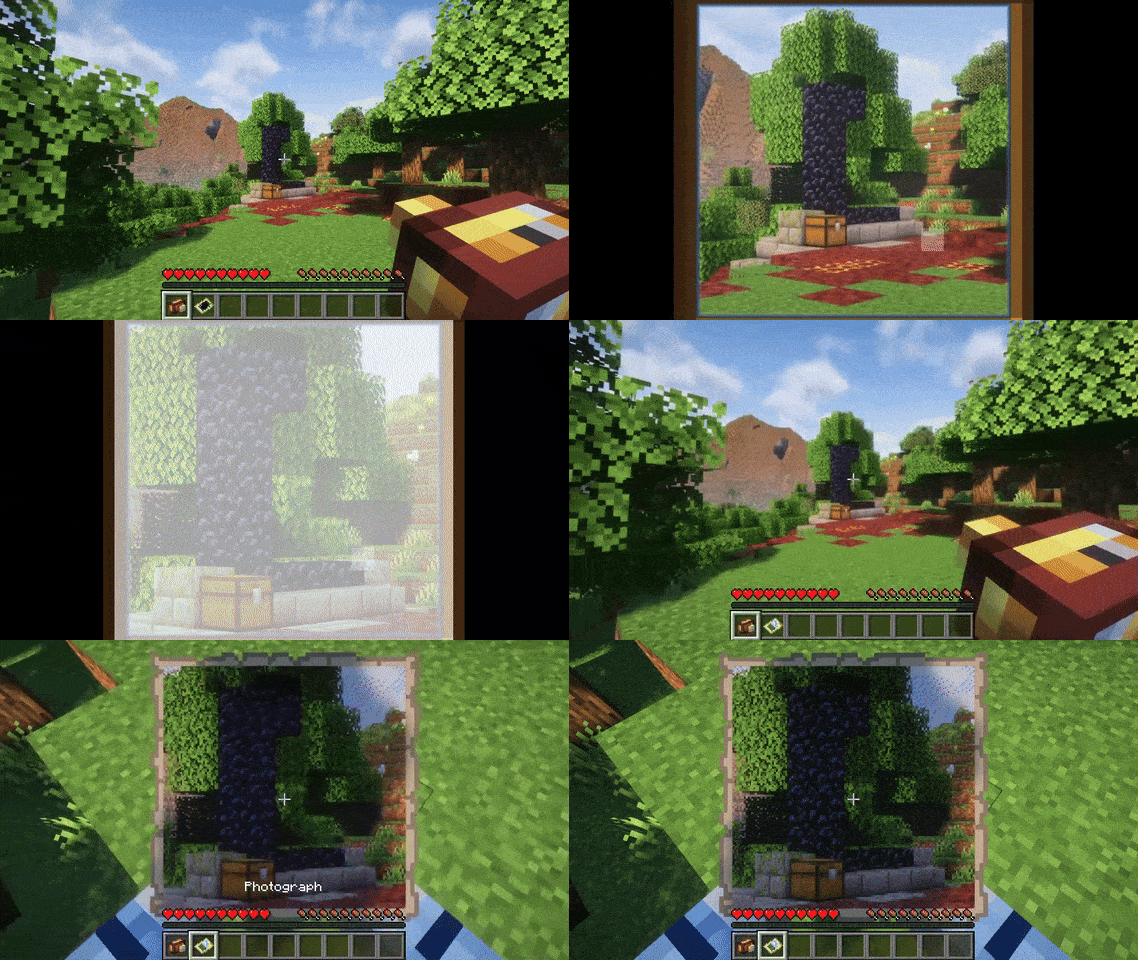
Then use the camera by right-clicking to open the viewfinder. You can use the right-click to take a photo, the mouse wheel to zoom, and the escape key to close the viewfinder. Taking a photo will consume a photographic paper from your inventory and give you a photograph.
Why yet another camera mod ?
This mod has been created to meet very specific needs. It adds a camera to easily take photos from the client renderer to enable the use of shaders while maintaining compatibility with vanilla clients. To clarify the mod is required on both server and client sides. Vanilla clients will still be able to join and see the photos, but will not be able to see or use the added features (which will be displayed as vanilla items), and the items and photos will remain in the world after the mod is removed.
Other recommended camera mods for Fabric
- Exposure (made by mortuusars) : my favorite camera mod with focus on process and aesthetics. It is required on both server and client sides and adds non-vanilla items that disappear after the mod is uninstalled.
- Camera Obscura (made by tomalbrc) : a very impressive server-side mod that allows you to take photos on maps that remain after the mod has been uninstalled. No client-side mods required! Everything is rendered on the server using simple raytracing.
- Polaroid Camera (made by HyperPigeon) : a very well-made mod that motivated me to try making my own. It lets you take photos on maps that remain after the mod is uninstalled, but adds a non-vanilla camera item that disappears after the mod is uninstalled. It was almost exactly what I needed, but I only wanted vanilla items because I'm a maniac...
Photography uses some code from Image2Map (made by TheEssem and Patbox) to render the photos.
Many thanks to its authors!
Verfügbare Versionen
Photography auf dem Server installieren
Server bestellen
Bestelle einen Minecraft Java Server mit mindestens 3 GB RAM (4 GB empfohlen).
fabric Loader setzen
Wähle im Panel unter "Egg" den fabric-Loader und die passende Minecraft-Version (1.21.1).
Mod installieren
Öffne den Mod-Browser im Dashboard und suche nach "Photography". Klicke "Installieren" – fertig! Alternativ: Lade die .jar via SFTP in den /mods Ordner.
Kompatibilität
Mod-Loader
Minecraft-Versionen
1.21.1, 1.21, 1.20.6 (+1 weitere)
Server-seitig
~ OptionalEmpfohlener RAM
4 GB(min. 3 GB)Häufige Fragen
Photography Server crasht beim Start – was tun?
Häufigste Ursache: falsche fabric-Version oder zu wenig RAM. Prüfe im Server-Log (latest.log), ob ein "OutOfMemoryError" oder "Mixin"-Fehler auftritt. Bei Mado Hosting: Stelle sicher, dass mindestens 3 GB RAM zugewiesen sind und der Loader zur Mod-Version passt (1.21.1). Über das Panel kannst du den Loader mit einem Klick wechseln.
Ist Photography mit fabric kompatibel?
Photography unterstützt offiziell fabric für Minecraft 1.21.1, 1.21, 1.20.6. Im Mado Dashboard werden inkompatible Loader-Kombinationen automatisch erkannt.
Server laggt mit Photography – wie optimiere ich die Performance?
Empfohlener RAM: 4 GB (+1 GB pro 8 Spieler). Prüfe mit /spark profiler, ob Photography den meisten Tick-Time verbraucht. Häufige Fixes: Server-View-Distance auf 8-10 reduzieren, bei Forge "performant" oder "starlight" als Zusatz-Mod installieren. Bei Mado Hosting läuft dein Server auf NVMe-SSDs mit dedizierten CPU-Kernen für minimale Latenz.
Ähnliche Mods




Modded Server mieten
Installiere Photography mit nur einem Klick auf deinem Server.