
FIX MY PINGGGGG
Makes sure that as long as you have internet, you will be able to both PING and CONNECT to the server.
Über diese Mod


Features
- Always‑working server pings – As long as you have an active internet connection, the mod ensures every server is pinged correctly.
- No more “connecting to server” hangs – Join servers immediately without waiting through long connecting messages.
- Fixes stale network routes – Resolves the issue where Minecraft keeps using an old IP route after you switch Wi‑Fi, change your IP, use a VPN, or toggle your network.
Disclaimer
This mod does NOT make server pings look fancier – it fixes bugs and issues instead!
Every server is pinged properly – I'm so happy :D
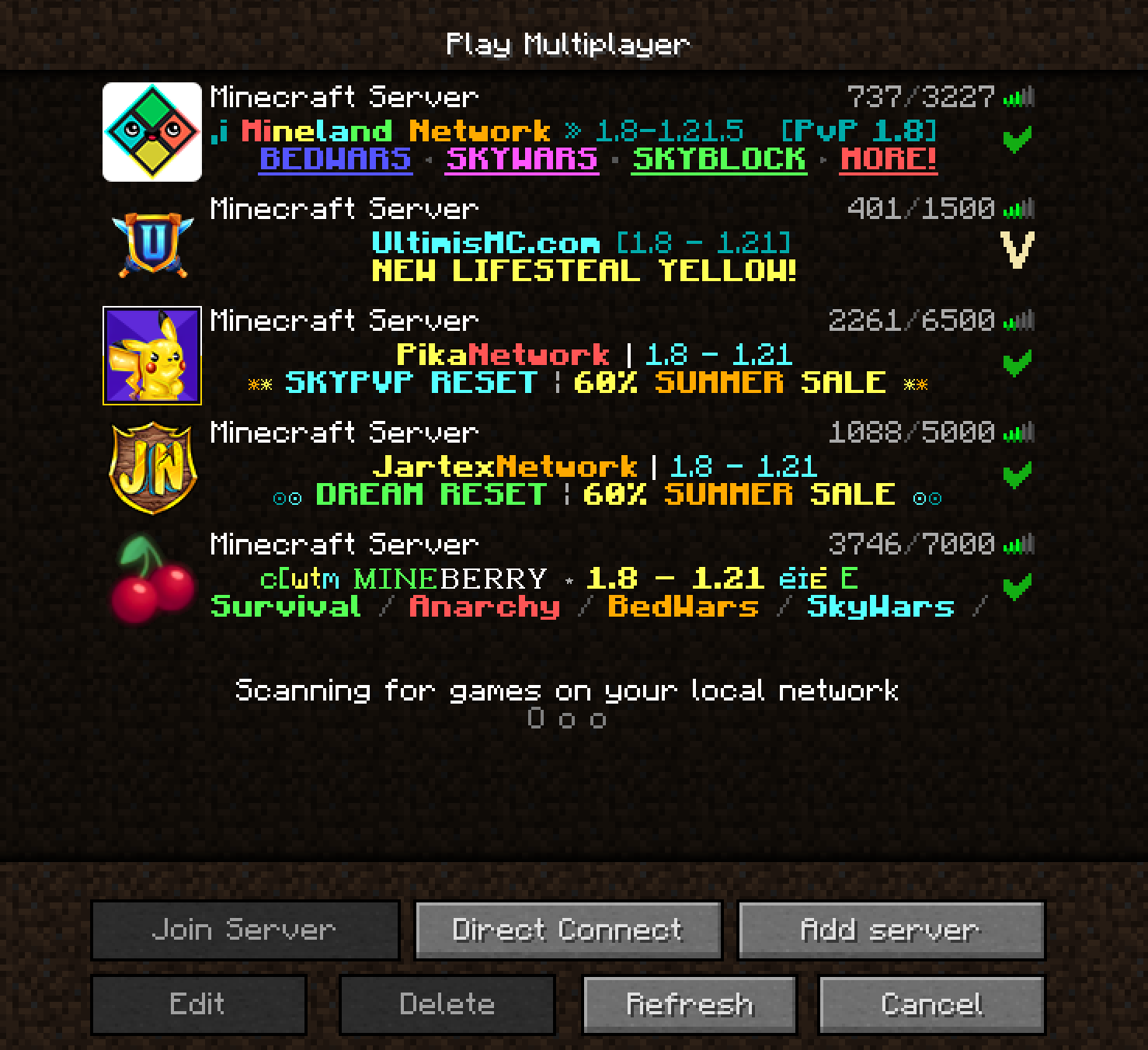
Author's Note
If you've ever switched your IP, connected to another Wi‑Fi, used a VPN (and then closed it), and later found that server pings stopped working – that's because Minecraft still tries to use the old network route. I personally use a VPN, and every single time I needed to join a server that blocks VPNs, I had to close the VPN, toggle my Wi‑Fi, and hope pings would work again. Most of the time it failed.
This bug exists in every Minecraft version – I can't believe it was never fixed. Maybe it's just me, but just in case anyone else has the same problem, I made this mod. This mod fixes the issue – pings will always work as long as your internet works.
Verfügbare Versionen
FIX MY PINGGGGG auf deinem Client installieren
Mod-Loader lokal installieren
Installiere fabric für deine lokale Minecraft-Version.
Passende Datei herunterladen
Wähle die FIX MY PINGGGGG-Datei für fabric und Minecraft 26.1.2.
Mod installieren
Lege die .jar-Datei in deinem lokalen .minecraft/mods-Ordner ab und starte Minecraft neu. Eine Installation auf dem Server ist nicht nötig.
Kompatibilität
Mod-Loader
Minecraft-Versionen
26.1.2, 26.1.1, 26.1 (+32 weitere)
Server-seitig
✗ Nicht unterstütztEmpfohlener RAM
4 GB(min. 3 GB)Häufige Fragen
Muss FIX MY PINGGGGG auf dem Minecraft Server installiert werden?
Nein. Modrinth kennzeichnet FIX MY PINGGGGG serverseitig als nicht unterstützt. Installiere die Mod nur im lokalen Minecraft-Mods-Ordner. Dein Server kann unverändert bleiben, sofern die Mod-Seite keine zusätzliche Abhängigkeit nennt.
Welche Version und welchen Loader braucht FIX MY PINGGGGG?
Nutze eine Datei für fabric, forge, neoforge und exakt deine Minecraft-Version. Unterstützte Versionen sind unter anderem 26.1.2, 26.1.1, 26.1. Loader-Dateien sind nicht untereinander austauschbar.
FIX MY PINGGGGG funktioniert nicht – was kann ich prüfen?
Prüfe zuerst Minecraft-Version, Loader-Version und erforderliche Abhängigkeiten. Lege die .jar-Datei im lokalen .minecraft/mods-Ordner ab und entferne ältere Duplikate. Da die Mod clientseitig ist, löst mehr Server-RAM dieses Problem nicht.
Ähnliche Mods






Minecraft Server für deine Gruppe
FIX MY PINGGGGG bleibt auf deinem Client. Hoste dazu eine kompatible Welt für deine Mitspieler.