
FIX MY PINGGGGG
Makes sure that as long as you have internet, you will be able to both PING and CONNECT to the server.
About this Mod


Features
- Always‑working server pings – As long as you have an active internet connection, the mod ensures every server is pinged correctly.
- No more “connecting to server” hangs – Join servers immediately without waiting through long connecting messages.
- Fixes stale network routes – Resolves the issue where Minecraft keeps using an old IP route after you switch Wi‑Fi, change your IP, use a VPN, or toggle your network.
Disclaimer
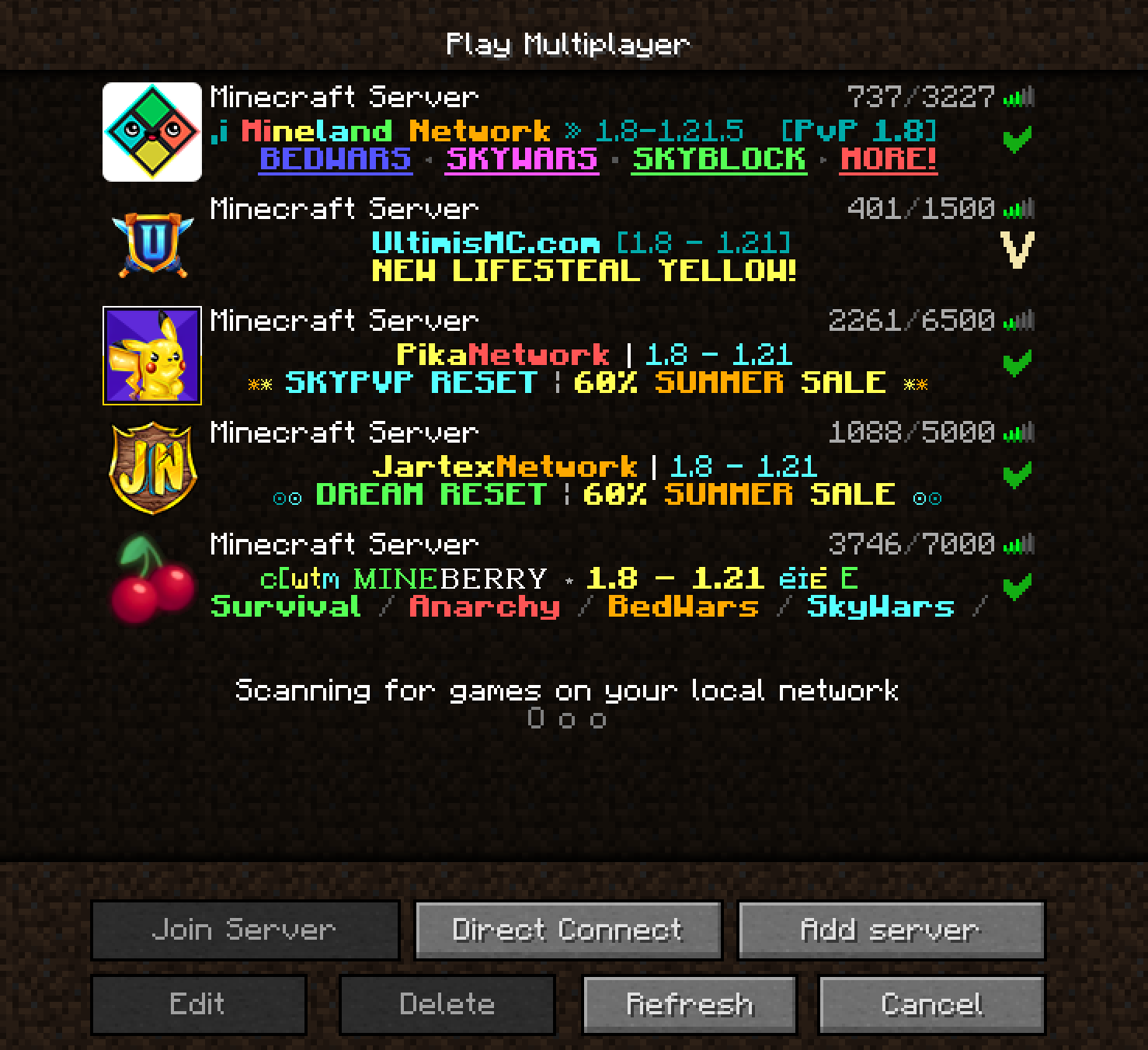
This mod does NOT make server pings look fancier – it fixes bugs and issues instead!
Every server is pinged properly – I'm so happy :D
Author's Note
If you've ever switched your IP, connected to another Wi‑Fi, used a VPN (and then closed it), and later found that server pings stopped working – that's because Minecraft still tries to use the old network route. I personally use a VPN, and every single time I needed to join a server that blocks VPNs, I had to close the VPN, toggle my Wi‑Fi, and hope pings would work again. Most of the time it failed.
This bug exists in every Minecraft version – I can't believe it was never fixed. Maybe it's just me, but just in case anyone else has the same problem, I made this mod. This mod fixes the issue – pings will always work as long as your internet works.
Available Versions
How to Install FIX MY PINGGGGG on Your Client
Install the Mod Loader Locally
Install fabric for your local Minecraft version.
Download the Matching File
Choose the FIX MY PINGGGGG file for fabric and Minecraft 26.1.2.
Install Mod
Place the .jar file in your local .minecraft/mods folder and restart Minecraft. No server-side installation is required.
Compatibility
Mod Loaders
Minecraft Versions
26.1.2, 26.1.1, 26.1 (+32 more)
Server-side
✗ UnsupportedRecommended RAM
4 GB(min. 3 GB)Frequently Asked Questions
Does FIX MY PINGGGGG need to be installed on the Minecraft server?
No. Modrinth marks FIX MY PINGGGGG as unsupported on the server side. Install it only in your local Minecraft mods folder. Your server can remain unchanged unless the mod page lists an additional dependency.
Which version and loader does FIX MY PINGGGGG require?
Use a file for fabric, forge, neoforge and your exact Minecraft version. Supported versions include 26.1.2, 26.1.1, 26.1. Files for different loaders are not interchangeable.
FIX MY PINGGGGG is not working – what should I check?
First check the Minecraft version, loader version and required dependencies. Put the .jar file in your local .minecraft/mods folder and remove older duplicates. Because this mod is client-side, adding server RAM will not fix it.
Similar Mods






Minecraft Server for Your Group
FIX MY PINGGGGG stays on your client. Host a compatible world for your group.