
Ad Astra: Planets+
Adds more planets moons and star systems to explore in Ad Astra!
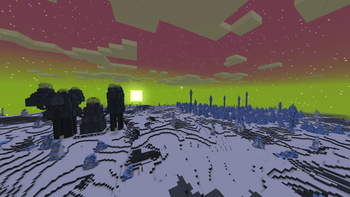
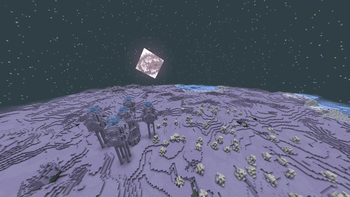
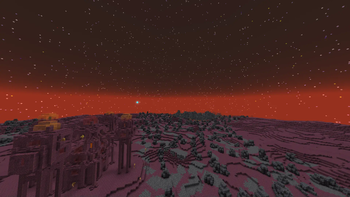
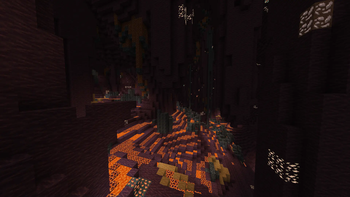
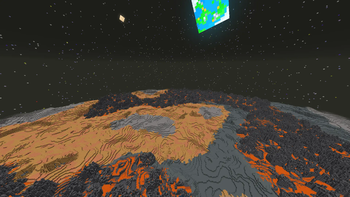
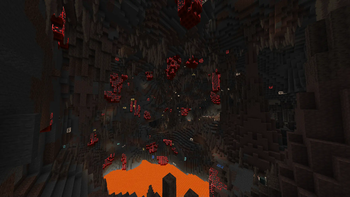
Screenshots
Über diese Mod
Planets+ Adds more to the stars and maybe beyond
Planets+ adds multiple planets, moons, and star systems.
How to play


This is a datapack. To install datapacks, follow this tutorial.
(If you use 1.20.1 you must use Ad Astra 1.15.18 and up. Sometimes you need to install it manually since it's marked as a beta version.)
Notes
The datapack requires a resource pack. This can be found as a second downloadable file from the latest version (Before B1.7). (After 1.7) The datapack requires a resource pack its included in the same file as the datapack so copy it to both the resourcepacks folder and datapacks folder.
The Mod verison doesn't require to load a resourcepack its built in
If your looking for mod support here's the Add-ons/Mod compats hub
Extras!
What's currently in Planets+?
There is a trojan planet in the solar system named Jada, with a moon named Diater. Ganymede, Europa, Calisto, Io, Titan, Enceladus, Iapetus, Pluto and Charon are all also available to land on. There are two other systems at the moment.
Kepler Centauri is in the constellation Centaurus and has 4 planets orbiting it. Their names are Vulcan, Fierer, Ronxys and Gaila as well as a dwarf planet, Dytiona.
Kelper 10352 has 4 planets named Graze, Unity, Glacies and Eclipsa. A Gas Giant is coming later.
Disclaimer
Before BV1.4, if you land on a gas giant or an ice giant you die.
Due to datapack limitations, there are no new blocks. This means sometimes you might find mismatched ores from different planets.
All Gas Giant textures in the solar system are from Ad Astra
UPDATES
I won't update this much, but I will post development updates here.
Not gonna lie this is kinda just stuck right now in limbo
Verfügbare Versionen
Ad Astra: Planets+ auf dem Server installieren
Server bestellen
Bestelle einen Minecraft Java Server mit mindestens 4 GB RAM (6 GB empfohlen).
datapack Loader setzen
Wähle im Panel unter "Egg" den datapack-Loader und die passende Minecraft-Version (1.20.4).
Mod installieren
Öffne den Mod-Browser im Dashboard und suche nach "Ad Astra: Planets+". Klicke "Installieren" – fertig! Alternativ: Lade die .jar via SFTP in den /mods Ordner.
Kompatibilität
Mod-Loader
Minecraft-Versionen
1.20.4, 1.20.1
Server-seitig
✓ ErforderlichEmpfohlener RAM
6 GB(min. 4 GB)Häufige Fragen
Ad Astra: Planets+ Server crasht beim Start – was tun?
Häufigste Ursache: falsche datapack-Version oder zu wenig RAM. Prüfe im Server-Log (latest.log), ob ein "OutOfMemoryError" oder "Mixin"-Fehler auftritt. Bei Mado Hosting: Stelle sicher, dass mindestens 4 GB RAM zugewiesen sind und der Loader zur Mod-Version passt (1.20.4). Über das Panel kannst du den Loader mit einem Klick wechseln.
Ist Ad Astra: Planets+ mit datapack und fabric und forge und neoforge kompatibel?
Ad Astra: Planets+ unterstützt offiziell datapack, fabric, forge, neoforge für Minecraft 1.20.4, 1.20.1. Achtung: Forge- und Fabric-Mods sind NICHT untereinander kompatibel – wähle einen Loader und bleibe dabei. Im Mado Dashboard werden inkompatible Loader-Kombinationen automatisch erkannt.
Server laggt mit Ad Astra: Planets+ – wie optimiere ich die Performance?
Empfohlener RAM: 6 GB (+1 GB pro 5 Spieler). Prüfe mit /spark profiler, ob Ad Astra: Planets+ den meisten Tick-Time verbraucht. Häufige Fixes: Server-View-Distance auf 8-10 reduzieren, bei Forge "performant" oder "starlight" als Zusatz-Mod installieren. Bei Mado Hosting läuft dein Server auf NVMe-SSDs mit dedizierten CPU-Kernen für minimale Latenz.
Ähnliche Mods




Modded Server mieten
Installiere Ad Astra: Planets+ mit nur einem Klick auf deinem Server.