
Ad Astra: Planets+
Adds more planets moons and star systems to explore in Ad Astra!
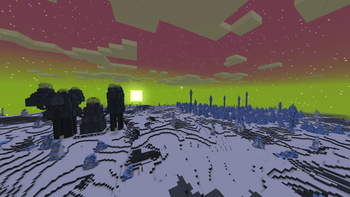
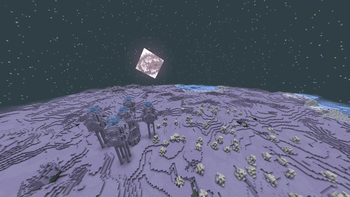
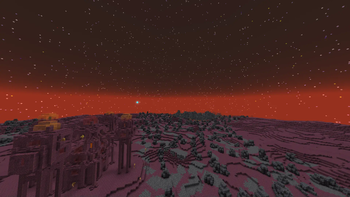
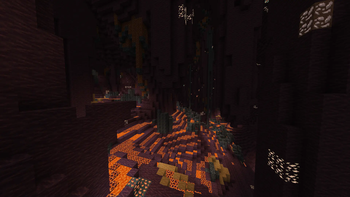
Screenshots
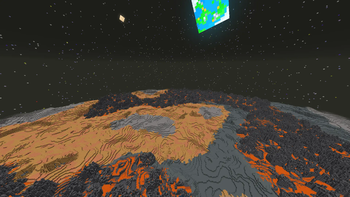
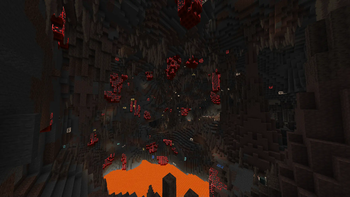
About this Mod
Planets+ Adds more to the stars and maybe beyond
Planets+ adds multiple planets, moons, and star systems.
How to play


This is a datapack. To install datapacks, follow this tutorial.
(If you use 1.20.1 you must use Ad Astra 1.15.18 and up. Sometimes you need to install it manually since it's marked as a beta version.)
Notes
The datapack requires a resource pack. This can be found as a second downloadable file from the latest version (Before B1.7). (After 1.7) The datapack requires a resource pack its included in the same file as the datapack so copy it to both the resourcepacks folder and datapacks folder.
The Mod verison doesn't require to load a resourcepack its built in
If your looking for mod support here's the Add-ons/Mod compats hub
Extras!
What's currently in Planets+?
There is a trojan planet in the solar system named Jada, with a moon named Diater. Ganymede, Europa, Calisto, Io, Titan, Enceladus, Iapetus, Pluto and Charon are all also available to land on. There are two other systems at the moment.
Kepler Centauri is in the constellation Centaurus and has 4 planets orbiting it. Their names are Vulcan, Fierer, Ronxys and Gaila as well as a dwarf planet, Dytiona.
Kelper 10352 has 4 planets named Graze, Unity, Glacies and Eclipsa. A Gas Giant is coming later.
Disclaimer
Before BV1.4, if you land on a gas giant or an ice giant you die.
Due to datapack limitations, there are no new blocks. This means sometimes you might find mismatched ores from different planets.
All Gas Giant textures in the solar system are from Ad Astra
UPDATES
I won't update this much, but I will post development updates here.
Not gonna lie this is kinda just stuck right now in limbo
Available Versions
How to Install Ad Astra: Planets+ on Your Server
Order Server
Order a Minecraft Java server with at least 4 GB RAM (6 GB recommended).
Set datapack Loader
In the panel under "Egg", select the datapack loader and matching Minecraft version (1.20.4).
Install Mod
Open the mod browser in the dashboard and search for "Ad Astra: Planets+". Click "Install" – done! Alternatively, upload the .jar via SFTP to the /mods folder.
Compatibility
Mod Loaders
Minecraft Versions
1.20.4, 1.20.1
Server-side
✓ RequiredRecommended RAM
6 GB(min. 4 GB)Frequently Asked Questions
Ad Astra: Planets+ server crashes on startup – what to do?
Most common cause: wrong datapack version or insufficient RAM. Check the server log (latest.log) for "OutOfMemoryError" or "Mixin" errors. With Mado Hosting: ensure at least 4 GB RAM is allocated and the loader matches the mod version (1.20.4). You can switch loaders with one click in the panel.
Is Ad Astra: Planets+ compatible with datapack and fabric and forge and neoforge?
Ad Astra: Planets+ officially supports datapack, fabric, forge, neoforge for Minecraft 1.20.4, 1.20.1. Note: Forge and Fabric mods are NOT cross-compatible – pick one loader and stick with it. The Mado dashboard automatically detects incompatible loader combinations.
Server lagging with Ad Astra: Planets+ – how to optimize performance?
Recommended RAM: 6 GB (per 5 players). Use /spark profiler to check if Ad Astra: Planets+ consumes the most tick time. Common fixes: reduce server view-distance to 8-10, install "performant" or "starlight" as supplementary mods on Forge. With Mado Hosting, your server runs on NVMe SSDs with dedicated CPU cores for minimal latency.
Similar Mods




Rent Modded Server
Install Ad Astra: Planets+ with just one click on your server.