
PotionEffects
This project improves the vanilla potion display.
Screenshots

Über diese Mod
PotionEffects
PotionEffects replaces the default Minecraft status effect display with a cleaner, more informative HUD designed to keep you aware of your active effects at a glance.
Features
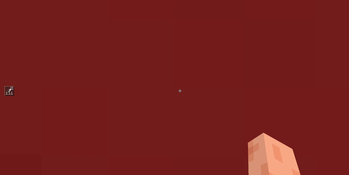
Clean icon boxes displayed on the left side of your screen, vertically centred
Timer displayed directly on the icon so you always know how long an effect lasts
Roman numerals on the icon for effects above level I, just like vanilla but better integrated
Low-time warning: the border, timer, and numerals all flash red when an effect is about to expire
Infinite effects show a ∞ symbol instead of a countdown
Replaces the vanilla effect display entirely for a distraction-free experience
Customisation
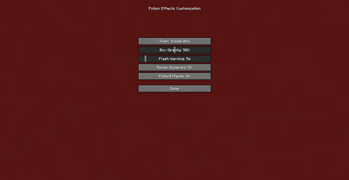
Open the settings screen at any time with the configurable keybind (default: K) to adjust:
Opacity — control how transparent the entire HUD is
Timer position — show the timer inside the icon box or to the right of it
Roman numerals — toggle effect level numerals on or off
Flash warning time — set how many seconds before expiry the flashing starts, or set it to 0 to disable flashing entirely
Settings are saved automatically and persist across sessions.
Compatibility:
Minecraft 1.21.11 and 26.2
Fabric Loader
Fabric API required
Verfügbare Versionen
PotionEffects auf deinem Client installieren
Mod-Loader lokal installieren
Installiere fabric für deine lokale Minecraft-Version.
Passende Datei herunterladen
Wähle die PotionEffects-Datei für fabric und Minecraft 26.2.
Mod installieren
Lege die .jar-Datei in deinem lokalen .minecraft/mods-Ordner ab und starte Minecraft neu. Eine Installation auf dem Server ist nicht nötig.
Kompatibilität
Mod-Loader
Minecraft-Versionen
26.2, 1.21.11
Server-seitig
✗ Nicht unterstütztEmpfohlener RAM
4 GB(min. 3 GB)Häufige Fragen
Muss PotionEffects auf dem Minecraft Server installiert werden?
Nein. Modrinth kennzeichnet PotionEffects serverseitig als nicht unterstützt. Installiere die Mod nur im lokalen Minecraft-Mods-Ordner. Dein Server kann unverändert bleiben, sofern die Mod-Seite keine zusätzliche Abhängigkeit nennt.
Welche Version und welchen Loader braucht PotionEffects?
Nutze eine Datei für fabric und exakt deine Minecraft-Version. Unterstützte Versionen sind unter anderem 26.2, 1.21.11. Loader-Dateien sind nicht untereinander austauschbar.
PotionEffects funktioniert nicht – was kann ich prüfen?
Prüfe zuerst Minecraft-Version, Loader-Version und erforderliche Abhängigkeiten. Lege die .jar-Datei im lokalen .minecraft/mods-Ordner ab und entferne ältere Duplikate. Da die Mod clientseitig ist, löst mehr Server-RAM dieses Problem nicht.
Ähnliche Mods



![[TaCZ] Timeless and Classics Zero](https://cdn.modrinth.com/data/SzzJttH8/fd27766d2bb8390d284696b1dbd358f87e081439_96.webp)


Minecraft Server für deine Gruppe
PotionEffects bleibt auf deinem Client. Hoste dazu eine kompatible Welt für deine Mitspieler.