
PotionEffects
This project improves the vanilla potion display.
Screenshots

About this Mod
PotionEffects
PotionEffects replaces the default Minecraft status effect display with a cleaner, more informative HUD designed to keep you aware of your active effects at a glance.
Features
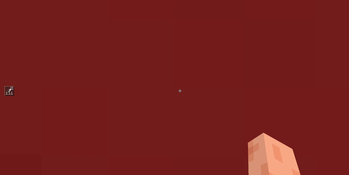
Clean icon boxes displayed on the left side of your screen, vertically centred
Timer displayed directly on the icon so you always know how long an effect lasts
Roman numerals on the icon for effects above level I, just like vanilla but better integrated
Low-time warning: the border, timer, and numerals all flash red when an effect is about to expire
Infinite effects show a ∞ symbol instead of a countdown
Replaces the vanilla effect display entirely for a distraction-free experience
Customisation
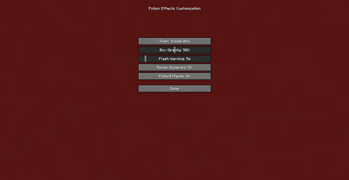
Open the settings screen at any time with the configurable keybind (default: K) to adjust:
Opacity — control how transparent the entire HUD is
Timer position — show the timer inside the icon box or to the right of it
Roman numerals — toggle effect level numerals on or off
Flash warning time — set how many seconds before expiry the flashing starts, or set it to 0 to disable flashing entirely
Settings are saved automatically and persist across sessions.
Compatibility:
Minecraft 1.21.11 and 26.2
Fabric Loader
Fabric API required
Available Versions
How to Install PotionEffects on Your Client
Install the Mod Loader Locally
Install fabric for your local Minecraft version.
Download the Matching File
Choose the PotionEffects file for fabric and Minecraft 26.2.
Install Mod
Place the .jar file in your local .minecraft/mods folder and restart Minecraft. No server-side installation is required.
Compatibility
Mod Loaders
Minecraft Versions
26.2, 1.21.11
Server-side
✗ UnsupportedRecommended RAM
4 GB(min. 3 GB)Frequently Asked Questions
Does PotionEffects need to be installed on the Minecraft server?
No. Modrinth marks PotionEffects as unsupported on the server side. Install it only in your local Minecraft mods folder. Your server can remain unchanged unless the mod page lists an additional dependency.
Which version and loader does PotionEffects require?
Use a file for fabric and your exact Minecraft version. Supported versions include 26.2, 1.21.11. Files for different loaders are not interchangeable.
PotionEffects is not working – what should I check?
First check the Minecraft version, loader version and required dependencies. Put the .jar file in your local .minecraft/mods folder and remove older duplicates. Because this mod is client-side, adding server RAM will not fix it.
Similar Mods



![[TaCZ] Timeless and Classics Zero](https://cdn.modrinth.com/data/SzzJttH8/fd27766d2bb8390d284696b1dbd358f87e081439_96.webp)


Minecraft Server for Your Group
PotionEffects stays on your client. Host a compatible world for your group.