
Respackopts
Config menus for resource packs
Screenshots
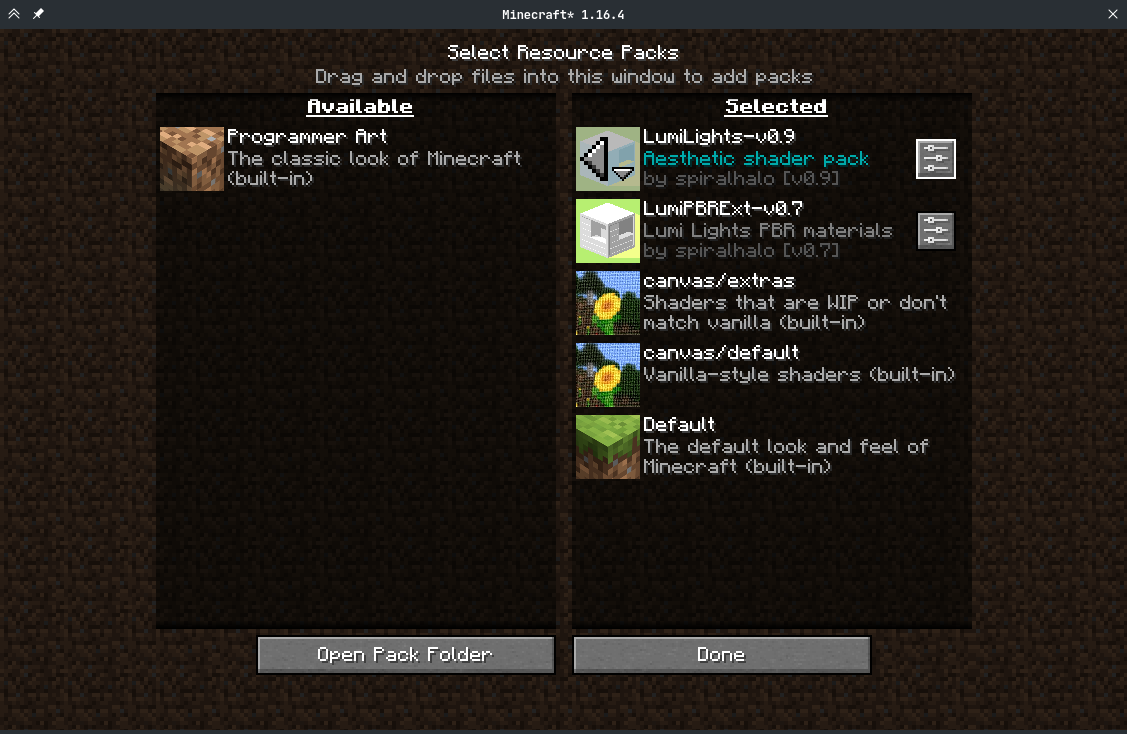
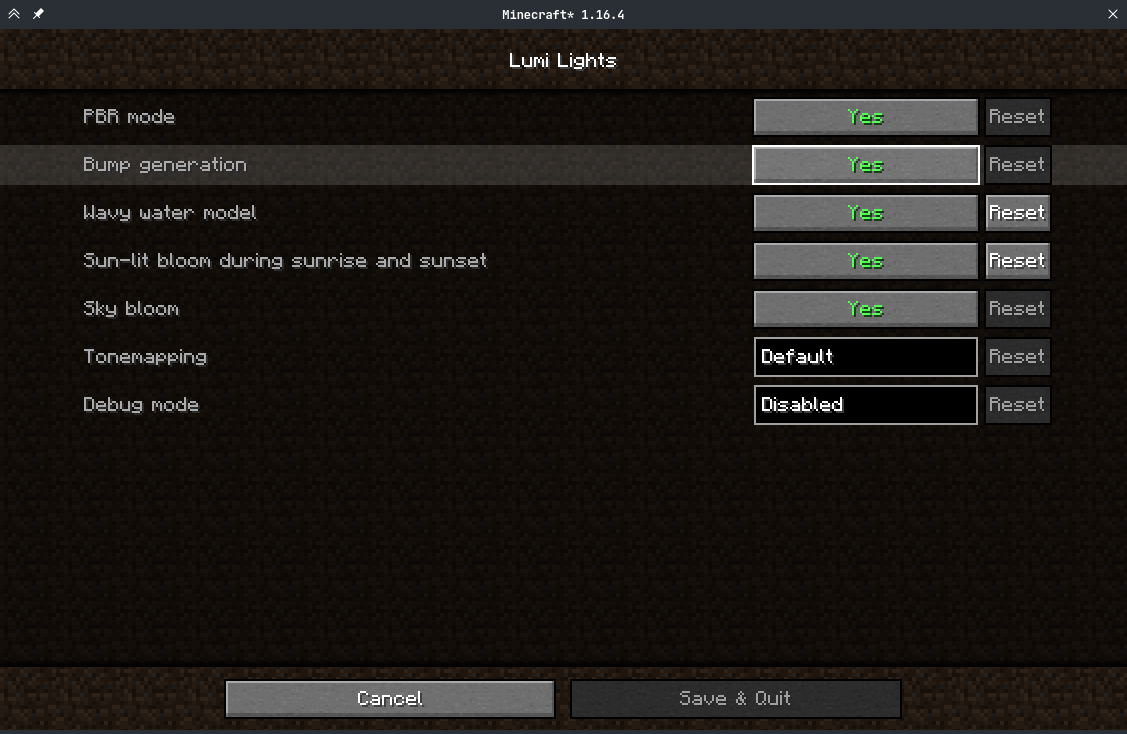
Über diese Mod
Respackopts
PSA: Respackopts depends on LibJF, which you must add alongside it.
Respackopts provides resource and data packs with config menus
By default, it provides a custom system for conditional resources, resource expansion and integrates with fabulous shaders
Using Respackopts
Users
After installing Respackopts, a menu button will appear besides all supported resource packs.
No further configuration is needed.
Pack authors
Please head to the wiki for details on how to use Respackopts in a pack.
Performance Impact
Performance always depends on factors other than the game itself like disk speed, resource usage by other programs, the OS you are using, etc. These measurements were made with Minecraft 1.20.1, Fabric Loader 0.14.21, Fabric API 0.84.0, and LibJF 3.8.0 on Linux 6.3 with a Ryzen 5 7600X processor and an NVMe SSD. Please do not expect them to be representative for all other versions and setups, but they should give you a general idea of the impact of using Respackopts.LibJF injects hooks into the resource loader, meaning there is additional overhead for every resource access.
In practice, this results in a five-percent increase in resource reloading time over vanilla, and an eight percent increase in game load times over vanilla (.2 seconds).
Respackopts uses those hooks and additional mixins to work, adding additional overhead.
In practice, this results in a six-percent increase in resource reloading time over vanilla, and an eighteen percent increase in game load times over vanilla (.43 seconds).
The most significant increase is measurable during pack scanning, which takes nearly 100 times longer when comparing Minecraft with Respackopts to vanilla.
This is because Respackopts performs and caches most parsing and computation during this stage.
As the statistic for game loading shows, this is not necessarily noticeable during startup, because the total is still comparably small.
It is only noticeable in the resource pack screen, where scanning is performed every 20 ticks and whenever the screen is resized, which can lead to minor freezes while it is visible.
For this reason, I have created a separate mod that tweaks that screen for increased performance.

Verfügbare Versionen
Respackopts auf dem Server installieren
Server bestellen
Bestelle einen Minecraft Java Server mit mindestens 3 GB RAM (4 GB empfohlen).
fabric Loader setzen
Wähle im Panel unter "Egg" den fabric-Loader und die passende Minecraft-Version (26.3).
Mod installieren
Öffne den Mod-Browser im Dashboard und suche nach "Respackopts". Klicke "Installieren" – fertig! Alternativ: Lade die .jar via SFTP in den /mods Ordner.
Kompatibilität
Mod-Loader
Minecraft-Versionen
26.3, 26.2, 26.1.2 (+33 weitere)
Server-seitig
~ OptionalEmpfohlener RAM
4 GB(min. 3 GB)Häufige Fragen
Respackopts Server crasht beim Start – was tun?
Häufigste Ursache: falsche fabric-Version oder zu wenig RAM. Prüfe im Server-Log (latest.log), ob ein "OutOfMemoryError" oder "Mixin"-Fehler auftritt. Bei Mado Hosting: Stelle sicher, dass mindestens 3 GB RAM zugewiesen sind und der Loader zur Mod-Version passt (26.3). Über das Panel kannst du den Loader mit einem Klick wechseln.
Ist Respackopts mit fabric und neoforge kompatibel?
Respackopts unterstützt offiziell fabric, neoforge für Minecraft 26.3, 26.2, 26.1.2. Im Mado Dashboard werden inkompatible Loader-Kombinationen automatisch erkannt.
Server laggt mit Respackopts – wie optimiere ich die Performance?
Empfohlener RAM: 4 GB (+1 GB pro 8 Spieler). Prüfe mit /spark profiler, ob Respackopts den meisten Tick-Time verbraucht. Häufige Fixes: Server-View-Distance auf 8-10 reduzieren, bei Forge "performant" oder "starlight" als Zusatz-Mod installieren. Bei Mado Hosting läuft dein Server auf NVMe-SSDs mit dedizierten CPU-Kernen für minimale Latenz.
Ähnliche Mods




![[ETF] Entity Texture Features](https://cdn.modrinth.com/data/BVzZfTc1/af683d206d50b05258d865b0d6e4aa2f2cee12f2_96.webp)

Modded Server mieten
Installiere Respackopts mit nur einem Klick auf deinem Server.