
Gauges, Switches & Modules
An unofficial NeoForge/Fabric port of the classic RsGauges mod. Adds stylish analog/digital gauges, switches, and sensors for redstone monitoring. And new Blocks/Items.
Screenshots
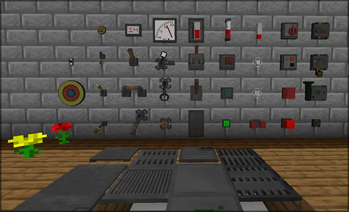
Über diese Mod
RsGauges (Unofficial NeoForge Port)
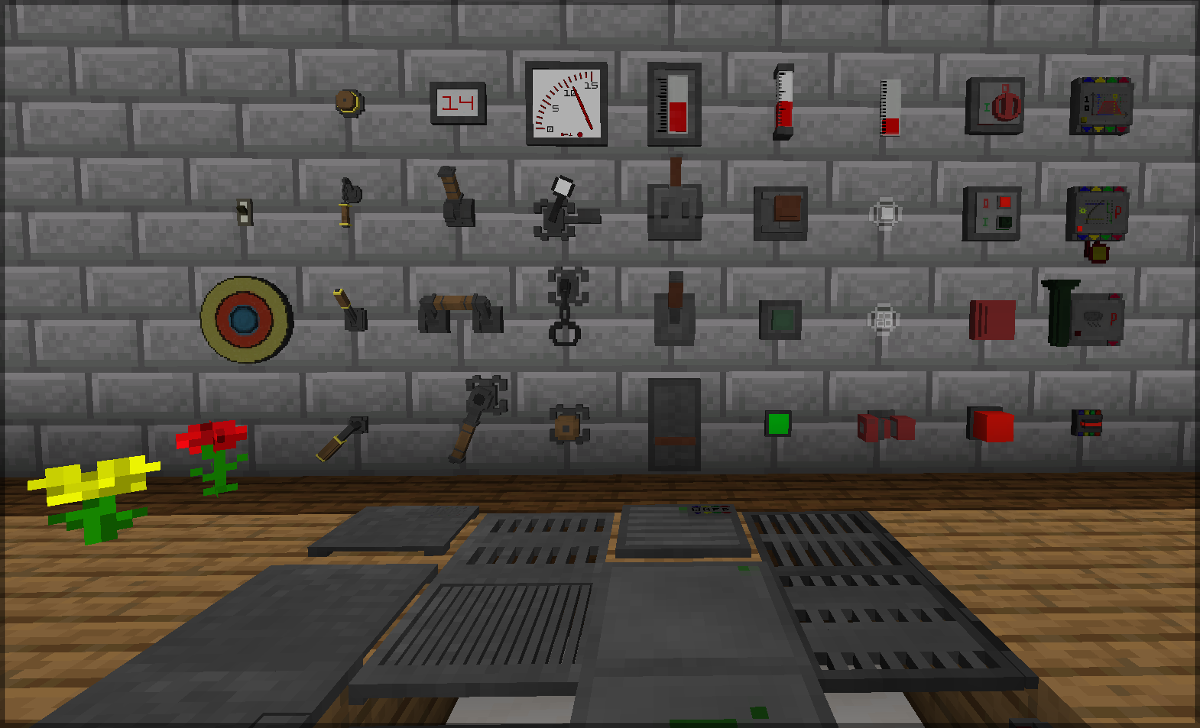
This is an unofficial port of the RsGauges (Gauges and Switches) mod for NeoForge 1.21.x.
This version is based on the 1.20.1 port by Waffle, which in turn is based on the original by Wile. Since many players are switching to the latest version of Minecraft, I have updated the mod for the current NeoForge environment.
The mod adds devices to output or measure Redstone power in various styles.
🛠 Features
Switches
- Buttons & Levers: Buttons and levers in many designs.
- Pressure Plates: Standard pressure plates and shock-sensitive variants (react to falls).
- Detectors: Sensors for entities (players, animals, mobs) and block categories (ores, wood, liquids, etc.).
- Timers: Daily timers (6:00 AM to 12:00 AM) and interval timers (tick-based).
- Environment: Light, rain, and lightning sensors.
- Specialized: Switch-Link relays & receivers (wireless transmission), knock sensors, and trapdoor switches.
Gauges
- Analog & Digital: Displays Redstone strength from 0 to 15.
- Indicators: LEDs, semaphores, and alarm lights (on/off).
- Audio: Alarm sirens and bells.
- Sensitive Glass: Glass that emits light or changes color.
Style Variations
The devices come in various “series” such as Industrial, Retro Industrial, Rustic, Old Fancy, or Glass. These can be configured to fit perfectly into the respective modpack theme.
✨ Special Features
- Configuration: All switches can be set to low/high or inverted using a Redstone torch.
- Wireless: Most switches can be connected wirelessly using Ender Pearls.
- Pulse Duration: The duration of buttons can be configured using Redstone stacks.
- Colors: Many switches and indicators can be colored with dyes.
📜 Credits & History
- Original Mod & Sources: Created by Wile.
- 1.20.1 Port & Sources: Created by Waffle.
- 1.21.x NeoForge Port: Updated by me (MCFabikDE).
Note: This is a community project. Please submit support requests for this version only here in the issue tracker, not to the original authors.
💻 Source Code
The complete code for this port is publicly available in accordance with the license terms:
👉 Click here for the GitHub repository
🎥 References (Videos)
- Mod presentation by VegaCraft (German, 2023): Watch
- Mod presentation by Debitor (German, 2020): Watch
Translated with DeepL.com (free version)
Verfügbare Versionen
Gauges, Switches & Modules auf dem Server installieren
Server bestellen
Bestelle einen Minecraft Java Server mit mindestens 3 GB RAM (4 GB empfohlen).
fabric Loader setzen
Wähle im Panel unter "Egg" den fabric-Loader und die passende Minecraft-Version (26.3).
Mod installieren
Öffne den Mod-Browser im Dashboard und suche nach "Gauges, Switches & Modules". Klicke "Installieren" – fertig! Alternativ: Lade die .jar via SFTP in den /mods Ordner.
Kompatibilität
Mod-Loader
Minecraft-Versionen
26.3, 26.2, 26.1.2 (+14 weitere)
Server-seitig
✓ ErforderlichEmpfohlener RAM
4 GB(min. 3 GB)Häufige Fragen
Gauges, Switches & Modules Server crasht beim Start – was tun?
Häufigste Ursache: falsche fabric-Version oder zu wenig RAM. Prüfe im Server-Log (latest.log), ob ein "OutOfMemoryError" oder "Mixin"-Fehler auftritt. Bei Mado Hosting: Stelle sicher, dass mindestens 3 GB RAM zugewiesen sind und der Loader zur Mod-Version passt (26.3). Über das Panel kannst du den Loader mit einem Klick wechseln.
Ist Gauges, Switches & Modules mit fabric und neoforge kompatibel?
Gauges, Switches & Modules unterstützt offiziell fabric, neoforge für Minecraft 26.3, 26.2, 26.1.2. Im Mado Dashboard werden inkompatible Loader-Kombinationen automatisch erkannt.
Server laggt mit Gauges, Switches & Modules – wie optimiere ich die Performance?
Empfohlener RAM: 4 GB (+1 GB pro 8 Spieler). Prüfe mit /spark profiler, ob Gauges, Switches & Modules den meisten Tick-Time verbraucht. Häufige Fixes: Server-View-Distance auf 8-10 reduzieren, bei Forge "performant" oder "starlight" als Zusatz-Mod installieren. Bei Mado Hosting läuft dein Server auf NVMe-SSDs mit dedizierten CPU-Kernen für minimale Latenz.
Ähnliche Mods

![[ETF] Entity Texture Features](https://cdn.modrinth.com/data/BVzZfTc1/af683d206d50b05258d865b0d6e4aa2f2cee12f2_96.webp)
![[EMF] Entity Model Features](https://cdn.modrinth.com/data/4I1XuqiY/6e5bbd0d06b1741bfdab6c0cfab6de8fdaf0064c_96.webp)



Modded Server mieten
Installiere Gauges, Switches & Modules mit nur einem Klick auf deinem Server.