Shield Statuses
Shows shield states, represented by color. This mod was ported forward and improved on by Walksy.
Screenshots
Über diese Mod
Shield Statuses!
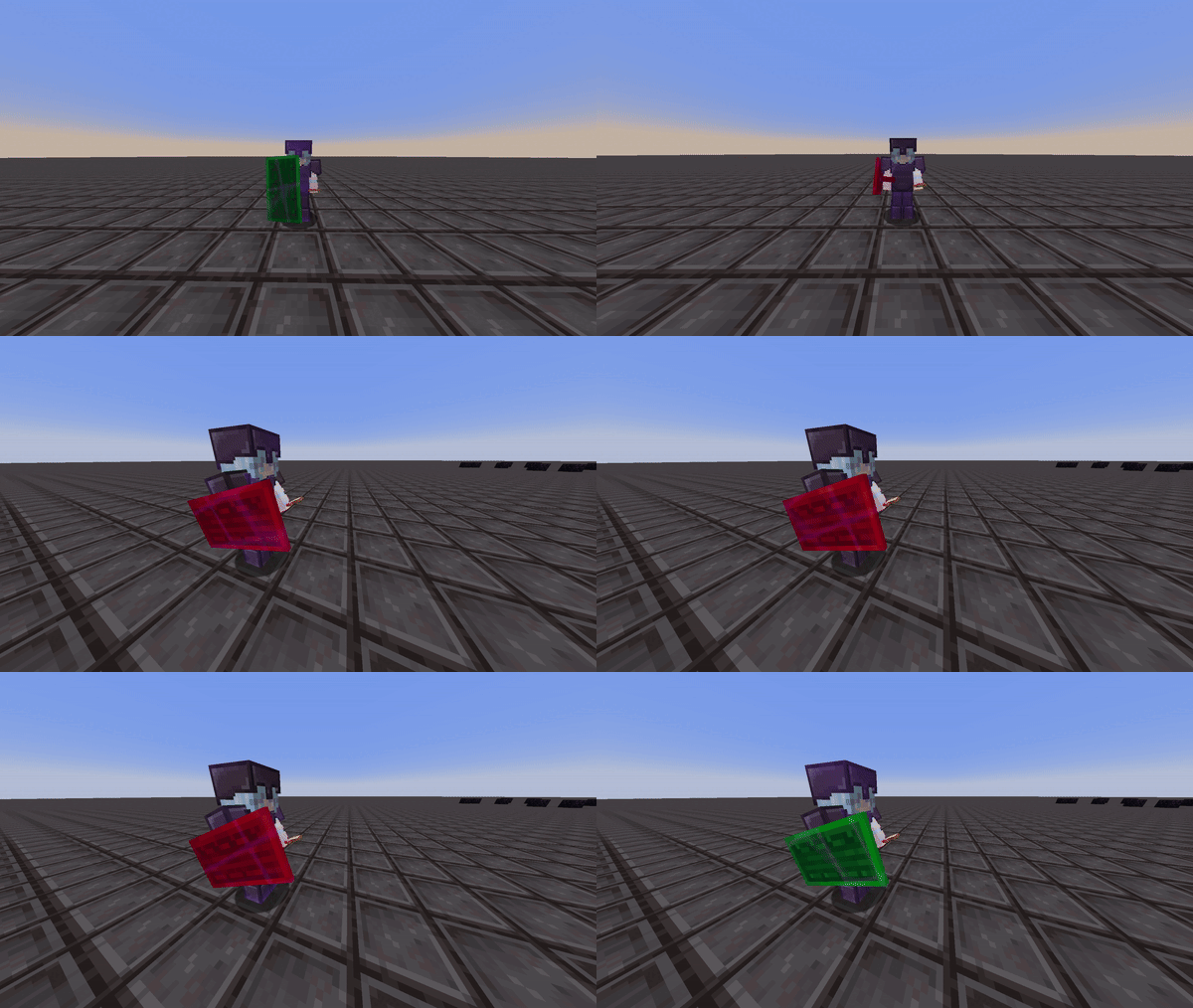
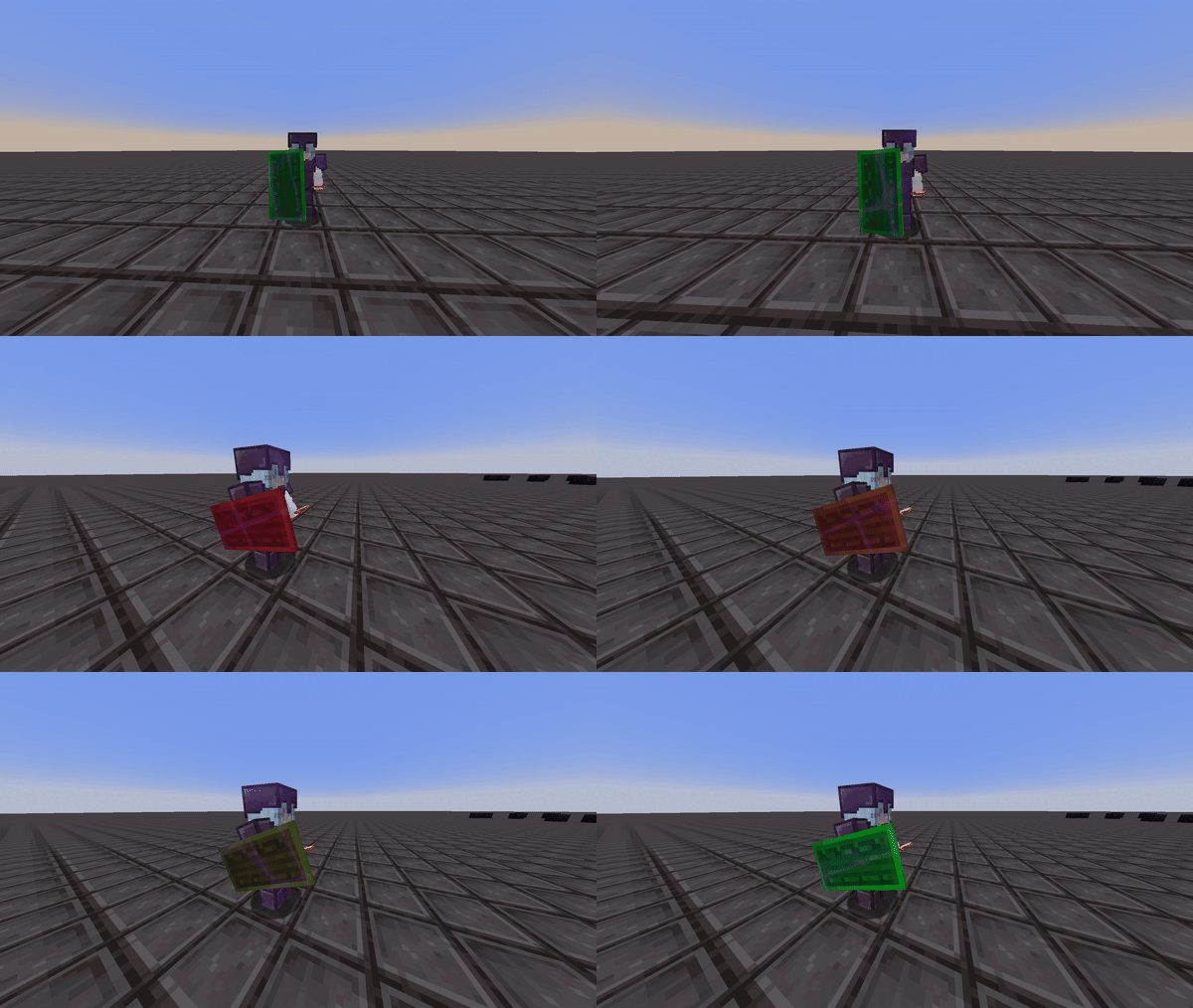
This mod renders color overlays on player's shields to determine whether that shield is disabled or not.
Information:
Colors
This mod allows you to customize and choose the shield's disabled and enabled color via the mod's config screen. You must have mod menu to access this.
Config

The interpolation option gives you the choice to set the shield to either display two static colors or to have the disabled color gradually transition to the enabled color. This way, you can estimate when the shield will be reactivated. This can be seen in the two videos below:
Interpolation Enabled:
Interpolation Disabled:
Compatibility & Improvements
With this version of shield statuses, it ensures to not mess with the actual minecraft textures of the shield itself, but instead renders the colors as an overlay in game to ensure the mod doesn't override custom shield textues from different resource packs.
This version of shield statuses fixes a bug from the original mod, where the shield would incorrectly display as disabled (orange state) even after it had been re-enabled.
Credits
- Mod: Walksy
- Icon: SakuraFX
Verfügbare Versionen
Shield Statuses auf deinem Client installieren
Mod-Loader lokal installieren
Installiere fabric für deine lokale Minecraft-Version.
Passende Datei herunterladen
Wähle die Shield Statuses-Datei für fabric und Minecraft 26.2.
Mod installieren
Lege die .jar-Datei in deinem lokalen .minecraft/mods-Ordner ab und starte Minecraft neu. Eine Installation auf dem Server ist nicht nötig.
Kompatibilität
Mod-Loader
Minecraft-Versionen
26.2, 26.1.2, 26.1.1 (+22 weitere)
Server-seitig
✗ Nicht unterstütztEmpfohlener RAM
4 GB(min. 3 GB)Häufige Fragen
Muss Shield Statuses auf dem Minecraft Server installiert werden?
Nein. Modrinth kennzeichnet Shield Statuses serverseitig als nicht unterstützt. Installiere die Mod nur im lokalen Minecraft-Mods-Ordner. Dein Server kann unverändert bleiben, sofern die Mod-Seite keine zusätzliche Abhängigkeit nennt.
Welche Version und welchen Loader braucht Shield Statuses?
Nutze eine Datei für fabric und exakt deine Minecraft-Version. Unterstützte Versionen sind unter anderem 26.2, 26.1.2, 26.1.1. Loader-Dateien sind nicht untereinander austauschbar.
Shield Statuses funktioniert nicht – was kann ich prüfen?
Prüfe zuerst Minecraft-Version, Loader-Version und erforderliche Abhängigkeiten. Lege die .jar-Datei im lokalen .minecraft/mods-Ordner ab und entferne ältere Duplikate. Da die Mod clientseitig ist, löst mehr Server-RAM dieses Problem nicht.
Ähnliche Mods



![[TaCZ] Timeless and Classics Zero](https://cdn.modrinth.com/data/SzzJttH8/fd27766d2bb8390d284696b1dbd358f87e081439_96.webp)


Minecraft Server für deine Gruppe
Shield Statuses bleibt auf deinem Client. Hoste dazu eine kompatible Welt für deine Mitspieler.