Shield Statuses
Shows shield states, represented by color. This mod was ported forward and improved on by Walksy.
Screenshots
About this Mod
Shield Statuses!
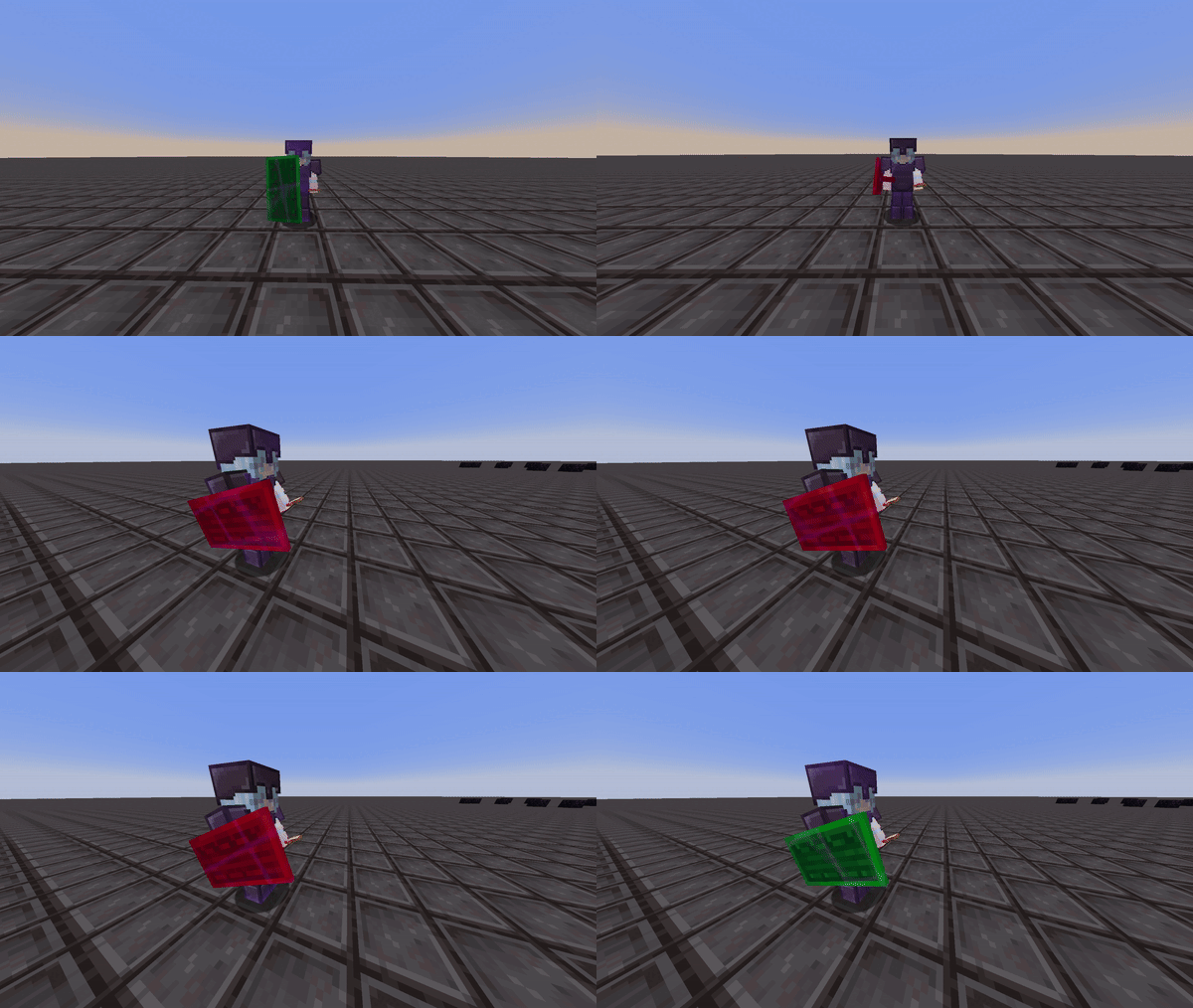
This mod renders color overlays on player's shields to determine whether that shield is disabled or not.
Information:
Colors
This mod allows you to customize and choose the shield's disabled and enabled color via the mod's config screen. You must have mod menu to access this.
Config

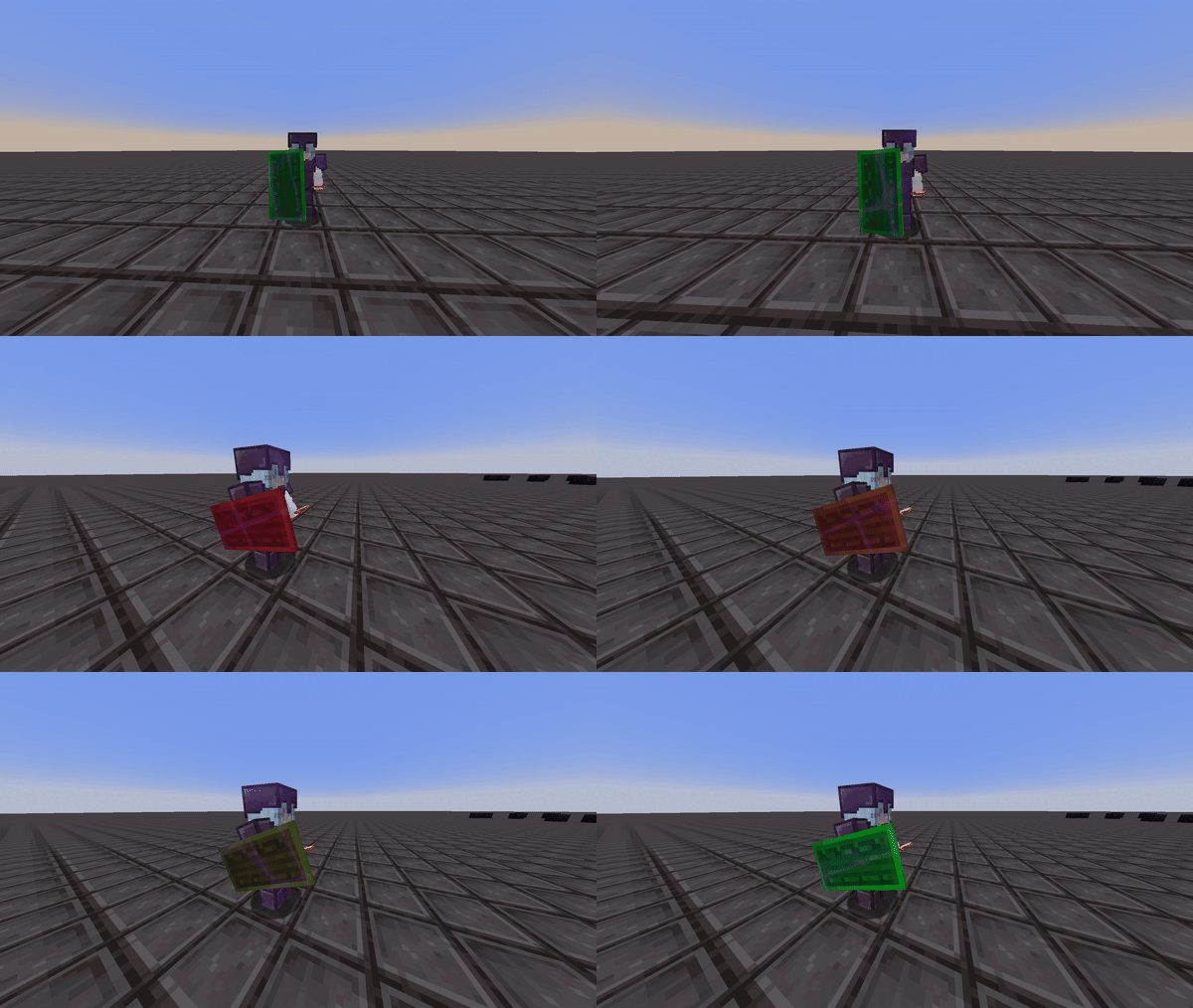
The interpolation option gives you the choice to set the shield to either display two static colors or to have the disabled color gradually transition to the enabled color. This way, you can estimate when the shield will be reactivated. This can be seen in the two videos below:
Interpolation Enabled:
Interpolation Disabled:
Compatibility & Improvements
With this version of shield statuses, it ensures to not mess with the actual minecraft textures of the shield itself, but instead renders the colors as an overlay in game to ensure the mod doesn't override custom shield textues from different resource packs.
This version of shield statuses fixes a bug from the original mod, where the shield would incorrectly display as disabled (orange state) even after it had been re-enabled.
Credits
- Mod: Walksy
- Icon: SakuraFX
Available Versions
How to Install Shield Statuses on Your Client
Install the Mod Loader Locally
Install fabric for your local Minecraft version.
Download the Matching File
Choose the Shield Statuses file for fabric and Minecraft 26.2.
Install Mod
Place the .jar file in your local .minecraft/mods folder and restart Minecraft. No server-side installation is required.
Compatibility
Mod Loaders
Minecraft Versions
26.2, 26.1.2, 26.1.1 (+22 more)
Server-side
✗ UnsupportedRecommended RAM
4 GB(min. 3 GB)Frequently Asked Questions
Does Shield Statuses need to be installed on the Minecraft server?
No. Modrinth marks Shield Statuses as unsupported on the server side. Install it only in your local Minecraft mods folder. Your server can remain unchanged unless the mod page lists an additional dependency.
Which version and loader does Shield Statuses require?
Use a file for fabric and your exact Minecraft version. Supported versions include 26.2, 26.1.2, 26.1.1. Files for different loaders are not interchangeable.
Shield Statuses is not working – what should I check?
First check the Minecraft version, loader version and required dependencies. Put the .jar file in your local .minecraft/mods folder and remove older duplicates. Because this mod is client-side, adding server RAM will not fix it.
Similar Mods



![[TaCZ] Timeless and Classics Zero](https://cdn.modrinth.com/data/SzzJttH8/fd27766d2bb8390d284696b1dbd358f87e081439_96.webp)


Minecraft Server for Your Group
Shield Statuses stays on your client. Host a compatible world for your group.