
Modrinth · Fabric, Forge, NeoForge
Simple AutoPickup auf deinem Minecraft Server
Simple AutoPickup läuft auf Minecraft Servern mit Fabric oder Forge oder NeoForge. Bestell deinen Server, stell den Loader im Panel ein und installiere die Mod mit einem Klick im Mod-Browser.
Instantly collect items from mined blocks directly into your inventory with the AutoPickup mod. Mob loot & more configurable!
- Downloads
- 139.3K
- Autor
- Lukarbonite
- Loader
- Fabric, Forge, NeoForge
- Minecraft
- 1.12.2 – 26.3
- Aktualisiert
- –
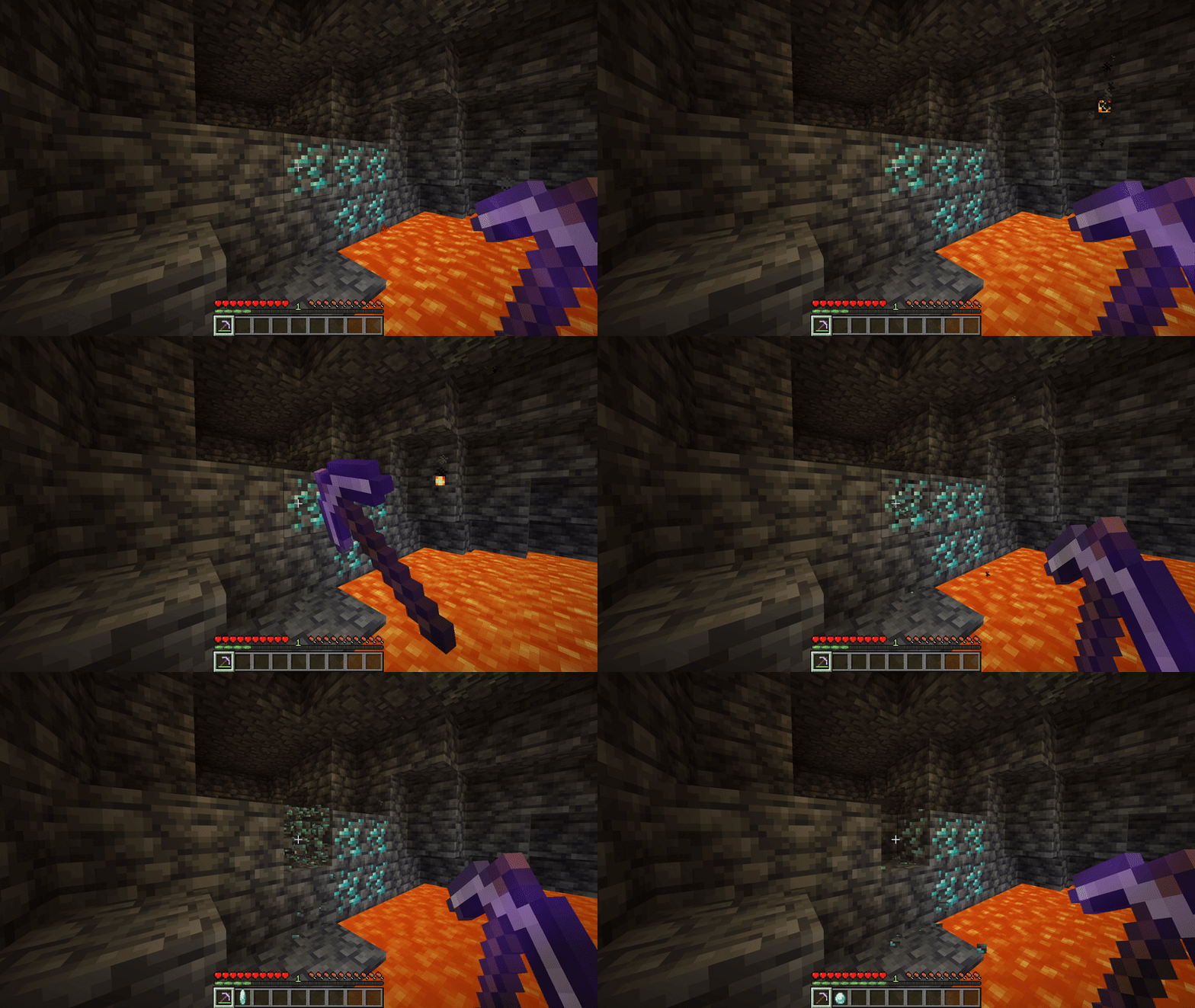
Screenshots
So sieht Simple AutoPickup aus


Bilder: Simple AutoPickup auf Modrinth, vom Projektteam veröffentlicht.
Einrichtung
Simple AutoPickup auf dem Server installieren
Server und Spieler brauchen denselben Loader und dieselbe Minecraft-Version. Sichere die Welt, bevor du Mods hinzufügst oder aktualisierst.
- 01
Konfigurieren
4 GB RAM sind vorausgewählt. Laufzeit und Add-ons wählst du selbst, bezahlt wird per Kreditkarte oder PayPal.
- 02
Loader einstellen
Stell im Panel die Serversoftware auf Fabric oder Forge oder NeoForge und wähl die passende Minecraft-Version, zum Beispiel 26.3.
- 03
Mod installieren
Such im Mod-Browser nach „Simple AutoPickup“ und installiere die Version für deinen Loader. Alternativ lädst du die .jar per SFTP in den Ordner mods. Erforderliche Abhängigkeiten stehen auf der Projektseite.
- 04
Verbinden
Simple AutoPickup ist auf dem Client nicht nötig. Spieler verbinden sich über die Serveradresse aus dem Panel.
- Auf dem Server
- Erforderlich
- Auf dem Client
- Nicht nötig
- Loader
- Fabric, Forge, NeoForge
- Minecraft
- 26.3, 26.2, 26.1.2 +23 weitere
- Lizenz
- LicenseRef-AGPL-3.0-only
Das Panel
Mods installieren, Fehler finden.
Echte Screenshots aus dem Mado Panel. Beides ist bei jedem Minecraft Server enthalten.
Mod-Browser
Modrinth und CurseForge direkt im Panel.
Der Browser filtert nach deiner Minecraft-Version. Mods installierst du mit einem Klick, ohne .jar-Dateien hochzuladen.

KI-Crash-Analyse
Wenn ein Mod crasht, liest die Analyse das Log.
Mods scheitern oft an einer falschen Loader-Version, Java-Version oder fehlenden Abhängigkeit. Die Analyse nennt eine wahrscheinliche Ursache und einen Lösungsvorschlag.

Versionen
Veröffentlichte Versionen
Nimm die Datei, die zu Loader und Minecraft-Version deines Servers passt. Server und Spieler brauchen dieselbe Version.
Simple AutoPickup · Modrinth- Simple AutoPickup 1.4.20+26.320. Oktober 2026Minecraft 26.3 · Fabric
- Simple AutoPickup 1.4.20+26.220. Oktober 2026Minecraft 26.2 · Fabric
- Simple AutoPickup 1.4.20+26.1.220. Oktober 2026Minecraft 26.1, 26.1.1, 26.1.2 · Fabric
- Simple AutoPickup 1.4.20+1.21.9-1120. Oktober 2026Minecraft 1.21.10, 1.21.11, 1.21.9 · Fabric
- Simple AutoPickup 1.4.20+1.21.0-120. Oktober 2026Minecraft 1.21, 1.21.1 · Fabric
Originalbeschreibung des Projektautors
AutoPickup





AutoPickup is a highly configurable server-side mod that automates the collection of items and experience orbs. It features session tracking, a multi-tier permission system, and extensive mod compatibility to ensure drops are attributed to the correct players, even when using high-speed mining mods or engaging in group combat.
✨ Features
Core Functionality
- 🎒 Seamless Collection: Items from broken blocks and mob kills are instantly added to your inventory
- ⭐ Smart Experience Handling: Experience is cached and applied after a short delay, ensuring tools take durability damage before Mending activates
- 🚀 Lag-Free: Prevents item and experience orb entities from spawning, reducing server load
- 📦 Overflow Protection: If your inventory is full, items safely drop at your feet
- 🔧 Granular Control: Toggle individual features independently via commands or config GUI
Advanced Features
- 👥 Mob Loot Splitting: Share mob drops and XP with nearby players who participated in the kill
- 🎮 Per-Player Permissions: Server admins can override settings for specific players
- 💾 Client Profiles: Automatic per-server/world configuration profiles for seamless server switching
- 🔌 Extensive Mod Compatibility: Works automatically with VeinMiner, LiteMiner, TreeHarvester, Traveler's Backpack, FallingTree, Panda's Falling Trees and more
- 🚜 Farm-Safe: Only picks up what your own actions break. Automated farms (pistons, water, bonemeal/moss, droppers) running nearby are never siphoned into your inventory

⚙️ Configuration
AutoPickup uses a flexible three-tier permission system:
- Server Defaults - Global fallback settings
- Admin Overrides - Per-player forced settings (highest priority)
- Client Preferences - Individual player choices (only if the server allows them, and only once
the player's client has sent them; players without the mod start with the server defaults)
🖥️ Configuration Menu (Client)
You can configure your personal preferences via the menu. Use Mod Menu for a easy access on Fabric.
Otherwise, use /autopickup gui
Settings available:
- Master Toggle
- Block Item Pickup
- Block Experience Pickup
- Mob Loot Pickup
- Mob Experience Pickup
- Split Mob Loot (share drops with nearby attackers)
- Split Mob XP (share experience with nearby attackers)
Note: Your client settings only apply if the server admin has enabled the corresponding "Allow" setting for that feature.

📜 Commands
Everyone can run /autopickup and /autopickup gui. Changing the global configuration, or another
player's settings, requires being a server operator.
Status and Menu
| Command | Description |
|---|---|
/autopickup |
Display the server's settings and, for a player, their own (see below) |
/autopickup gui |
Open the configuration menu (needs the client mod) |
A player sees three columns; the console sees only the first two:
Feature              | Server                       | You
Master Toggle        | CLIENT DECIDE (default: ON)  | ON  (server default)
Mob XP               | CLIENT DECIDE (default: OFF) | OFF (server default)
Mob Loot             | OFF                          | ON  (admin override)
CLIENT DECIDE means players may choose that setting; the default is what they get until they do.
You is the value that applies to you and where it comes from: admin override, your setting
or server default.
Global Configuration (operators)
/autopickup global <key> <true|false> [silent] sets one global value. Keys are not case sensitive;silent suppresses the confirmation message.
| Key | Description | Default |
|---|---|---|
master |
Master toggle: disables the mod entirely if false | true |
blocks |
Autopickup items from broken blocks | true |
blockXp |
Autopickup experience from broken blocks | true |
mobLoot |
Autopickup loot from killed mobs | false |
mobXp |
Autopickup experience from killed mobs | false |
splitMobLoot |
Share mob loot among nearby attackers | false |
splitMobXp |
Share mob XP among nearby attackers | false |
allow_master |
Let players choose the master toggle themselves | true |
allow_blocks |
Let players choose block item pickup | true |
allow_blockXp |
Let players choose block XP pickup | true |
allow_mobLoot |
Let players choose mob loot pickup | true |
allow_mobXp |
Let players choose mob XP pickup | true |
allow_splitMobLoot |
Let players choose mob loot splitting | true |
allow_splitMobXp |
Let players choose mob XP splitting | true |
When an allow_* key is false, the server value applies to every player who has no override.
Per-Player Settings
/autopickup setPlayerConfig <targets> <key|all> <true|false|reset> [silent]
- Operators set an override for any player, which beats both the server value and the player's
own preference.resetremoves it. - Other players may target only themselves, and only for settings whose
allow_*key istrue.
This sets their own preference, never an override. It is saved, so it lasts across restarts;
this is how players without the mod choose. A player's preference is simply the last value they
set, by this command or with the mod's config menu. When the menu's settings replace one set by
command, the player is told "Your AutoPickup settings were updated from your client".
Keys are the same as above without the allow_ ones; all applies to every setting at once.
The mod's client also uses a few internal commands (
ap_config_sync,check_perm,query_global,query_player) to sync with the server. They are not meant to be typed.
📂 Configuration Files
Server Config: config/AutoPickup/global_config.json
{
   "autoPickup": true,
   "autoPickupBlocks": true,
   "autoPickupBlockXp": true,
   "autoPickupMobLoot": false,
   "autoPickupMobXp": false,
   "autoPickupSplitMobLoot": false,
   "autoPickupSplitMobXp": false,
   "allowMaster": true,
   "allowBlocks": true,
   "allowBlockXp": true,
   "allowMobLoot": true,
   "allowMobXp": true,
   "allowSplitMobLoot": true,
   "allowSplitMobXp": true
}
Client Config: config/AutoPickup/client_default.toml (or per-server profiles in presets/)
# AutoPickup Client Configuration
master = true
blocks = true
blockXp = true
mobLoot = false
mobXp = false
splitMobLoot = false
splitMobXp = false
Player Preferences: config/AutoPickup/preferences/<player-uuid>.json, one file per player
(in singleplayer, config/AutoPickup/worlds/<world>/preferences/). Holds only the settings that
player chose, with the mod's config menu or setPlayerConfig on themselves:
{
   "mobXp": true
}
Player Overrides: config/AutoPickup/player_overrides.json
{
   "player-uuid-here": {
      "overrideMaster": true,
      "overrideBlocks": null,
      ...
   }
}
Required on 1.12.2
- MixinBooter (11.0 or newer) - Provides Mixin on Forge 1.12.2
Optional But Recommended Client Dependencies
- Mod Menu - Access config screen in-game
- YetAnotherConfigLib (YACL) - Required for YACL config GUI (Vanilla GUI fallback)
✅ Compatibility
AutoPickup hooks into core Minecraft mechanics and works seamlessly with most mods out of the box.
🔧 Explicitly Supported Mods
| Mod | Status | Notes |
|---|---|---|
| VeinMiner | Full | Whole vein chain collected with XP, at any length (see note below) |
| TreeHarvester | Full | Logs/leaves collected; saplings auto-replanted if enabled |
| Traveler's Backpack | Full | Items route to backpack filter first (If the Auto Pickup upgrade is there it works) |
| FallingTree | Full | Tree items handle the different break modes |
| Panda's Falling Trees | Full | Tree items are handled by AutoPickup after fall animation |
| RightClickHarvest | Full | Right-click crop harvests (including tall sugarcane) picked up automatically |
| LiteMiner | Full | Whole vein chain collected with XP, at any length |
| FTB Ultimine | Full | Ultimined blocks, merged drops and right-click crop harvests collected with XP |
| Butchery | Full | Carcasses dropped by player-killed mobs go to the killer as mob loot |
| General Block Breakers | Compatible | Any mod or mechanic that breaks blocks and attributes the break to the player |
VeinMiner is handled in one of two ways depending on the Minecraft version. VeinMiner 2.12.1+ breaks each vein block through the vanilla player path (
ServerPlayerGameMode.destroyBlock), so AutoPickup catches it automatically like any general block breaker, so no dedicated code needed. Current Minecraft versions of AutoPickup run against 2.12.1+ and rely on this implicit support, so the explicit compatibility mixin has been removed in favor of it. Older Minecraft versions, where VeinMiner has only been updated up to 2.12.0, keep AutoPickup's dedicated VeinMiner compatibility mixin. Either way, whole vein chains are collected with XP.
📋 Technical Details
AutoPickup intercepts drops at these injection points:
Block.dropResources()- Primary block drop handlingServerPlayerGameMode.destroyBlock()- Tracks the player's own block break and marks their break as "on the stack," so drops caused synchronously by that break (chain-mining, plant-column collapse) are attributed while independent farm drops are notLevel.destroyBlock()- Non-player breaks from mods/vanilla (chain-miners like LiteMiner, and bamboo/sugarcane/cactus columns collapsing after their base is broken)ServerLevel.addFreshEntity()- Item entity spawning and falling-block entity tracking (FallingTree and any mod that spawns drops directly)LivingEntity.dropFromLootTable()- Mob loot generationLivingEntity.die()- Scopes a player kill so drops spawned directly during the death (equipment, mods like Butchery spawning carcasses from the death event) count as mob loot. The corpse is then tracked until its next tick, so the lead a leashed mob drops then is collected tooLivingEntity.dropExperience()- Mob XP orbsBlock.popExperience()- Block XP orbsExperienceOrb.award()- Captures XP spawned directly by block-breaking mods that bypass the vanilla XP pipelineServerPlayerGameMode.useItemOn()- Right-click harvesting (sweet berries, jukebox disc ejection, crops via the RightClickHarvest mod, etc.)ItemFrame.hurt()/hurtServer()- Items removed from item frames by left-clickingMob.interact()/ShearsItem.interactLivingEntity()- Shearing drops (wool, snow golem pumpkins, mooshroom mushrooms)BrushableBlockEntity.dropContent()- Brushing suspicious sand/gravelLivingEntity.dropFromEntityInteractLootTable()- Brushing armadillos for scutes
On 1.12.2, block and mob drops come from Forge's HarvestDropsEvent, LivingDropsEvent and LivingExperienceDropEvent, and the rest from the 1.12.2 equivalents of the hooks above (PlayerInteractionManager.tryHarvestBlock() / processRightClickBlock(), World.destroyBlock(), WorldServer.spawnEntity(), Block.dropXpOnBlockBreak(), EntityItemFrame.attackEntityFrom(), ItemShears.itemInteractionForEntity()). EntityLivingBase.onDeath() is scoped from its call in attackEntityFrom(), so drops that horses, donkeys, llamas and pigs make after the drops event (inventory, chests, saddles) count as mob loot too, and leads dropped by the corpse on its next tick are collected the same way. The mod compatibility above does not apply there.
This broad compatibility means most mods work automatically without explicit support.

🎮 Mob Loot Splitting
When Split Mob Loot or Split Mob XP is enabled, rewards from mob kills are shared among participants:
How It Works
- Damage Tracking: The mod tracks the last 10 unique players who damaged each mob
- Eligibility Check: On mob death, only players who:
- Are online and not spectating
- Have Master enabled
- Have the specific Mob Pickup feature enabled
- Have the specific Split feature enabled
- Are in the same world as the killer
- Distribution:
- Items are split evenly; the killer receives any remainder
- Experience is split evenly; the killer receives any remainder
- Items that don't fit in inventories are dropped at the mob's location
Example
Player A (killer), B, and C all damaged a zombie. Settings:
- Player A: Master ✅, Mob Loot ✅, Split Mob Loot ✅
- Player B: Master ✅, Mob Loot ✅, Split Mob Loot ✅
- Player C: Master ✅, Mob Loot ✅, Split Mob Loot ❌
Result: Only A and B receive split loot. Player C gets nothing because they disabled splitting.
👩💻 Developer API
Adding as a Dependency
Gradle:
dependencies {
   compileOnly(files("libs/autopickup-platform-x.x.x.jar"))
}
Using the API
import com.lukarbonite.autopickup.AutoPickupApi;

public class QuestRewards {

   public void giveReward(Player player, List<ItemStack> items, int xp) {
      if (!isModLoaded("autopickup")) {
         // Fallback: manual drops
         items.forEach(stack -> player.dropItem(stack, false));
         player.addExperience(xp);
         return;
      }

      // AutoPickup handles:
      // - Inventory insertion
      // - Traveler's Backpack routing
      // - Config checks (Master, Blocks, etc.)
      List<ItemStack> remaining = AutoPickupApi.tryPickup(player, items);

      // Drop items that didn't fit
      remaining.forEach(stack -> player.dropItem(stack, false));

      // AutoPickup handles:
      // - Mending calculations
      // - Config checks
      AutoPickupApi.tryPickupBlockExperience(player, xp);
   }

   // For mob-related rewards
   public void giveMobReward(Player player, List<ItemStack> loot, int xp) {
      List<ItemStack> remaining = AutoPickupApi.tryPickupFromMob(player, loot);
      remaining.forEach(stack -> player.dropItem(stack, false));

      AutoPickupApi.tryPickupMobExperience(player, xp);
   }
}
API Methods
| Method | Description |
|---|---|
tryPickup(PlayerEntity, List<ItemStack>) |
Pickup items from blocks (respects Master + Blocks settings) |
tryPickupFromMob(PlayerEntity, List<ItemStack>) |
Pickup items from mobs (respects Master + MobLoot settings) |
tryPickupBlockExperience(PlayerEntity, int) |
Give block XP (respects Master + BlockXP settings) |
tryPickupMobExperience(PlayerEntity, int) |
Give mob XP (respects Master + MobXP settings) |
isMasterEnabled(PlayerEntity) |
Check if autopickup is enabled for player |
isBlocksEnabled(PlayerEntity) |
Check block item pickup setting |
isBlockXpEnabled(PlayerEntity) |
Check block XP pickup setting |
isMobLootEnabled(PlayerEntity) |
Check mob loot pickup setting |
isMobXpEnabled(PlayerEntity) |
Check mob XP pickup setting |
Note: All
try*methods return lists of items that could not be picked up (full inventory).
📜 License
This project is licensed under the GNU Affero General Public License v3.0 (AGPL-3.0).
You are free to:
- ✅ Use in modpacks
- ✅ Modify for personal use
- ✅ Distribute modified versions (must also be AGPL-3.0)
See the LICENSE file for full details.
Simple AutoPickup Server crasht beim Start – was tun?
Häufige Ursachen: Loader- oder Minecraft-Version passen nicht zur Mod-Datei, eine Abhängigkeit fehlt oder der RAM reicht nicht. Such im Log (latest.log) nach „OutOfMemoryError“, „Mixin“ oder fehlenden Mods. Bei Mado wertet die KI-Crash-Analyse das Log aus und schlägt eine Ursache vor. Loader und Version änderst du im Panel.
Mit welchem Loader läuft Simple AutoPickup?
Laut Modrinth unterstützt Simple AutoPickup Fabric, Forge, NeoForge für Minecraft 26.3, 26.2, 26.1.2. Forge- und Fabric-Dateien sind nicht untereinander austauschbar: Wähl einen Loader für Server und Clients.
Wie viel RAM braucht ein Server mit Simple AutoPickup?
Als Orientierung 3–4 GB für einen Server mit dieser Mod. Das ist eine Schätzung, keine gemessene Mindestanforderung. Weitere Mods, viele Spieler und große Sichtweiten brauchen mehr. Ob eine Mod die Tick-Zeit belastet, siehst du mit dem spark-Profiler.
Ähnliche Mods
Beliebte Mods aus derselben Kategorie
 Nur Client

[EMF] Entity Model Features
von Traben
EMF is an, OptiFine format, Custom Entity Model replacement mod available for Fabric and Forge.
 Server-fähig

Cobblemon
von CobbledStudios
A Pokémon mod for Fabric and NeoForge
 Server-fähig

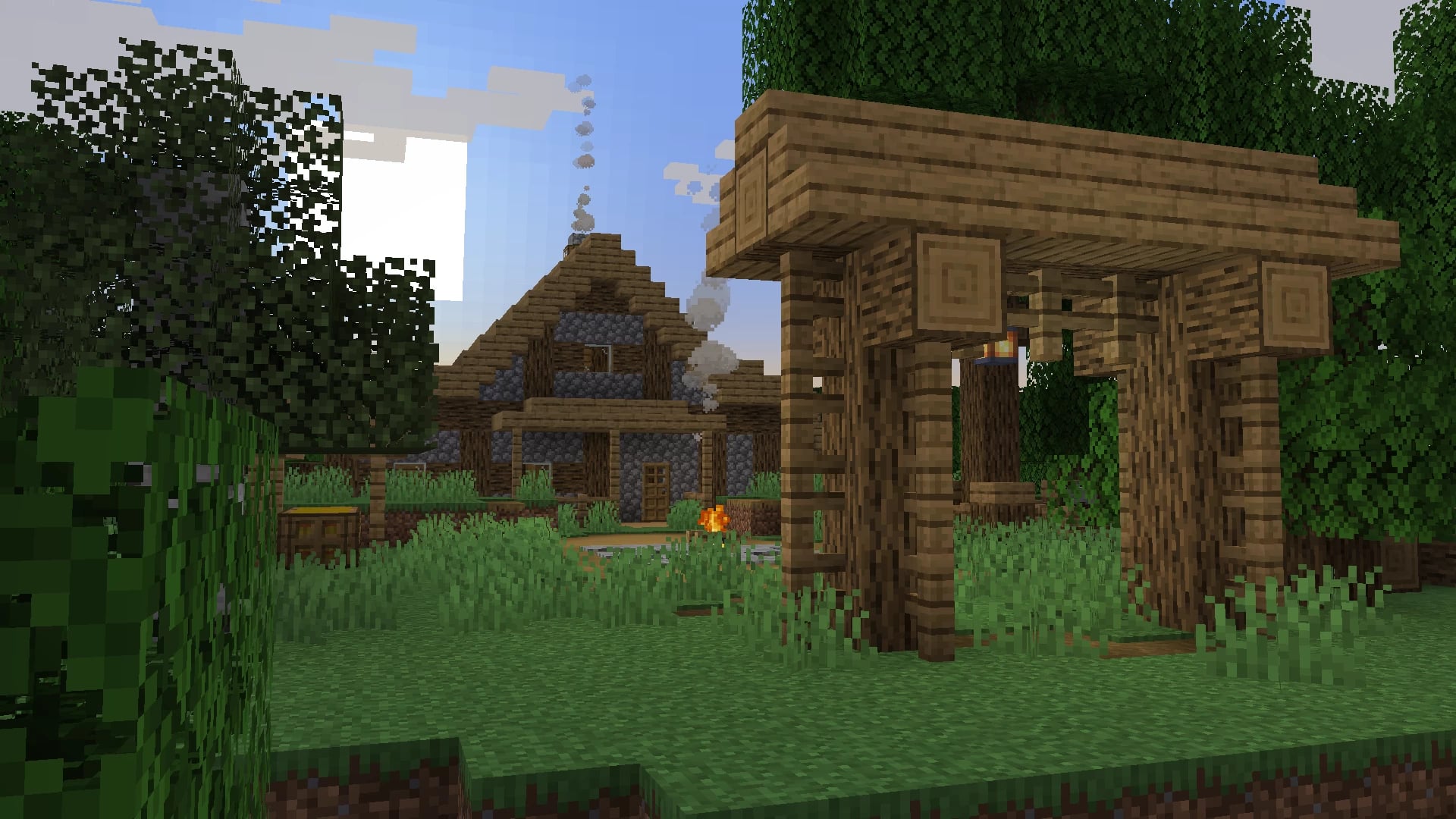
Dungeons and Taverns
von NovaWostra
A Structure Datapack adding dungeons, taverns and other structures to find while you explore the world.
 Server-fähig

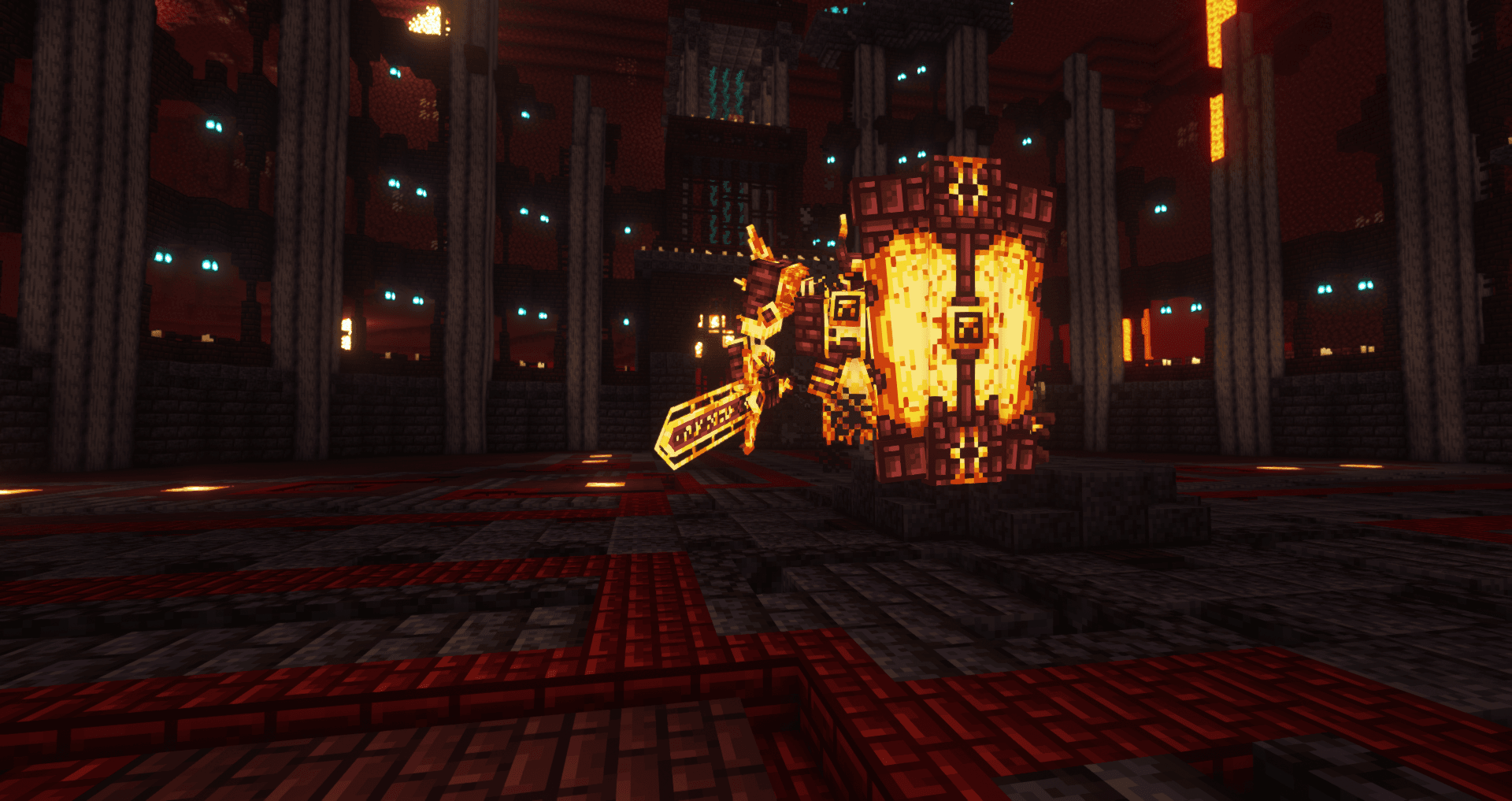
L_Ender's Cataclysm
von mcl_ender
Cataclysm is a mod that adds difficult dungeons, challenging boss-fights and powerful items.
Bereit für deinen Server mit Simple AutoPickup?
4 GB RAM ab 8,00 € im Monat. 35 % auf den 1. Monat mit MADO35.