
Modrinth · Fabric, Forge, NeoForge
Create Slice & Dice auf deinem Minecraft Server
Create Slice & Dice läuft auf Minecraft Servern mit Fabric oder Forge oder NeoForge. Bestell deinen Server, stell den Loader im Panel ein und installiere die Mod mit einem Klick im Mod-Browser.
Making automation for Farmers Delight more sensible
- Downloads
- 8.0M
- Autor
- possible_triangle
- Loader
- Fabric, Forge, NeoForge
- Minecraft
- 1.18.2 – 1.21.1
- Aktualisiert
- –
Screenshots
So sieht Create Slice & Dice aus
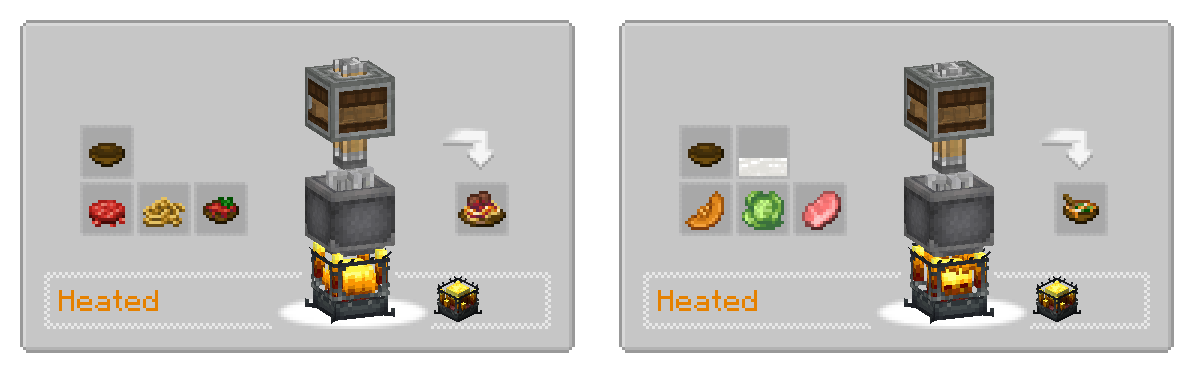

Bilder: Create Slice & Dice auf Modrinth, vom Projektteam veröffentlicht.
Einrichtung
Create Slice & Dice auf dem Server installieren
Server und Spieler brauchen denselben Loader und dieselbe Minecraft-Version. Sichere die Welt, bevor du Mods hinzufügst oder aktualisierst.
- 01
Konfigurieren
6 GB RAM sind vorausgewählt. Laufzeit und Add-ons wählst du selbst, bezahlt wird per Kreditkarte oder PayPal.
- 02
Loader einstellen
Stell im Panel die Serversoftware auf Fabric oder Forge oder NeoForge und wähl die passende Minecraft-Version, zum Beispiel 1.21.1.
- 03
Mod installieren
Such im Mod-Browser nach „Create Slice & Dice“ und installiere die Version für deinen Loader. Alternativ lädst du die .jar per SFTP in den Ordner mods. Erforderliche Abhängigkeiten stehen auf der Projektseite.
- 04
Verbinden
Alle Spieler installieren Create Slice & Dice in derselben Version lokal und verbinden sich über die Serveradresse aus dem Panel.
- Auf dem Server
- Erforderlich
- Auf dem Client
- Erforderlich
- Loader
- Fabric, Forge, NeoForge
- Minecraft
- 1.21.1, 1.20.1, 1.19.2 +1 weitere
- Lizenz
- LicenseRef-Custom
Das Panel
Mods installieren, Fehler finden.
Echte Screenshots aus dem Mado Panel. Beides ist bei jedem Minecraft Server enthalten.
Mod-Browser
Modrinth und CurseForge direkt im Panel.
Der Browser filtert nach deiner Minecraft-Version. Mods installierst du mit einem Klick, ohne .jar-Dateien hochzuladen.

KI-Crash-Analyse
Wenn ein Mod crasht, liest die Analyse das Log.
Mods scheitern oft an einer falschen Loader-Version, Java-Version oder fehlenden Abhängigkeit. Die Analyse nennt eine wahrscheinliche Ursache und einen Lösungsvorschlag.

Versionen
Veröffentlichte Versionen
Nimm die Datei, die zu Loader und Minecraft-Version deines Servers passt. Server und Spieler brauchen dieselbe Version.
Create Slice & Dice · Modrinth- Neoforge 4.3.420. September 2026Minecraft 1.21.1 · NeoForge
- Forge 3.6.04. November 2025Minecraft 1.20.1 · Forge
- Fabric 2.6.123. September 2024Minecraft 1.19.2 · Fabric
- Forge 2.4.019. September 2024Minecraft 1.19.2 · Forge
- Forge 1.4.019. September 2024Minecraft 1.18.2 · Forge
Originalbeschreibung des Projektautors






Slicer
This mod enables a variety of features to create better compatibility between mostly Farmer's Delight and Create.
While it is designed to work with Farmer's Delight, it does work without it and also adds some compatibility features for other mods.
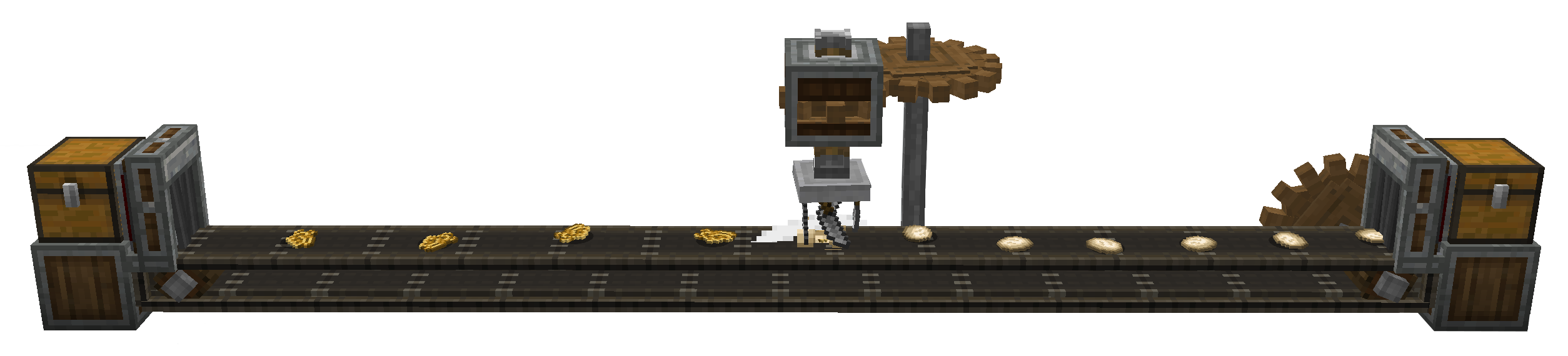
Automatic Cutting
The Main feature of the mod is the Slicer, a machine similar to the Mechanical Mixer or Mechanical Press from Create.
It automatically registers all cutting recipes from Farmer's Delight. In that sense, it is an automatic Cutting Board.
In order to use it, the correct tool has to be placed into the machine, using Right-Click.
By default, only knives and axes are allowed, but this behaviour can be overwritten by modifying the sliceanddice:allowed_tools item tag.
An example datapack which adds shears to this tag can be found here
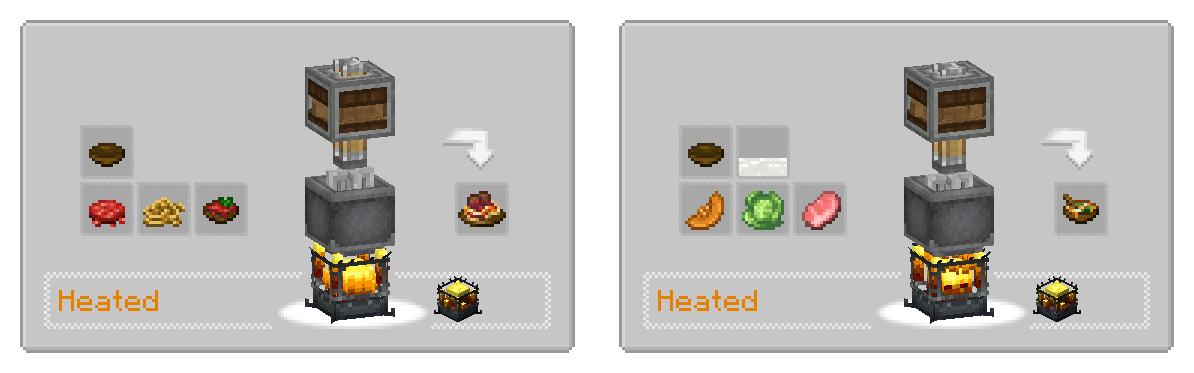
Automatic Cooking
All recipes from Farmer's delight requiring the Cooking Pot are added as heated mixing recipes.
Sprinkler
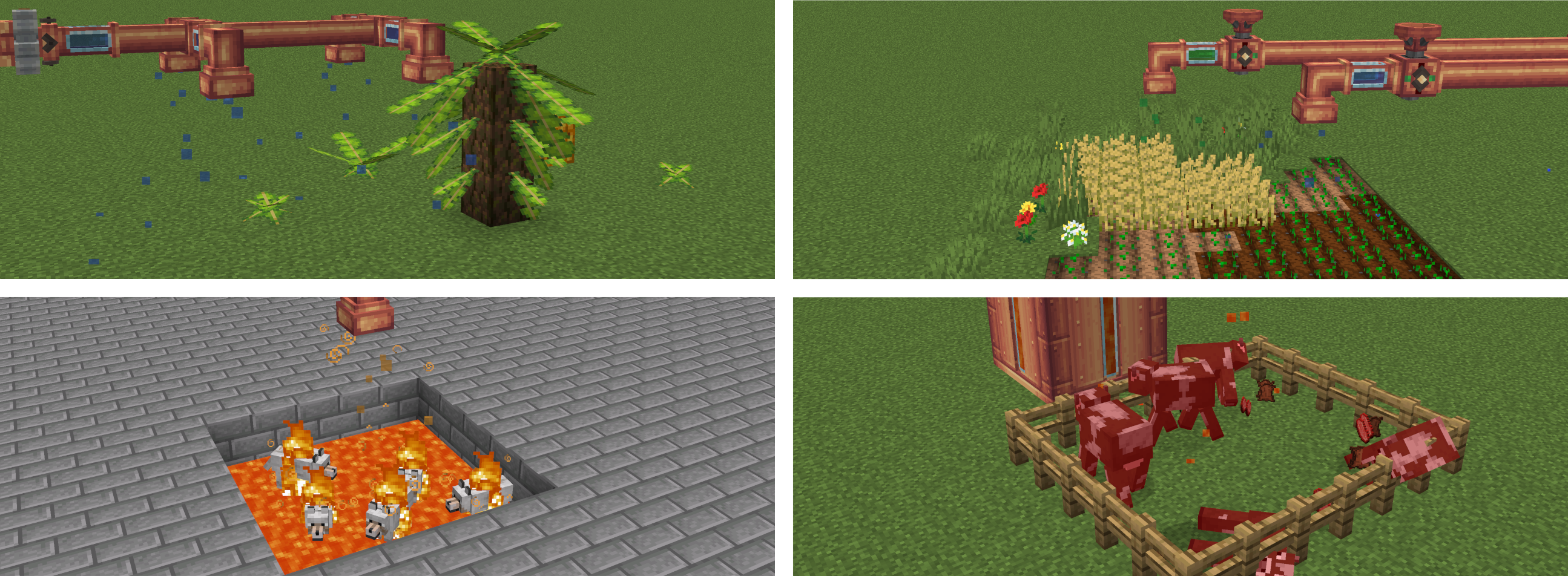
The Sprinkler is a block which, when provided with a fluid using a pipe, will distribute it in a small area below.
Different fluids can have different effects.
- Lava applies a small amount of fire damage to entities below
- Water makes the area below wet, making the world think it's raining there.
- Potions apply their affect for a short duration to entities below
- Liquid Fertilizer, a new fluid, applies a bonemeal affect to blocks.
The latter is meant to enable growing of Banana Fonds from Neapolitan without being dependent on the weather, but it could possibly have other effects on other mods too.
Sprinklers work on contraptions and apply there effect every time they are moved to a new block.
The also work in physics contraptions created by Create Simulated.
Overweight Farming
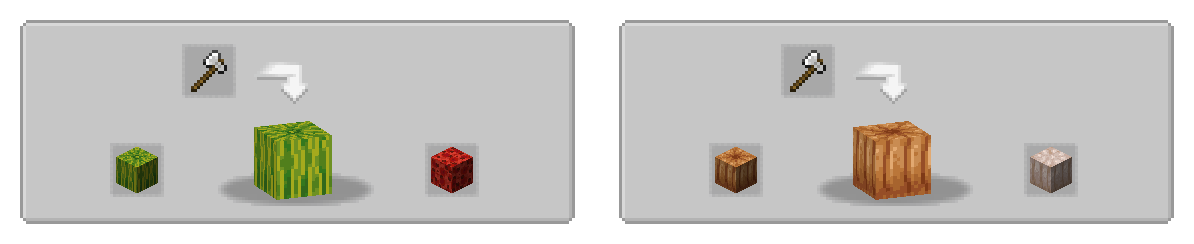
If present, some compatibility features for Overweight Farming is added.
This includes waxing recipes using the deployer,
as well as showing the axe-stripping of overweight crops in JEI.

Custom Recipes
If you want to add custom recipes using a datapack, this can also be done and
works for both single recipes and steps of a sequences assembly recipe.
Examples for these can be found in the example datapack.
Custom Sprinkler Actions
What effect which fluid in the sprinkler has is data-driven an can be modified or extended.
You can find the build-in actions here.
shape of a sprinkler JSON file
```json
{
  "action": {
     // the action that will be executed. custom actions can be registered to the `sliceanddice:sprinkle_action` registry.
    "type": "sliceanddice:damage",
    // some parameters, depending on what action type has been set above
    "amount": 0.5,
    "damage_type": "minecraft:in_fire"
  },
  "fluid": {
    "fluid": "minecraft:lava"
  }
}
```
For Developers
When depending on the mod, you can include it from my maven, which will have the benefit of including transient dependencies.
There is also an api package, which should be enought at compile time for some use-cases,
for example when only adding a custom sprinkler or sprinkle action.
When a new release is already being worked on, there might also be -SNAPSHOT versions being published, which you can use to already get a look at upcoming changes.


repositories {
    maven {
        url = uri("https://thedarkcolour.github.io/KotlinForForge/")
        content { includeGroup("thedarkcolour") }
    }
    maven {
        url = uri("https://maven.ryanhcode.dev/releases")
        content { includeGroupAndSubgroups("dev.ryanhcode") }
    }
    maven {
        url = uri("https://registry.somethingcatchy.net/repository/maven-public/")
        content { includeGroup("com.possible-triangle") }
    }
}

dependencies {
    compileOnly("com.possible-triangle:sliceanddice-api:$sd_version")
    runtimeOnly("com.possible-triangle:sliceanddice-neoforge:$sd_version")
}
Under the hood, slice & dice uses the library atmosphere, which itself is still early in development.
Create Slice & Dice Server crasht beim Start – was tun?
Häufige Ursachen: Loader- oder Minecraft-Version passen nicht zur Mod-Datei, eine Abhängigkeit fehlt oder der RAM reicht nicht. Such im Log (latest.log) nach „OutOfMemoryError“, „Mixin“ oder fehlenden Mods. Bei Mado wertet die KI-Crash-Analyse das Log aus und schlägt eine Ursache vor. Loader und Version änderst du im Panel.
Mit welchem Loader läuft Create Slice & Dice?
Laut Modrinth unterstützt Create Slice & Dice Fabric, Forge, NeoForge für Minecraft 1.21.1, 1.20.1, 1.19.2. Forge- und Fabric-Dateien sind nicht untereinander austauschbar: Wähl einen Loader für Server und Clients.
Wie viel RAM braucht ein Server mit Create Slice & Dice?
Als Orientierung 4–6 GB für einen Server mit dieser Mod. Das ist eine Schätzung, keine gemessene Mindestanforderung. Weitere Mods, viele Spieler und große Sichtweiten brauchen mehr. Ob eine Mod die Tick-Zeit belastet, siehst du mit dem spark-Profiler.
Ähnliche Mods
Beliebte Mods aus derselben Kategorie
 Server-fähig

AppleSkin
von squeek502
Food/hunger-related HUD improvements
 Server-fähig

Farmer's Delight
von vectorwing
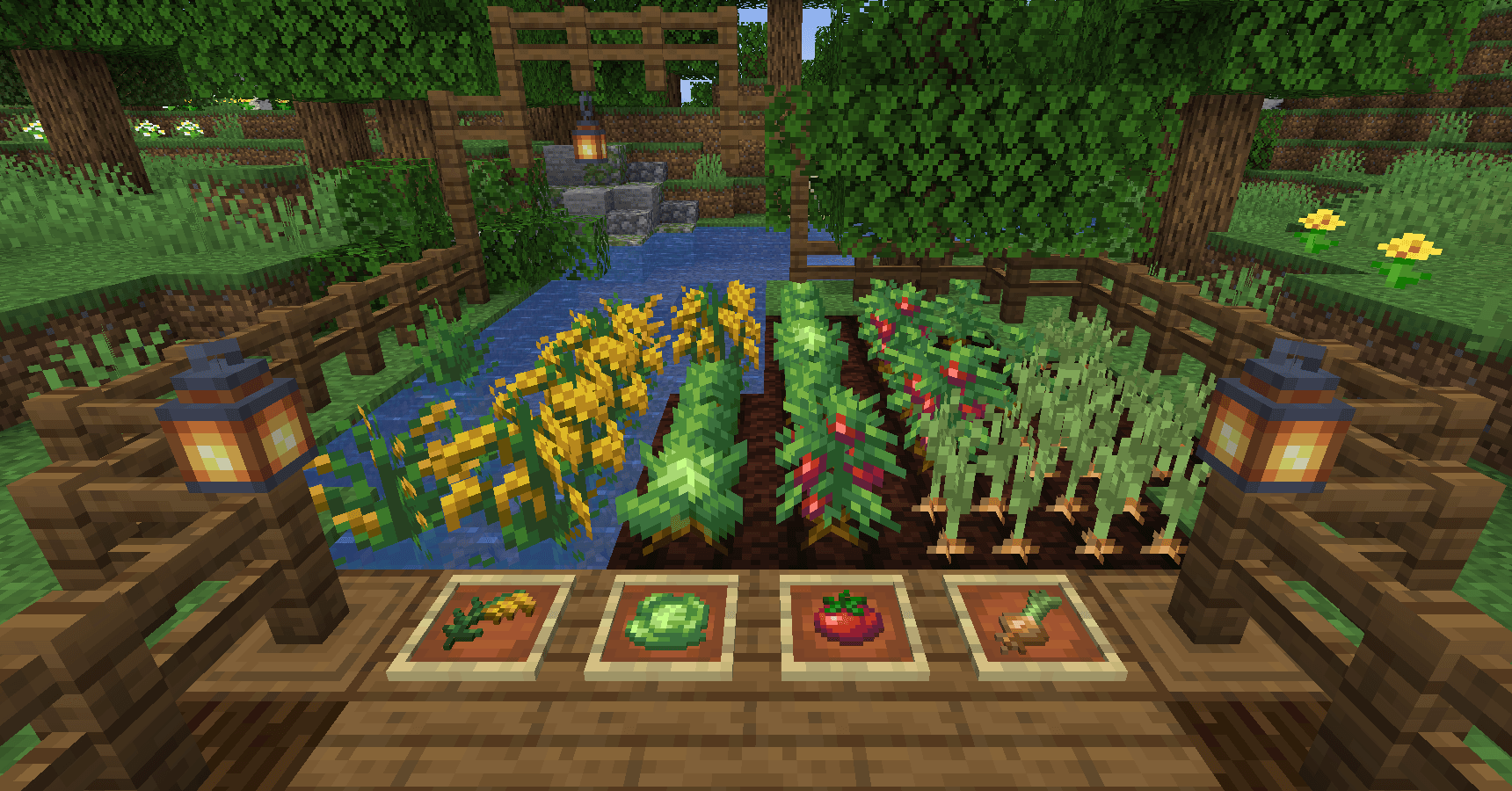
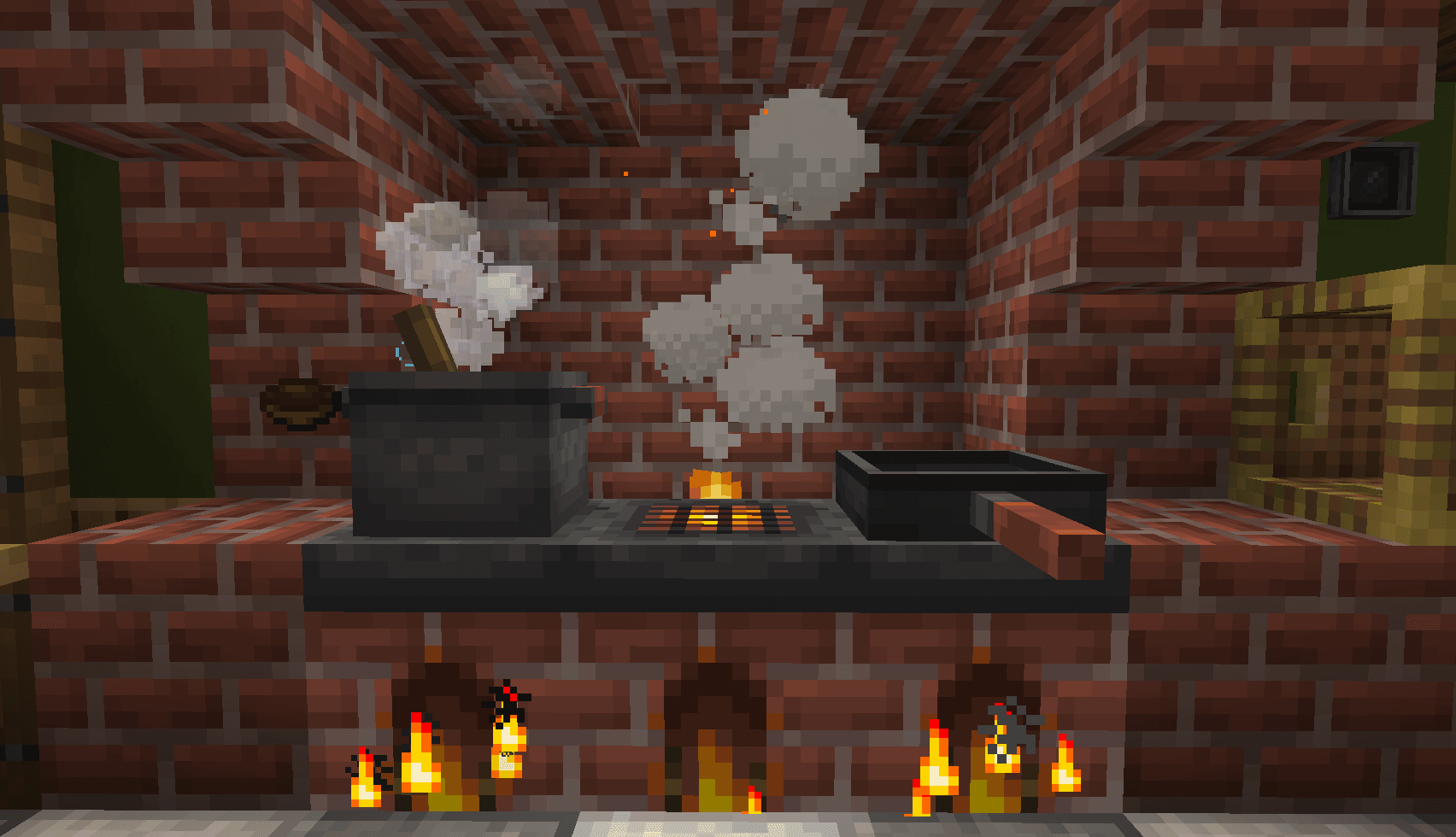
A cozy expansion to farming and cooking!
 Server-fähig

Farmer's Delight Refabricated
von Cassian
Modern Fabric port of the cooking and farming mod, "Farmer's Delight"
 Server-fähig

BetterEnd
von quiqueck
New Biomes, mysterious rituals and Mobs for your End
Bereit für deinen Server mit Create Slice & Dice?
6 GB RAM ab 12,00 € im Monat. 35 % auf den 1. Monat mit MADO35.