
Create Slice & Dice
Making automation for Farmers Delight more sensible
Screenshots
About this Mod






Slicer
This mod enables a variety of features to create better compatibility between mostly Farmer's Delight and Create.
While it is designed to work with Farmer's Delight, it does work without it and also adds some compatibility features for other mods.
Automatic Cutting
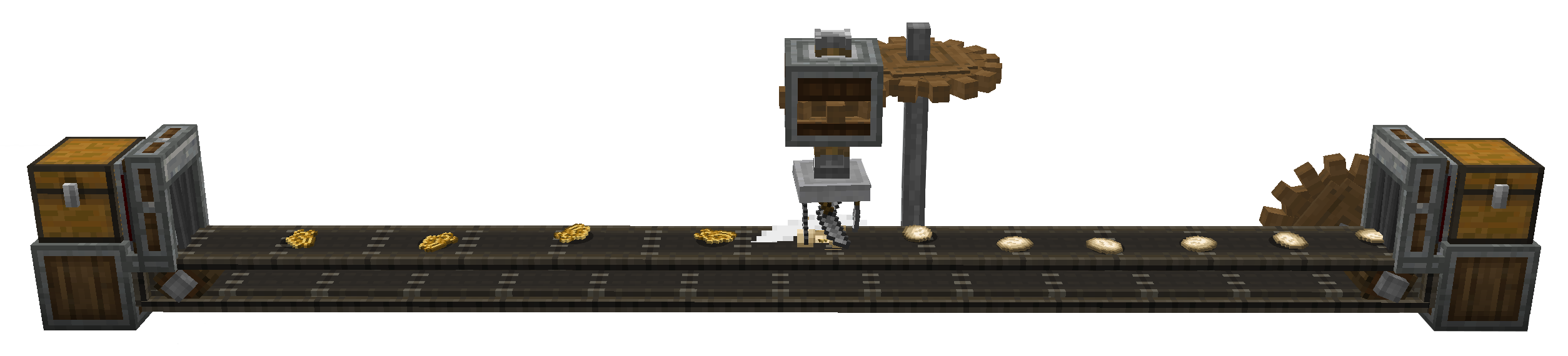
The Main feature of the mod is the Slicer, a machine similar to the Mechanical Mixer or Mechanical Press from Create.
It automatically registers all cutting recipes from Farmer's Delight. In that sense, it is an automatic Cutting Board.
In order to use it, the correct tool has to be placed into the machine, using Right-Click.
By default, only knives and axes are allowed, but this behaviour can be overwritten by modifying the sliceanddice:allowed_tools item tag.
An example datapack which adds shears to this tag can be found here
Automatic Cooking
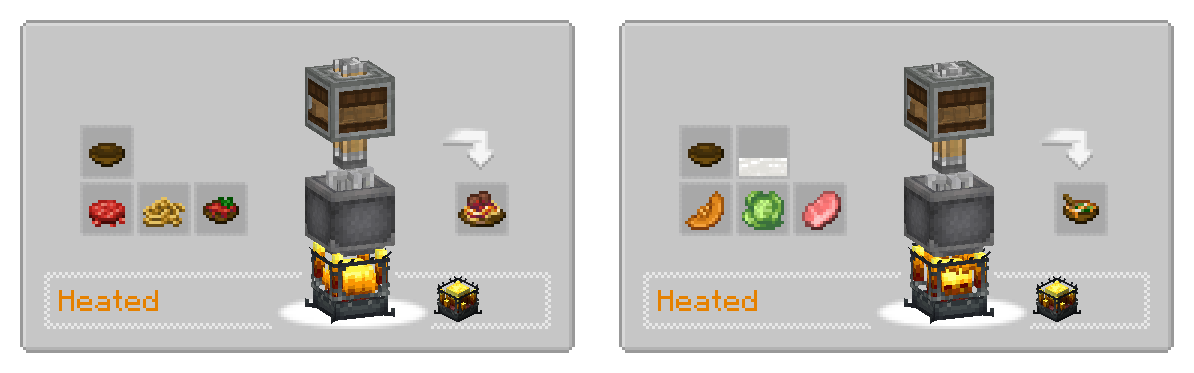
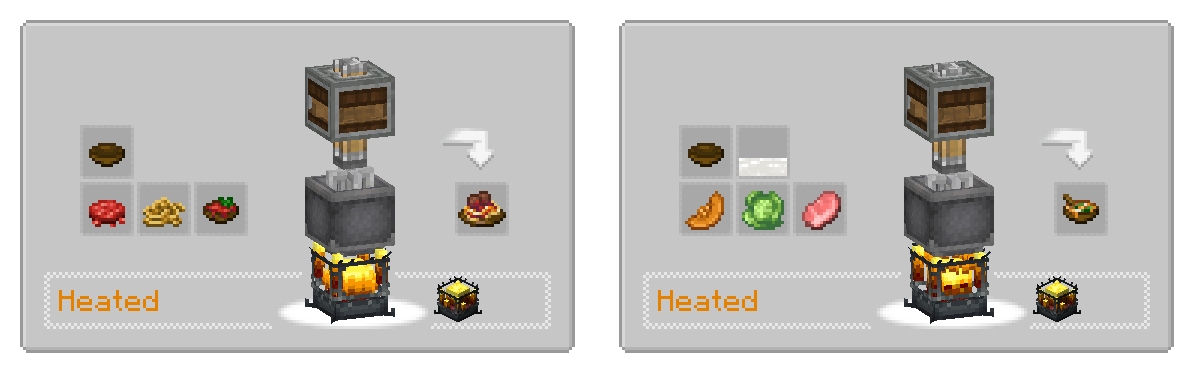
All recipes from Farmer's delight requiring the Cooking Pot are added as heated mixing recipes.
Sprinkler
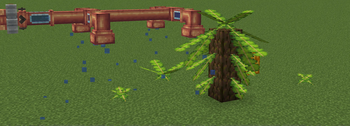
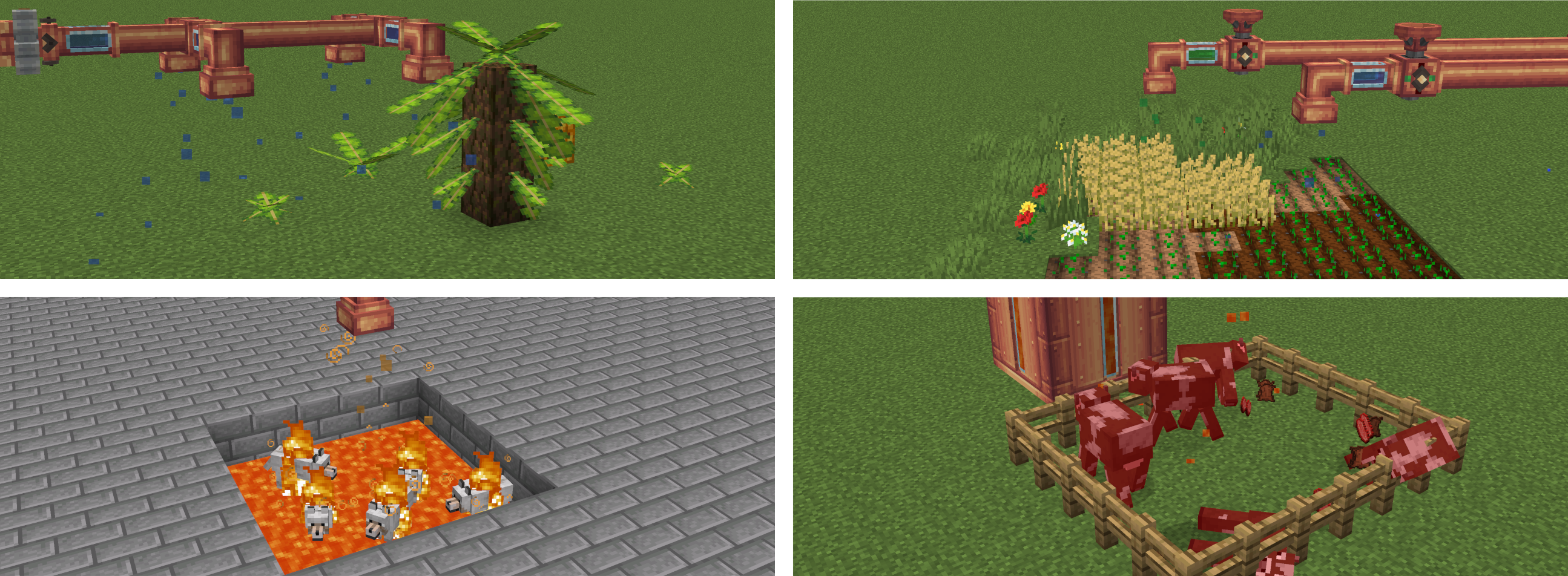
The Sprinkler is a block which, when provided with a fluid using a pipe, will distribute it in a small area below.
Different fluids can have different effects.
- Lava applies a small amount of fire damage to entities below
- Water makes the area below wet, making the world think it's raining there.
- Potions apply their affect for a short duration to entities below
- Liquid Fertilizer, a new fluid, applies a bonemeal affect to blocks.
The latter is meant to enable growing of Banana Fonds from Neapolitan without being dependent on the weather, but it could possibly have other effects on other mods too.
Sprinklers work on contraptions and apply there effect every time they are moved to a new block.
The also work in physics contraptions created by Create Simulated.
Overweight Farming
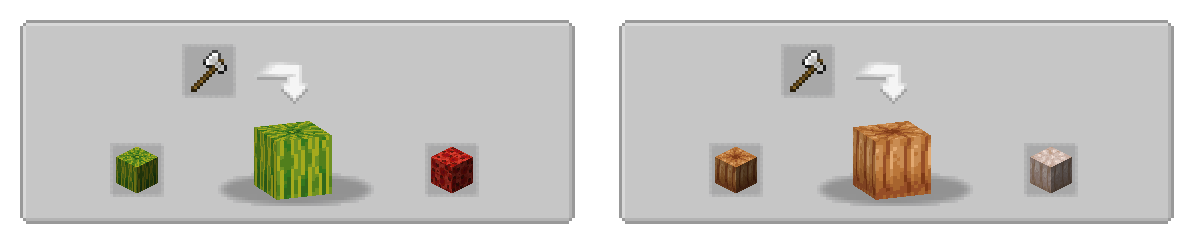
If present, some compatibility features for Overweight Farming is added.
This includes waxing recipes using the deployer,
as well as showing the axe-stripping of overweight crops in JEI.

Custom Recipes
If you want to add custom recipes using a datapack, this can also be done and
works for both single recipes and steps of a sequences assembly recipe.
Examples for these can be found in the example datapack.
Custom Sprinkler Actions
What effect which fluid in the sprinkler has is data-driven an can be modified or extended.
You can find the build-in actions here.
shape of a sprinkler JSON file
```json
{
  "action": {
     // the action that will be executed. custom actions can be registered to the `sliceanddice:sprinkle_action` registry.
    "type": "sliceanddice:damage",
    // some parameters, depending on what action type has been set above
    "amount": 0.5,
    "damage_type": "minecraft:in_fire"
  },
  "fluid": {
    "fluid": "minecraft:lava"
  }
}
```
For Developers
When depending on the mod, you can include it from my maven, which will have the benefit of including transient dependencies.
There is also an api package, which should be enought at compile time for some use-cases,
for example when only adding a custom sprinkler or sprinkle action.
When a new release is already being worked on, there might also be -SNAPSHOT versions being published, which you can use to already get a look at upcoming changes.


repositories {
    maven {
        url = uri("https://thedarkcolour.github.io/KotlinForForge/")
        content { includeGroup("thedarkcolour") }
    }
    maven {
        url = uri("https://maven.ryanhcode.dev/releases")
        content { includeGroupAndSubgroups("dev.ryanhcode") }
    }
    maven {
        url = uri("https://registry.somethingcatchy.net/repository/maven-public/")
        content { includeGroup("com.possible-triangle") }
    }
}

dependencies {
    compileOnly("com.possible-triangle:sliceanddice-api:$sd_version")
    runtimeOnly("com.possible-triangle:sliceanddice-neoforge:$sd_version")
}
Under the hood, slice & dice uses the library atmosphere, which itself is still early in development.
Available Versions
How to Install Create Slice & Dice on Your Server
Order Server
Order a Minecraft Java server with at least 4 GB RAM (6 GB recommended).
Set fabric Loader
In the panel under "Egg", select the fabric loader and matching Minecraft version (1.21.1).
Install Mod
Open the mod browser in the dashboard and search for "Create Slice & Dice". Click "Install" – done! Alternatively, upload the .jar via SFTP to the /mods folder.
Compatibility
Mod Loaders
Minecraft Versions
1.21.1, 1.20.1, 1.19.2 (+1 more)
Server-side
✓ RequiredRecommended RAM
6 GB(min. 4 GB)Frequently Asked Questions
Create Slice & Dice server crashes on startup – what to do?
Most common cause: wrong fabric version or insufficient RAM. Check the server log (latest.log) for "OutOfMemoryError" or "Mixin" errors. With Mado Hosting: ensure at least 4 GB RAM is allocated and the loader matches the mod version (1.21.1). You can switch loaders with one click in the panel.
Is Create Slice & Dice compatible with fabric and forge and neoforge?
Create Slice & Dice officially supports fabric, forge, neoforge for Minecraft 1.21.1, 1.20.1, 1.19.2. Note: Forge and Fabric mods are NOT cross-compatible – pick one loader and stick with it. The Mado dashboard automatically detects incompatible loader combinations.
Server lagging with Create Slice & Dice – how to optimize performance?
Recommended RAM: 6 GB (per 5 players). Use /spark profiler to check if Create Slice & Dice consumes the most tick time. Common fixes: reduce server view-distance to 8-10, install "performant" or "starlight" as supplementary mods on Forge. With Mado Hosting, your server runs on NVMe SSDs with dedicated CPU cores for minimal latency.
Similar Mods



Rent Modded Server
Install Create Slice & Dice with just one click on your server.