Smooth Skies
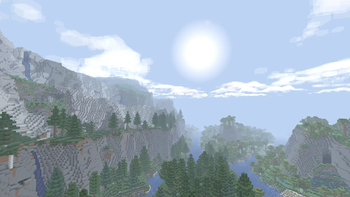
Smooths out the skybox colors on far render distances and fixes some other skybox visual issues.
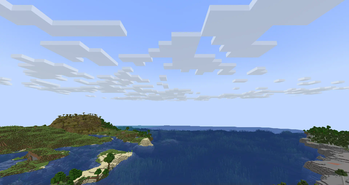
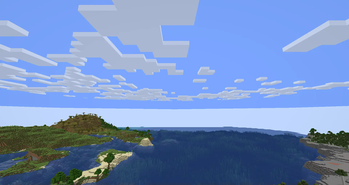
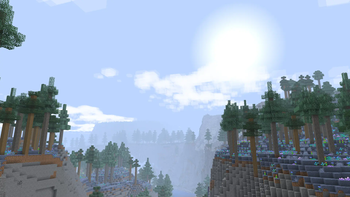
Screenshots
Über diese Mod



Smooth Skies
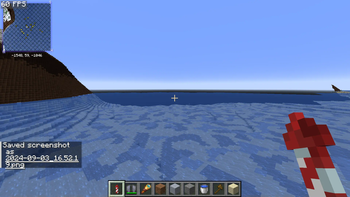
A very simple mod that smooths out the fog color when using high render distances, such as with Nvidium! Also has other customizable features and fixes, see gallery for screenshots and section below!
Features
- Set Fog View Distance
- Fixes the hard fog cutoff when using high render distances
- Can be customized to increase the height of the fog, see Gallery for screenshots
- Fix Skybox Clipping
- Fixes skybox getting cut off (i.e. holes/gaps) at low render distances by increasing far plane clipping
- Notably fixes Limbo on Hypixel
- This fixes MC-298225
- Lower Sky Void Darkness
- Sets the void darkness to only show close to the world's lowest Y value instead of a fixed value
- This fixes the black void you can sometimes see while below sea level (obvious in skyblock-type worlds)
- Clear Skies
- Removes the fog color altogether, making the sky a single color
- Ported from grondag's Clear Skies mod
- Remove Sky in the Void
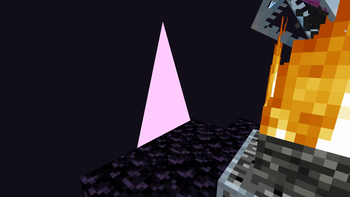
- Stops rendering the sky when the player is below the minimum build height (the void)
- May cause an abrupt skybox change
- This fixes MC-249655
Verfügbare Versionen
Smooth Skies auf deinem Client installieren
Mod-Loader lokal installieren
Installiere fabric für deine lokale Minecraft-Version.
Passende Datei herunterladen
Wähle die Smooth Skies-Datei für fabric und Minecraft 26.3.
Mod installieren
Lege die .jar-Datei in deinem lokalen .minecraft/mods-Ordner ab und starte Minecraft neu. Eine Installation auf dem Server ist nicht nötig.
Kompatibilität
Mod-Loader
Minecraft-Versionen
26.3, 26.2, 26.1.2 (+24 weitere)
Server-seitig
✗ Nicht unterstütztEmpfohlener RAM
4 GB(min. 3 GB)Häufige Fragen
Muss Smooth Skies auf dem Minecraft Server installiert werden?
Nein. Modrinth kennzeichnet Smooth Skies serverseitig als nicht unterstützt. Installiere die Mod nur im lokalen Minecraft-Mods-Ordner. Dein Server kann unverändert bleiben, sofern die Mod-Seite keine zusätzliche Abhängigkeit nennt.
Welche Version und welchen Loader braucht Smooth Skies?
Nutze eine Datei für fabric, neoforge, ornithe und exakt deine Minecraft-Version. Unterstützte Versionen sind unter anderem 26.3, 26.2, 26.1.2. Loader-Dateien sind nicht untereinander austauschbar.
Smooth Skies funktioniert nicht – was kann ich prüfen?
Prüfe zuerst Minecraft-Version, Loader-Version und erforderliche Abhängigkeiten. Lege die .jar-Datei im lokalen .minecraft/mods-Ordner ab und entferne ältere Duplikate. Da die Mod clientseitig ist, löst mehr Server-RAM dieses Problem nicht.
Ähnliche Mods




![[ETF] Entity Texture Features](https://cdn.modrinth.com/data/BVzZfTc1/af683d206d50b05258d865b0d6e4aa2f2cee12f2_96.webp)

Minecraft Server für deine Gruppe
Smooth Skies bleibt auf deinem Client. Hoste dazu eine kompatible Welt für deine Mitspieler.
Details
- Lizenz
- GNU Lesser General Public License v3.0 only
- Server-seitig
- Nicht unterstützt