Smooth Skies
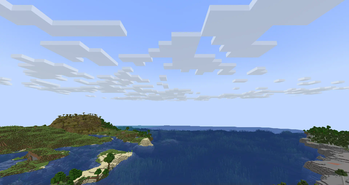
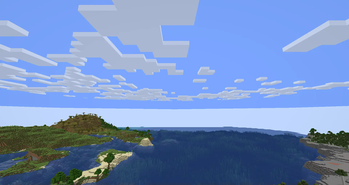
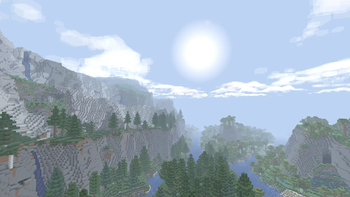
Smooths out the skybox colors on far render distances and fixes some other skybox visual issues.
Screenshots
About this Mod



Smooth Skies
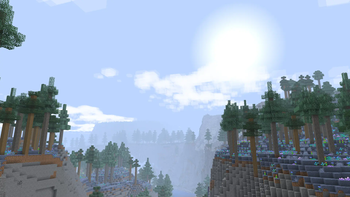
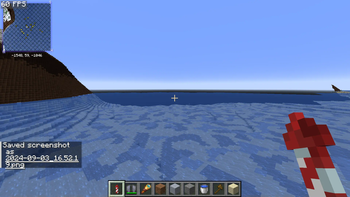
A very simple mod that smooths out the fog color when using high render distances, such as with Nvidium! Also has other customizable features and fixes, see gallery for screenshots and section below!
Features
- Set Fog View Distance
- Fixes the hard fog cutoff when using high render distances
- Can be customized to increase the height of the fog, see Gallery for screenshots
- Fix Skybox Clipping
- Fixes skybox getting cut off (i.e. holes/gaps) at low render distances by increasing far plane clipping
- Notably fixes Limbo on Hypixel
- This fixes MC-298225
- Lower Sky Void Darkness
- Sets the void darkness to only show close to the world's lowest Y value instead of a fixed value
- This fixes the black void you can sometimes see while below sea level (obvious in skyblock-type worlds)
- Clear Skies
- Removes the fog color altogether, making the sky a single color
- Ported from grondag's Clear Skies mod
- Remove Sky in the Void
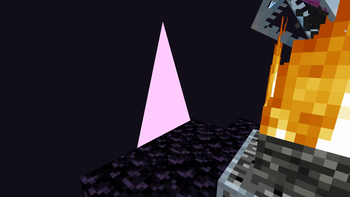
- Stops rendering the sky when the player is below the minimum build height (the void)
- May cause an abrupt skybox change
- This fixes MC-249655
Available Versions
How to Install Smooth Skies on Your Client
Install the Mod Loader Locally
Install fabric for your local Minecraft version.
Download the Matching File
Choose the Smooth Skies file for fabric and Minecraft 26.3.
Install Mod
Place the .jar file in your local .minecraft/mods folder and restart Minecraft. No server-side installation is required.
Compatibility
Mod Loaders
Minecraft Versions
26.3, 26.2, 26.1.2 (+24 more)
Server-side
✗ UnsupportedRecommended RAM
4 GB(min. 3 GB)Frequently Asked Questions
Does Smooth Skies need to be installed on the Minecraft server?
No. Modrinth marks Smooth Skies as unsupported on the server side. Install it only in your local Minecraft mods folder. Your server can remain unchanged unless the mod page lists an additional dependency.
Which version and loader does Smooth Skies require?
Use a file for fabric, neoforge, ornithe and your exact Minecraft version. Supported versions include 26.3, 26.2, 26.1.2. Files for different loaders are not interchangeable.
Smooth Skies is not working – what should I check?
First check the Minecraft version, loader version and required dependencies. Put the .jar file in your local .minecraft/mods folder and remove older duplicates. Because this mod is client-side, adding server RAM will not fix it.
Similar Mods




![[ETF] Entity Texture Features](https://cdn.modrinth.com/data/BVzZfTc1/af683d206d50b05258d865b0d6e4aa2f2cee12f2_96.webp)

Minecraft Server for Your Group
Smooth Skies stays on your client. Host a compatible world for your group.