
Soul Fire'd
Let Soul Fire burn!
Screenshots
Über diese Mod








📝 Description
Ever noticed how Soul Fire in Minecraft looks unique, but doesn't act differently from regular fire? Soul Fire'd fixes that, making Soul Fire behave exactly as you'd expect!
This mod ensures that Soul Fire has distinct behaviors, including special damage effects, custom enchantments, and more.
⚠️ Important: Soul Fire'd must be installed on both client and server, as it introduces substantial gameplay changes, not just visuals.

✨ Features
🔵 Soul Fire overlay
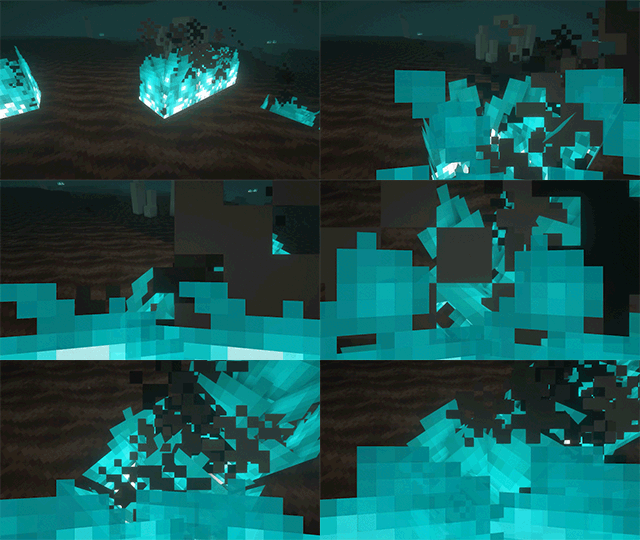
Prefer a slimmer version? Check out Slim Fire!🔥 Consistent Soul Fire damage
Entities catching Soul Fire burn visibly blue and take 2 damage per second.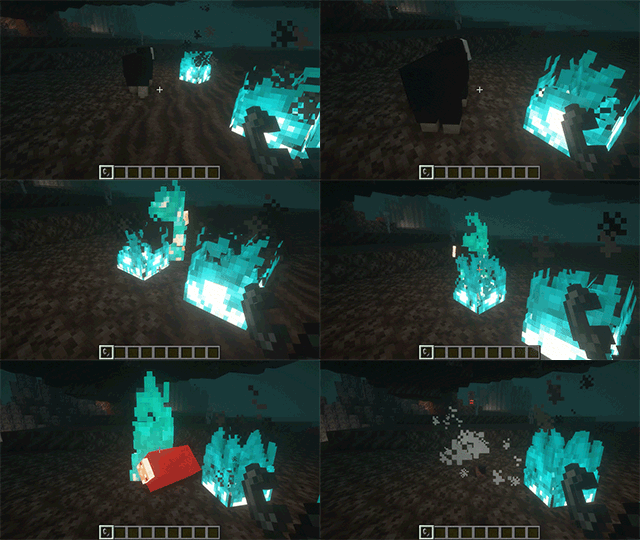
🎯 Consistent Soul Fire mechanics
For instance, but not limited to, zombies burning from Soul Fire and arrows passing through Soul Fire can set their targets on Soul Fire.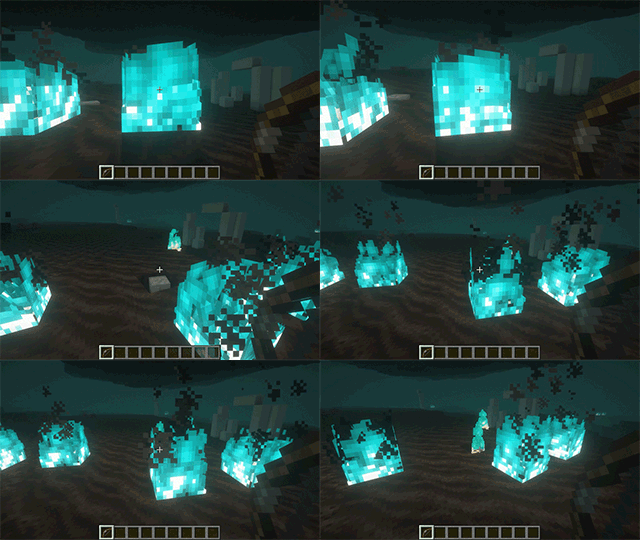
📚 New enchantments: Soul Fire Aspect & Soul Flame.
Similar to Fire Aspect and Flame enchantments, but applying Soul Fire instead, causing additional damage.
Both these enchantments can be highly configured individually, enabling (default) or disabling them and more.
Configuration is done via datapack since1.21
🤝 Compatibilities
Mods fully integrated with Soul Fire'd:
| Mod | Loader |
|---|---|
| Tetra with Tetracelium | All |
| Decorative Blocks | All |
| Alex's Mobs Interaction | All |
| Amendments | All |
| Infernal Expansion | All |
Want your mod listed here? Submit an issue here and provide a link to your mod!
🔗 Dependencies
| Mod | Loader | Requirement |
|---|---|---|
| Cobweb | All | Required |
| Prometheus | All | Required |
📜 License and right of use
Feel free to use this mod for any modpack or video, just be sure to give credit and possibly link here.
This project is published under the Crystal Nest Community License v1.
💻 For developers
Since v6.0.0, the API has been moved to Prometheus.
Learn how to integrate custom fire types and utilize the provided API through detailed documentation:
❤️ Support us







Verfügbare Versionen
Soul Fire'd auf dem Server installieren
Server bestellen
Bestelle einen Minecraft Java Server mit mindestens 3 GB RAM (4 GB empfohlen).
fabric Loader setzen
Wähle im Panel unter "Egg" den fabric-Loader und die passende Minecraft-Version (26.1.2).
Mod installieren
Öffne den Mod-Browser im Dashboard und suche nach "Soul Fire'd". Klicke "Installieren" – fertig! Alternativ: Lade die .jar via SFTP in den /mods Ordner.
Kompatibilität
Mod-Loader
Minecraft-Versionen
26.1.2, 26.1.1, 26.1 (+18 weitere)
Server-seitig
✓ ErforderlichEmpfohlener RAM
4 GB(min. 3 GB)Häufige Fragen
Soul Fire'd Server crasht beim Start – was tun?
Häufigste Ursache: falsche fabric-Version oder zu wenig RAM. Prüfe im Server-Log (latest.log), ob ein "OutOfMemoryError" oder "Mixin"-Fehler auftritt. Bei Mado Hosting: Stelle sicher, dass mindestens 3 GB RAM zugewiesen sind und der Loader zur Mod-Version passt (26.1.2). Über das Panel kannst du den Loader mit einem Klick wechseln.
Ist Soul Fire'd mit fabric und forge und neoforge kompatibel?
Soul Fire'd unterstützt offiziell fabric, forge, neoforge für Minecraft 26.1.2, 26.1.1, 26.1. Achtung: Forge- und Fabric-Mods sind NICHT untereinander kompatibel – wähle einen Loader und bleibe dabei. Im Mado Dashboard werden inkompatible Loader-Kombinationen automatisch erkannt.
Server laggt mit Soul Fire'd – wie optimiere ich die Performance?
Empfohlener RAM: 4 GB (+1 GB pro 8 Spieler). Prüfe mit /spark profiler, ob Soul Fire'd den meisten Tick-Time verbraucht. Häufige Fixes: Server-View-Distance auf 8-10 reduzieren, bei Forge "performant" oder "starlight" als Zusatz-Mod installieren. Bei Mado Hosting läuft dein Server auf NVMe-SSDs mit dedizierten CPU-Kernen für minimale Latenz.
Ähnliche Mods




Modded Server mieten
Installiere Soul Fire'd mit nur einem Klick auf deinem Server.
Details
- Lizenz
- LicenseRef-Crystal-Nest-Community-License-v1
- Server-seitig
- Erforderlich