
Soul Fire'd
Let Soul Fire burn!
Screenshots
About this Mod








📝 Description
Ever noticed how Soul Fire in Minecraft looks unique, but doesn't act differently from regular fire? Soul Fire'd fixes that, making Soul Fire behave exactly as you'd expect!
This mod ensures that Soul Fire has distinct behaviors, including special damage effects, custom enchantments, and more.
⚠️ Important: Soul Fire'd must be installed on both client and server, as it introduces substantial gameplay changes, not just visuals.

✨ Features
🔵 Soul Fire overlay
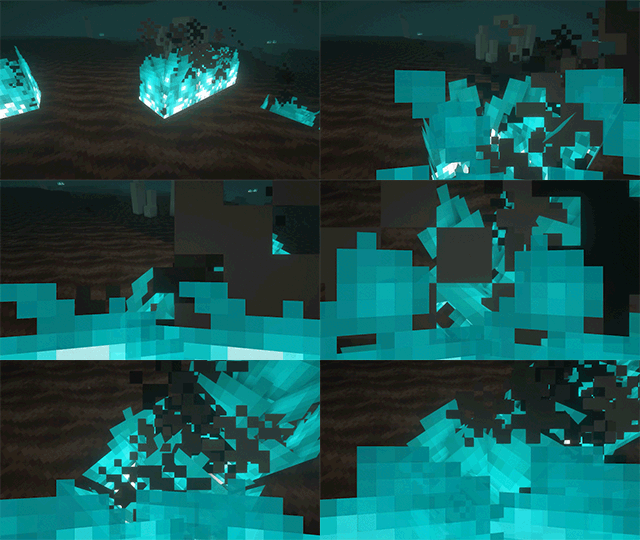
Prefer a slimmer version? Check out Slim Fire!🔥 Consistent Soul Fire damage
Entities catching Soul Fire burn visibly blue and take 2 damage per second.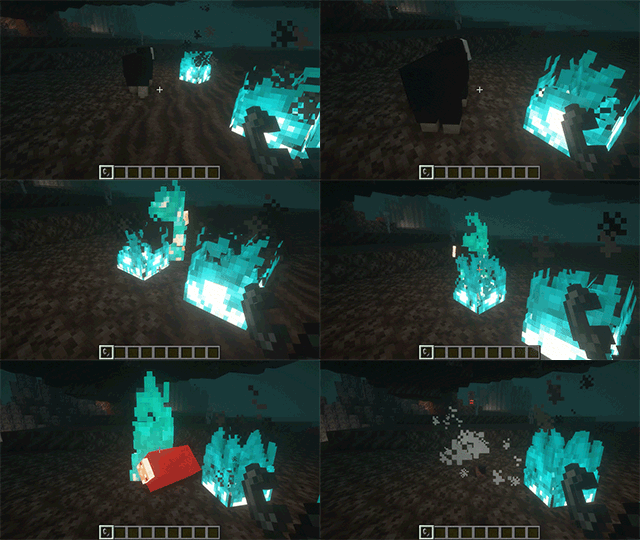
🎯 Consistent Soul Fire mechanics
For instance, but not limited to, zombies burning from Soul Fire and arrows passing through Soul Fire can set their targets on Soul Fire.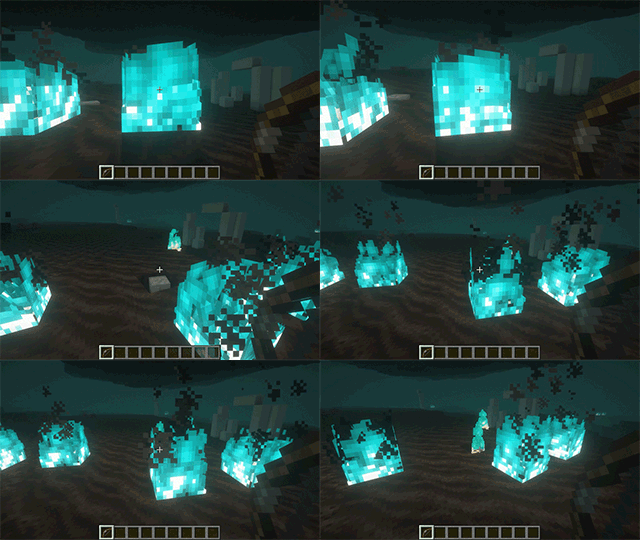
📚 New enchantments: Soul Fire Aspect & Soul Flame.
Similar to Fire Aspect and Flame enchantments, but applying Soul Fire instead, causing additional damage.
Both these enchantments can be highly configured individually, enabling (default) or disabling them and more.
Configuration is done via datapack since1.21
🤝 Compatibilities
Mods fully integrated with Soul Fire'd:
| Mod | Loader |
|---|---|
| Tetra with Tetracelium | All |
| Decorative Blocks | All |
| Alex's Mobs Interaction | All |
| Amendments | All |
| Infernal Expansion | All |
Want your mod listed here? Submit an issue here and provide a link to your mod!
🔗 Dependencies
| Mod | Loader | Requirement |
|---|---|---|
| Cobweb | All | Required |
| Prometheus | All | Required |
📜 License and right of use
Feel free to use this mod for any modpack or video, just be sure to give credit and possibly link here.
This project is published under the Crystal Nest Community License v1.
💻 For developers
Since v6.0.0, the API has been moved to Prometheus.
Learn how to integrate custom fire types and utilize the provided API through detailed documentation:
❤️ Support us







Available Versions
How to Install Soul Fire'd on Your Server
Order Server
Order a Minecraft Java server with at least 3 GB RAM (4 GB recommended).
Set fabric Loader
In the panel under "Egg", select the fabric loader and matching Minecraft version (26.1.2).
Install Mod
Open the mod browser in the dashboard and search for "Soul Fire'd". Click "Install" – done! Alternatively, upload the .jar via SFTP to the /mods folder.
Compatibility
Mod Loaders
Minecraft Versions
26.1.2, 26.1.1, 26.1 (+18 more)
Server-side
✓ RequiredRecommended RAM
4 GB(min. 3 GB)Frequently Asked Questions
Soul Fire'd server crashes on startup – what to do?
Most common cause: wrong fabric version or insufficient RAM. Check the server log (latest.log) for "OutOfMemoryError" or "Mixin" errors. With Mado Hosting: ensure at least 3 GB RAM is allocated and the loader matches the mod version (26.1.2). You can switch loaders with one click in the panel.
Is Soul Fire'd compatible with fabric and forge and neoforge?
Soul Fire'd officially supports fabric, forge, neoforge for Minecraft 26.1.2, 26.1.1, 26.1. Note: Forge and Fabric mods are NOT cross-compatible – pick one loader and stick with it. The Mado dashboard automatically detects incompatible loader combinations.
Server lagging with Soul Fire'd – how to optimize performance?
Recommended RAM: 4 GB (per 8 players). Use /spark profiler to check if Soul Fire'd consumes the most tick time. Common fixes: reduce server view-distance to 8-10, install "performant" or "starlight" as supplementary mods on Forge. With Mado Hosting, your server runs on NVMe SSDs with dedicated CPU cores for minimal latency.
Similar Mods




Rent Modded Server
Install Soul Fire'd with just one click on your server.