
Sounds
It's what it says on the tin. A complete upgrade to Minecraft's SFX with over 170 new sound effects for UIs, items, blocks and more.
Screenshots
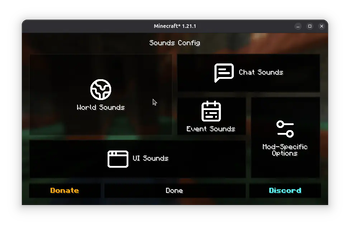
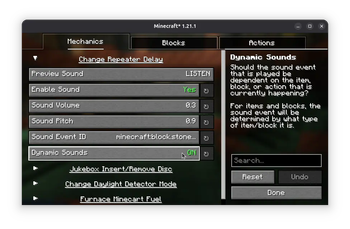
Über diese Mod

It's what it says on the tin.
Sounds is a mod that adds a variety of new sound effects to the game, whilst improving existing ones that didn't quite fit. It's a game-changer, it makes vanilla feel incomplete in comparison.
The mod is also a spiritual continuation of ExtraSounds, Auditory and QualitySounds; the majority of features from these mods have been expanded upon to be highly configurable.
Requires MRU & Yet Another Config Lib
Features
- Includes over 170 SFX improvements which span across the entire game, such as UI, chat messages, in-game actions and block sounds.
- High quality sound effects sourced from Zapsplat and hand-tweaked for the best SFX experience.
- Fully client-side only, no need to install on the server!
- Highly customizable, you can change the sounds events used, and even tweak the dynamic block and item sounds through resource packs, especially useful for creating addons for content mods.'
Supported Versions
Only the latest stable release for Fabric and NeoForge (26.1) and latest beta release for Fabric (26.3) are supported.
Configuration
As mentioned, Sounds is highly customizable - the simple effects can be edited either through the configuration found in the config/sounds/ folder of your game instance, or though the configuration screen.
Mod Menu is required to access the configuration screen for the Fabric version of the mod.
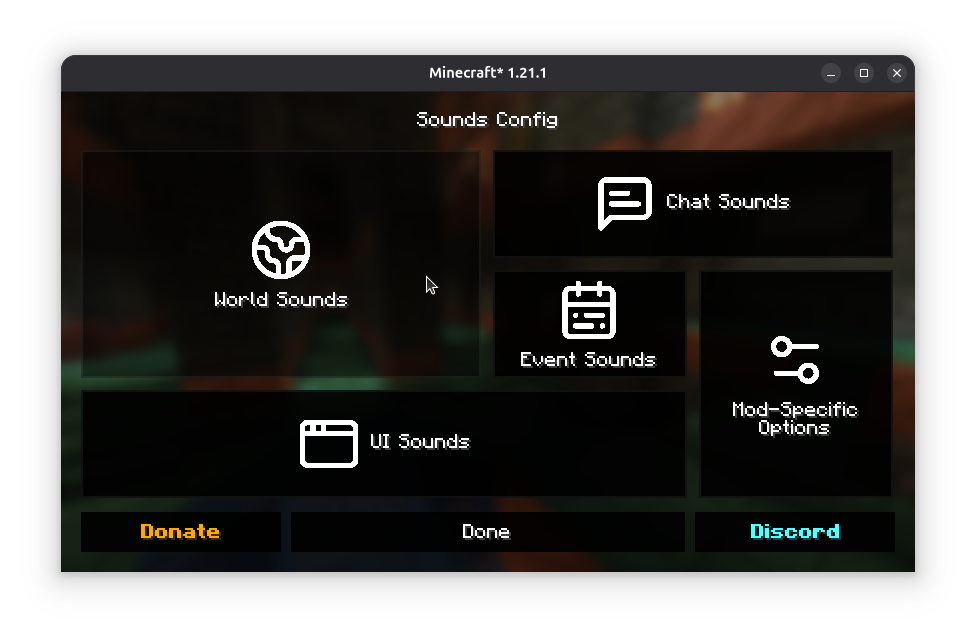
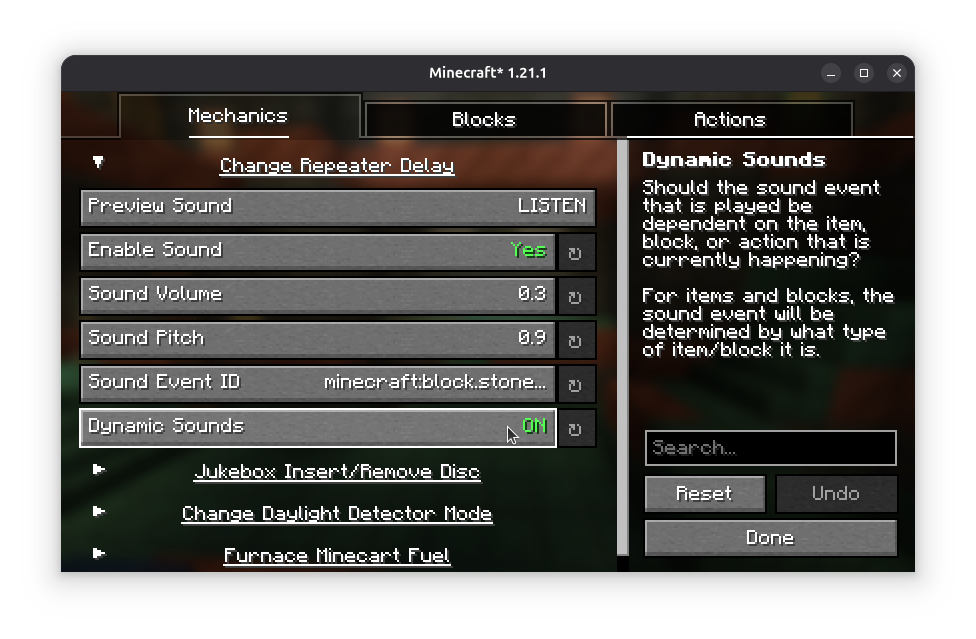
Adding support for modded content
Refer to the Sounds Documentation for more information on creating dynamic sound definitions for items, screens and blocks.
Custom sound effects obtained from Zapsplat under ZapSplat Standard License for Gold Members.
By using my mods, you agree to the End User License Agreement. You are free to use this mod within your Modrinth & CurseForge modpacks as long as the EULA is respected.
Verfügbare Versionen
Sounds auf deinem Client installieren
Mod-Loader lokal installieren
Installiere fabric für deine lokale Minecraft-Version.
Passende Datei herunterladen
Wähle die Sounds-Datei für fabric und Minecraft 26.3.
Mod installieren
Lege die .jar-Datei in deinem lokalen .minecraft/mods-Ordner ab und starte Minecraft neu. Eine Installation auf dem Server ist nicht nötig.
Kompatibilität
Mod-Loader
Minecraft-Versionen
26.3, 26.2, 26.1.2 (+22 weitere)
Server-seitig
✗ Nicht unterstütztEmpfohlener RAM
4 GB(min. 3 GB)Häufige Fragen
Muss Sounds auf dem Minecraft Server installiert werden?
Nein. Modrinth kennzeichnet Sounds serverseitig als nicht unterstützt. Installiere die Mod nur im lokalen Minecraft-Mods-Ordner. Dein Server kann unverändert bleiben, sofern die Mod-Seite keine zusätzliche Abhängigkeit nennt.
Welche Version und welchen Loader braucht Sounds?
Nutze eine Datei für fabric, forge, neoforge und exakt deine Minecraft-Version. Unterstützte Versionen sind unter anderem 26.3, 26.2, 26.1.2. Loader-Dateien sind nicht untereinander austauschbar.
Sounds funktioniert nicht – was kann ich prüfen?
Prüfe zuerst Minecraft-Version, Loader-Version und erforderliche Abhängigkeiten. Lege die .jar-Datei im lokalen .minecraft/mods-Ordner ab und entferne ältere Duplikate. Da die Mod clientseitig ist, löst mehr Server-RAM dieses Problem nicht.
Ähnliche Mods






Minecraft Server für deine Gruppe
Sounds bleibt auf deinem Client. Hoste dazu eine kompatible Welt für deine Mitspieler.