
Sounds
It's what it says on the tin. A complete upgrade to Minecraft's SFX with over 170 new sound effects for UIs, items, blocks and more.
Screenshots
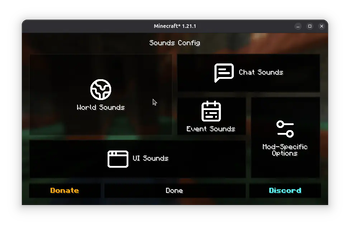
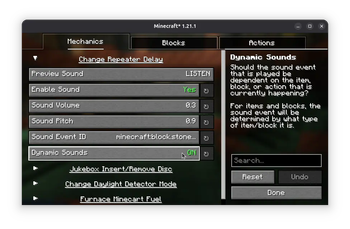
About this Mod

It's what it says on the tin.
Sounds is a mod that adds a variety of new sound effects to the game, whilst improving existing ones that didn't quite fit. It's a game-changer, it makes vanilla feel incomplete in comparison.
The mod is also a spiritual continuation of ExtraSounds, Auditory and QualitySounds; the majority of features from these mods have been expanded upon to be highly configurable.
Requires MRU & Yet Another Config Lib
Features
- Includes over 170 SFX improvements which span across the entire game, such as UI, chat messages, in-game actions and block sounds.
- High quality sound effects sourced from Zapsplat and hand-tweaked for the best SFX experience.
- Fully client-side only, no need to install on the server!
- Highly customizable, you can change the sounds events used, and even tweak the dynamic block and item sounds through resource packs, especially useful for creating addons for content mods.'
Supported Versions
Only the latest stable release for Fabric and NeoForge (26.1) and latest beta release for Fabric (26.3) are supported.
Configuration
As mentioned, Sounds is highly customizable - the simple effects can be edited either through the configuration found in the config/sounds/ folder of your game instance, or though the configuration screen.
Mod Menu is required to access the configuration screen for the Fabric version of the mod.
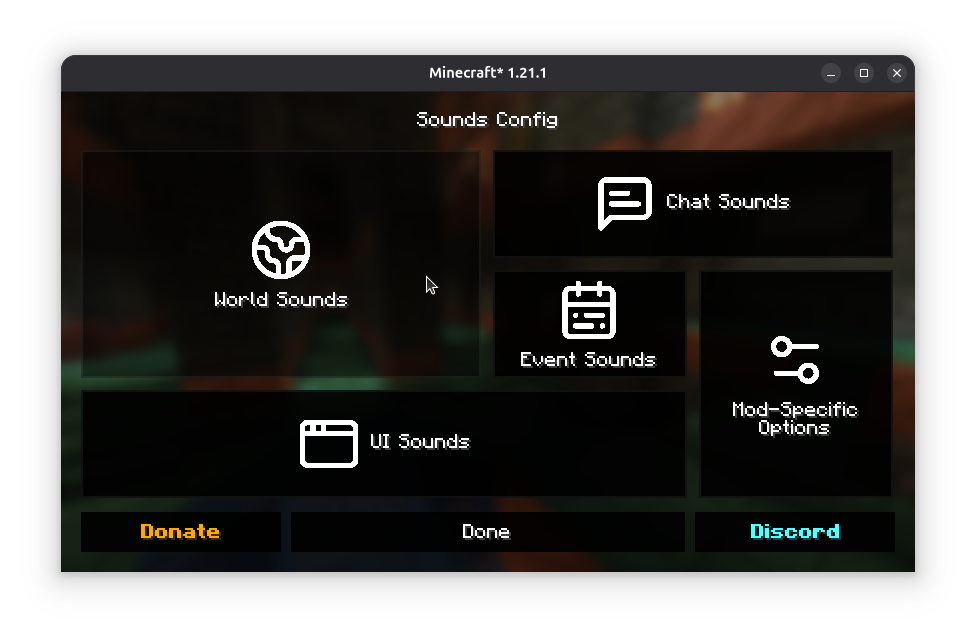
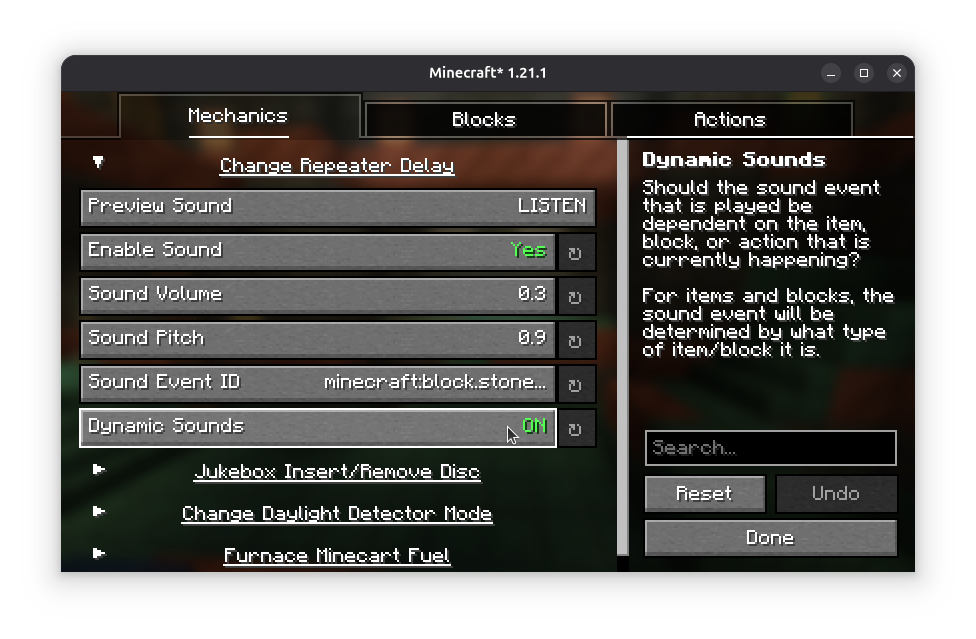
Adding support for modded content
Refer to the Sounds Documentation for more information on creating dynamic sound definitions for items, screens and blocks.
Custom sound effects obtained from Zapsplat under ZapSplat Standard License for Gold Members.
By using my mods, you agree to the End User License Agreement. You are free to use this mod within your Modrinth & CurseForge modpacks as long as the EULA is respected.
Available Versions
How to Install Sounds on Your Client
Install the Mod Loader Locally
Install fabric for your local Minecraft version.
Download the Matching File
Choose the Sounds file for fabric and Minecraft 26.3.
Install Mod
Place the .jar file in your local .minecraft/mods folder and restart Minecraft. No server-side installation is required.
Compatibility
Mod Loaders
Minecraft Versions
26.3, 26.2, 26.1.2 (+22 more)
Server-side
✗ UnsupportedRecommended RAM
4 GB(min. 3 GB)Frequently Asked Questions
Does Sounds need to be installed on the Minecraft server?
No. Modrinth marks Sounds as unsupported on the server side. Install it only in your local Minecraft mods folder. Your server can remain unchanged unless the mod page lists an additional dependency.
Which version and loader does Sounds require?
Use a file for fabric, forge, neoforge and your exact Minecraft version. Supported versions include 26.3, 26.2, 26.1.2. Files for different loaders are not interchangeable.
Sounds is not working – what should I check?
First check the Minecraft version, loader version and required dependencies. Put the .jar file in your local .minecraft/mods folder and remove older duplicates. Because this mod is client-side, adding server RAM will not fix it.
Similar Mods






Minecraft Server for Your Group
Sounds stays on your client. Host a compatible world for your group.