
Staaaaaaaaaaaack (Stxck)
A mod made to merge dropped items beyond the vanilla stack limit while considering mod compatibility.
Screenshots
Über diese Mod

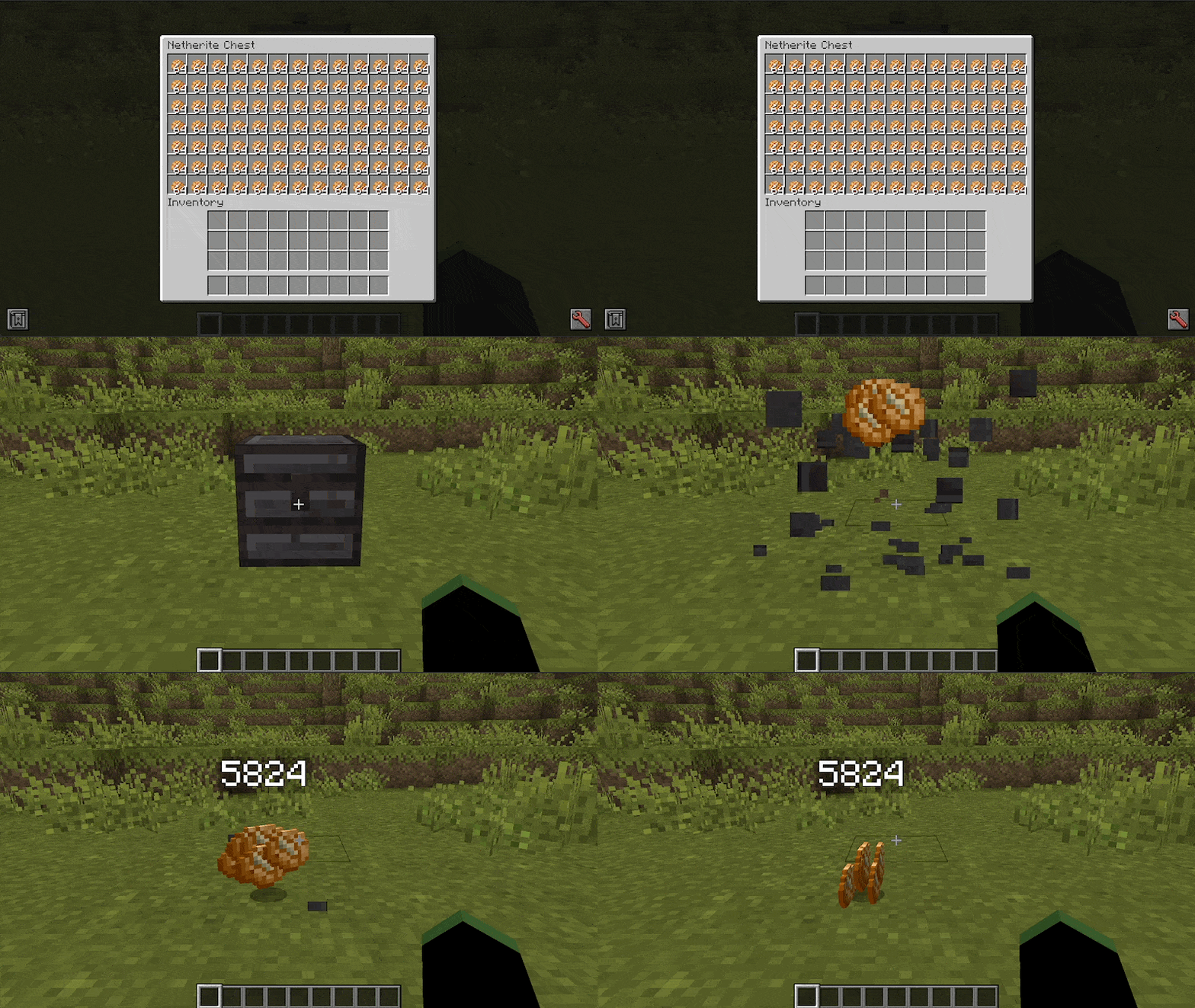
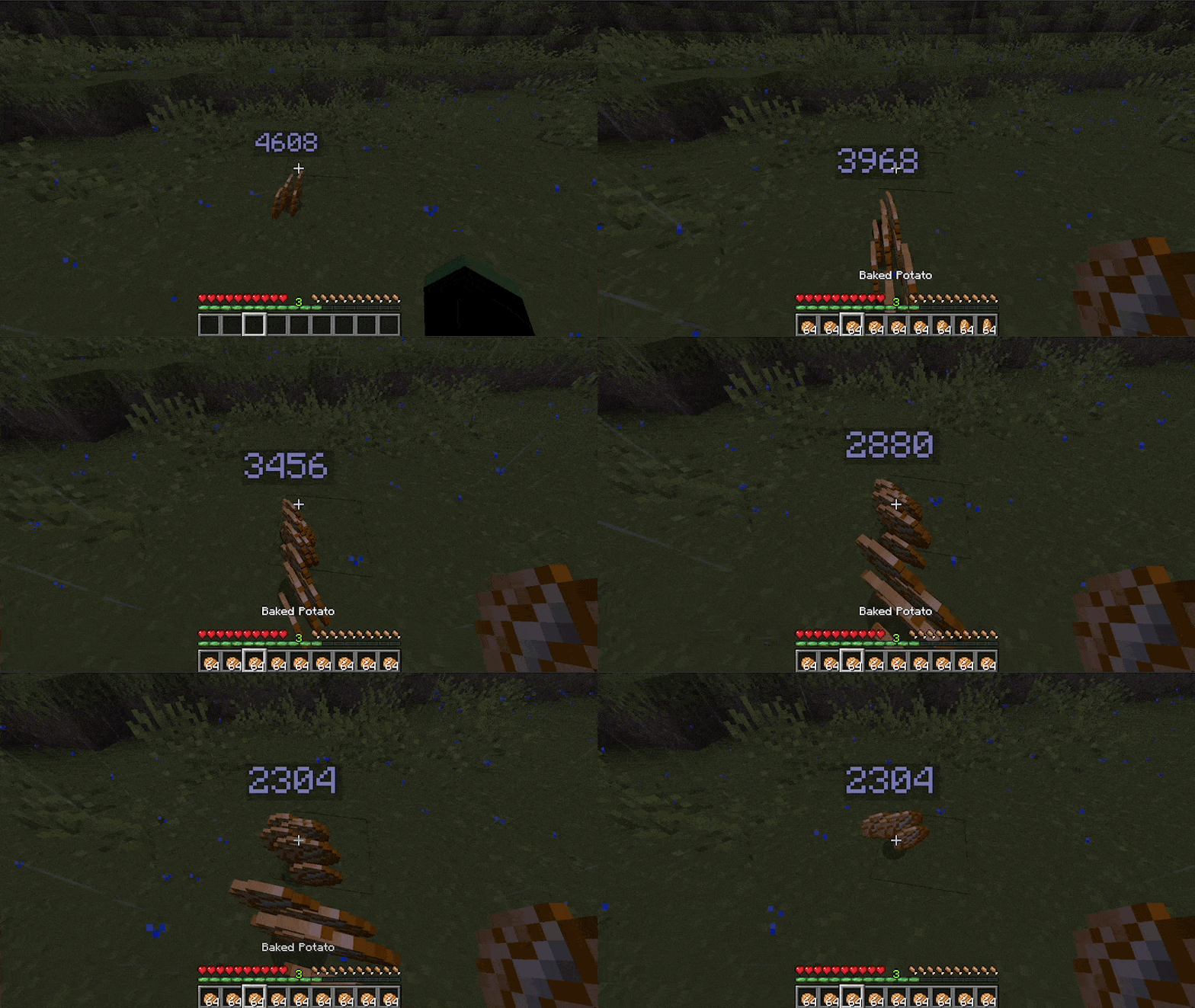
This mod allows dropped items to merge, even if their stacks are already full. This can help reduce lag caused by a large number of drops in a small area.
It should be compatible with most mods, but please report any issues if it does not work for the mod you're playing with.
Current features:
- Merging drops over their stack limit without changing the actual maximum stack size
- Customizable merge distance for drops.
- Customizable maximum size for drops.
- Customizable overlay size and render distance.
- Blacklist or whitelist configuration for items that you don't want to exceed their default stack limit by name, tag or dimension. You can add them from the common config file or assign them a specific item tag.
The name contains 12 'a's btw. 🍔
I've partnered with RocketNode Hosting!
RocketNode provides top-tier server hosting worldwide, allowing you to set up your server with just a few clicks! Their intuitive dashboard makes server management a breeze, and you can even schedule automatic restarts without needing any coding knowledge.
Use the code FRANKV to get 25% off your first month on any of their gaming servers. Get started here: https://rocketnode.com/frankv
Verfügbare Versionen
Staaaaaaaaaaaack (Stxck) auf dem Server installieren
Server bestellen
Bestelle einen Minecraft Java Server mit mindestens 3 GB RAM (4 GB empfohlen).
fabric Loader setzen
Wähle im Panel unter "Egg" den fabric-Loader und die passende Minecraft-Version (1.21.8).
Mod installieren
Öffne den Mod-Browser im Dashboard und suche nach "Staaaaaaaaaaaack (Stxck)". Klicke "Installieren" – fertig! Alternativ: Lade die .jar via SFTP in den /mods Ordner.
Kompatibilität
Mod-Loader
Minecraft-Versionen
1.21.8, 1.21.7, 1.21.5 (+12 weitere)
Server-seitig
✓ ErforderlichEmpfohlener RAM
4 GB(min. 3 GB)Häufige Fragen
Staaaaaaaaaaaack (Stxck) Server crasht beim Start – was tun?
Häufigste Ursache: falsche fabric-Version oder zu wenig RAM. Prüfe im Server-Log (latest.log), ob ein "OutOfMemoryError" oder "Mixin"-Fehler auftritt. Bei Mado Hosting: Stelle sicher, dass mindestens 3 GB RAM zugewiesen sind und der Loader zur Mod-Version passt (1.21.8). Über das Panel kannst du den Loader mit einem Klick wechseln.
Ist Staaaaaaaaaaaack (Stxck) mit fabric und forge und neoforge und quilt kompatibel?
Staaaaaaaaaaaack (Stxck) unterstützt offiziell fabric, forge, neoforge, quilt für Minecraft 1.21.8, 1.21.7, 1.21.5. Achtung: Forge- und Fabric-Mods sind NICHT untereinander kompatibel – wähle einen Loader und bleibe dabei. Im Mado Dashboard werden inkompatible Loader-Kombinationen automatisch erkannt.
Server laggt mit Staaaaaaaaaaaack (Stxck) – wie optimiere ich die Performance?
Empfohlener RAM: 4 GB (+1 GB pro 8 Spieler). Prüfe mit /spark profiler, ob Staaaaaaaaaaaack (Stxck) den meisten Tick-Time verbraucht. Häufige Fixes: Server-View-Distance auf 8-10 reduzieren, bei Forge "performant" oder "starlight" als Zusatz-Mod installieren. Bei Mado Hosting läuft dein Server auf NVMe-SSDs mit dedizierten CPU-Kernen für minimale Latenz.
Ähnliche Mods


Modded Server mieten
Installiere Staaaaaaaaaaaack (Stxck) mit nur einem Klick auf deinem Server.