Storage Drawers
Interactive bulk storage solution
Screenshots
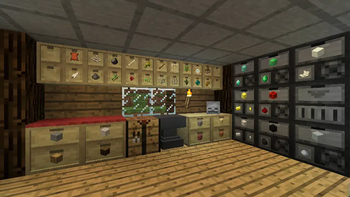
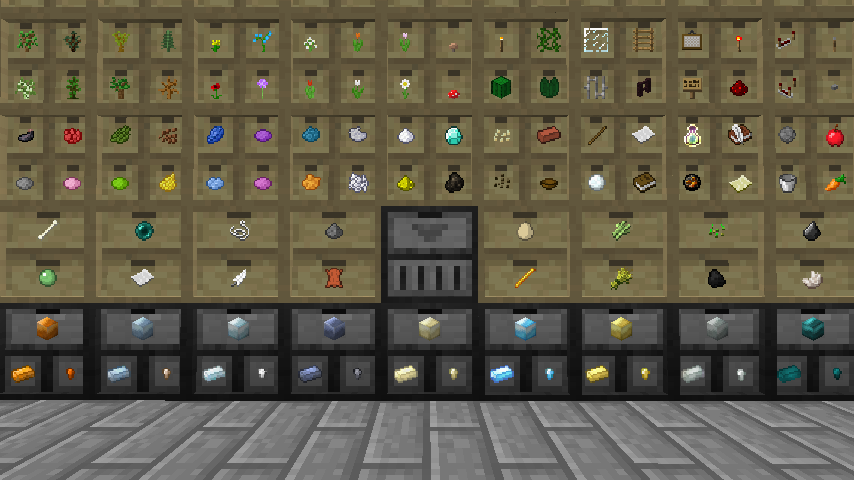
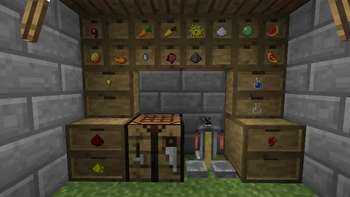
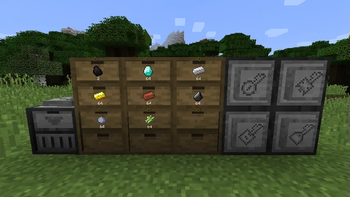
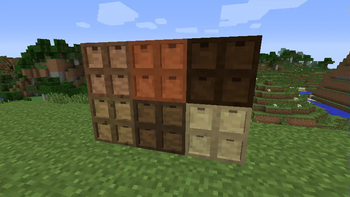
Über diese Mod
Put your most frequently used items within convenient reach. Storage Drawers borrows ideas from Jabba and Bibliocraft, resulting in a highly functional, compact, and aesthetic storage solution that is meant to complement rather than replace those mods.
Usage
There is no traditional slotted inventory with these containers. Interaction is click-based similar to Jabba. Clicking on one of drawers on front will interact with that drawer.
- Right-Click: Insert full stack in hand into drawer (or partial stack if the drawer fills).
- Double-Right-Click: Insert all compatible stacks in inventory into drawer (or until drawer fills).
- Left-Click: Remove a single item from the drawer.
- Shift+Left-Click: Remove a full stack from the drawer.
- Shift+Right-Click with empty hand: Open a UI to see exact item counts and manage applied upgrades.
The shift-click behavior is reversed from Jabba. This is based on the theory that you normally interact with stacks in Jabba, but will want to normally interact with single items in Storage Drawers. The controls can be reversed in the mod config to match Jabba.
Verfügbare Versionen
Storage Drawers auf dem Server installieren
Server bestellen
Bestelle einen Minecraft Java Server mit mindestens 3 GB RAM (4 GB empfohlen).
fabric Loader setzen
Wähle im Panel unter "Egg" den fabric-Loader und die passende Minecraft-Version (26.3).
Mod installieren
Öffne den Mod-Browser im Dashboard und suche nach "Storage Drawers". Klicke "Installieren" – fertig! Alternativ: Lade die .jar via SFTP in den /mods Ordner.
Kompatibilität
Mod-Loader
Minecraft-Versionen
26.3, 26.2, 26.1.2 (+46 weitere)
Server-seitig
✓ ErforderlichEmpfohlener RAM
4 GB(min. 3 GB)Häufige Fragen
Storage Drawers Server crasht beim Start – was tun?
Häufigste Ursache: falsche fabric-Version oder zu wenig RAM. Prüfe im Server-Log (latest.log), ob ein "OutOfMemoryError" oder "Mixin"-Fehler auftritt. Bei Mado Hosting: Stelle sicher, dass mindestens 3 GB RAM zugewiesen sind und der Loader zur Mod-Version passt (26.3). Über das Panel kannst du den Loader mit einem Klick wechseln.
Ist Storage Drawers mit fabric und forge und neoforge kompatibel?
Storage Drawers unterstützt offiziell fabric, forge, neoforge für Minecraft 26.3, 26.2, 26.1.2. Achtung: Forge- und Fabric-Mods sind NICHT untereinander kompatibel – wähle einen Loader und bleibe dabei. Im Mado Dashboard werden inkompatible Loader-Kombinationen automatisch erkannt.
Server laggt mit Storage Drawers – wie optimiere ich die Performance?
Empfohlener RAM: 4 GB (+1 GB pro 8 Spieler). Prüfe mit /spark profiler, ob Storage Drawers den meisten Tick-Time verbraucht. Häufige Fixes: Server-View-Distance auf 8-10 reduzieren, bei Forge "performant" oder "starlight" als Zusatz-Mod installieren. Bei Mado Hosting läuft dein Server auf NVMe-SSDs mit dedizierten CPU-Kernen für minimale Latenz.
Ähnliche Mods


Modded Server mieten
Installiere Storage Drawers mit nur einem Klick auf deinem Server.