
Talking Heads
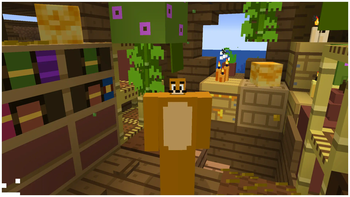
Client-side Addon for Plasmo Voice & Simple Voice Chat, that scales player heads when they're talking.
Screenshots
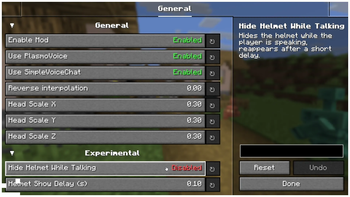
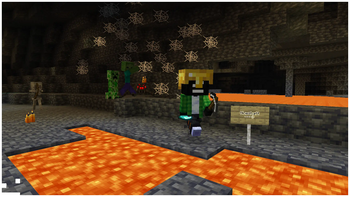
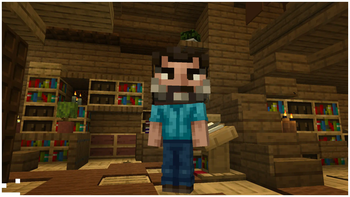
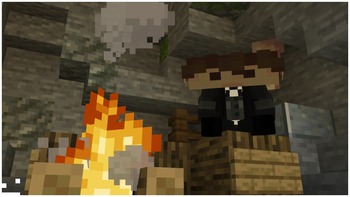

Über diese Mod

|


|

Talking Heads — A Client-side addon, that scales player heads when they're talking.
Fully compatible with Plasmo Voice and Simple Voice Chat, and can be used with both at the same time!


Figura mod Compatibility

Customizable Player Models mod Compatibility


Want to support mod and authors? Just tell everyone about this mod!
Yeah, you got it right. Just by advertising, you will support the mod and the creators well. The more people will know about this mod, the more downloads it will have, more downloads will give good motivation to authors and increase income from the site (literally free donation). Remember, advertising must not be intrusive and annoiyng!
What you can do?
- Make a video review / advertisement
- Share it on social media or Discord
- Tell your friends about this mod
- Add it to your modpack or just download and enjoy the game
Every mention matters — thank you for helping the community grow 🤍

The license terms for this project are defined in the LICENSE file in this repository. That file always takes precedence over any license shown anywhere else.
Verfügbare Versionen
Talking Heads auf deinem Client installieren
Mod-Loader lokal installieren
Installiere fabric für deine lokale Minecraft-Version.
Passende Datei herunterladen
Wähle die Talking Heads-Datei für fabric und Minecraft 26.3.
Mod installieren
Lege die .jar-Datei in deinem lokalen .minecraft/mods-Ordner ab und starte Minecraft neu. Eine Installation auf dem Server ist nicht nötig.
Kompatibilität
Mod-Loader
Minecraft-Versionen
26.3, 26.2, 26.1.2 (+17 weitere)
Server-seitig
✗ Nicht unterstütztEmpfohlener RAM
4 GB(min. 3 GB)Häufige Fragen
Muss Talking Heads auf dem Minecraft Server installiert werden?
Nein. Modrinth kennzeichnet Talking Heads serverseitig als nicht unterstützt. Installiere die Mod nur im lokalen Minecraft-Mods-Ordner. Dein Server kann unverändert bleiben, sofern die Mod-Seite keine zusätzliche Abhängigkeit nennt.
Welche Version und welchen Loader braucht Talking Heads?
Nutze eine Datei für fabric, forge, neoforge und exakt deine Minecraft-Version. Unterstützte Versionen sind unter anderem 26.3, 26.2, 26.1.2. Loader-Dateien sind nicht untereinander austauschbar.
Talking Heads funktioniert nicht – was kann ich prüfen?
Prüfe zuerst Minecraft-Version, Loader-Version und erforderliche Abhängigkeiten. Lege die .jar-Datei im lokalen .minecraft/mods-Ordner ab und entferne ältere Duplikate. Da die Mod clientseitig ist, löst mehr Server-RAM dieses Problem nicht.
Ähnliche Mods





Minecraft Server für deine Gruppe
Talking Heads bleibt auf deinem Client. Hoste dazu eine kompatible Welt für deine Mitspieler.
Details
- Lizenz
- Creative Commons Attribution No Derivatives 4.0 International
- Server-seitig
- Nicht unterstützt