
Talking Heads
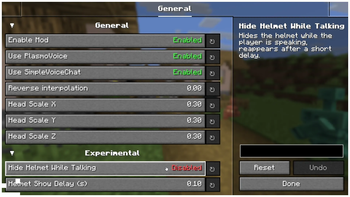
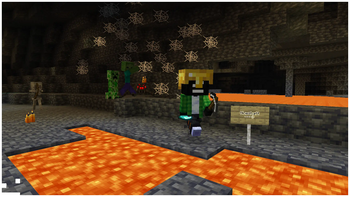
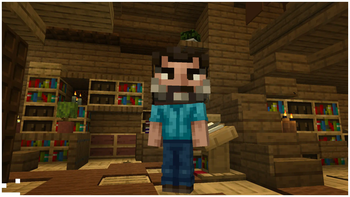
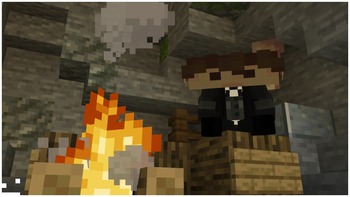
Client-side Addon for Plasmo Voice & Simple Voice Chat, that scales player heads when they're talking.
Screenshots

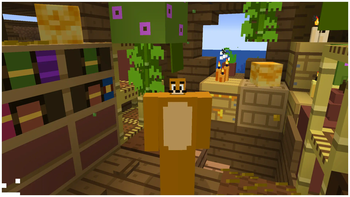
About this Mod

|


|

Talking Heads — A Client-side addon, that scales player heads when they're talking.
Fully compatible with Plasmo Voice and Simple Voice Chat, and can be used with both at the same time!


Figura mod Compatibility

Customizable Player Models mod Compatibility


Want to support mod and authors? Just tell everyone about this mod!
Yeah, you got it right. Just by advertising, you will support the mod and the creators well. The more people will know about this mod, the more downloads it will have, more downloads will give good motivation to authors and increase income from the site (literally free donation). Remember, advertising must not be intrusive and annoiyng!
What you can do?
- Make a video review / advertisement
- Share it on social media or Discord
- Tell your friends about this mod
- Add it to your modpack or just download and enjoy the game
Every mention matters — thank you for helping the community grow 🤍

The license terms for this project are defined in the LICENSE file in this repository. That file always takes precedence over any license shown anywhere else.
Available Versions
How to Install Talking Heads on Your Client
Install the Mod Loader Locally
Install fabric for your local Minecraft version.
Download the Matching File
Choose the Talking Heads file for fabric and Minecraft 26.3.
Install Mod
Place the .jar file in your local .minecraft/mods folder and restart Minecraft. No server-side installation is required.
Compatibility
Mod Loaders
Minecraft Versions
26.3, 26.2, 26.1.2 (+17 more)
Server-side
✗ UnsupportedRecommended RAM
4 GB(min. 3 GB)Frequently Asked Questions
Does Talking Heads need to be installed on the Minecraft server?
No. Modrinth marks Talking Heads as unsupported on the server side. Install it only in your local Minecraft mods folder. Your server can remain unchanged unless the mod page lists an additional dependency.
Which version and loader does Talking Heads require?
Use a file for fabric, forge, neoforge and your exact Minecraft version. Supported versions include 26.3, 26.2, 26.1.2. Files for different loaders are not interchangeable.
Talking Heads is not working – what should I check?
First check the Minecraft version, loader version and required dependencies. Put the .jar file in your local .minecraft/mods folder and remove older duplicates. Because this mod is client-side, adding server RAM will not fix it.
Similar Mods





Minecraft Server for Your Group
Talking Heads stays on your client. Host a compatible world for your group.
Details
- License
- Creative Commons Attribution No Derivatives 4.0 International
- Server-side
- Unsupported