
Modrinth · Fabric, Forge
Technical Enchant+ auf deinem Minecraft Server
Technical Enchant+ läuft auf Minecraft Servern mit Fabric oder Forge. Bestell deinen Server, stell den Loader im Panel ein und installiere die Mod mit einem Klick im Mod-Browser.
TE+ adds a new enchanting ecosystem with new mechanincs and features with over 50+ new enchantments. It's content can be expanded via Addons and Complements
- Downloads
- 4.7K
- Autor
- Frektip
- Loader
- Fabric, Forge
- Minecraft
- 1.19 – 1.19.4
- Aktualisiert
- –
Screenshots
So sieht Technical Enchant+ aus
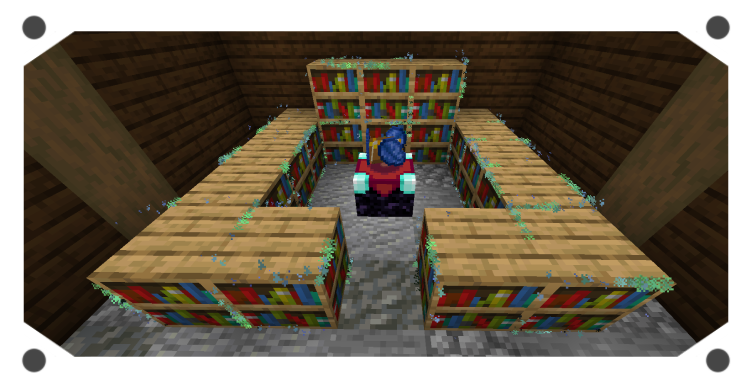
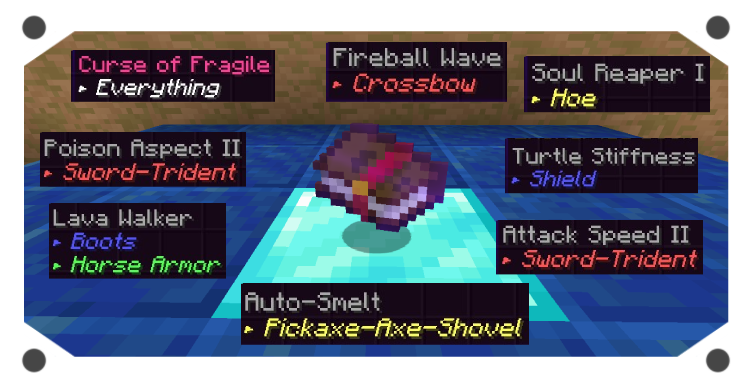
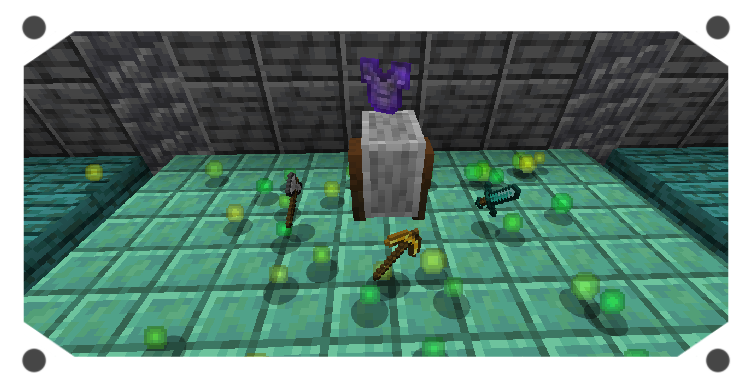
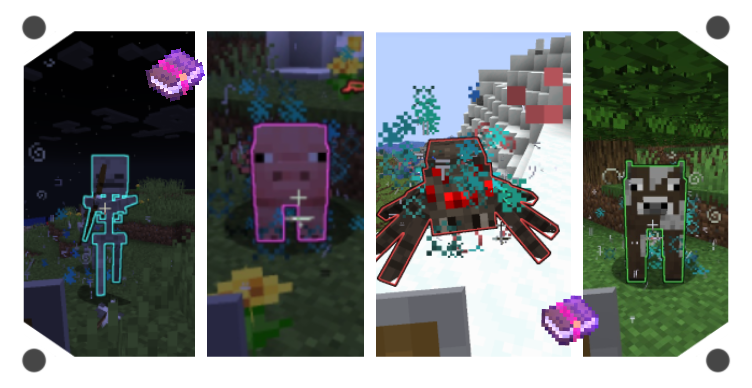
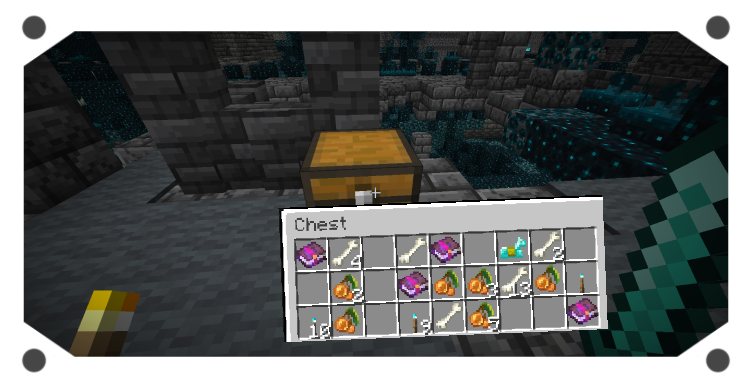
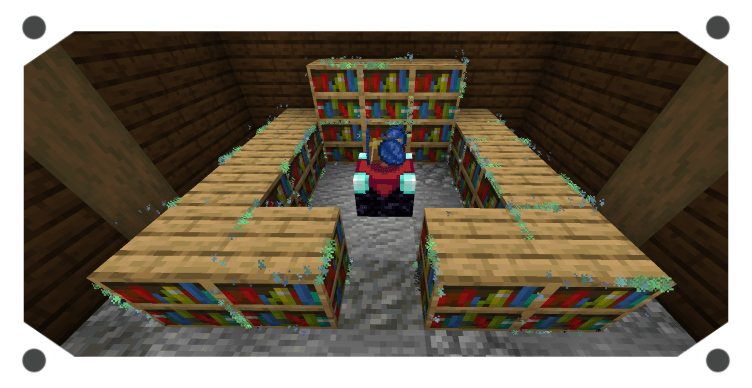
Bilder: Technical Enchant+ auf Modrinth, vom Projektteam veröffentlicht.
Einrichtung
Technical Enchant+ auf dem Server installieren
Server und Spieler brauchen denselben Loader und dieselbe Minecraft-Version. Sichere die Welt, bevor du Mods hinzufügst oder aktualisierst.
- 01
Konfigurieren
4 GB RAM sind vorausgewählt. Laufzeit und Add-ons wählst du selbst, bezahlt wird per Kreditkarte oder PayPal.
- 02
Loader einstellen
Stell im Panel die Serversoftware auf Fabric oder Forge und wähl die passende Minecraft-Version, zum Beispiel 1.19.4.
- 03
Mod installieren
Such im Mod-Browser nach „Technical Enchant+“ und installiere die Version für deinen Loader. Alternativ lädst du die .jar per SFTP in den Ordner mods. Erforderliche Abhängigkeiten stehen auf der Projektseite.
- 04
Verbinden
Alle Spieler installieren Technical Enchant+ in derselben Version lokal und verbinden sich über die Serveradresse aus dem Panel.
- Auf dem Server
- Erforderlich
- Auf dem Client
- Erforderlich
- Loader
- Fabric, Forge
- Minecraft
- 1.19.4, 1.19.2, 1.19.1 +1 weitere
- Lizenz
- LicenseRef-Custom
Das Panel
Mods installieren, Fehler finden.
Echte Screenshots aus dem Mado Panel. Beides ist bei jedem Minecraft Server enthalten.
Mod-Browser
Modrinth und CurseForge direkt im Panel.
Der Browser filtert nach deiner Minecraft-Version. Mods installierst du mit einem Klick, ohne .jar-Dateien hochzuladen.

KI-Crash-Analyse
Wenn ein Mod crasht, liest die Analyse das Log.
Mods scheitern oft an einer falschen Loader-Version, Java-Version oder fehlenden Abhängigkeit. Die Analyse nennt eine wahrscheinliche Ursache und einen Lösungsvorschlag.

Versionen
Veröffentlichte Versionen
Nimm die Datei, die zu Loader und Minecraft-Version deines Servers passt. Server und Spieler brauchen dieselbe Version.
Technical Enchant+ · Modrinth- Technical Enchant+ v1.0.3-1.19.4 [FABRIC]21. Mai 2023Minecraft 1.19.4 · Fabric
- Technical Enchant+ v1.0.3-1.19.4 [FORGE]21. Mai 2023Minecraft 1.19.4 · Forge
- Technical Enchant+ v1.0.2-1.19.2 [FABRIC]22. Januar 2023Minecraft 1.19, 1.19.1, 1.19.2 · Fabric
- Technical Enchant+ v1.0.2-1.19.2 [FORGE]22. Januar 2023Minecraft 1.19, 1.19.1, 1.19.2 · Forge
Originalbeschreibung des Projektautors
TECHNICAL ENCHANT+
This is a pseudo-mod because it's originial version comes from a datapack with the same name. However it has some exclusive features for both Fabric and Forge.
Mod Overview
- Useful Commands
/function enchantplus:give/all ---> To obtain all the enchantments and items
/function #enchantplus:uninstall ---> To uninstall the datapack addons and complements
/function enchantplus:config ---> To access to the Main Config MENU
/function enchantplus:heldenchant/apply/<enchantment> ---> To enchant the item you're holding
/function enchantplus:force_conversion ---> To convert the nearest entity into an "Enchanted mob"
New Items
- Guide book: Get it by throwing a book and quill on top of an enchanting table
- Charged Bookshelf: Used to increase the enchanting setup Tiers
- Technical Anvil: Used to merge or extract custom enchantments and curses
- Polished Lapis: Currency to trade with an Advanced Enchanter
- Isolated Core: Rare item to remove custom and vanilla curses
- Blessed Orb: Item to convert a mob into an enchanted one
- Enchanting Setup
You can place charged bookshelves around the encahnting table from 2 to 5 blocks to increase it's Tier. Each time you level it up it will change the Enchanting table a bit. Like Adding hovering Lapis on top of it.
Tier 1: Allowed to get Low enchantments only ---requirements---> 10 levels and 1 lapis
Tier 2: Allowed to get Average enchantments ---requirements---> 20 levels and 2 lapis
Tier 3: Allowed to get Strong enchantments ---requirements---> 30 levels and 3 lapis
Tier 4: Convert Pages of Power into an enchanted book
Tier 5: Cool particles (for now)
Technical Anvil Modes
- Merging Mode
This mode is similar as vanilla's one. You can combine enchanted books with other enchanted books; enchanted books with items; enchanted items with other enchaned items of the same type. It will give you a preview of the result item, then you can confirm the action by clicking on the middle button.
The base XP cost to use the Technical Anvil is 10 levels, however you can modify it by using the in-game Menu Confing
- Extracting Mode
This mode allow you to extract any custom or vanilla enchantment. You just need to place your enchanted item on the left and some normal books on the right and click on the middle bottom button to get the enchantment. This method has no cost!
In case you want to remove custom or vanilla curses, place an Isolated Core on the right in order to extract it, however there is a small chance that during this action your enchanted item may lose some of it's custom or vanilla enchantments, be careful with that.
- Disenchant System
In case you want to get rid of ALL your custom and vanilla enchantments. Jus throw your enchanted item or book on top of a grindstone to get rewarded with XP (kind of similar as vanilla's). Keep in mind that you won't be able to remove custom curses or vanilla cuses using this method.
The XP reward is based on how many enchantments your item has and at what level they were with some randomization to add more XP.
- Extensions
These are built-in features that can be toggled on/off depending on your needs.
1.- Mob Use
Most hostile mobs can use any custom enchanted gear, this depends if the mob is capable of using ranged or melee weapons; as well as wearing armor.
2.- Mob Spawning
Every few often you should see hostile mobs spawning with TE+ enchanted gear. They can't spawn wearing netherite gear though. Be prepared, some of them could result being a bit challenging to face.
3.- Chest Loot
Any vanilla structure chest has a 30% chance to have a custom enchanted book as loot! However, this book has also a 10% chance of being a curse. Important to notice that TE+ uses a different system to achieve this, and it doesn't overwrite vanilla loot-table, meaning that TE+ is complatible with any chest loot-table datapacks.
4.- Exceed vanilla enchantment level
You can basically get enchantments such as Efficiency VI or Looting IV. For this you need to combine to max level books in the Technical Anvil, and then you can use that exceeded book in your items, using yet again, the Technical Anvil. You can find the complete enchantments list in the wiki, or checking the Guide Book.
In total there is a new max enchantment level for 20 vanilla enchantments!!
5.- Villagers
You can change a default librarian into an "Advanced Enchanter" by placing down a charged bookshelf below it's workstation. After that you will be able to trade custom enchantments and curses with it and maybe some exclusive items!
By default this type of villager won't be able to have discounts, it will have some limited trades and they can't restock speacial item trades. However you can change all of that with the Extensions Config menu
You can expend TE+ content with:
Addons: Add more enchantments with TE+ environment
Complements: Make modded items compatible with TE+ enchantments
Technical Enchant+ Server crasht beim Start – was tun?
Häufige Ursachen: Loader- oder Minecraft-Version passen nicht zur Mod-Datei, eine Abhängigkeit fehlt oder der RAM reicht nicht. Such im Log (latest.log) nach „OutOfMemoryError“, „Mixin“ oder fehlenden Mods. Bei Mado wertet die KI-Crash-Analyse das Log aus und schlägt eine Ursache vor. Loader und Version änderst du im Panel.
Mit welchem Loader läuft Technical Enchant+?
Laut Modrinth unterstützt Technical Enchant+ Fabric, Forge für Minecraft 1.19.4, 1.19.2, 1.19.1. Forge- und Fabric-Dateien sind nicht untereinander austauschbar: Wähl einen Loader für Server und Clients.
Wie viel RAM braucht ein Server mit Technical Enchant+?
Als Orientierung 3–4 GB für einen Server mit dieser Mod. Das ist eine Schätzung, keine gemessene Mindestanforderung. Weitere Mods, viele Spieler und große Sichtweiten brauchen mehr. Ob eine Mod die Tick-Zeit belastet, siehst du mit dem spark-Profiler.
Ähnliche Mods
Beliebte Mods aus derselben Kategorie
 Server-fähig

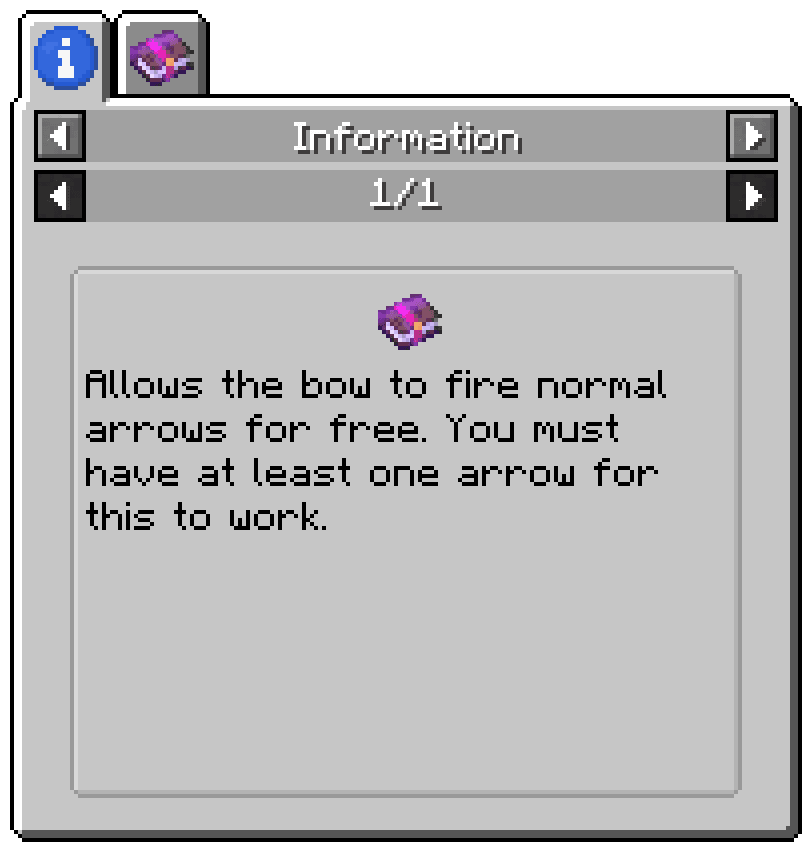
Enchantment Descriptions
von Darkhax
Provides a way to get enchantment descriptions from enchanted books.
 Server-fähig

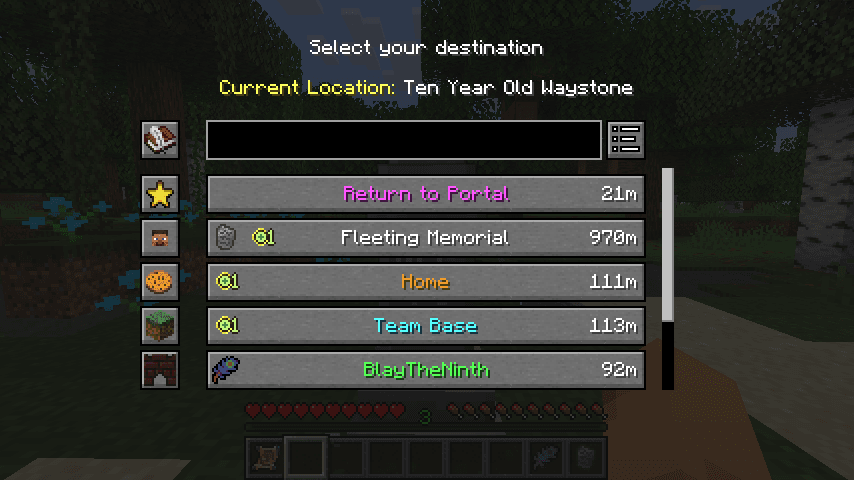
Waystones
von BlayTheNinth
Teleport from waystone to waystone or craft magical scrolls to warp.
 Server-fähig

Sinytra Connector
von Su5eD
Lets you play Fabric mods on NeoForge
 Nur Client

EMIffect
von moechakucha
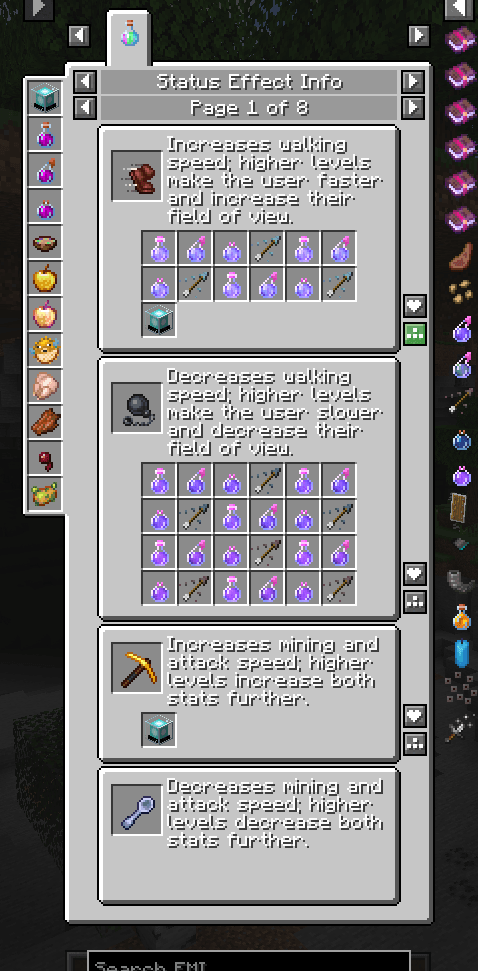
EMI addon that appends status effects in EMI and provides information about each status effect.
Bereit für deinen Server mit Technical Enchant+?
4 GB RAM ab 8,00 € im Monat. 35 % auf den 1. Monat mit MADO35.