
Time On Display
Do you play in full screen? Now you can see the time in real life by pressing just one key!
Screenshots
Über diese Mod
!
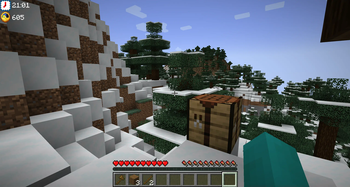
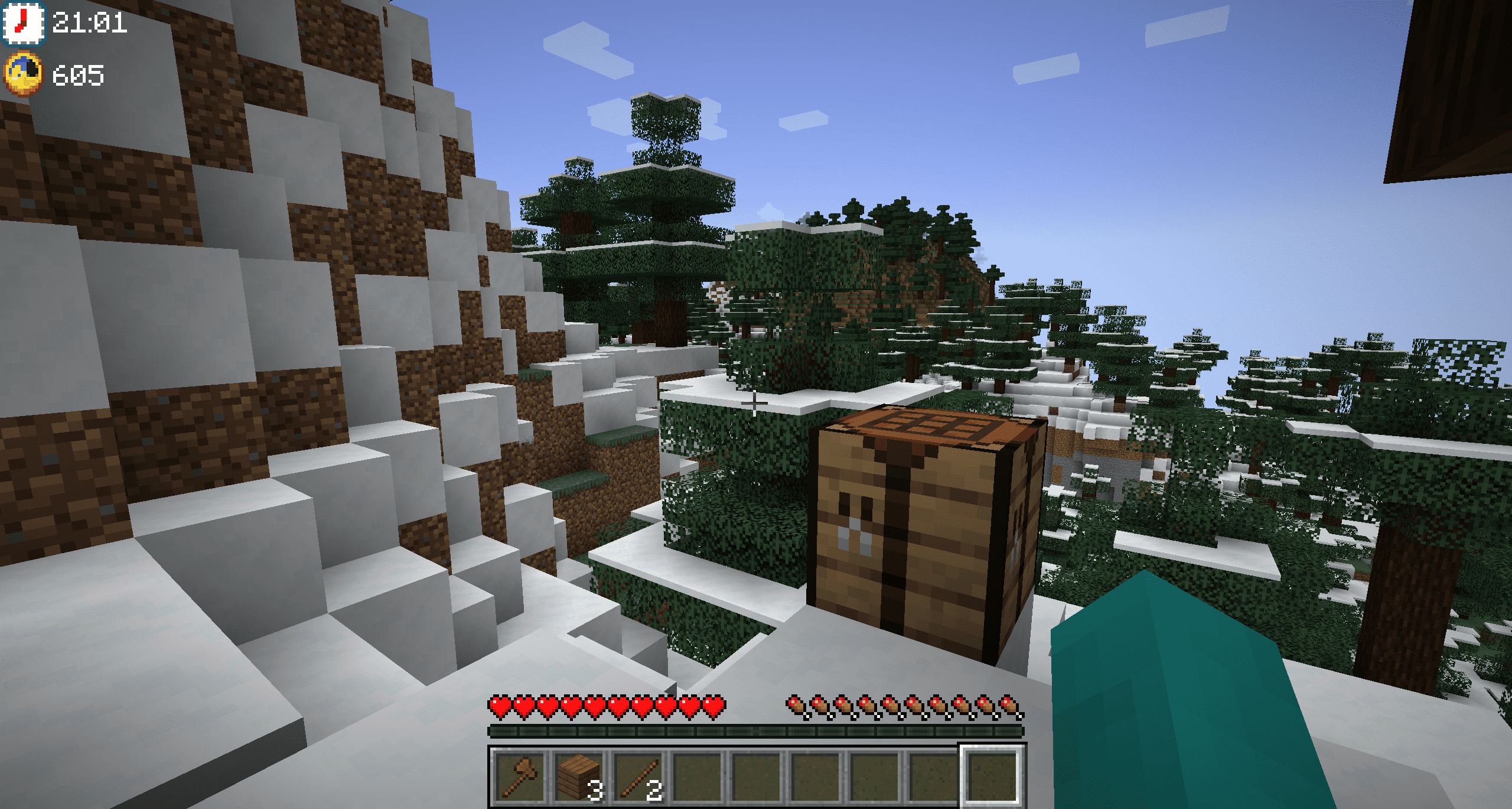
Are you used to playing Minecraft in full screen? So I'm sure that more than once you've had to look at your phone, or leave the full screen to see what time it is, don't worry, now you can see it in the middle of the game, by pressing a single key, F8.
In addition, you can also check the time in Minecraft, so you can know if it is day or night, or how long it is until dawn. It's great!
Do you need a server to play with your friends?
For exceptional server hosting services, look no further than ****. Of course, you can install all the mods or modpacks you want, and their support team is always available to help you.
!
Do you play in full screen, don't you have a clock, do you have to turn on your cell phone to know what time it is? Then Time On Display is the ideal solution for your game, since you only have to press the F8 key (configurable) to know what time it is.
Moreover, it will not only tell you the real world time, it will also show the Minecraft time, again, this is something you can configure, as well as the location where the clock is displayed.
!
Does it work on servers?
Sure! Remember that the best way to play with mods and friends is with BisectHosting, and by .
Can this mod be used in modpacks?
Of course! As long as it is published only on Modrinth or CurseForge. Uploading it to any other platform would be violating our rights and is not allowed at all.
However, we are really grateful if you consider adding it to your Modrinth or CurseForge modpack. If you need any small changes or have any questions, contact us!
!
](https://discord.gg/X8VY5WMbe4)
.
Verfügbare Versionen
Time On Display auf deinem Client installieren
Mod-Loader lokal installieren
Installiere fabric für deine lokale Minecraft-Version.
Passende Datei herunterladen
Wähle die Time On Display-Datei für fabric und Minecraft 1.21.1.
Mod installieren
Lege die .jar-Datei in deinem lokalen .minecraft/mods-Ordner ab und starte Minecraft neu. Eine Installation auf dem Server ist nicht nötig.
Kompatibilität
Mod-Loader
Minecraft-Versionen
1.21.1, 1.21, 1.20.4 (+3 weitere)
Server-seitig
✗ Nicht unterstütztEmpfohlener RAM
4 GB(min. 3 GB)Häufige Fragen
Muss Time On Display auf dem Minecraft Server installiert werden?
Nein. Modrinth kennzeichnet Time On Display serverseitig als nicht unterstützt. Installiere die Mod nur im lokalen Minecraft-Mods-Ordner. Dein Server kann unverändert bleiben, sofern die Mod-Seite keine zusätzliche Abhängigkeit nennt.
Welche Version und welchen Loader braucht Time On Display?
Nutze eine Datei für fabric, forge, neoforge und exakt deine Minecraft-Version. Unterstützte Versionen sind unter anderem 1.21.1, 1.21, 1.20.4. Loader-Dateien sind nicht untereinander austauschbar.
Time On Display funktioniert nicht – was kann ich prüfen?
Prüfe zuerst Minecraft-Version, Loader-Version und erforderliche Abhängigkeiten. Lege die .jar-Datei im lokalen .minecraft/mods-Ordner ab und entferne ältere Duplikate. Da die Mod clientseitig ist, löst mehr Server-RAM dieses Problem nicht.
Ähnliche Mods




Minecraft Server für deine Gruppe
Time On Display bleibt auf deinem Client. Hoste dazu eine kompatible Welt für deine Mitspieler.