
Unfortunate Development (Discontinued)
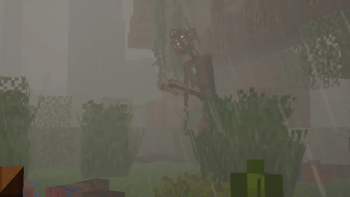
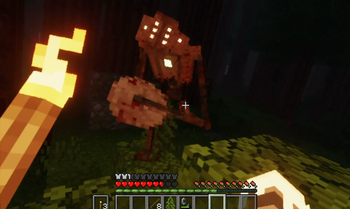
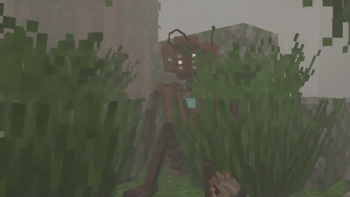
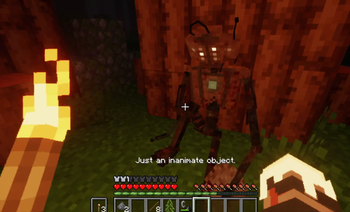
In the quiet stillness of the forest, an eerie groaning echoes through the trees. From the depths of the dark, a scrapped accidental creation. Unfortunate Developement
Screenshots
Über diese Mod
In the quiet stillness of the forest, an eerie groaning echoes through the trees. From the depths of the dark, a scrapped accidental creation.

This mod is incompatible with the Creation mod by Flamc04. That is because I used that mod as a base. So the mod appears as "creation" and the entity's ID is "creation:creation", but it appears as "Unfortunate Developement" in game.
Most things are configurable. To configure the mod, you can use Configured and Catalogue mods.
PS: The higher the timers' value, the lower the rate of Unfortunate Development spawning.
This is a dweller copy made just to showcase the concept.
I want to state that I am ashamed of making this a dweller copy.
Have fun!
The assets of this mod by Arcle are all licensed under CC BY-NC-ND 4.0
Verfügbare Versionen
Unfortunate Development (Discontinued) auf dem Server installieren
Server bestellen
Bestelle einen Minecraft Java Server mit mindestens 3 GB RAM (4 GB empfohlen).
forge Loader setzen
Wähle im Panel unter "Egg" den forge-Loader und die passende Minecraft-Version (1.19.4).
Mod installieren
Öffne den Mod-Browser im Dashboard und suche nach "Unfortunate Development (Discontinued)". Klicke "Installieren" – fertig! Alternativ: Lade die .jar via SFTP in den /mods Ordner.
Kompatibilität
Mod-Loader
Minecraft-Versionen
1.19.4, 1.19.3, 1.19.2
Server-seitig
✓ ErforderlichEmpfohlener RAM
4 GB(min. 3 GB)Häufige Fragen
Unfortunate Development (Discontinued) Server crasht beim Start – was tun?
Häufigste Ursache: falsche forge-Version oder zu wenig RAM. Prüfe im Server-Log (latest.log), ob ein "OutOfMemoryError" oder "Mixin"-Fehler auftritt. Bei Mado Hosting: Stelle sicher, dass mindestens 3 GB RAM zugewiesen sind und der Loader zur Mod-Version passt (1.19.4). Über das Panel kannst du den Loader mit einem Klick wechseln.
Ist Unfortunate Development (Discontinued) mit forge kompatibel?
Unfortunate Development (Discontinued) unterstützt offiziell forge für Minecraft 1.19.4, 1.19.3, 1.19.2. Im Mado Dashboard werden inkompatible Loader-Kombinationen automatisch erkannt.
Server laggt mit Unfortunate Development (Discontinued) – wie optimiere ich die Performance?
Empfohlener RAM: 4 GB (+1 GB pro 8 Spieler). Prüfe mit /spark profiler, ob Unfortunate Development (Discontinued) den meisten Tick-Time verbraucht. Häufige Fixes: Server-View-Distance auf 8-10 reduzieren, bei Forge "performant" oder "starlight" als Zusatz-Mod installieren. Bei Mado Hosting läuft dein Server auf NVMe-SSDs mit dedizierten CPU-Kernen für minimale Latenz.
Ähnliche Mods




Modded Server mieten
Installiere Unfortunate Development (Discontinued) mit nur einem Klick auf deinem Server.
Details
- Lizenz
- Creative Commons Attribution Non Commercial No Derivatives 4.0 International
- Server-seitig
- Erforderlich