
Unown Font
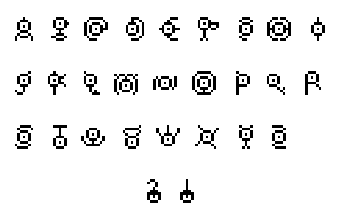
Adds a font inspired by the unown characters to Minecraft.
Screenshots
Über diese Mod
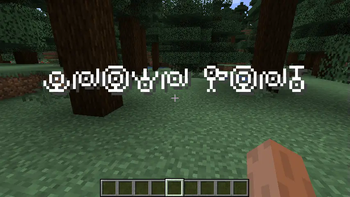
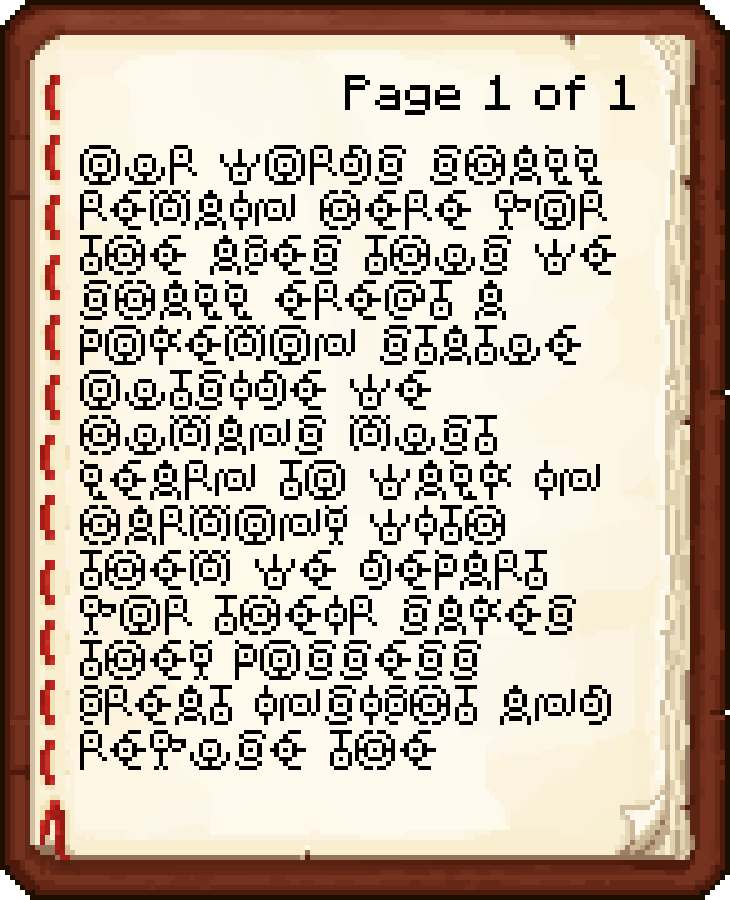
This mod adds an eerie eye font based on the Pokemon species Unown. The Unown font is sure to add some mystery to your game and pairs especially well with mods like Pixelmon and Cobblemon. The font can be used with anything that accepts raw JSON text, including item names, tooltips, books, and signs.
Overview
This font contains the 26 characters of the latin alphabet and both the exclamation and question mark characters. The uppercase and lowercase alphabet are both supported.
Banner Patterns
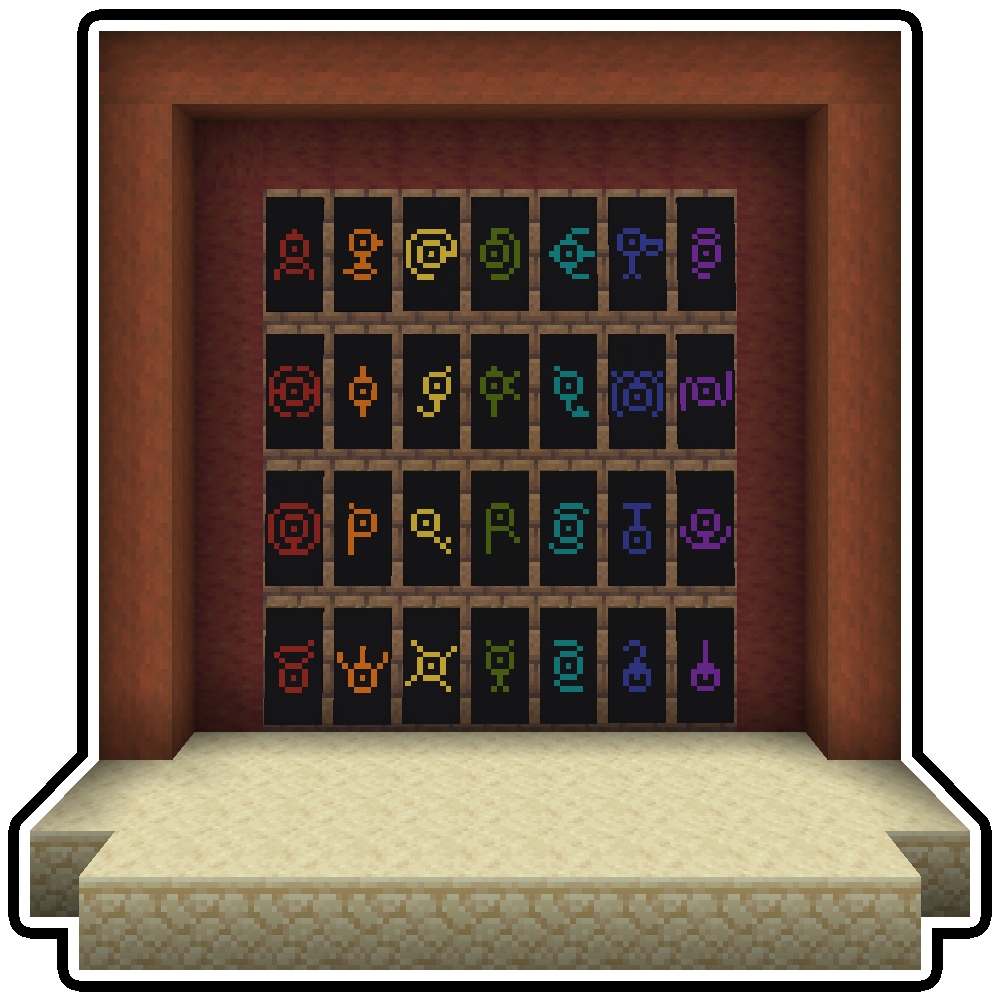
Starting with Minecraft 1.19.2 the wandering trader will sometimes have an unown banner pattern for sale. You can use this pattern at the loom to paint the unown symbols onto banners.
Vanilla Commands
Many of the commands in Minecraft allow you to specify text. Commands that use the raw JSON format can use this font by setting the font ID to unownfont:unown. Here are a few examples.
/give @p stone{display:{Name:"[{\"text\":\"Hello\",\"italic\":false,\"color\":\"gold\",\"font\":\"unownfont:unown\"}]"}} 1/title @a title {"text":"Hello","font":"unownfont:unown"}/tellraw @p {"text":"Hello","font":"unownfont:unown"}
Bookshelf Commands
The Bookshelf mod adds several commands that can help you work with fonts. These commands work for the unown font and any other fonts loaded into the game.
/bookshelf font say <font_id> <msg>- Creates a chat message in the given font./bookshelf font item <font_id>- Applies the font to the currently held item./bookshelf font book <font_id>- Applies the font to the name and contents of the held book./bookshelf font block <font_id> x y z- Applies the font to a block at the given coordinates. Works with signs and namable blocks like chests.

This project is sponsored by Nodecraft. Use code DARKHAX for 30% off your first month of service!
Verfügbare Versionen
Unown Font auf dem Server installieren
Server bestellen
Bestelle einen Minecraft Java Server mit mindestens 3 GB RAM (4 GB empfohlen).
fabric Loader setzen
Wähle im Panel unter "Egg" den fabric-Loader und die passende Minecraft-Version (26.3).
Mod installieren
Öffne den Mod-Browser im Dashboard und suche nach "Unown Font". Klicke "Installieren" – fertig! Alternativ: Lade die .jar via SFTP in den /mods Ordner.
Kompatibilität
Mod-Loader
Minecraft-Versionen
26.3, 26.2, 26.1.2 (+5 weitere)
Server-seitig
✓ ErforderlichEmpfohlener RAM
4 GB(min. 3 GB)Häufige Fragen
Unown Font Server crasht beim Start – was tun?
Häufigste Ursache: falsche fabric-Version oder zu wenig RAM. Prüfe im Server-Log (latest.log), ob ein "OutOfMemoryError" oder "Mixin"-Fehler auftritt. Bei Mado Hosting: Stelle sicher, dass mindestens 3 GB RAM zugewiesen sind und der Loader zur Mod-Version passt (26.3). Über das Panel kannst du den Loader mit einem Klick wechseln.
Ist Unown Font mit fabric und forge und neoforge kompatibel?
Unown Font unterstützt offiziell fabric, forge, neoforge für Minecraft 26.3, 26.2, 26.1.2. Achtung: Forge- und Fabric-Mods sind NICHT untereinander kompatibel – wähle einen Loader und bleibe dabei. Im Mado Dashboard werden inkompatible Loader-Kombinationen automatisch erkannt.
Server laggt mit Unown Font – wie optimiere ich die Performance?
Empfohlener RAM: 4 GB (+1 GB pro 8 Spieler). Prüfe mit /spark profiler, ob Unown Font den meisten Tick-Time verbraucht. Häufige Fixes: Server-View-Distance auf 8-10 reduzieren, bei Forge "performant" oder "starlight" als Zusatz-Mod installieren. Bei Mado Hosting läuft dein Server auf NVMe-SSDs mit dedizierten CPU-Kernen für minimale Latenz.
Ähnliche Mods

![[ETF] Entity Texture Features](https://cdn.modrinth.com/data/BVzZfTc1/af683d206d50b05258d865b0d6e4aa2f2cee12f2_96.webp)
![[EMF] Entity Model Features](https://cdn.modrinth.com/data/4I1XuqiY/6e5bbd0d06b1741bfdab6c0cfab6de8fdaf0064c_96.webp)



Modded Server mieten
Installiere Unown Font mit nur einem Klick auf deinem Server.