
Utility Belt
Adds a wearable secondary hotbar to help manage your tools and clear inventory clutter
Screenshots
Über diese Mod
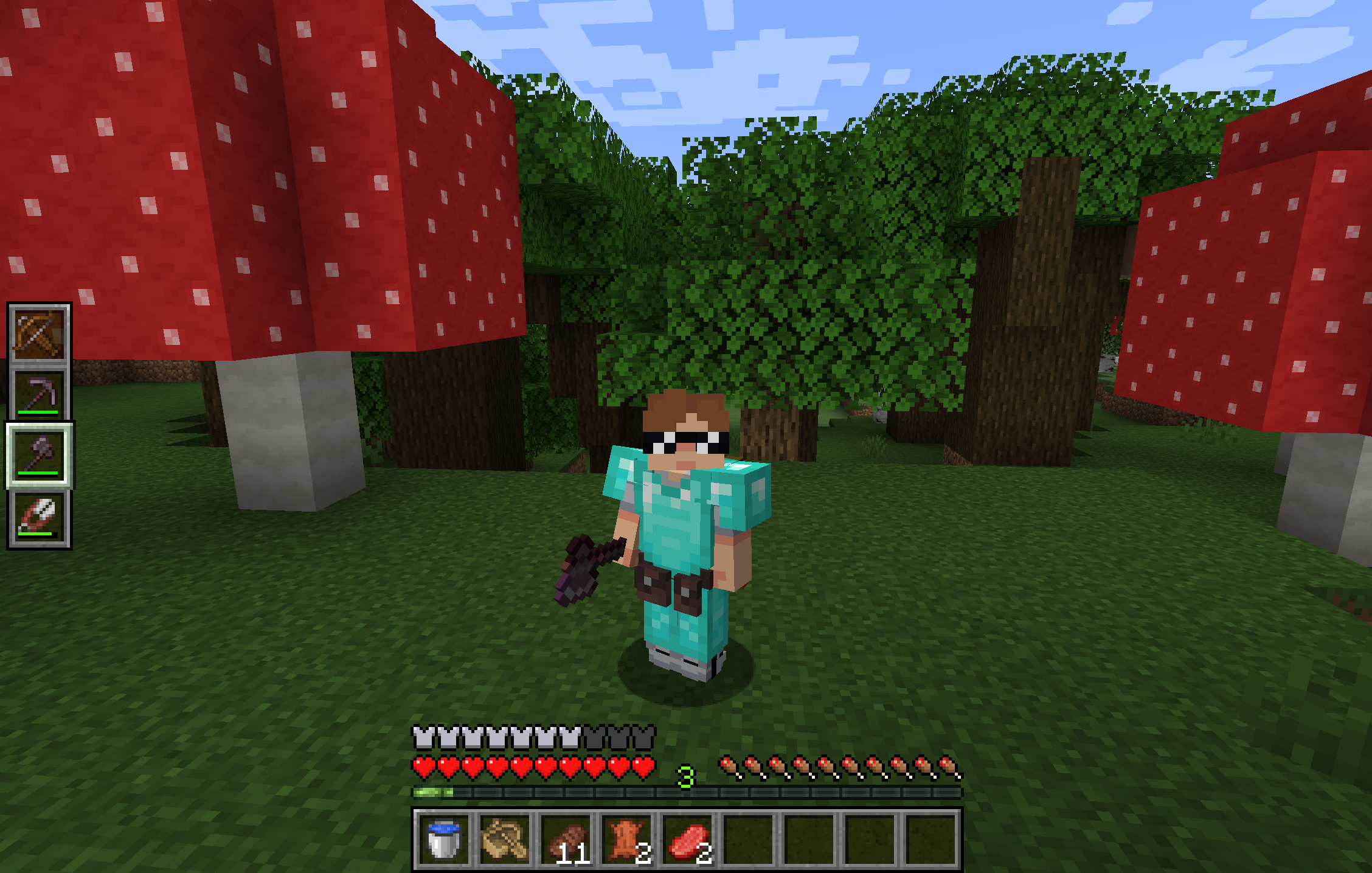
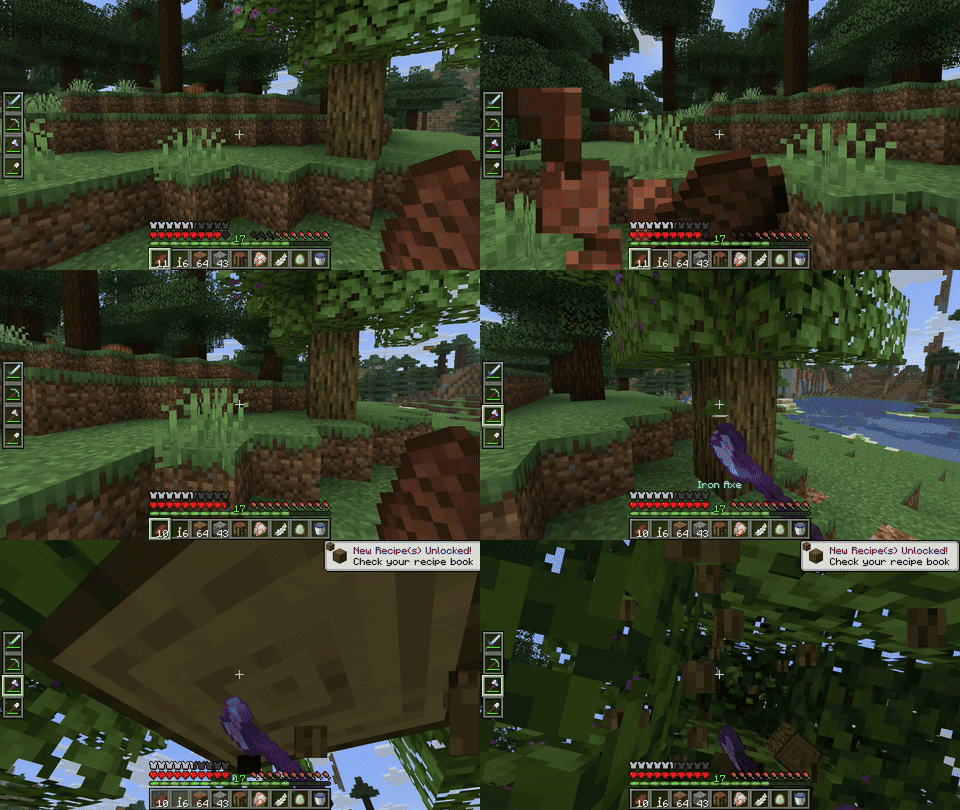
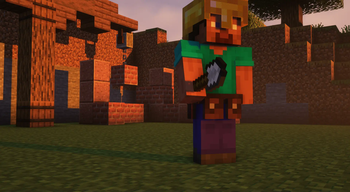
Utility Belt will solve your inventory clutter issues. 9 hotbar slots are not enough, especially when playing with mods. Wearing a Utility Belt gives you a second hotbar where only tools and weapons can be stored.
🛠️ Getting Started
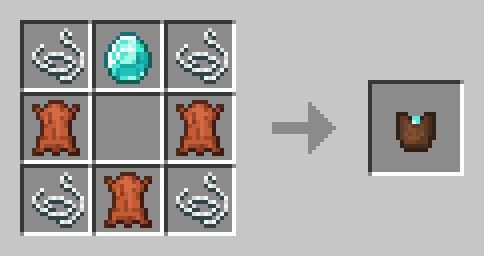
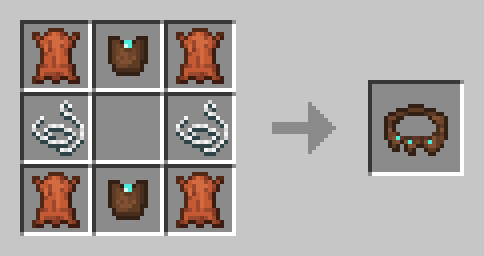
- Craft two belt pouches using the recipe above.
- Craft a Utility Belt using the recipe above.
- Equip it in your belt slot.
- Fill it with your tools and weapons.
⬆️ Upgrading the Belt
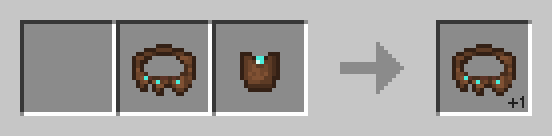
By default, the belt has 4 slots and can be upgraded to have up to 6 slots (these values can be changed in the mod configuration). You can add a slot to a belt in a Smithing Table using the recipe below.
🎮 Controls
| Action | Default Keybind | Description |
|---|---|---|
| Open Belt Screen | ' |
Opens the belt GUI to store items in the belt |
| Swap Hotbar | B (toggle), N (hold) |
Switches between your main hotbar and the belt hotbar |
| Quick Transfer | Sneak + Swap |
Swap the item in your hand between your main hotbar and the belt |
⚙️ Configuration
You can customize Utility Belt's options using the in-game configuration screen:
- Fabric: Accessible using ModMenu.
- Forge/NeoForge: Accessible using the Mods screen.
To change which items are accepted in the belt, you can make a datapack and add items to the allowed_in_utility_belt tag.
🔗 Compatibility
- LambDynamicLights: torches and lanterns in your belt will light up the world around you.
🐛 Bugs and Suggestions
You can report any issues and suggest changes on the GitHub issue tracker. Try out the /utilitybelt fixme command to see if it resolves the issue while you wait for a fix.
Always keep backups of your world, especially when playing versions marked as beta.
Verfügbare Versionen
Utility Belt auf dem Server installieren
Server bestellen
Bestelle einen Minecraft Java Server mit mindestens 3 GB RAM (4 GB empfohlen).
fabric Loader setzen
Wähle im Panel unter "Egg" den fabric-Loader und die passende Minecraft-Version (1.21.10).
Mod installieren
Öffne den Mod-Browser im Dashboard und suche nach "Utility Belt". Klicke "Installieren" – fertig! Alternativ: Lade die .jar via SFTP in den /mods Ordner.
Kompatibilität
Mod-Loader
Minecraft-Versionen
1.21.10, 1.21.4, 1.21.1 (+4 weitere)
Server-seitig
✓ ErforderlichEmpfohlener RAM
4 GB(min. 3 GB)Häufige Fragen
Utility Belt Server crasht beim Start – was tun?
Häufigste Ursache: falsche fabric-Version oder zu wenig RAM. Prüfe im Server-Log (latest.log), ob ein "OutOfMemoryError" oder "Mixin"-Fehler auftritt. Bei Mado Hosting: Stelle sicher, dass mindestens 3 GB RAM zugewiesen sind und der Loader zur Mod-Version passt (1.21.10). Über das Panel kannst du den Loader mit einem Klick wechseln.
Ist Utility Belt mit fabric und forge und neoforge und quilt kompatibel?
Utility Belt unterstützt offiziell fabric, forge, neoforge, quilt für Minecraft 1.21.10, 1.21.4, 1.21.1. Achtung: Forge- und Fabric-Mods sind NICHT untereinander kompatibel – wähle einen Loader und bleibe dabei. Im Mado Dashboard werden inkompatible Loader-Kombinationen automatisch erkannt.
Server laggt mit Utility Belt – wie optimiere ich die Performance?
Empfohlener RAM: 4 GB (+1 GB pro 8 Spieler). Prüfe mit /spark profiler, ob Utility Belt den meisten Tick-Time verbraucht. Häufige Fixes: Server-View-Distance auf 8-10 reduzieren, bei Forge "performant" oder "starlight" als Zusatz-Mod installieren. Bei Mado Hosting läuft dein Server auf NVMe-SSDs mit dedizierten CPU-Kernen für minimale Latenz.
Ähnliche Mods




Modded Server mieten
Installiere Utility Belt mit nur einem Klick auf deinem Server.