
Vanity: Aesthetic Armory
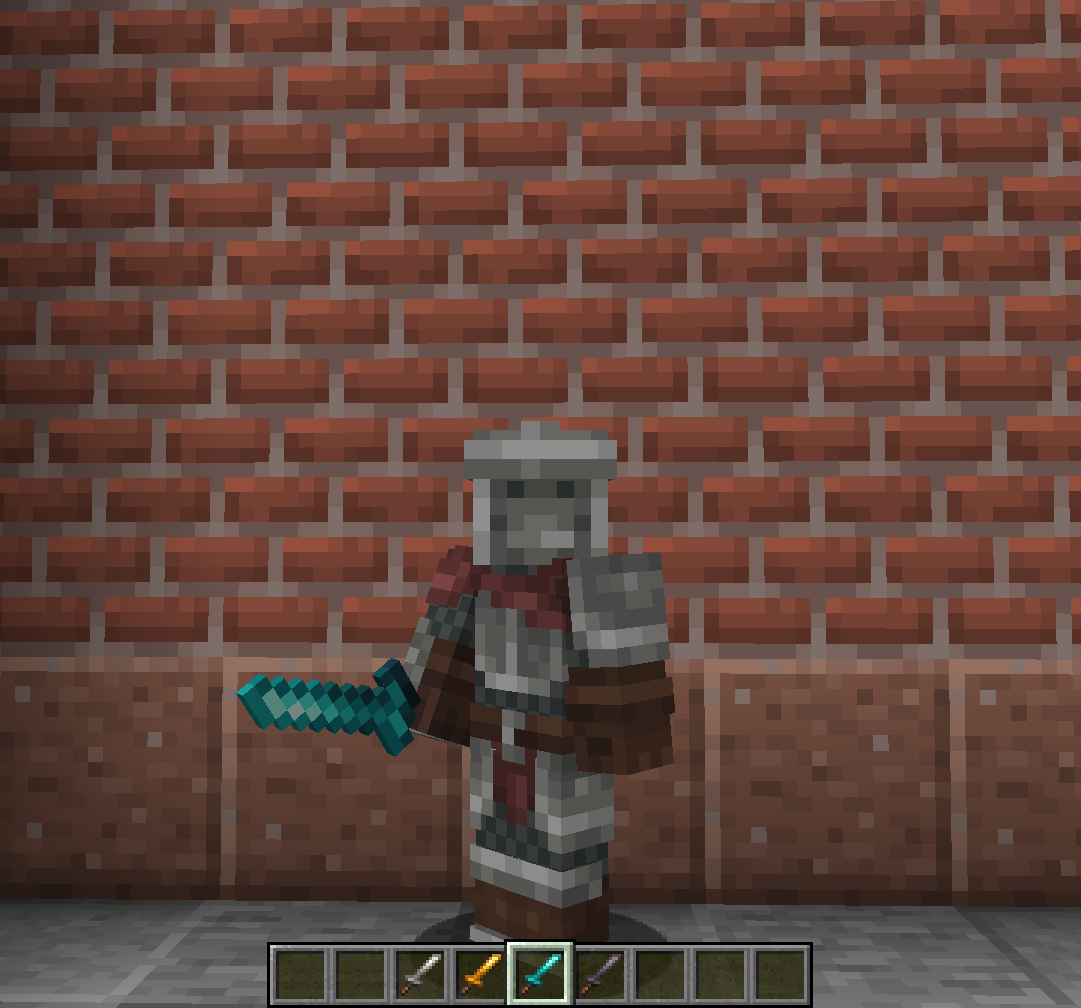
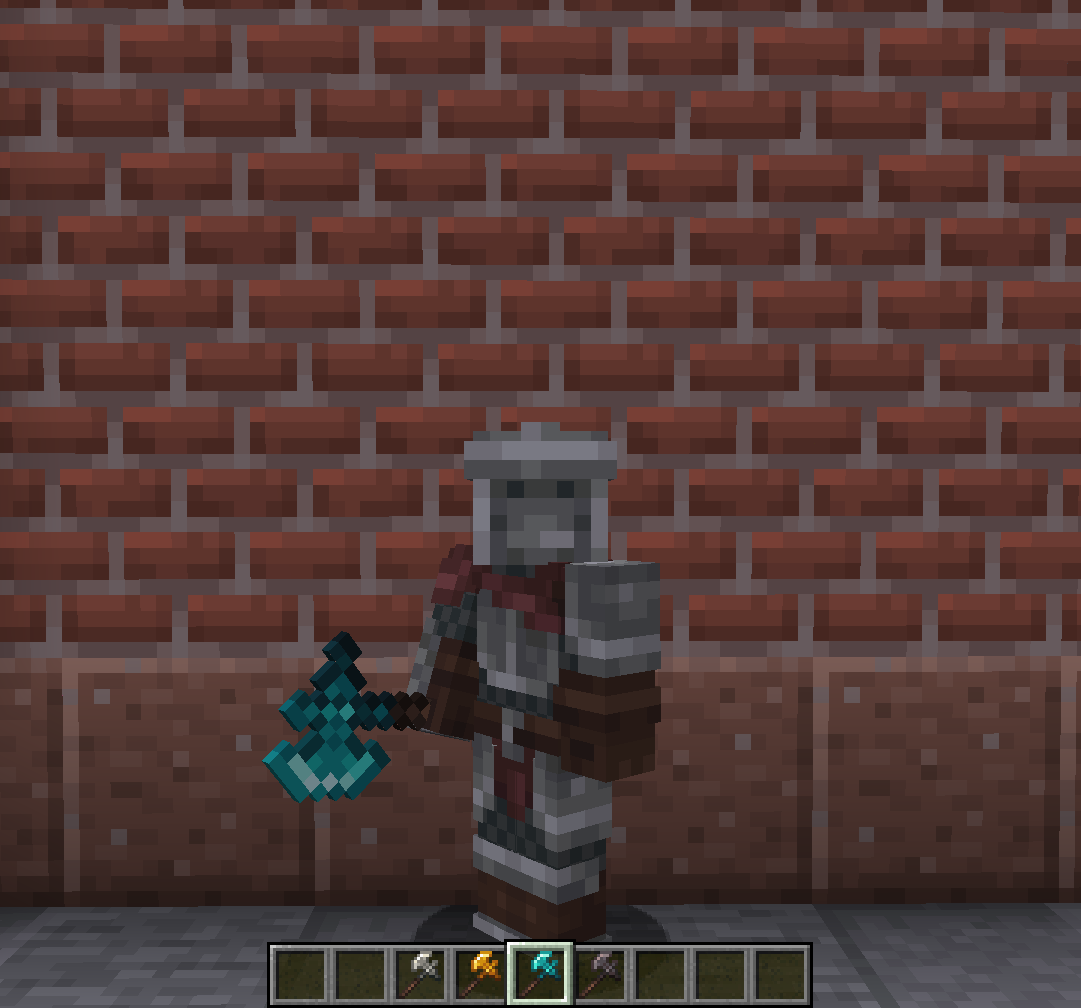
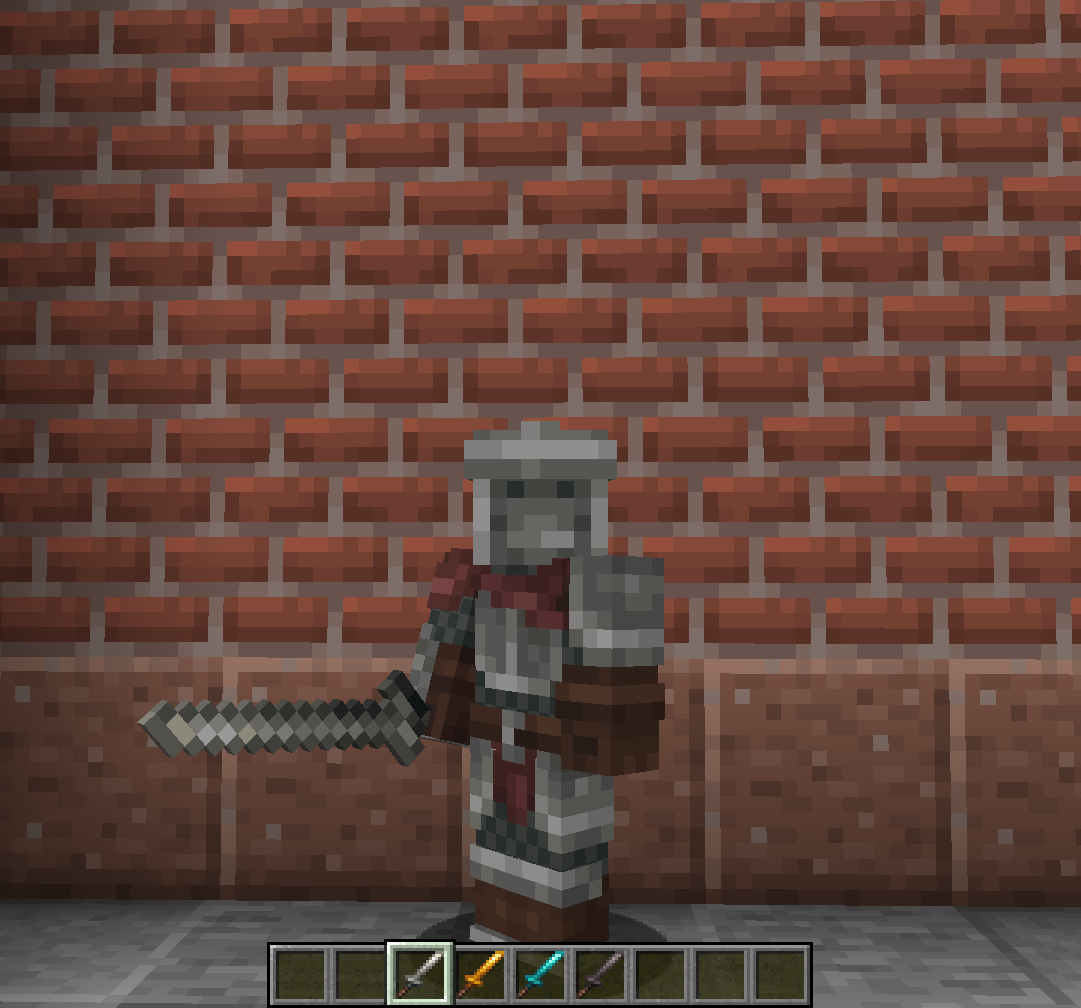
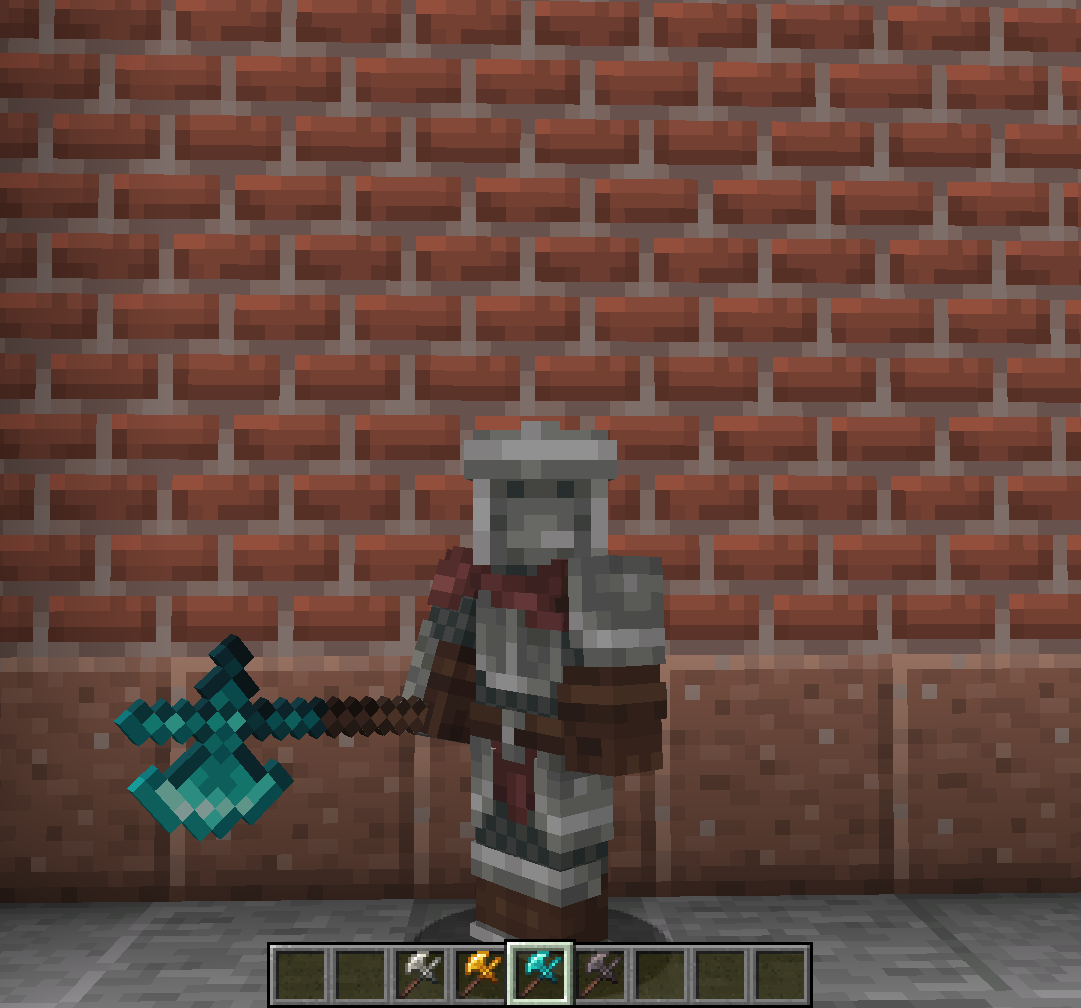
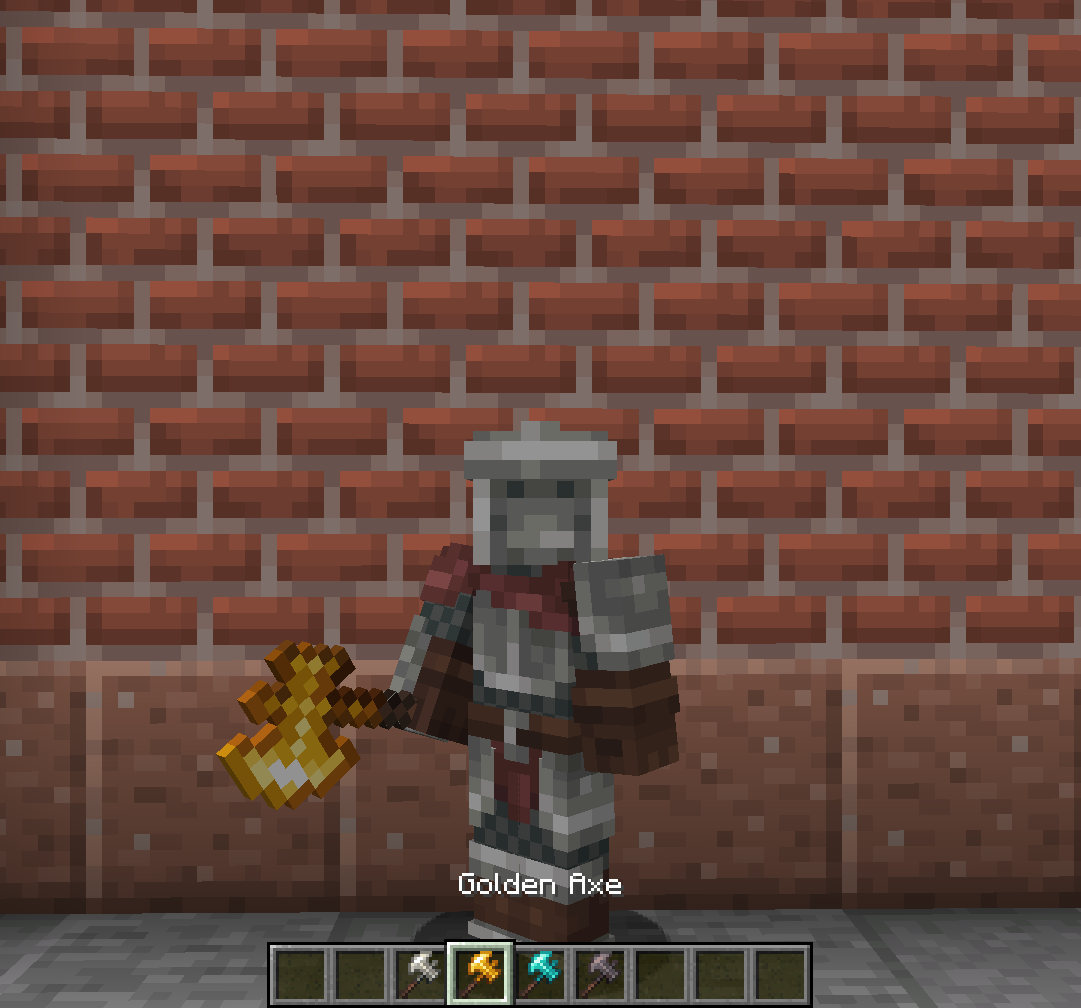
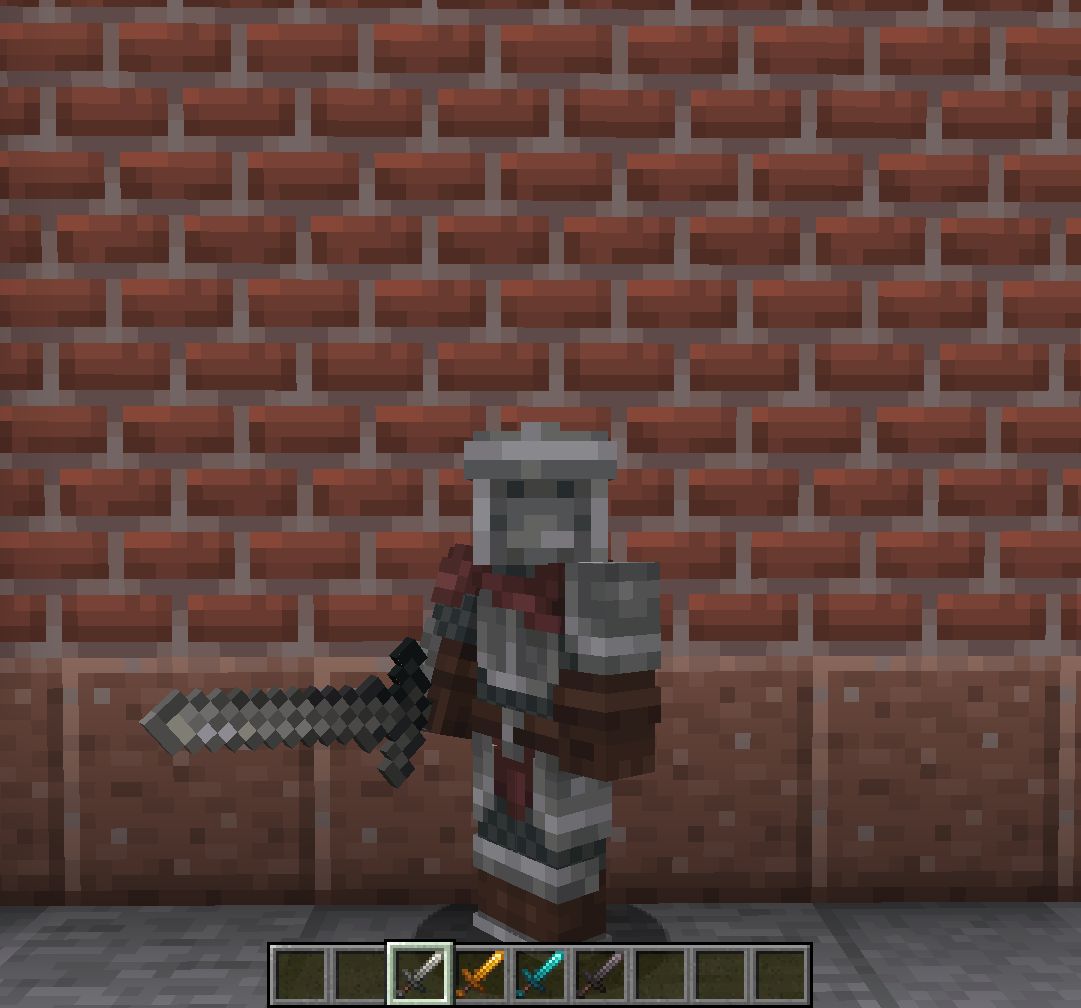
Greatly expands the user's armory by providing new weapon, tool and armor skins for your favorite items.
Screenshots
Über diese Mod
Vanity: Aesthetic Armory
An Addon which adds multiple new shapes for your tools, following each tool tier.
By adding multiple tool skins unlocked by default, and three Designs that can be bought from Villagers, this Mod will allow your arsenal to be the most diverse and personalized it's ever been!
This pack's tool colors are from my resource pack, Farcr's Re-Crafted. If you like the look of these weapons, be sure to download that pack too!
The three Designs, which can all be bought from Villagers, are:
Blacksmithing Design
A Design for your classic, heavy war weapons, allowing you to turn your tools into:
- Claymore
- Battle Axe
- War Axe
Fine Swordsmithing Design
A Design for your fine Katanas, Tachis and similar weaponry, allowing you to turn your tools into:
- Katana
- Nodachi
- Wakizashi
Polearm Design
A Design for your Polearms, for those who'd rather keep a distance and use practical and elegant weaponry, allowing you to turn your tools into:
- Halberd
- Flamberge
Default Design
Alongside the aforementioned Designs, some item skins will be unlocked by default, without requiring the use of a Design:
- Longsword
- Shortsword
- Dagger
- Hunter Axe
Fan of my work? Join My Discord, to keep up with new project, project updates, or simply talk with a small, homely community
Verfügbare Versionen
Vanity: Aesthetic Armory auf dem Server installieren
Server bestellen
Bestelle einen Minecraft Java Server mit mindestens 3 GB RAM (4 GB empfohlen).
fabric Loader setzen
Wähle im Panel unter "Egg" den fabric-Loader und die passende Minecraft-Version (1.21.3).
Mod installieren
Öffne den Mod-Browser im Dashboard und suche nach "Vanity: Aesthetic Armory". Klicke "Installieren" – fertig! Alternativ: Lade die .jar via SFTP in den /mods Ordner.
Kompatibilität
Mod-Loader
Minecraft-Versionen
1.21.3, 1.21.2, 1.21.1 (+7 weitere)
Server-seitig
✓ ErforderlichEmpfohlener RAM
4 GB(min. 3 GB)Häufige Fragen
Vanity: Aesthetic Armory Server crasht beim Start – was tun?
Häufigste Ursache: falsche fabric-Version oder zu wenig RAM. Prüfe im Server-Log (latest.log), ob ein "OutOfMemoryError" oder "Mixin"-Fehler auftritt. Bei Mado Hosting: Stelle sicher, dass mindestens 3 GB RAM zugewiesen sind und der Loader zur Mod-Version passt (1.21.3). Über das Panel kannst du den Loader mit einem Klick wechseln.
Ist Vanity: Aesthetic Armory mit fabric und forge und neoforge kompatibel?
Vanity: Aesthetic Armory unterstützt offiziell fabric, forge, neoforge für Minecraft 1.21.3, 1.21.2, 1.21.1. Achtung: Forge- und Fabric-Mods sind NICHT untereinander kompatibel – wähle einen Loader und bleibe dabei. Im Mado Dashboard werden inkompatible Loader-Kombinationen automatisch erkannt.
Server laggt mit Vanity: Aesthetic Armory – wie optimiere ich die Performance?
Empfohlener RAM: 4 GB (+1 GB pro 8 Spieler). Prüfe mit /spark profiler, ob Vanity: Aesthetic Armory den meisten Tick-Time verbraucht. Häufige Fixes: Server-View-Distance auf 8-10 reduzieren, bei Forge "performant" oder "starlight" als Zusatz-Mod installieren. Bei Mado Hosting läuft dein Server auf NVMe-SSDs mit dedizierten CPU-Kernen für minimale Latenz.
Ähnliche Mods

![[ETF] Entity Texture Features](https://cdn.modrinth.com/data/BVzZfTc1/af683d206d50b05258d865b0d6e4aa2f2cee12f2_96.webp)
![[EMF] Entity Model Features](https://cdn.modrinth.com/data/4I1XuqiY/6e5bbd0d06b1741bfdab6c0cfab6de8fdaf0064c_96.webp)



Modded Server mieten
Installiere Vanity: Aesthetic Armory mit nur einem Klick auf deinem Server.