
Wormhole Artifact
The Wormhole Artifact is a useful item that allows you to teleport without commands to your friends through a simple UI. Inspired by the Wormhole Potion from Terraria.
Über diese Mod
🌀 Now you can teleport to your friends!
Introducing the Wormhole Artifact, an useful item that allows you to teleport to your friends through a simple UI, perfect for multiplayer survival, it offers a fair and balanced alternative to traditional teleportation with commands, keeping the game immersive and challenging.
✨ Main Features
The Wormhole Artifact allows you to teleport to friends, but only within the same dimension.
It can be upgraded to the Wormhole Remote, which lets you teleport to players even if they are in a different dimension.
The UI displays, in real time, information about all players who have a Wormhole Artifact or Wormhole Remote in their inventory:
- Their name and head icon.
- Their current dimension (including the five modded dimensions shown in the images; otherwise, it will display "???").
- Their block distance from you (only if you are in the same dimension).
⚙️ Configurable Settings
You can customize various aspects of the mod in the wormhole-artifact-config.toml file, including:
- Durability of both the Wormhole Artifact and Wormhole Remote.
- Cooldown time for using either item.
- Ender Nacre drop rate from Ender Pearls.
📕 Recipes
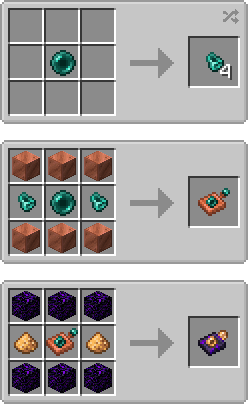
💬 Permissions
✔️ Allowed
- You may include this mod in CurseForge and Modrinth modpacks.
- You are free to use this mod in your videos (credits and a link to the mod page in the description would be appreciated).
❌ Not Allowed
- Reuploading this mod to any other websites, launchers, or apps.
- Using any content from this mod (textures, models, recipes, tags, etc.) in other projects.
- Selling this mod in any way or including it in paid modpacks.
🖼️ Explanation Renders (and a gif)
📌 You can teleport to your friends from your same dimension with the Womrhole Artifact!
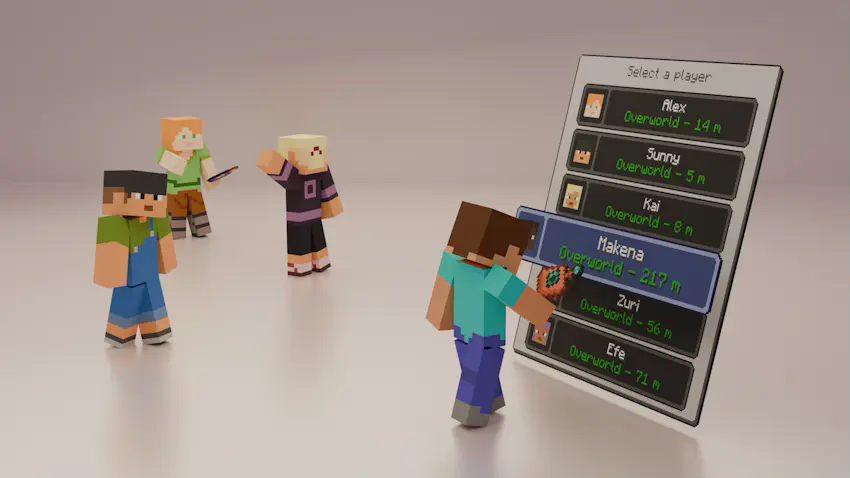
📌 Also you can teleport to friends from other dimensions with the Wormhole Remote!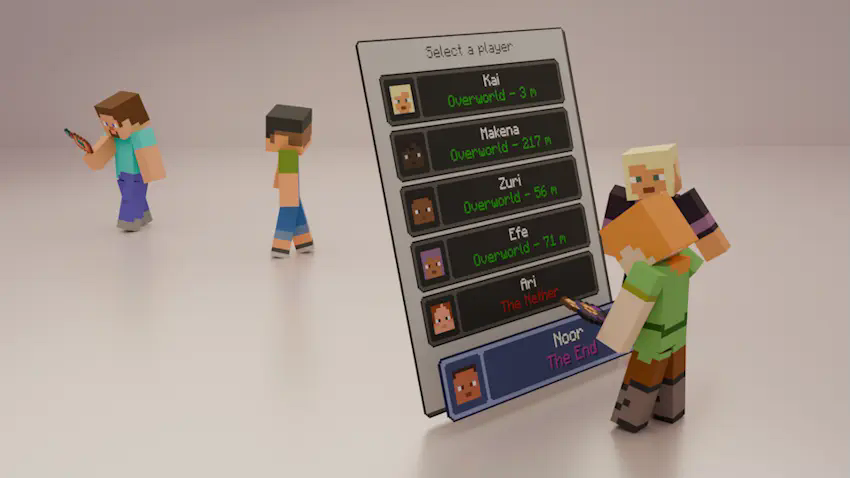
📌 The UI can display the names of modded dimensions!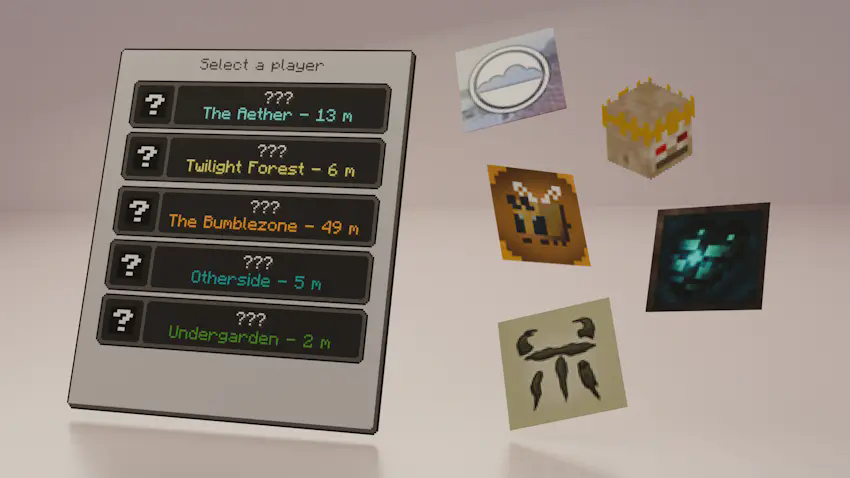
📌 Also you can get Ender Nacre from using Ender Pearls!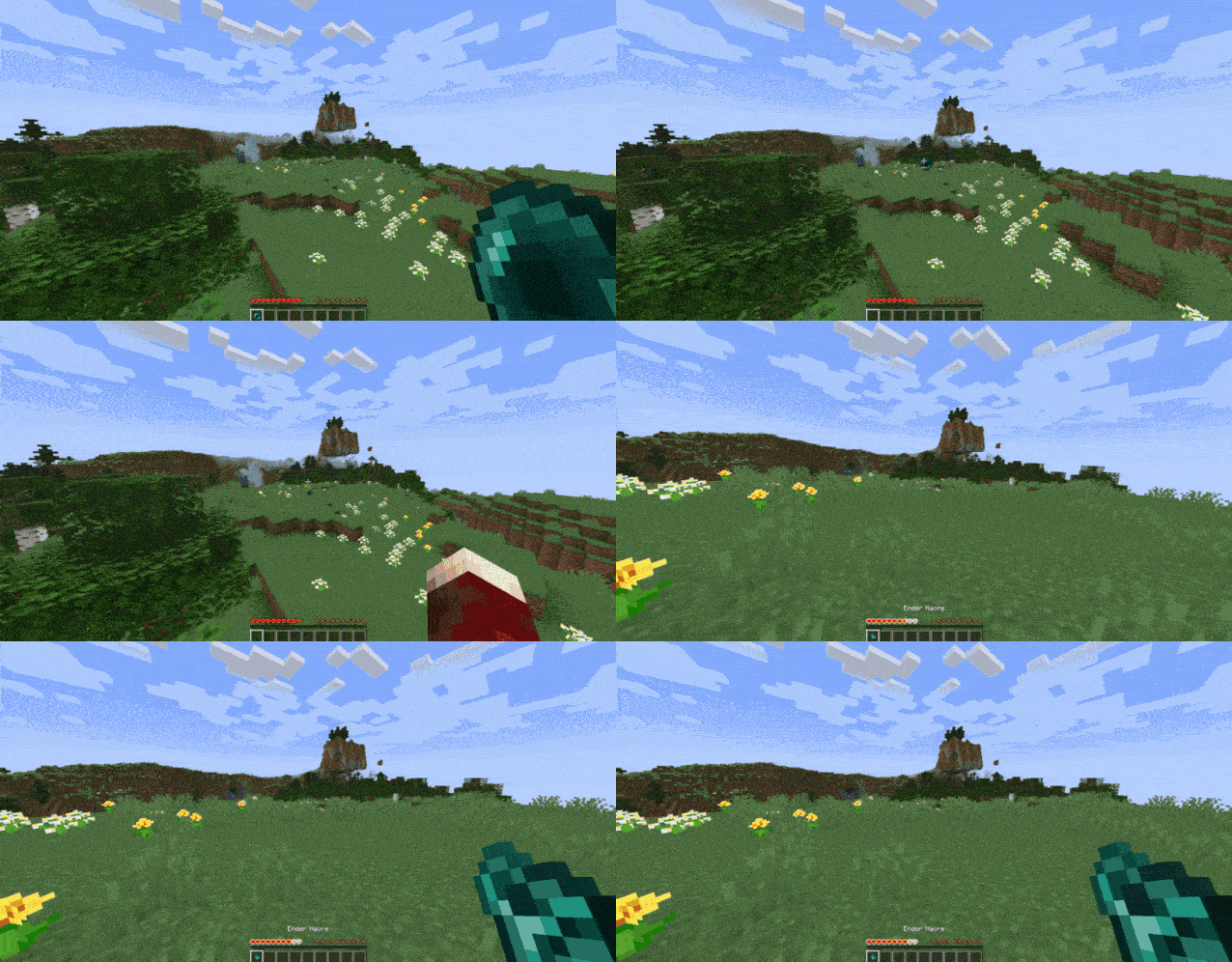
Verfügbare Versionen
Wormhole Artifact auf dem Server installieren
Server bestellen
Bestelle einen Minecraft Java Server mit mindestens 3 GB RAM (4 GB empfohlen).
forge Loader setzen
Wähle im Panel unter "Egg" den forge-Loader und die passende Minecraft-Version (1.20.1).
Mod installieren
Öffne den Mod-Browser im Dashboard und suche nach "Wormhole Artifact". Klicke "Installieren" – fertig! Alternativ: Lade die .jar via SFTP in den /mods Ordner.
Kompatibilität
Mod-Loader
Minecraft-Versionen
1.20.1
Server-seitig
✓ ErforderlichEmpfohlener RAM
4 GB(min. 3 GB)Häufige Fragen
Wormhole Artifact Server crasht beim Start – was tun?
Häufigste Ursache: falsche forge-Version oder zu wenig RAM. Prüfe im Server-Log (latest.log), ob ein "OutOfMemoryError" oder "Mixin"-Fehler auftritt. Bei Mado Hosting: Stelle sicher, dass mindestens 3 GB RAM zugewiesen sind und der Loader zur Mod-Version passt (1.20.1). Über das Panel kannst du den Loader mit einem Klick wechseln.
Ist Wormhole Artifact mit forge kompatibel?
Wormhole Artifact unterstützt offiziell forge für Minecraft 1.20.1. Im Mado Dashboard werden inkompatible Loader-Kombinationen automatisch erkannt.
Server laggt mit Wormhole Artifact – wie optimiere ich die Performance?
Empfohlener RAM: 4 GB (+1 GB pro 8 Spieler). Prüfe mit /spark profiler, ob Wormhole Artifact den meisten Tick-Time verbraucht. Häufige Fixes: Server-View-Distance auf 8-10 reduzieren, bei Forge "performant" oder "starlight" als Zusatz-Mod installieren. Bei Mado Hosting läuft dein Server auf NVMe-SSDs mit dedizierten CPU-Kernen für minimale Latenz.
Ähnliche Mods




Modded Server mieten
Installiere Wormhole Artifact mit nur einem Klick auf deinem Server.