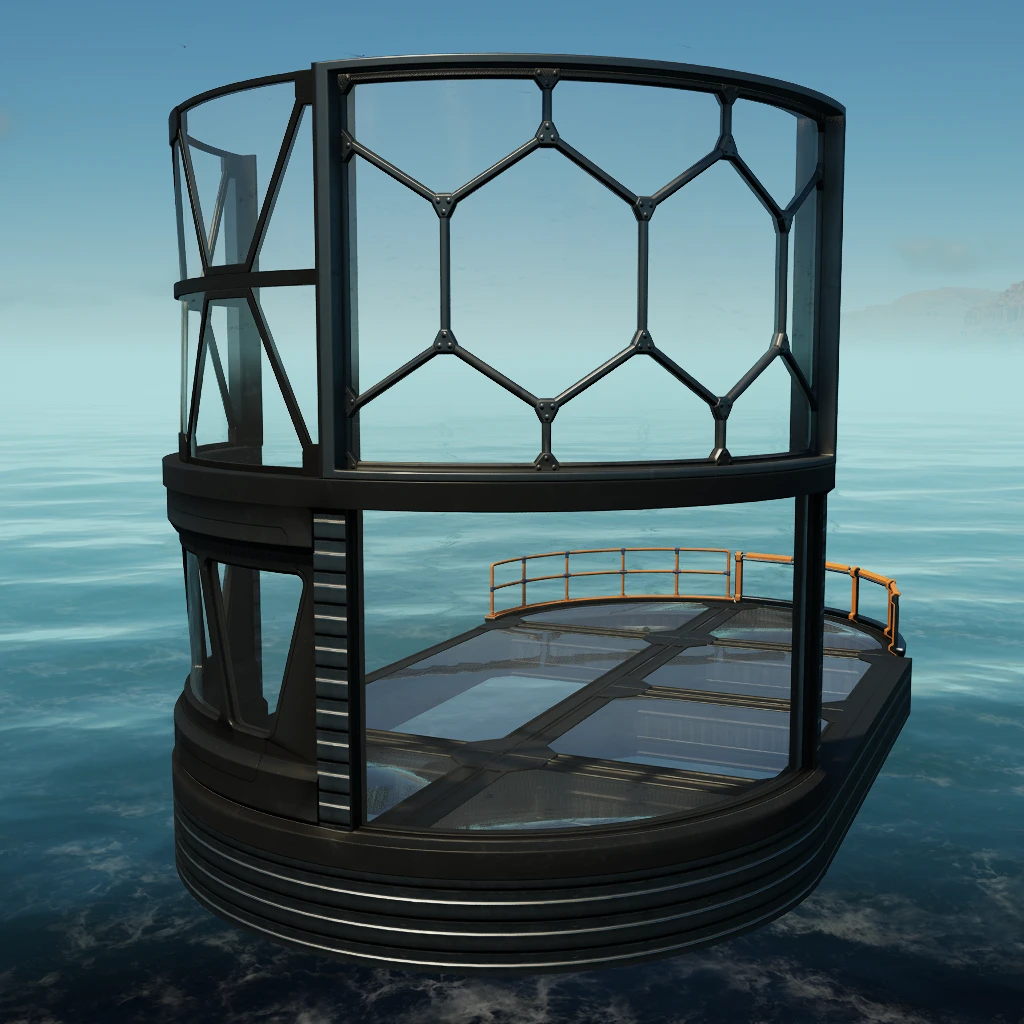
Architecture +
Additional architectural elements
Beschreibung
<div style="background:#5682BBFF; padding:5px; margin-top:10px; border-radius:10px; box-shadow: 5px 5px 3px #37567DFF;" >
<h1 id="Title" align="center" style="text-shadow: black 5px 2px 10px;">Architecture + 01 <img width="64" src=https://github.com/Evasion4D/Satisfactory_Mods/raw/main/Images/Satisfactory_12_tag.png></h1>
</div>
With these new elements, your imagination is the only limit to your architectural creativity.
Customizable
Can be painted
* Unlocked at Tier 1
Find all the elements in the new Architecture+ category

Version 1.2.0: Adding 4x4 foundations<br>

To easily place the Basic Wall (1M) Corner, either use 'H' for a move or place the piece before the corner foundation.

Version 2.1.0: Adding frameless element<br>

Version 2.2.0: Adding 9 Glass foundations<br>

If you also want the frameless 4x4 element, you will find it in the Architecture + 02 mod<br>

##
https://ficsit.app/mod/Architecture02
-----------
<br>
You can contact me on the 2 Satisfactory discords (Jean Michel (jeanmichel4d ))<br>
Versionen
Architecture + auf dem Server installieren
Satisfactory Server bestellen
Bestelle einen Satisfactory Server mit mindestens 4 GB RAM (6 GB empfohlen). Bei Multiplayer: +1 GB pro 4 Spieler.
Mod installieren
Öffne den Mod-Manager im Dashboard und suche nach "Architecture +". Installations-Dependencies werden automatisch mitinstalliert.
Server neu starten
Starte den Server neu, damit die Mod geladen wird. Spieler müssen die Mod ebenfalls lokal installiert haben.
Häufige Fragen
Architecture + funktioniert nicht nach Update – was tun?
Nach einem Satisfactory-Update müssen Mods aktualisiert werden. Prüfe auf ficsit.app, ob Architecture + bereits für die neue Game-Version aktualisiert wurde. Bei Mado Hosting: Öffne den Mod-Manager und klicke "Alle aktualisieren". Wenn die Mod noch nicht aktualisiert ist, entferne sie temporär, damit der Server startet.
Architecture + verursacht Crashes im Multiplayer – Lösung
Häufigste Ursache: alle Spieler müssen exakt die gleiche Mod-Version installiert haben. Prüfe in den Server-Logs nach "ModMismatch" oder "Version Conflict". Stelle sicher, dass alle Spieler Architecture + v3.0.3 und den gleichen SML verwenden. Bei Mado Hosting laufen Satisfactory Server mit 6 GB RAM für stabile Multiplayer-Performance.
Ist Architecture + mit anderen Satisfactory Mods kompatibel?
Architecture + nutzt den Satisfactory Mod Loader (SML). Generell sind SML-basierte Mods untereinander kompatibel, aber Mods die gleiche Game-Systeme ändern, können Konflikte verursachen. Teste neue Mod-Kombinationen am besten auf einem Backup-Save. Im Mado Dashboard werden bekannte Konflikte automatisch erkannt und du wirst gewarnt.
Architecture + Server mieten
Spiele Architecture + auf deinem eigenen Satisfactory Server mit Mod-Support.
Mod Informationen
- Ersteller
- Jean Michel
- Neueste Version
- v3.0.3
- Erstellt am
- 13. Februar 2025
- Zuletzt aktualisiert
- 7. Oktober 2026
- Quellcode
- GitHub →