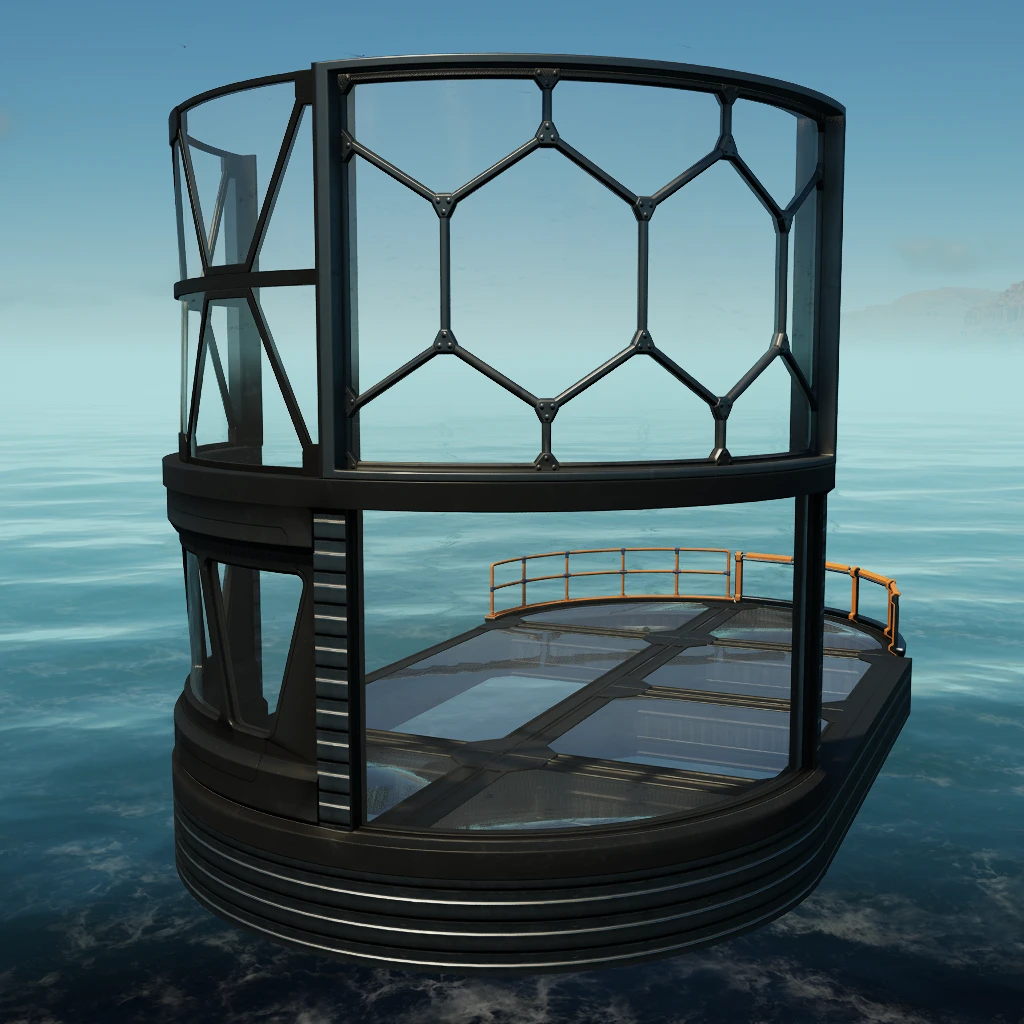
Architecture +
Additional architectural elements
Description
<div style="background:#5682BBFF; padding:5px; margin-top:10px; border-radius:10px; box-shadow: 5px 5px 3px #37567DFF;" >
<h1 id="Title" align="center" style="text-shadow: black 5px 2px 10px;">Architecture + 01 <img width="64" src=https://github.com/Evasion4D/Satisfactory_Mods/raw/main/Images/Satisfactory_12_tag.png></h1>
</div>
With these new elements, your imagination is the only limit to your architectural creativity.
Customizable
Can be painted
* Unlocked at Tier 1
Find all the elements in the new Architecture+ category

Version 1.2.0: Adding 4x4 foundations<br>

To easily place the Basic Wall (1M) Corner, either use 'H' for a move or place the piece before the corner foundation.

Version 2.1.0: Adding frameless element<br>

Version 2.2.0: Adding 9 Glass foundations<br>

If you also want the frameless 4x4 element, you will find it in the Architecture + 02 mod<br>

##
https://ficsit.app/mod/Architecture02
-----------
<br>
You can contact me on the 2 Satisfactory discords (Jean Michel (jeanmichel4d ))<br>
Versions
How to Install Architecture + on Your Server
Order Satisfactory Server
Order a Satisfactory server with at least 4 GB RAM (6 GB recommended). For multiplayer: per 4 players.
Install Mod
Open the mod manager in the dashboard and search for "Architecture +". Installation dependencies are installed automatically.
Restart Server
Restart the server so the mod is loaded. Players need to have the mod installed locally as well.
Frequently Asked Questions
Architecture + not working after update – what to do?
After a Satisfactory update, mods need to be updated. Check ficsit.app whether Architecture + has been updated for the new game version. With Mado Hosting: open the mod manager and click "Update All". If the mod hasn't been updated yet, temporarily remove it so the server starts.
Architecture + causing crashes in multiplayer – solution
Most common cause: all players must have exactly the same mod version installed. Check server logs for "ModMismatch" or "Version Conflict". Ensure all players use Architecture + v3.0.3 and the same SML. With Mado Hosting, Satisfactory servers run with 6 GB RAM for stable multiplayer performance.
Is Architecture + compatible with other Satisfactory mods?
Architecture + uses the Satisfactory Mod Loader (SML). Generally, SML-based mods are cross-compatible, but mods modifying the same game systems can cause conflicts. Test new mod combinations on a backup save. The Mado dashboard automatically detects known conflicts and warns you.
Rent Architecture + Server
Play Architecture + on your own Satisfactory server with mod support.
Mod Information
- Author
- Jean Michel
- Latest Version
- v3.0.3
- Created
- February 13, 2025
- Last Updated
- October 7, 2026
- Source Code
- GitHub →