
Digby Tool
Tool providing various enhancements
Beschreibung
A tool that will interact with some of my mods and have some standalone features. Available via a Tier 3 Milestone in the HUB, then crafted at the Equipment Workshop.
Standalone Modes:
Digby Mode
- Primary Fire: Ragdoll self
- Ctrl + Primary Fire: Ragdoll target player or creature
- Secondary Fire: Easter Egg emote
- Ctrl + Secondary Fire: Open the Sir Digby Chicken Caesar theme song on YouTube
Standby Mode
- Primary Fire: Turn on Machine
- Secondary Fire: Turn off Machine
Vehicle Path Mode
- Primary Fire: Select Node
- Secondary Fire: Deselect Node
- Arrow Keys & Page Up/Down: Nudge selected Node
- Shift/Ctrl: Large/Small nudge modifiers
- Alt + Left/Right: Rotate selected Node
<br><br>Optional Tool Modes:
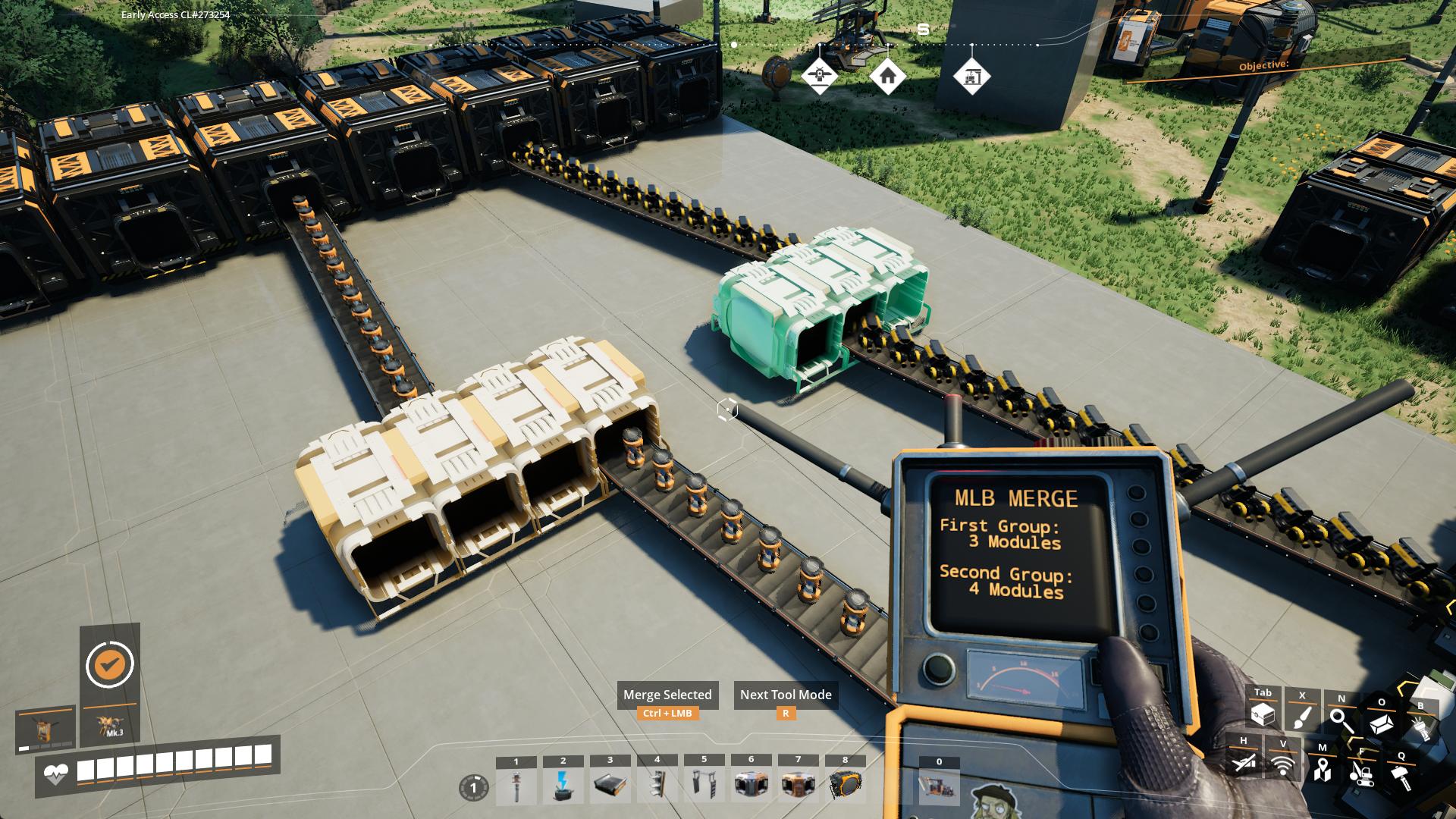
MLB Merge
- Select the first group with Left-Click
- Select the second group with Right-Click
- Ctrl-Click to merge the groups together
MLB Split
- Select all Modules you want in a new group by Left-Clicking each
- Ctrl-Click to combine them into a new group
<br><br><br>




<br><br>
---
<br><br>Please report any issues <a href="https://discord.gg/WM5KT7pVu8">on my Discord server</a><br><br>
<a href="https://ko-fi.com/sirdigbymodding">SirDigby's completely optional tip jar</a><br>
<br><a href="https://indifferentbroccoli.com/satisfactory-server-hosting?fpr=sirdigby"><img src="https://indifferentbroccoli.com/img/broccoli_shadow_square.png" width=80/></a>
Indifferent Broccoli provides the server I use to test Dedicated Server mod support, and I highly recommend them. If you're looking to <a href="https://indifferentbroccoli.com/satisfactory-server-hosting?fpr=sirdigby">host your own Satisfactory server</a> , try indifferent broccoli's 2-day free trial.
Versionen
Digby Tool auf dem Server installieren
Satisfactory Server bestellen
Bestelle einen Satisfactory Server mit mindestens 4 GB RAM (6 GB empfohlen). Bei Multiplayer: +1 GB pro 4 Spieler.
Mod installieren
Öffne den Mod-Manager im Dashboard und suche nach "Digby Tool". Installations-Dependencies werden automatisch mitinstalliert.
Server neu starten
Starte den Server neu, damit die Mod geladen wird. Spieler müssen die Mod ebenfalls lokal installiert haben.
Häufige Fragen
Digby Tool funktioniert nicht nach Update – was tun?
Nach einem Satisfactory-Update müssen Mods aktualisiert werden. Prüfe auf ficsit.app, ob Digby Tool bereits für die neue Game-Version aktualisiert wurde. Bei Mado Hosting: Öffne den Mod-Manager und klicke "Alle aktualisieren". Wenn die Mod noch nicht aktualisiert ist, entferne sie temporär, damit der Server startet.
Digby Tool verursacht Crashes im Multiplayer – Lösung
Häufigste Ursache: alle Spieler müssen exakt die gleiche Mod-Version installiert haben. Prüfe in den Server-Logs nach "ModMismatch" oder "Version Conflict". Stelle sicher, dass alle Spieler Digby Tool v2.4.0 und den gleichen SML verwenden. Bei Mado Hosting laufen Satisfactory Server mit 6 GB RAM für stabile Multiplayer-Performance.
Ist Digby Tool mit anderen Satisfactory Mods kompatibel?
Digby Tool nutzt den Satisfactory Mod Loader (SML). Generell sind SML-basierte Mods untereinander kompatibel, aber Mods die gleiche Game-Systeme ändern, können Konflikte verursachen. Teste neue Mod-Kombinationen am besten auf einem Backup-Save. Im Mado Dashboard werden bekannte Konflikte automatisch erkannt und du wirst gewarnt.
Digby Tool Server mieten
Spiele Digby Tool auf deinem eigenen Satisfactory Server mit Mod-Support.
Mod Informationen
- Ersteller
- SirDigby
- Neueste Version
- v2.4.0
- Erstellt am
- 10. Mai 2024
- Zuletzt aktualisiert
- 8. Oktober 2026
- Quellcode
- GitHub →