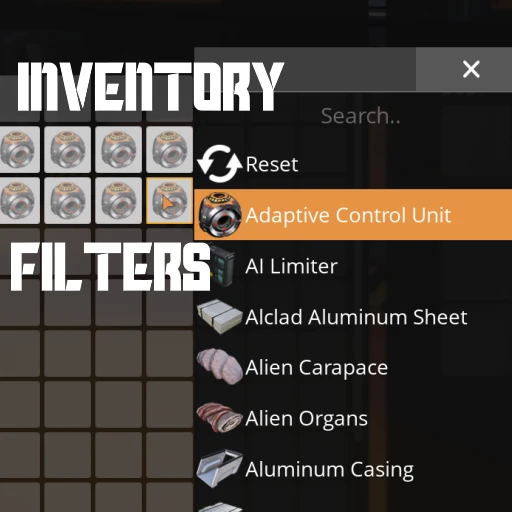
Inventory Filters
Set item restrictions on any inventory slot - your player, buildings, vehicles, and more!
Beschreibung
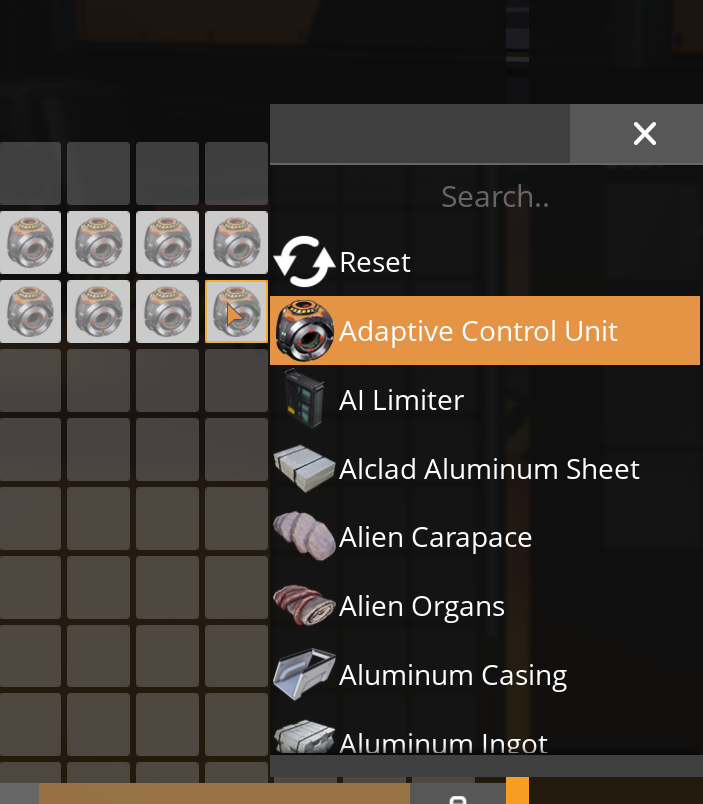
Allows you to assign filters to inventory slots by clicking with the Right-Mouse Button on an empty slot.
A popup will appear with which you can configure an item to set as that slot's filter.
A filtered slot is reserved to only hold that kind of item.
A slot can only be filtered for one item at a time.
<!-- markdownlint-disable MD033 -->
<video controls="" width="720" height="405">
<source src="https://github.com/Nogg-aholic/InventoryFilters/raw/master/ModpageResources/DemoVideo.mp4" autoplay="false" controls="true" type="video/mp4">
</video>
_Multiplayer compatible!_
You can keep applying the same filter to multiple slots
by right clicking them, or right click dragging, while the popup is open.
This works on basically all regular inventory slots -
personal storage boxes, your player inventory, vehicles, etc.
The mod uses the base game's slot filter mechanic,
which means that your filters will persist after the mod is uninstalled,
although they are not always clearly displayed.
You can also, under some circumstances, edit existing filters that the base game uses, which could probably cause some problems, so be careful.
This mod was started with [Drejn](https://ficsit.app/user/9i28T65xuTXzSs), who worked on the initial implementation.
Report Bugs on the GitHub -> [GitHub Issues](https://github.com/Nogg-aholic/InventoryFilters/issues)
_This mod is currently being maintained by `robb4` (Discord)._
_If you enjoy my work, please consider donating to my [completely optional tip jar](https://ko-fi.com/robb4)._
Uses
- Control how many stacks are allowed in a storage container
- Ensure certain items sort to the top of your player inventory
- Restrict certain items from entering vehicles at dropoff stations
- Keep your personal storage crates even more organized
- Setting slot filters allows tighter control over [Inserters](https://ficsit.app/mod/C5jf5WDq7cZBtw) and how many items they are allowed to put into containers
- Use Slot Filters to tell [Logistic Modules](https://ficsit.app/mod/AEr7ASfJHWpnhL) that a container is a valid item destination even when it has no items stored inside - useful for making "dropoff chests" or AWESOME sink feeders.
- More!
Known Bugs
See the [GitHub Issues page](https://github.com/Nogg-aholic/InventoryFilters/issues).
Regarding Sorting
The base game's inventory sorting method is not conscious of slot filters.
This mod relies upon the [Enhanced Sorting](https://ficsit.app/mod/EnhancedSorting) mod to remedy this, changing sorting logic.
Versionen
Inventory Filters auf dem Server installieren
Satisfactory Server bestellen
Bestelle einen Satisfactory Server mit mindestens 4 GB RAM (6 GB empfohlen). Bei Multiplayer: +1 GB pro 4 Spieler.
Mod installieren
Öffne den Mod-Manager im Dashboard und suche nach "Inventory Filters". Installations-Dependencies werden automatisch mitinstalliert.
Server neu starten
Starte den Server neu, damit die Mod geladen wird. Spieler müssen die Mod ebenfalls lokal installiert haben.
Häufige Fragen
Inventory Filters funktioniert nicht nach Update – was tun?
Nach einem Satisfactory-Update müssen Mods aktualisiert werden. Prüfe auf ficsit.app, ob Inventory Filters bereits für die neue Game-Version aktualisiert wurde. Bei Mado Hosting: Öffne den Mod-Manager und klicke "Alle aktualisieren". Wenn die Mod noch nicht aktualisiert ist, entferne sie temporär, damit der Server startet.
Inventory Filters verursacht Crashes im Multiplayer – Lösung
Häufigste Ursache: alle Spieler müssen exakt die gleiche Mod-Version installiert haben. Prüfe in den Server-Logs nach "ModMismatch" oder "Version Conflict". Stelle sicher, dass alle Spieler Inventory Filters v1.4.2 und den gleichen SML verwenden. Bei Mado Hosting laufen Satisfactory Server mit 6 GB RAM für stabile Multiplayer-Performance.
Ist Inventory Filters mit anderen Satisfactory Mods kompatibel?
Inventory Filters nutzt den Satisfactory Mod Loader (SML). Generell sind SML-basierte Mods untereinander kompatibel, aber Mods die gleiche Game-Systeme ändern, können Konflikte verursachen. Teste neue Mod-Kombinationen am besten auf einem Backup-Save. Im Mado Dashboard werden bekannte Konflikte automatisch erkannt und du wirst gewarnt.
Inventory Filters Server mieten
Spiele Inventory Filters auf deinem eigenen Satisfactory Server mit Mod-Support.
Mod Informationen
- Ersteller
- Nogg-aholic, Robb
- Neueste Version
- v1.4.2
- Erstellt am
- 28. Juni 2021
- Zuletzt aktualisiert
- 8. Oktober 2026
- Quellcode
- GitHub →