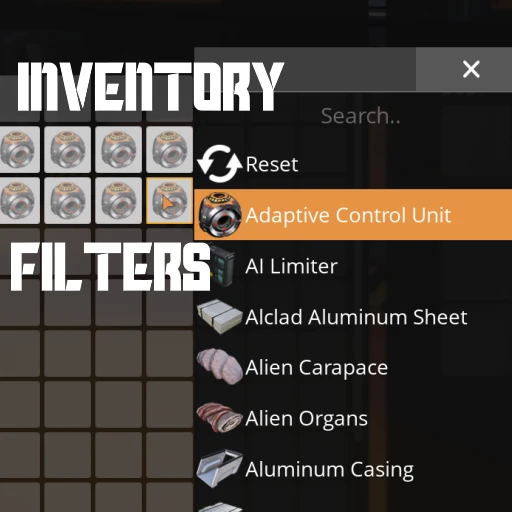
Inventory Filters
Set item restrictions on any inventory slot - your player, buildings, vehicles, and more!
Description
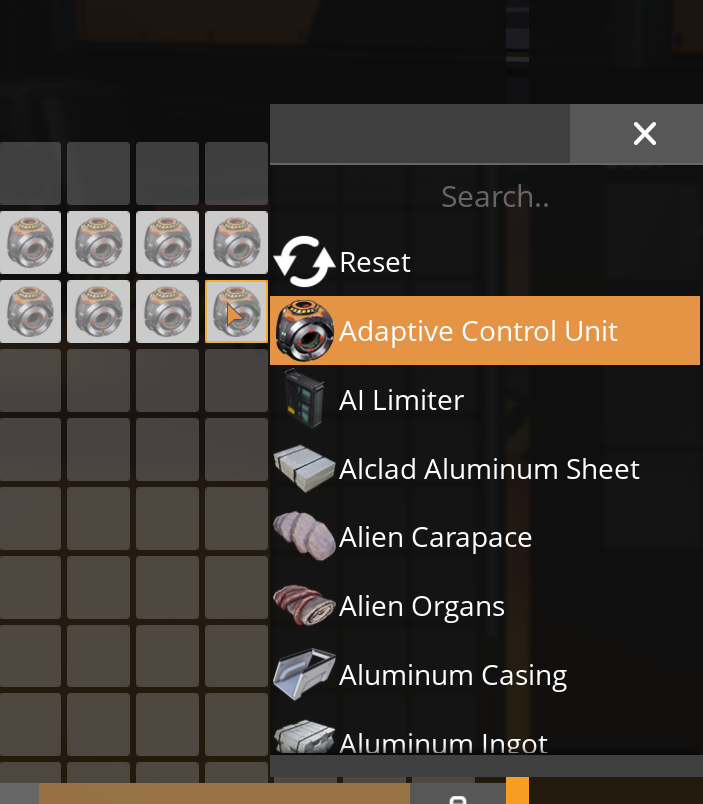
Allows you to assign filters to inventory slots by clicking with the Right-Mouse Button on an empty slot.
A popup will appear with which you can configure an item to set as that slot's filter.
A filtered slot is reserved to only hold that kind of item.
A slot can only be filtered for one item at a time.
<!-- markdownlint-disable MD033 -->
<video controls="" width="720" height="405">
<source src="https://github.com/Nogg-aholic/InventoryFilters/raw/master/ModpageResources/DemoVideo.mp4" autoplay="false" controls="true" type="video/mp4">
</video>
_Multiplayer compatible!_
You can keep applying the same filter to multiple slots
by right clicking them, or right click dragging, while the popup is open.
This works on basically all regular inventory slots -
personal storage boxes, your player inventory, vehicles, etc.
The mod uses the base game's slot filter mechanic,
which means that your filters will persist after the mod is uninstalled,
although they are not always clearly displayed.
You can also, under some circumstances, edit existing filters that the base game uses, which could probably cause some problems, so be careful.
This mod was started with [Drejn](https://ficsit.app/user/9i28T65xuTXzSs), who worked on the initial implementation.
Report Bugs on the GitHub -> [GitHub Issues](https://github.com/Nogg-aholic/InventoryFilters/issues)
_This mod is currently being maintained by `robb4` (Discord)._
_If you enjoy my work, please consider donating to my [completely optional tip jar](https://ko-fi.com/robb4)._
Uses
- Control how many stacks are allowed in a storage container
- Ensure certain items sort to the top of your player inventory
- Restrict certain items from entering vehicles at dropoff stations
- Keep your personal storage crates even more organized
- Setting slot filters allows tighter control over [Inserters](https://ficsit.app/mod/C5jf5WDq7cZBtw) and how many items they are allowed to put into containers
- Use Slot Filters to tell [Logistic Modules](https://ficsit.app/mod/AEr7ASfJHWpnhL) that a container is a valid item destination even when it has no items stored inside - useful for making "dropoff chests" or AWESOME sink feeders.
- More!
Known Bugs
See the [GitHub Issues page](https://github.com/Nogg-aholic/InventoryFilters/issues).
Regarding Sorting
The base game's inventory sorting method is not conscious of slot filters.
This mod relies upon the [Enhanced Sorting](https://ficsit.app/mod/EnhancedSorting) mod to remedy this, changing sorting logic.
Versions
How to Install Inventory Filters on Your Server
Order Satisfactory Server
Order a Satisfactory server with at least 4 GB RAM (6 GB recommended). For multiplayer: per 4 players.
Install Mod
Open the mod manager in the dashboard and search for "Inventory Filters". Installation dependencies are installed automatically.
Restart Server
Restart the server so the mod is loaded. Players need to have the mod installed locally as well.
Frequently Asked Questions
Inventory Filters not working after update – what to do?
After a Satisfactory update, mods need to be updated. Check ficsit.app whether Inventory Filters has been updated for the new game version. With Mado Hosting: open the mod manager and click "Update All". If the mod hasn't been updated yet, temporarily remove it so the server starts.
Inventory Filters causing crashes in multiplayer – solution
Most common cause: all players must have exactly the same mod version installed. Check server logs for "ModMismatch" or "Version Conflict". Ensure all players use Inventory Filters v1.4.2 and the same SML. With Mado Hosting, Satisfactory servers run with 6 GB RAM for stable multiplayer performance.
Is Inventory Filters compatible with other Satisfactory mods?
Inventory Filters uses the Satisfactory Mod Loader (SML). Generally, SML-based mods are cross-compatible, but mods modifying the same game systems can cause conflicts. Test new mod combinations on a backup save. The Mado dashboard automatically detects known conflicts and warns you.
Rent Inventory Filters Server
Play Inventory Filters on your own Satisfactory server with mod support.
Mod Information
- Author
- Nogg-aholic, Robb
- Latest Version
- v1.4.2
- Created
- June 28, 2021
- Last Updated
- October 8, 2026
- Source Code
- GitHub →